Close Menu
MyAppsPlus

    Subscribe to Updates

    Get the latest creative news from FooBar about art, design and business.

    What's Hot

    There’s a simple way to watch Leeds vs Man United for *FREE*

    October 18, 2026

    ‘The GPU never reads the same text twice’: Belgian startup Corbenic wants to turn your server’s SSD into AI memory, but its 14x speedup owes more to reading less

    October 18, 2026

    Three Phone app features worth turning on right now

    October 18, 2026
    Facebook X (Twitter) Instagram
    Facebook X (Twitter) Instagram
    MyAppsPlusMyAppsPlus
    Sunday, October 18
    • Home
    • Breaking Tech
    • Apps & Software
    • AI & Automation
    • Android
    • iPhone & iOS
    • More
      • Reviews
      • How-To Guides
      • Deals & Discounts
      • Shop
    MyAppsPlus
    Home»Breaking Tech»What is the star button for on your Roku remote?
    Breaking Tech

    What is the star button for on your Roku remote?

    myappsplusBy myappsplusOctober 18, 2026003 Mins Read
    Share Facebook Twitter Pinterest Copy Link LinkedIn Tumblr Email Telegram WhatsApp
    Follow Us
    Google News Flipboard
    What is the star button for on your Roku remote?
    Share
    Facebook Twitter LinkedIn Pinterest Email Copy Link

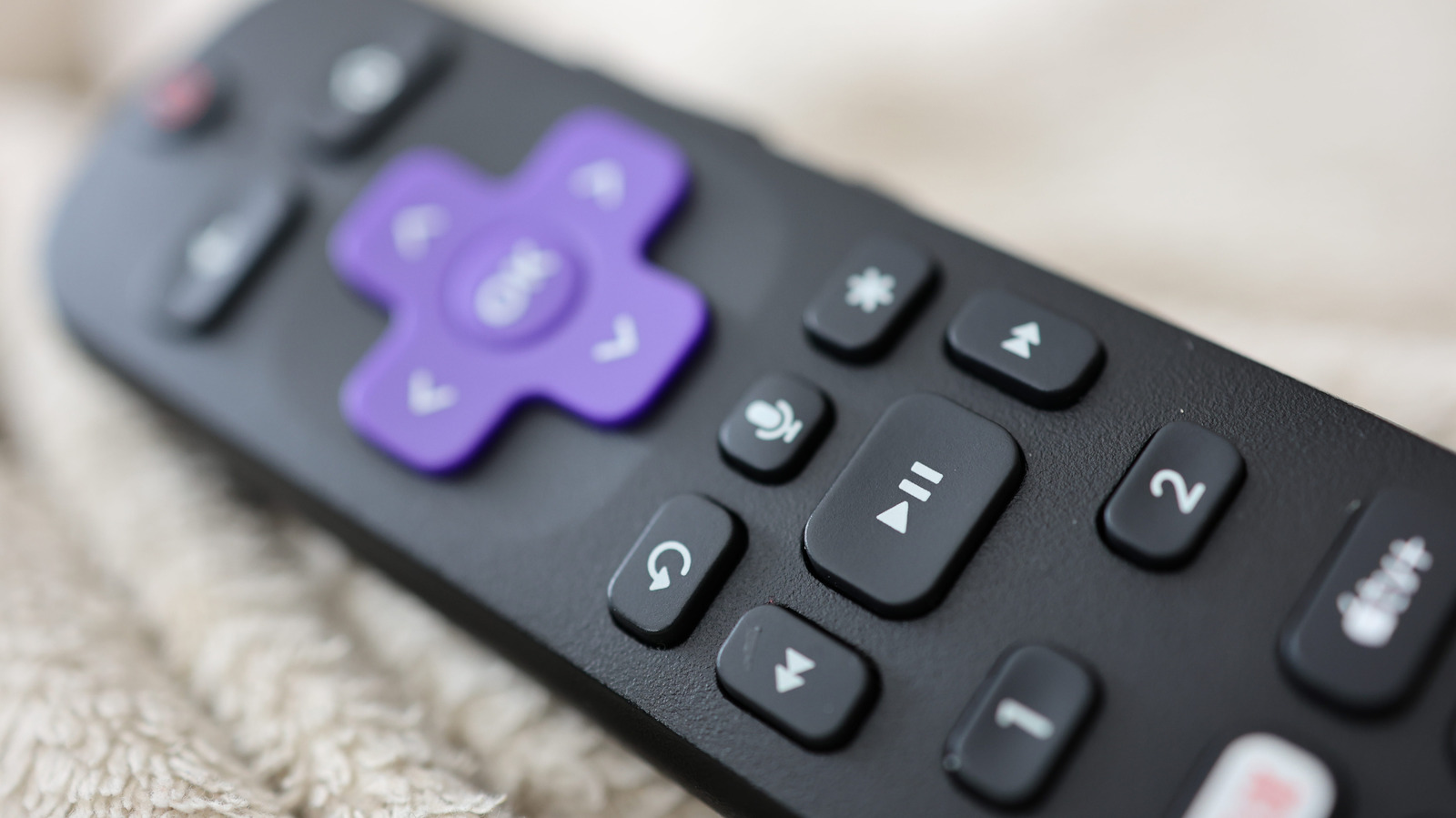
    Roku’s remote is straightforward, except for its multi-purpose star button.

    A Roku system’s remote control is one of the most straightforward remote designs you’ll find. The function behind nearly every button is clear from its icon, except for one: the mysterious star button that lurks above the fast forward button. Whether you’re using the physical remote or the remote in the Roku mobile app, you’re going to encounter it — but what is it for?

    Its purpose isn’t as cut and dry as something like the OK or Netflix button, because its usage is contextual depending on when you press it. It’s essentially a mix of an “options” button and accessibility shortcut, with some functionality depending on whether you have a Roku TV or one of the company’s streaming boxes. Once you know all the scenarios where you can utilize it, you’ll be able to improve several facets of your Roku watching experience.

    Everything the Roku star button can do
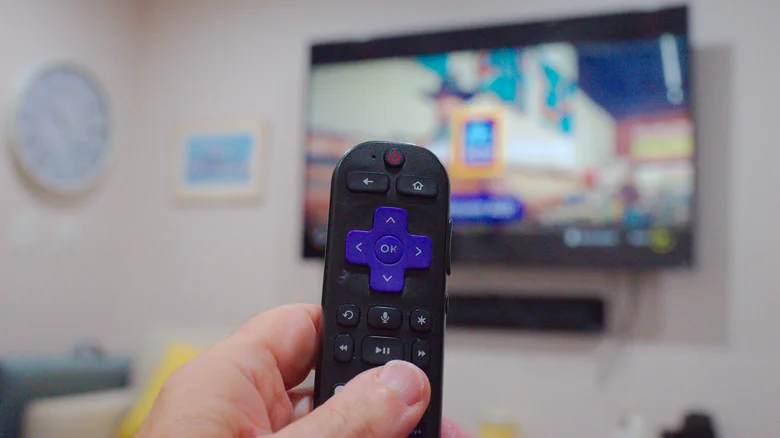
    Close-up of a hand holding a Roku remote with a TV in the background.

    What the star button does is dependent upon where you are on your Roku device. Let’s consider the three major ones.

    On the home screen

    When you’re on the Roku home screen, the star button’s functionality depends on whether you’re in the Quick Access section or the general app selection screen. In Quick Access, hitting star while an app is highlighted will only give you the option to remove it from the section; in the full apps list you’ll have more options. 

    When you have an app highlighted there, pressing the star will show you the app’s version and build number, let you move the channel’s positioning or remove it, rate the app, give feedback or check for app updates. On a Roku TV, if you highlight an external device like a video game console, you’ll be given the option to rename it.

    When watching something

    If you’re actively streaming video on your Roku TV, the star button opens a host of viewing options in a sidebar. Here, you can improve your Roku’s image quality, set a sleep timer, turn on closed captioning, change the volume mode and much more. The specific options will vary slightly from app to app based on their capabilities, but in general, this is the place to precisely tailor your viewing experience. On a Roku streaming box, this menu won’t hold as many options as a Roku TV does.

    As an accessibility shortcut

    Some Roku devices support a text-to-speech screen reader (formerly called Audio Guide), an accessibility feature that helps navigation. This feature is currently only available in the United States. Roku devices that support the screen reader include:

    • Roku TV
    • Roku Streambar and Streambar Pro
    • Roku Smart Soundbar
    • Roku Express and Express+
    • Roku Express 4K and 4K+
    • Roku Streaming Stick and Streaming Stick+
    • Roku Streaming Stick 4K and 4K+
    • Roku Premiere and Premiere+
    • Roku Ultra and Ultra LT

    Though the screen reader can be activateduickly pressing the star button four times in a row. To adjust controls like the precise speech rate and volume of the screen reader, you’ll need to go to the Accessibility category of the Settings page, but the star button allows you to activate the feature without venturing into menus

    button Entertainment Star What Your
    Follow on Google News Follow on Flipboard
    Share. Facebook Twitter Pinterest LinkedIn Tumblr Email Copy Link
    myappsplus
    • Website

    Related Posts

    There’s a simple way to watch Leeds vs Man United for *FREE*

    October 18, 2026

    After five years, Inscryption is finally coming to mobile

    October 18, 2026

    No agenda, no rush, no leaving San Francisco: Benchmark’s partners on investing in a frenzied market

    October 18, 2026
    Add A Comment
    Leave A Reply Cancel Reply

    Top Posts

    Cathay Pacific tests Google AI that dramatically cuts airplane contrails — tiny altitude shifts slash environmental impact by 40% in early trials

    September 8, 202667 Views

    Pricing, Benchmarks vs Claude 5.5

    October 12, 202612 Views

    What was the PSX? The souped-up PS2 rarely sold outside of Japan

    September 14, 202610 Views
    Latest Reviews

    Apple Arcade just got this retro-inspired gem

    myappsplusAugust 30, 2026

    Last chance for Anker’s hybrid Prime Power Bank wall charger down at $70

    myappsplusAugust 30, 2026

    What is the release date for Reacher season 4 episode 6 on Prime Video?

    myappsplusAugust 30, 2026
    Stay In Touch
    • Facebook
    • YouTube
    • TikTok
    • WhatsApp
    • Twitter
    • Instagram

    Subscribe to Updates

    Get the latest tech news from FooBar about tech, design and biz.

    Most Popular

    I use Google Chrome every day, and these are my 10 favorite tips and tricks

    August 30, 20260 Views

    How to check if your TV is playing in 4K or not

    August 30, 20260 Views

    Things to know before using your MacBook outside

    August 30, 20260 Views
    Our Picks

    There’s a simple way to watch Leeds vs Man United for *FREE*

    October 18, 2026

    ‘The GPU never reads the same text twice’: Belgian startup Corbenic wants to turn your server’s SSD into AI memory, but its 14x speedup owes more to reading less

    October 18, 2026

    Three Phone app features worth turning on right now

    October 18, 2026

    Subscribe to Updates

    Subscribe to our newsletter and get the latest tech news, app updates, AI trends, smartphone reviews, and exclusive deals delivered straight to your inbox.

    Facebook X (Twitter) Instagram Pinterest
    • About Us
    • Get In Touch
    • Disclaimer
    • Privacy Policy
    • Terms & Conditions
    © 2026 MyAppsPlus. All Rights Reserved.

    Type above and press Enter to search. Press Esc to cancel.