Close Menu
MyAppsPlus

    Subscribe to Updates

    Get the latest creative news from FooBar about art, design and business.

    What's Hot

    Crazy Black Friday MacBook deals on M6 MacBook Pro $250 off, M5 Air $400 off, PROLED, more

    November 29, 2026

    What is the globe icon on your MacBook keyboard used for?

    November 29, 2026

    Small Actions, Big Impact: Give Back This Holiday Season With the Samsung Global Goals App

    November 29, 2026
    Facebook X (Twitter) Instagram
    Facebook X (Twitter) Instagram
    MyAppsPlusMyAppsPlus
    Sunday, November 29
    • Home
    • Breaking Tech
    • Apps & Software
    • AI & Automation
    • Android
    • iPhone & iOS
    • More
      • Reviews
      • How-To Guides
      • Deals & Discounts
      • Shop
    MyAppsPlus
    Home»Breaking Tech»What is the globe icon on your MacBook keyboard used for?
    Breaking Tech

    What is the globe icon on your MacBook keyboard used for?

    myappsplusBy myappsplusNovember 29, 2026004 Mins Read
    Share Facebook Twitter Pinterest Copy Link LinkedIn Tumblr Email Telegram WhatsApp
    Follow Us
    Google News Flipboard
    What is the globe icon on your MacBook keyboard used for?
    Share
    Facebook Twitter LinkedIn Pinterest Email Copy Link

    With all these useful talents provided by your confusing little Globe key, perhaps it’s time you began to use it as much as I do?

    Do you ignore the Globe key on the M6 MacBook? Or are you sticking with your M4 and M5 model? Maybe you’ve learned to tap it sharply once to access the Emoji on your Mac while typing. I use it all the time and wanted to explain why.

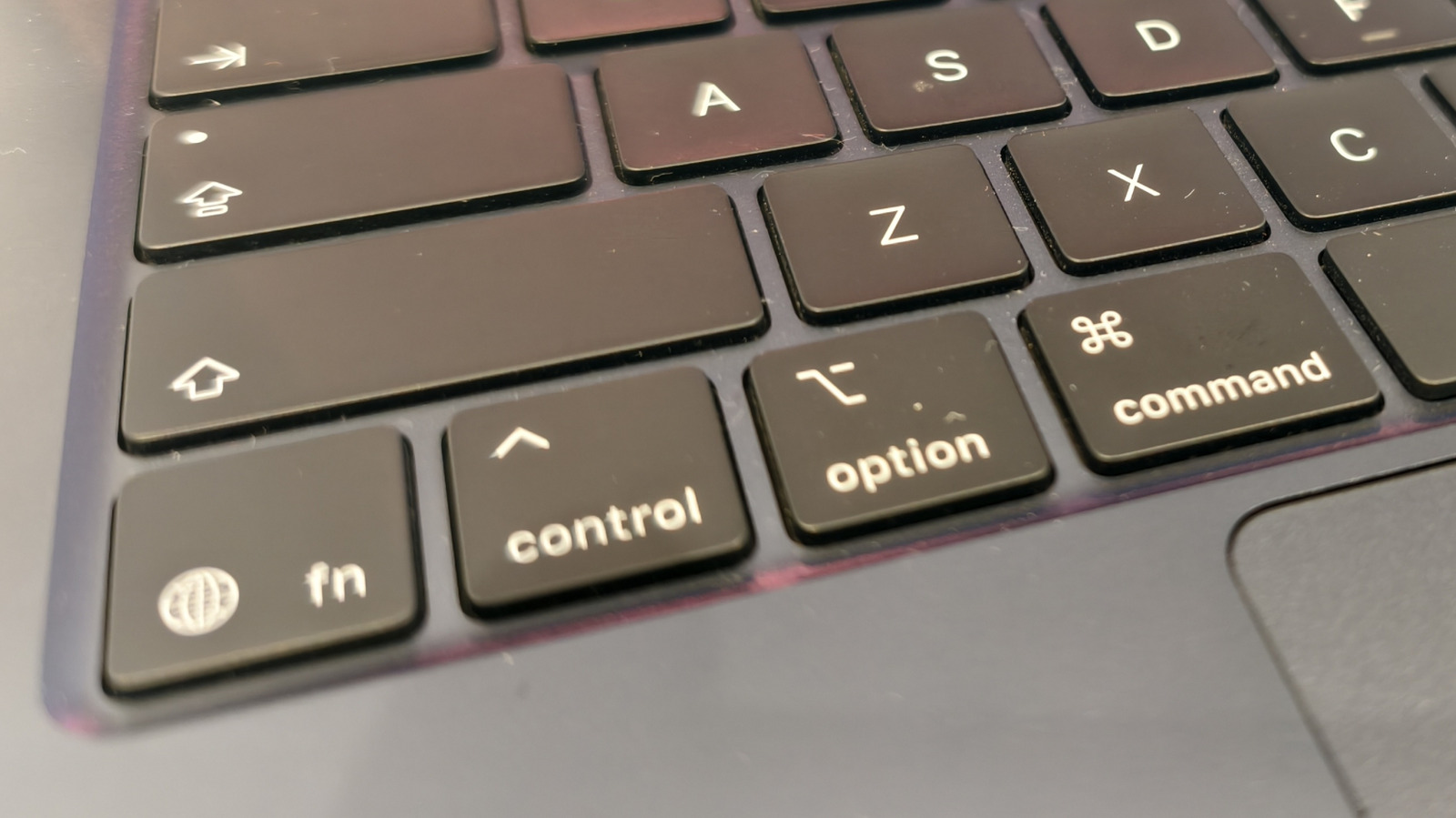
    While it’s not on most third-party keyboards, the Globe key is a fixture on MacBooks such as the latest and greatest M6 and other Apple keyboards. It doubles as the Function (Fn) key, which is why it carries both a globe icon and the letters “Fn.” It still works as a Function key: hold it while pressing one of the “F” keys along the top row of the keyboard to trigger their actions, which can include shortcuts on your Mac. Doing so overrides any F key’s default system function, such as brightness, volume controls and Spotlight search. In this case, Globe/Fn acts as a modifier key.

    If you use F-keys extensively in your work (I’m looking at you, programmers and gamers), you can make them the default behavior. Open Settings > Keyboard and toggle Use F1, F2, etc. keys as standard function keys to On. Moving forward, you’ll need to press the Globe/Fn button to access brightness and volume controls.

    The MacBook Globe key lets you navigate your Mac

    This young woman is lying on her bed with her Mac.

    Combined with a letter, your little Globe key also helps you in other ways:

    • Fn + E: Opens the Emoji and Symbols viewer.
    • Fn + D: Starts or stops voice dictation.
    • Fn + C: Opens Control Center.
    • Fn + N: Opens Notification Center.
    • Fn + A: Moves keyboard focus to the Mac icon and activates the Dock.
    • Fn + Q: Creates a Quick Note in Notes.

    If you see no value in any of those, you can assign the Globe with a more useful task in System Settings > Keyboard > Keyboard Shortcuts > Modifier Keys where you use the drop down menu so that a single tap of the Globe icon acts just like the Control, Option, Command, or Escape keys, or No Action.

    It’s also a Page Up/Down button. Press Globe + Backspace/Delete to perform a forward delete; use Globe and an up or down arrow to scroll one full page at a time; or use it with the left or right arrows to jump to the beginning or end of a document.

    If you’re multilingual, you may have multiple language keyboards enabled on your Mac. A quick press of the globe key lets you seamlessly switch between them.

    You can customize what a single tap does in Settings > Keyboard > Press Globe key to. The dropdown menu lets you set it to Change Input

    How to use the Globe key like a pro
    A Mac on a desk.

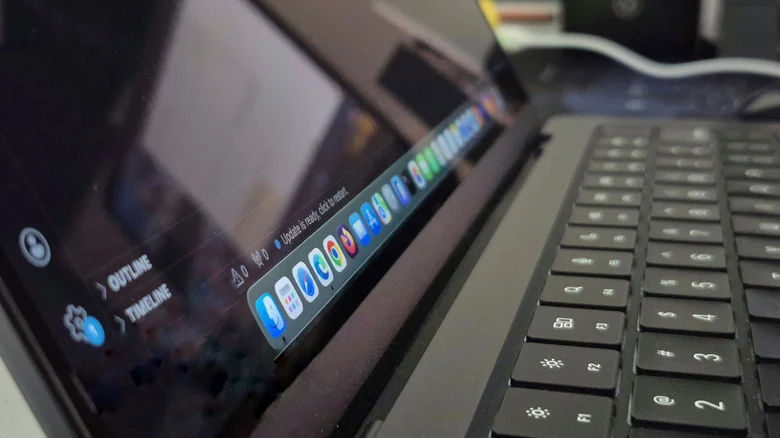
    When working on a MacBook, the Globe key comes into its own for the window tiling functions it unlocks. These are useful on any display, but they prove invaluable when working across multiple apps on a smaller screen.

    • Globe + Control + Arrow keys: Snap the active window to the top, left, bottom or right of the screen.

    • Globe + Control + Shift + Arrow keys: Tile the active window to one half of the display while automatically placing the second most recently used window in the opposite half.

    • Globe + Control + Option + Shift + Arrow key: Arrange three windows with one window taking up half the space.

    • Globe + Control + F: Expand the active window to fill the whole desktop, but not in full-screen mode.

    • Globe + Control + C: Center the active window on screen or use R instead of C to return the window to its previous dimensions.

    Finally, the little globe keyboard character helps navigate the desktop. Globe + F toggles full-screen on and off, while Globe + H moves open windows aside. Tap Globe + M to move keyboard focus to the top menu bar, allowing users to navigate app menu items using the arrow keys. Press Globe + Control + F8 to focus on the status icons on the right of the menu, or use Globe + Shift + A to open or close the App Browser.  With all these useful talents provided by the confusing little Globe key, it might be time to start using it more often.

    Apple Big Tech globe icon What
    Follow on Google News Follow on Flipboard
    Share. Facebook Twitter Pinterest LinkedIn Tumblr Email Copy Link
    myappsplus
    • Website

    Related Posts

    6 emergency gadgets you should keep in your car this winter

    November 29, 2026

    These budget-friendly security cameras don’t have a monthly subscription fee

    November 29, 2026

    The risks of using alcohol wipes on your laptop screen

    November 29, 2026
    Add A Comment
    Leave A Reply Cancel Reply

    Top Posts

    The pros and cons of using your phone as a mobile hotspot

    November 16, 202651 Views

    UiPath Launches AI Coding Agent, Integrates Claude Code and Codex to Target Development Automation

    November 16, 202646 Views

    Announcing Artificial Analysis Intelligence Index v5

    October 28, 202640 Views
    Latest Reviews

    ‘I did not foresee at all the social-media application, nor its impact on society’: Inventor of the CMOS-based image sensor on how a technology designed to take photos in space has changed the way we view the world

    myappsplusSeptember 13, 2026

    Study says chatbots are misdiagnosing sleep apnea, so a doctor is sharing 4 symptoms you should never ignore

    myappsplusSeptember 13, 2026

    How to watch Big Brother UK 2026 online for FREE – stream season 23 from anywhere

    myappsplusSeptember 13, 2026
    Stay In Touch
    • Facebook
    • YouTube
    • TikTok
    • WhatsApp
    • Twitter
    • Instagram

    Subscribe to Updates

    Get the latest tech news from FooBar about tech, design and biz.

    Most Popular

    Why your Roku keeps randomly turning off (and how to fix it)

    September 13, 20260 Views

    External HDD vs. SSD: What are the pros and cons of each drive type?

    September 13, 20260 Views

    How to watch Man Utd vs Man City: Live streams, TV channels for Premier League 2026/27

    September 13, 20260 Views
    Our Picks

    Crazy Black Friday MacBook deals on M6 MacBook Pro $250 off, M5 Air $400 off, PROLED, more

    November 29, 2026

    What is the globe icon on your MacBook keyboard used for?

    November 29, 2026

    Small Actions, Big Impact: Give Back This Holiday Season With the Samsung Global Goals App

    November 29, 2026

    Subscribe to Updates

    Subscribe to our newsletter and get the latest tech news, app updates, AI trends, smartphone reviews, and exclusive deals delivered straight to your inbox.

    Facebook X (Twitter) Instagram Pinterest
    • About Us
    • Get In Touch
    • Disclaimer
    • Privacy Policy
    • Terms & Conditions
    © 2026 MyAppsPlus. All Rights Reserved.

    Type above and press Enter to search. Press Esc to cancel.