

Is your Galaxy eligible for One UI 9? Update timeline and device list
Two weeks ago, Galaxy fans were nervous. Samsung’s One UI 9 rollout had started with a week of stumbles and delays, and many longtime users worried about a repeat of One UI 7, the badly delayed update of 2025. Then Samsung changed pace, pushing update after update to flagships and mid-rangers in quick succession. Here’s what One UI 9 is, what it changes, who gets it, and whether you should install it right away.
First, what is One UI?
Every Samsung Galaxy phone runs Android, Google’s operating system, but Samsung adds its own layer on top called One UI. It controls how your phone looks and feels: the menus, the Quick Panel, the built-in apps, and Samsung-only features such as Galaxy AI and DeX.
One UI 9 is the ninth major version of that software, built on Android 17, and it brings new capabilities, features and some design changes compared to earlier versions.
If you’re coming from One UI 8 or 8.5, think of it as a refinement, not a redesign. The update continues the pattern of evolution over overhaul, adding slight design tweaks and more AI features on top of the redesign that arrived with One UI 7 and was refined in last year’s One UI 8.
How we got here
Samsung opened the One UI 9 beta for the Galaxy S26 series on May 12, 2026. The finished version debuted on July 22 at Samsung’s Unpacked event in London, preinstalled on the Galaxy Z Fold 8, Fold 8 Ultra and Z Flip 8, and it later shipped on the Galaxy S26 FE. After about four months of beta testing, the stable rollout for existing phones began on September 16 with the S26, S26+ and S26 Ultra in South Korea.
The start was rocky. Samsung’s global release date slipped from September 21 to September 28 without an official explanation, and some S26 owners outside Korea waited longer than expected. Once the rollout got going, though, it moved quickly.
The Galaxy S25 family followed, first in Korea and then, from October 5, in the US, Europe and India. The Galaxy Z Fold 7 and Z Flip 7 have also reached US owners. This week, six more devices joined: the Galaxy S24, S24 Plus, S24 Ultra, Z Fold 6, Z Flip 6 and the 2026 mid-range Galaxy A57 5G.
The catch is that those six updates are limited to South Korea for now. Samsung typically brings updates to its home market first and then expands to other regions, but it hasn’t published dates. SammyFans reports that S24 owners outside Korea should start seeing the update from October 12. Samsung hasn’t confirmed this, so treat it as a strong hint rather than a promise.
What’s actually new
These are the changes most users will notice:
-
Smarter AI assistants. Now Brief gains generative and editable cards, and Galaxy AI adds Now Nudge alongside Creative Studio, Interpreter, Document Scan and Voice Recorder features. Now Brief is Samsung’s daily summary feed, and Now Nudge offers contextual suggestions while you use the phone.
-
My FanCam. This feature automatically tracks and reframes a subject while you film, which is useful for school plays, sports or concerts.
-
Stronger security. A new Security Brief gives updates on malware warnings, apps installed from unknown sources and apps asking for permissions they don’t need. It joins Privacy Alerts and Scam Detection. Android 17 also adds Advanced Protection Mode.
-
A clearer location indicator. A blue dot now appears whenever an app is using your location.
-
More control over the Quick Panel. The already customizable pull-down panel now gives you more say over its layout.
-
Better Samsung Notes. There’s a new tape tool, new pen styles and a feature that automatically straightens lines you draw.
-
Lock screen and DeX. Lock screen clocks can now adapt to your wallpaper, and Samsung DeX gets upgrades.
-
Accessibility. Samsung has merged its version of TalkBack with Google’s and added a Select to Speak tool that reads text and images aloud.
-
Practical extras. Warranty and care details now appear in the Settings menu, and Samsung Health has a new look, including expanded cycle-tracking options.
One thing to be aware of: many of the new features require you to be signed in to a Samsung account. Not every feature will be available on every eligible device, so older or cheaper Galaxy phones may get a lighter version.
Who is it for?
In short, it’s for most Galaxy owners with a phone from the past three years. One UI 9 comes preinstalled on the Galaxy Z Fold 8, Fold 8 Ultra, Z Flip 8 and S26 FE. Phones already updated or now updating include the S26, S25 and S24 series (including the S25 FE), the Z Fold 7, Z Flip 7 and Z Flip 7 FE, the Z Fold 6 and Flip 6, and the Galaxy A57 5G.
Next in line, Samsung has said the Galaxy S23 FE should get the update by the end of October, though it hasn’t given a day. The main Galaxy S23 series and the Z Fold 5 and Z Flip 5 are expected soon too, and for all of them it matters: One UI 9 will be their last major OS update.
The Galaxy S24 FE and Galaxy A37 5G are also likely candidates in the coming weeks, and several mid-rangers, including the A56, A55 and A36, are already testing One UI 9 in beta.
Tablets are the open question. Samsung has listed the high-end Galaxy Tab S11 series for a later wave but hasn’t given a date, so Tab S11 owners have had to watch cheaper and older phones get the update first.
If you own an older phone, the news is less positive. The Galaxy S22 series and Galaxy S21 FE won’t get One UI 9; One UI 8.5 was their final major update.
Should you install it right away?
Plan for a large download. If you didn’t join the beta, expect roughly 3.5 to 4GB depending on your phone and region, so use Wi-Fi and make sure you have storage space and a decent charge.
Early feedback from S26, S25 and Z7 owners is mixed but not alarming. Some Reddit users report that their phones feel noticeably faster, while others report sudden battery drain. The reported bugs don’t appear widespread or serious so far, which is encouraging for owners still waiting.
Practical advice: if you rely on your phone for work, waiting a few days after the update appears costs you little and lets Samsung release any early fixes. Also be aware that downgrading from a One UI version wipes all your data, so back up before updating.
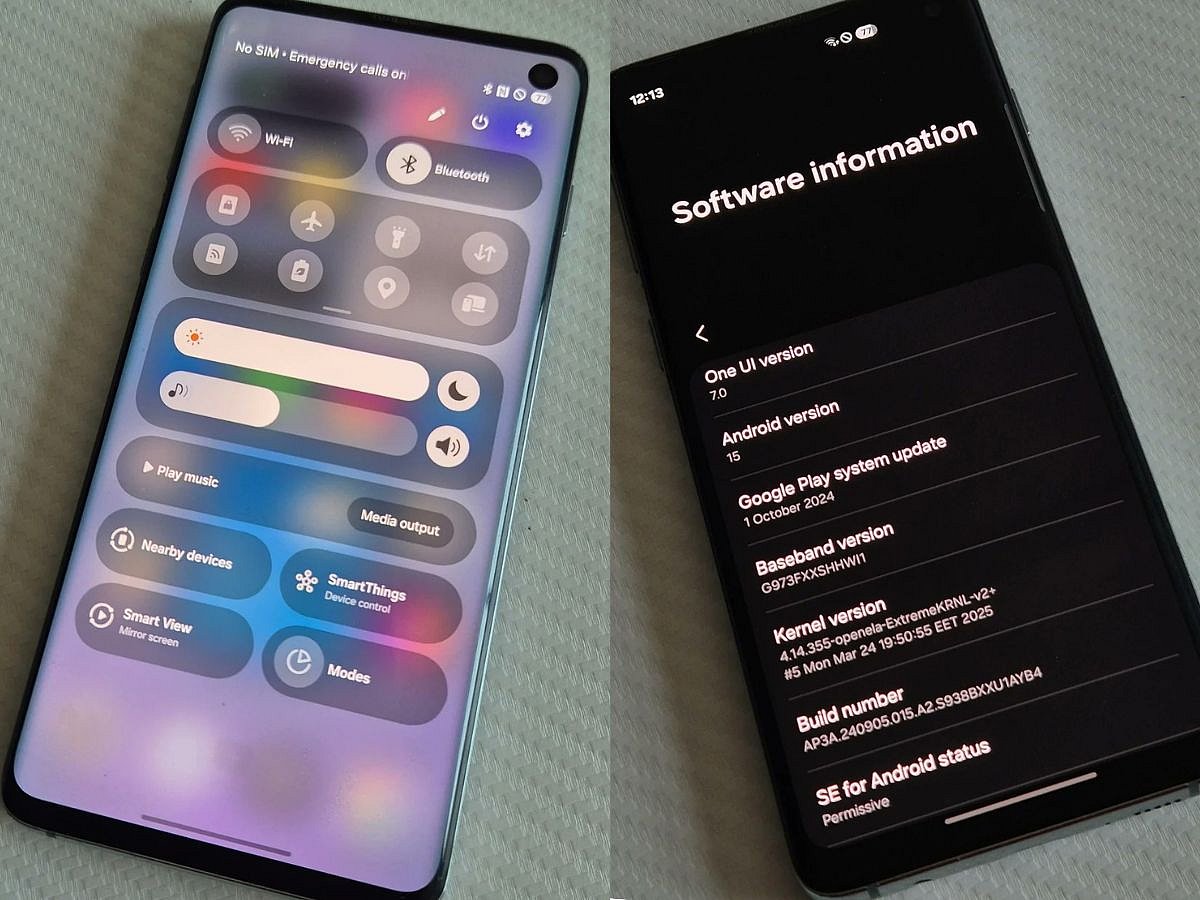
Go to Settings > Software update > Download and install. To see which version you’re on, go to Settings > About phone > Software information and look at the One UI version.
One UI 9 is touted to be a more secure, more AI-focused version of the Samsung software you already use, with useful additions such as Security Brief, the location dot and the Quick Panel controls. After a shaky first week, Samsung’s fast rollout has improved how fans view this update, and owners of eligible Galaxy phones should get it soon.
Galaxy Z Fold 9 may get thinner with camera boost

Samsung Galaxy S27 Pro vs Ultra: What’s different?
Get Updates on Topics You Choose
iPhone Duo vs Galaxy Z Fold 8: Which Foldable wins?
Galaxy S27 Pro leaks: Samsung’s missing middle tier
Skipping the iPhone Fold? 5 affordable alternatives
