

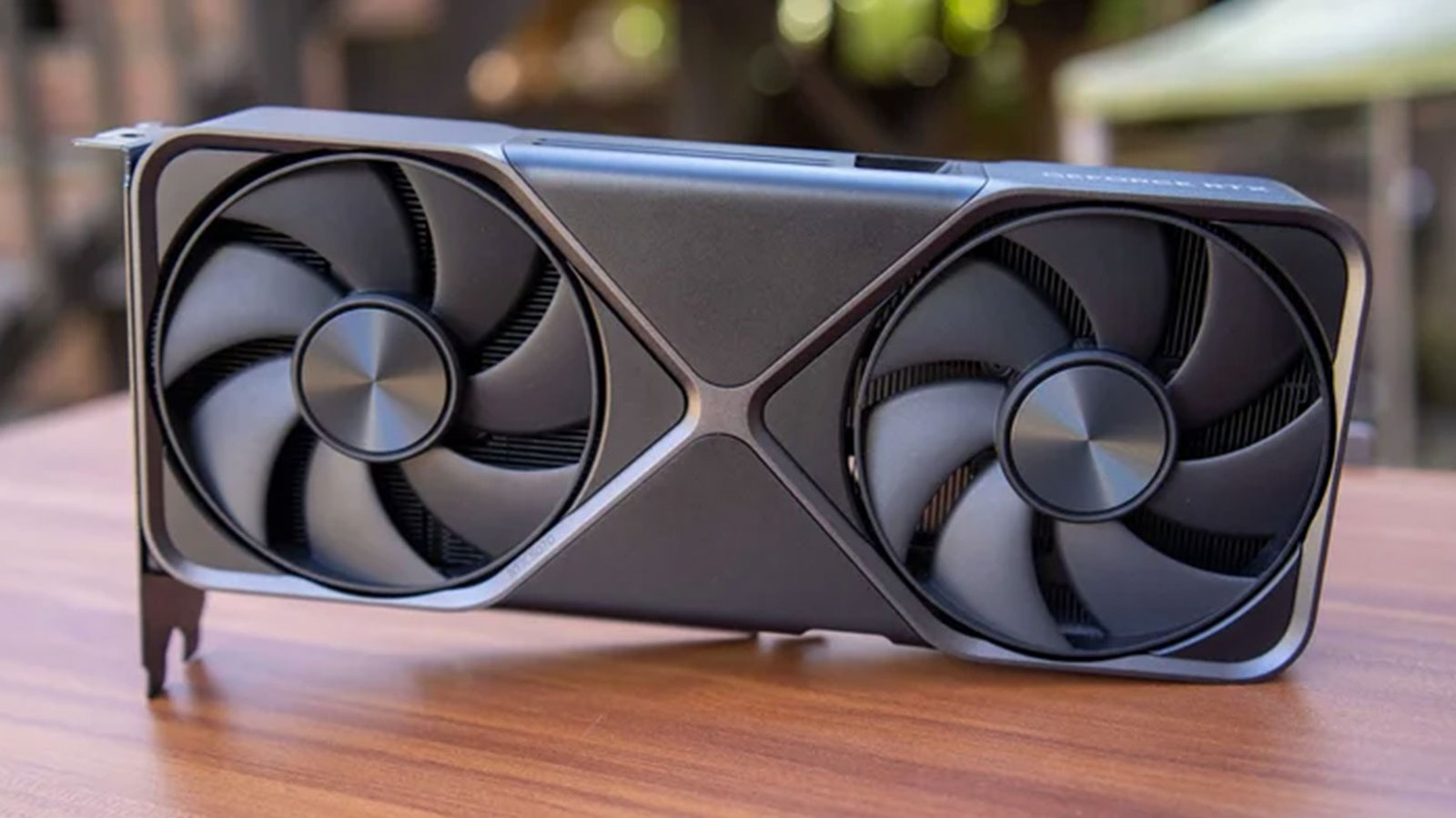
The company’s upscaling software is truly powerful when used in the right situations.
If you own a recent NVIDIA GPU (or Nintendo Switch 2), there’s a good chance you bought it partly from hearing good things about DLSS. Short for Deep Learning Super Sampling, DLSS is a proprietary upscaling technology designed to increase game performance. With DLSS enabled, your GPU will first render a game at a lower internal resolution, meaning it will need to draw fewer pixels. DLSS will then upsample the image to your monitor’s native resolution using a machine learning algorithm trained by NVIDIA.
When it’s implemented well in a game, DLSS allows you to effectively turn up the graphical settings higher than your GPU would normally allow at a native resolution while still getting a playable framerate. Alternatively, you run a game at lower settings and push the framerate even higher, which can be useful if own a high refresh rate monitor.
How does DLSS work?
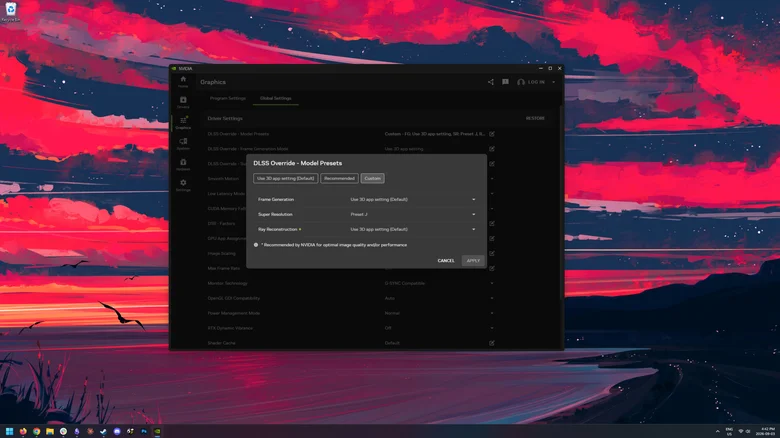
The above gives a decent starting point for how DLSS works, but knowing a bit more can help with tweaking to get the most out of the tech and your GPU. As mentioned already, with DLSS enabled your GPU will first render a game at a lower resolution before upscaling the image it produces to whatever resolution you’ve set as the target. In almost every case, you’ll want to configure the target resolution to match your monitor’s native resolution. So if you own a 1440p monitor, set the output resolution to 1440p. In most games, you do this simply by setting the “display” resolution.
Now comes the more complicated part. DLSS can feel like magic, but ultimately it involves a compromise. The different machine learning models that underpin the tech are trained to interpret motion vectors, as well as depth and brightness information when they upscale an image. Over the years, NVIDIA’s GPUs and models have gotten better at doing that, but at the end of the day, some amount of fidelity is lost any time you upscale an image. How much is lost depends on the DLSS mode you use, which determines the internal render (or starting) resolution your GPU has to upscale from:
Quality: When set to Quality mode, your GPU will render a game at 66.7 percent of your target output resolution. For a 4K monitor, that means you’re starting with a 1440p image. With a 1440p monitor, your starting point is 960p. DLSS Quality offers the best image quality of the different presets, but expect only a moderate increase in frame rate.
Balanced: When set to Balanced mode, your GPU will render a game at 58 percent of your target output resolution. At 4K, that means a starting point of 1253p. At 1440p, meanwhile, you’re upscaling from an 835p image. As the name suggests, Balanced mode is intended to offer a middle ground between image quality and a higher frame rate.
Performance: When set to Performance mode, your GPU will render a game at 50 percent of your target output resolution. That translate to 720p internal resolution when used in conjunction with a 1440p monitor and a 1080p internal resolution when the output is a 4K resolution.
Ultra Performance: When set to Ultra Performance, your GPU will render a game at 33.3 percent of your output resolution. This mode is intended to be used with 8K monitors. Expect a blurry image if used in conjunction with a 1440p or 4K monitor.
As a rule of thumb, if you’re running a 1440p monitor, DLSS Quality is a good starting point for most games. If you’re not happy with your performance or chasing an even higher frame rate, drop down to Balanced mode. Beyond that, the final image can get quite blurry. For 4K monitors, Balanced mode is a good starting, and then bump things down to Performance if you need or want more frames.
The many different features of DLSS
One of the confusing things about DLSS is that the branding has come to encompass a handful of related technologies that you can use in combination with one another.
Deep Learning Super Sampling: The initial version of DLSS arrived in 2019, following the release of NVIDIA’s RTX 20 series GPUs. At launch, only a handful of games supported DLSS, namely Battlefield V and Metro Exodus, due to a limitation that meant NVIDIA had to train the algorithm specifically for the game it was meant to enhance. Since the release of DLSS 2 in 2020, that limitation no longer exists, and according to NVIDIA more than 1,000 games and apps offer DLSS support as of the start of 2025.
Following 2020, the biggest upgrade to DLSS came at the start of 2025 when NVIDIA reworked the algorithm to take advantage of a new transformer-based machine learning architecture and released DLSS 4. The new model offers better image quality, reduced ghosting and improved image stability. On older RTX GPUs, running DLSS 4 can result in worse performance relative to previous versions of DLSS due to a higher overhead. For that reason, NVIDIA gives users access to different DLSS “presets” (separate from the modes described above), which they can use to access older models.
Deep Learning Anti-Aliasing: Where DLSS is primarily designed to increase performance at the cost of image quality, Deep Learning Anti-Aliasing or DLAA does the opposite. Rather than upscaling an image, DLAA takes a native output and makes it more stable by reducing the amount of shimmer and flickering. Think of it a better version of temporal anti-aliasing or TAA. Not every game natively supports DLAA, but even in the ones that don’t, you can use the NVIDIA app to add DLAA.
Frame Generation: Originally introduced as part of DLSS 3, frame generation allows NVIDIA RTX 40 series GPUs and up to generate a single interpolated frame from every two traditionally rendered frames, thereby increasing the overall framerate of a game. Frame generation is best used when your GPU can render a game at a consistent 60 FPS or more, and you have a high-refresh rate monitor that will benefit from the extra frames.
With DLSS 4, NVIDIA introduced multi frame generation, which allows RTX 50 series GPUs to generate and interpolate a greater number of frames based on a single traditionally rendered frame. As of the release DLSS 4.5 this past March, the current limit is six generated frames for every rendered frame.
Ray reconstruction: With DLSS 3.5 NVIDIA introduced ray reconstruction, a denoising algorithm designed to reduce artifacting from ray tracing effects. The algorithm works by sampling the light rays in a scene and then generating high quality pixels in between those rays. While ray reconstruction can offer performance gains, it’s primarily designed to make games with ray and path tracing look better and more coherent.
What about DLSS 5?
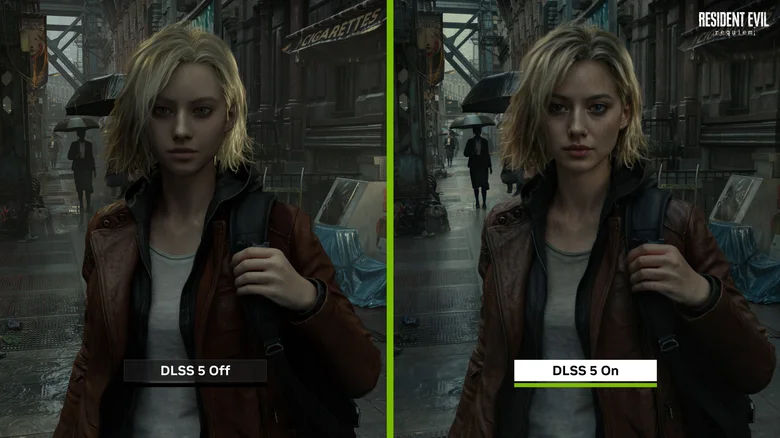
DLSS 5 is an altogether different beast from the features described above. Rather than upscaling an image, DLSS 5 interprets a game’s color and motion vectors to apply, in the words of NVIDIA, “photoreal lighting and materials that are anchored toSS 5 is adding an AI filter to your games
In early demos, the effect was uncanny, making it look like the tech was yassifing characters. But used more carefully, it can add more layers of realistic shows and textures to a game. Unfortunately, unlike other iterations of DLSS, DLSS 5 does not improve your framerate. It instead lowers it due to the overhead required to run the tech.
As of October 2026, DLSS 5 is officially available in just a single game: NBA 2K27. At this early stage, it’s unclear if DLSS 5 will see widespread developer adoption, but that hasn’t stopped modders from adding the tech to all sorts of games.
