


An adapter can bridge the gap when your ports don’t match, but you have to check for weak links along the chain.
Although USB-C cables are capable of high-speed data transfers and faster charging, the shift to them has created its own connectivity issues. If your laptop lacks an HDMI output and your display doesn’t have a USB-C input, you might consider a USB-C to HDMI adapter for connecting your device to a TV, monitor or projector. While these adapters can help with mismatched ports, they aren’t always a perfect solution. They might fail to send high-resolution video or simply display a blank screen.
These issues usually come down to the type of cables, ports and adapter you’re using. Importantly, not all USB-C ports support video, with some only capable of charging your device and conducting data transfers. Moreover, the type of HDMI adapter and cable you use determines the maximum resolution and refresh rate of the output.
For permanent setups, top-rated USB-C hubs are often the best option. Or instead of an adapter, you might get a single USB-C to HDMI cable. The advice below will largely apply to all three options.
From USB-C to HDMI
Think of these connections as a relay, with your ports, cables and adapters all running the same signal between your device and display. Your device’s USB-C port transmits a video signal through the HDMI adapter, where it is converted into an HDMI signal your display can read. Then, it’s handed off to your HDMI cable, which carries it to the finish line of your TV or other display.
The quality of this connection is determined by the weakest link in the chain. With an incompatible port, old cable or overheating cheap adapter, the entire setup suffers.
Let’s start with your USB-C port. USB-C ports can only carry video outputs if they support DisplayPort Alternate Mode, which uses the same DisplayPort digital display interface you might know from video cards. Which level of DP Alt Mode your USB-C supports impacts your video quality. DisplayPort 1.4 signals can reach 8K resolutions at a 60 Hz refresh rate, though 8K displays are so expensive that they’re barely in use yet. DisplayPort 1.2 can achieve 4K resolution at 60Hz.
DP Alt Mode is an optional feature that manufacturers can add to standard USB-C ports. The Thunderbolt standard uses the same USB-C connection, but comes with guaranteed standards of data transfer rates (depending on the generation) and includes video output. Check the manual or online spec page to confirm a port’s capabilities.
Even if your USB-C port can use DP Alt Mode, a basic USB-C charging cable won’t transmit video signals; you need a fully-featured cable. If the receiving device doesn’t have a USB-C port for video input, you’ll need a specialized USB-C to HDMI cable adapter with a chip that converts your DP Alt Mode or Thunderbolt signal into an HDMI signal. The quality of this connection depends on the type of HDMI signal the cable and adapter are compatible with.
Ideally, your laptop will have at least two USB-C ports so you can charge with one while powering a display with the other.
A guide to HDMI signals
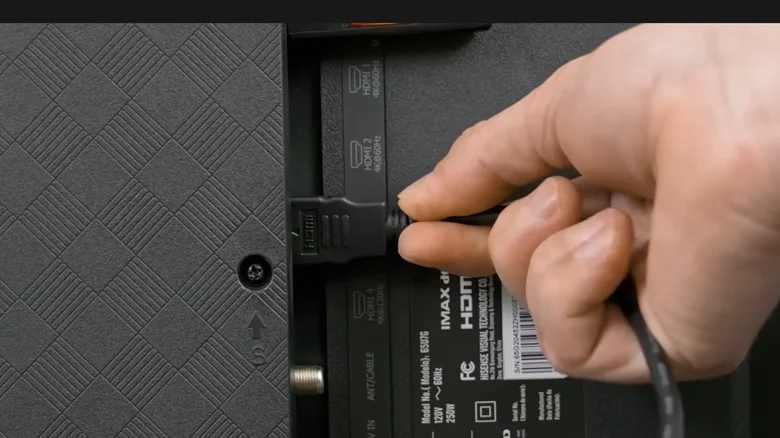
Not all HDMI signals are created equal. Since its introduction in 2002, the HDMI standard has gone through several iterations that each pack more bandwidth to allow for higher resolutions and faster refresh rates. Your connection will be limited to the oldest generation supported by either port, the cable or adapter.
While HDMI 2.2 has been approved, it’s not really in use yet. Thus, the highest-quality option that’s widely available is HDMI 2.1. Also known as Ultra High Speed, this generation of HDMI is more efficient than its earlier counterparts, capable of carrying up to 48 Gbps bandwidth. An HDMI 2.1 connection delivers 8K resolution at 60Hz and 4K resolution at 120Hz. Its other features include support for variable refresh rates, wider HDR signal compatibility and eARC support with enough audio punch to handle Dolby Atmos and DTS:X.
A tier lower are HDMI 2.0 cables and adapters. They’re still capable of 4K resolution, albeit at a refresh rate of 60Hz. HDMI 2.0 adapters and cables should meet most streaming needs. The biggest limitation compared to its 2.1 successor is the noticeably lower bandwidth of 18 Gbps, making them not ideal for high-end gaming.
Avoid using earlier-gen HDMI adapters and cables, as they’ll noticeably drop your signal quality below current standards. HDMI 1.4 can still reach 4K resolution, but at a diminished 30Hz refresh rate. Unless you’ve been holding onto a very old adapter, these won’t be an issue.
