Close Menu
MyAppsPlus

    Subscribe to Updates

    Get the latest creative news from FooBar about art, design and business.

    What's Hot

    ‘Part of the motive was making the player feel immersed in the experience and exposed’ — Rebellion says ’90s cassette futurism’ inspired Alien Deathstorm with an engineer protagonist who ‘felt like a natural fit’

    September 12, 2026

    Disrupt 2026 Side Event final deadline is tonight

    September 12, 2026

    iPhone 18 Pro vs Google Pixel 11 Pro: iOS or Android?

    September 12, 2026
    Facebook X (Twitter) Instagram
    Facebook X (Twitter) Instagram
    MyAppsPlusMyAppsPlus
    Saturday, September 12
    • Home
    • Breaking Tech
    • Apps & Software
    • AI & Automation
    • Android
    • iPhone & iOS
    • More
      • Reviews
      • How-To Guides
      • Deals & Discounts
      • Shop
    MyAppsPlus
    Home»iPhone & iOS»watchOS 27 removes three features that Apple Watch users might miss after updating
    iPhone & iOS

    watchOS 27 removes three features that Apple Watch users might miss after updating

    myappsplusBy myappsplusSeptember 5, 2026004 Mins Read
    Share Facebook Twitter Pinterest Copy Link LinkedIn Tumblr Email Telegram WhatsApp
    Follow Us
    Google News Flipboard
    watchOS 27 removes three features that Apple Watch users might miss after updating
    Share
    Facebook Twitter LinkedIn Pinterest Email Copy Link

    When watchOS 27 is released later this month, Apple Watch users may notice that some things work a bit differently. The upcoming software update removes three features that users may miss after updating.

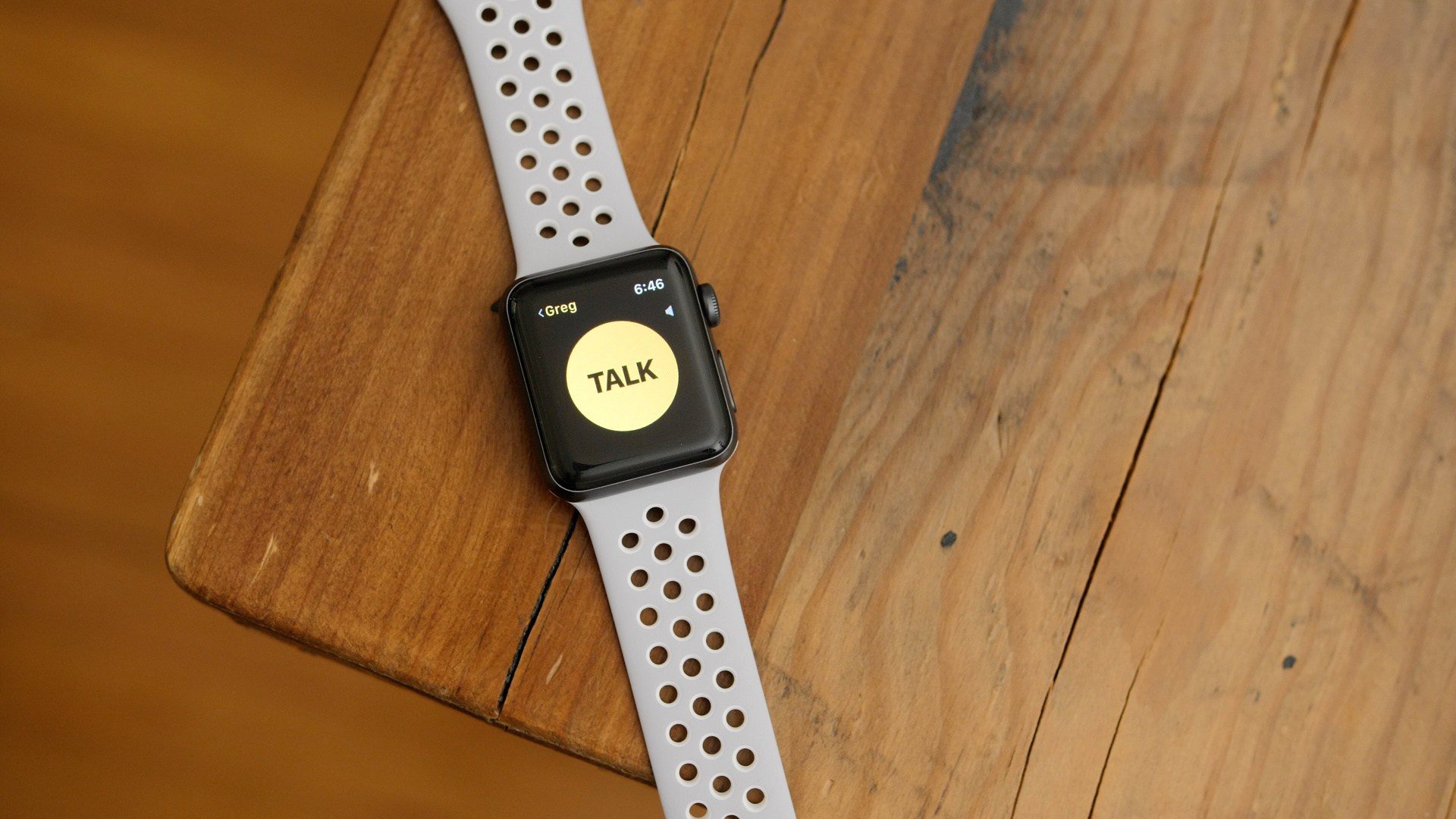
    Walkie-Talkie removed from Apple Watch
    watchOS Walkie-Talkie

    First up is Walkie-Talkie, Apple’s real-time voice communication app that only works between Apple Watches.

    Personally, Walkie-Talkie never clicked for me, especially because leaving it on meant having the yellow app icon on your watch face. Others who use it in real-world situations are already missing it, and more people will notice this month (and on new Apple Watches).

    I don’t think a third-party app can replicate exactly what Apple offered with Walkie-Talkie on Apple Watch. Still, a version that works on both iPhone and Apple Watch would be better received, I think.

    Multitasking shortcut is missing
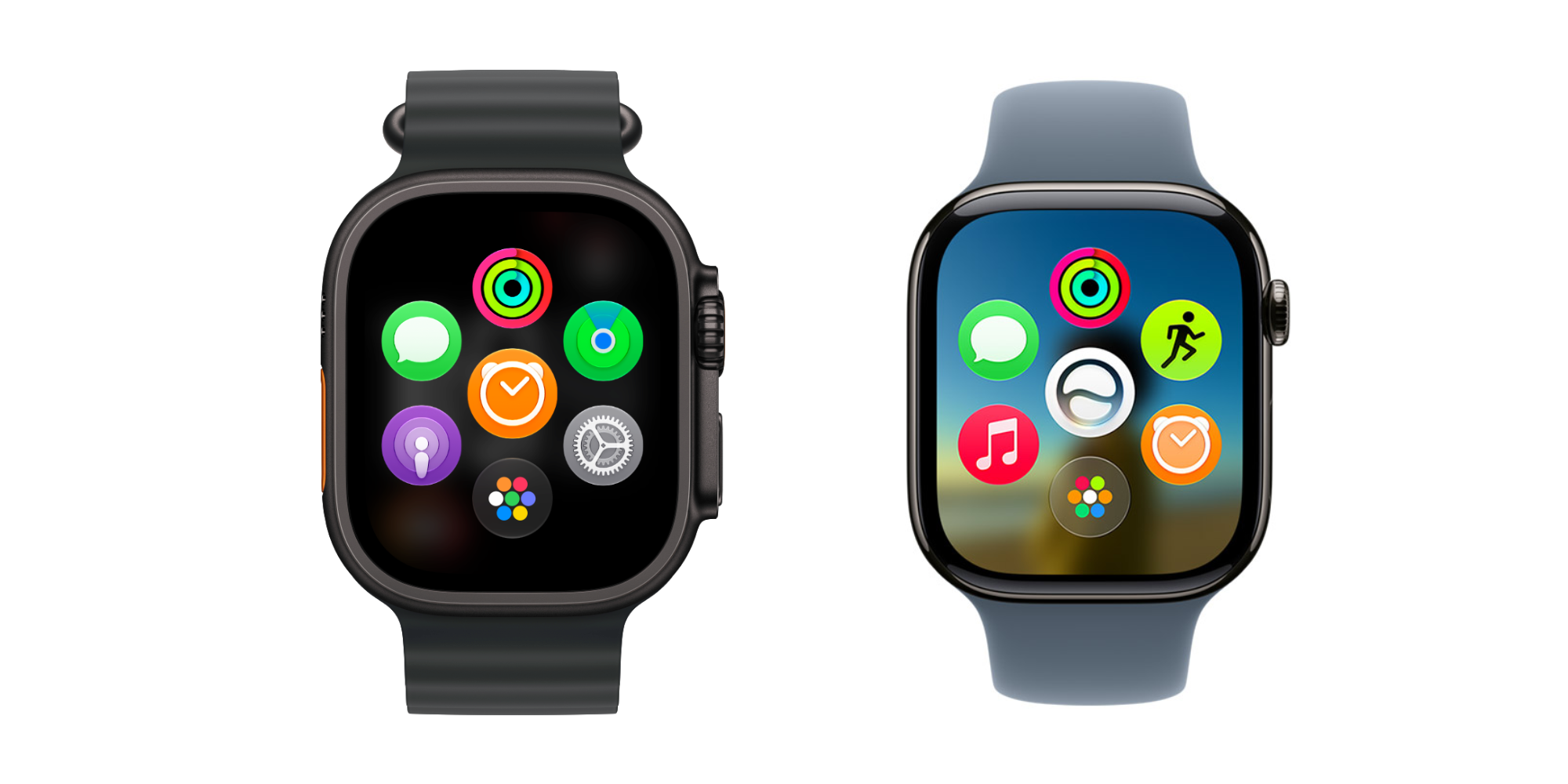

    Next, there’s the Digital Crown double-click multitasking gesture that now does … the same thing as single-clicking the Digital Crown. I wrote about this in my watchOS 27 public beta preview and again yesterday.

    I don’t know if double-clicking the Digital Crown will be the way forward on multitasking in watchOS. Still, a way to quickly jump between two apps or an app and the watch face has always been useful. I hope a solution returns.

    As for the double-click button shortcut, I think the Apple Watch is so button-limited that there should be something that happens with a double-click, even if it’s not multitasking. I’m thinking about this as two separate possibilities now.

    Dynamic app grid always comes first

    Lastly, there’s what happens when you just click the Digital Crown a single time.

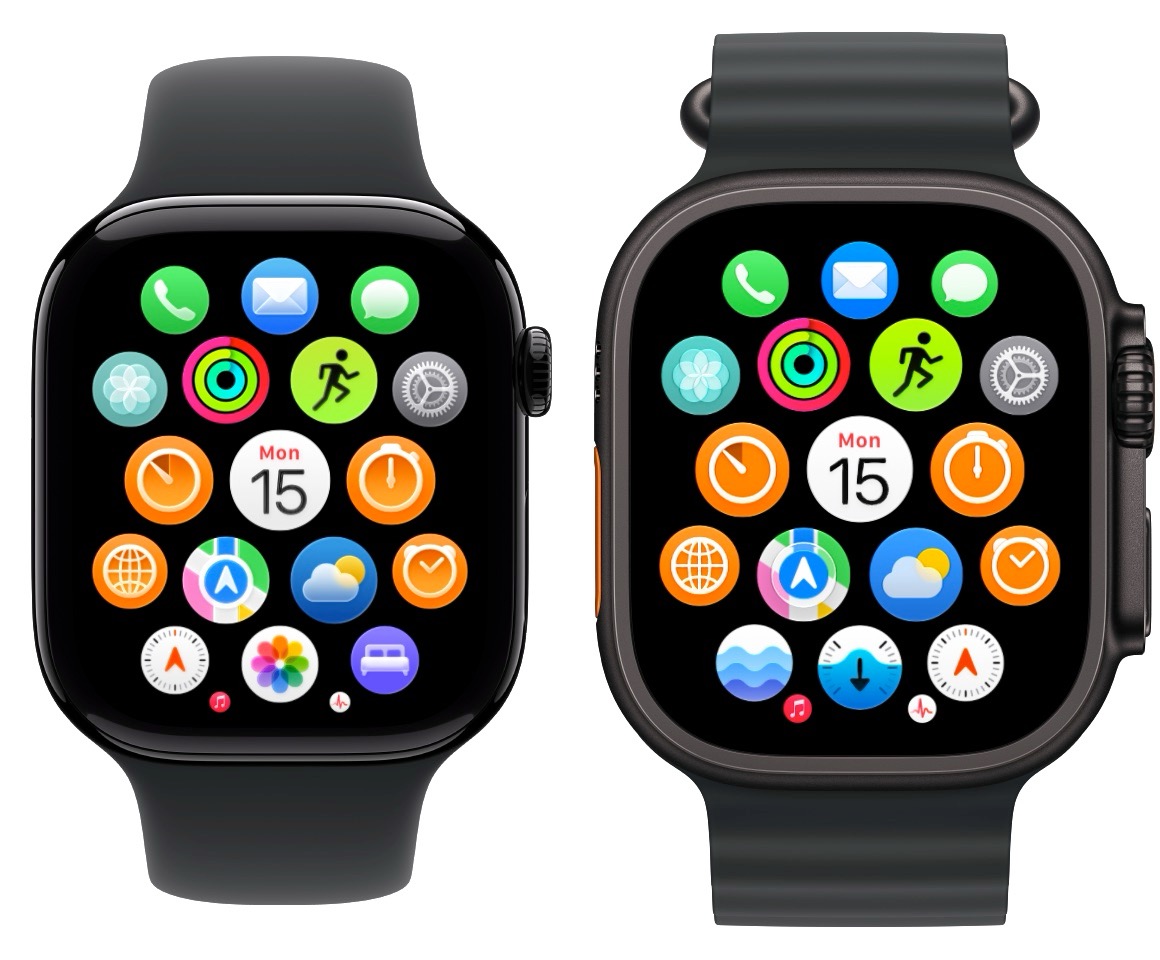
    Since watchOS 1 (when it was called Watch OS 1), clicking the Digital Crown from the watch face or inside an app has invoked the full app launcher. Before now, the biggest change to this system was when Apple removed the first click centering the app grid before returning to the watch face.

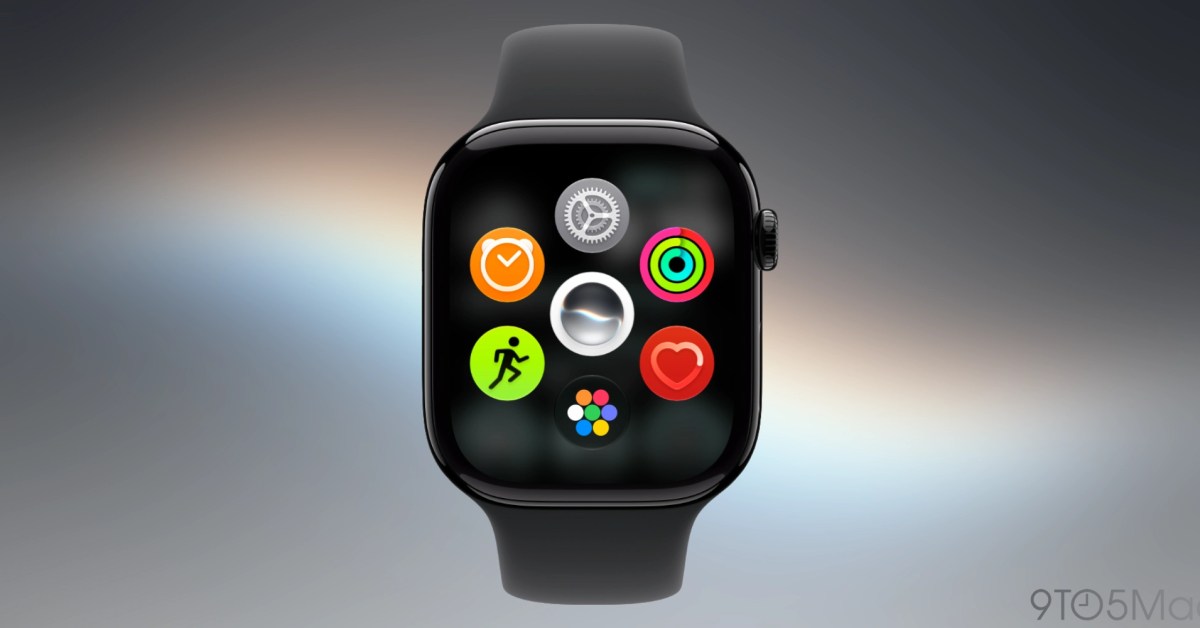
    watchOS 27 replaces it with the dynamic app grid: five intelligently suggested apps, the Siri app, and an icon for the full app grid. You can tap the app grid icon, or scroll the Digital Crown up to see your full grid or list of apps.

    I get it. Apps aren’t super popular on the Apple Watch. The new dynamic app grid has larger tap targets with fewer icons to navigate. It also puts the Siri app in your face, which is a common theme of Apple’s OS 27 updates in general.

    If given the option, I’d probably turn off the dynamic app grid. I think it’s a fine default, but it feels cumbersome compared to just viewing the app launcher.
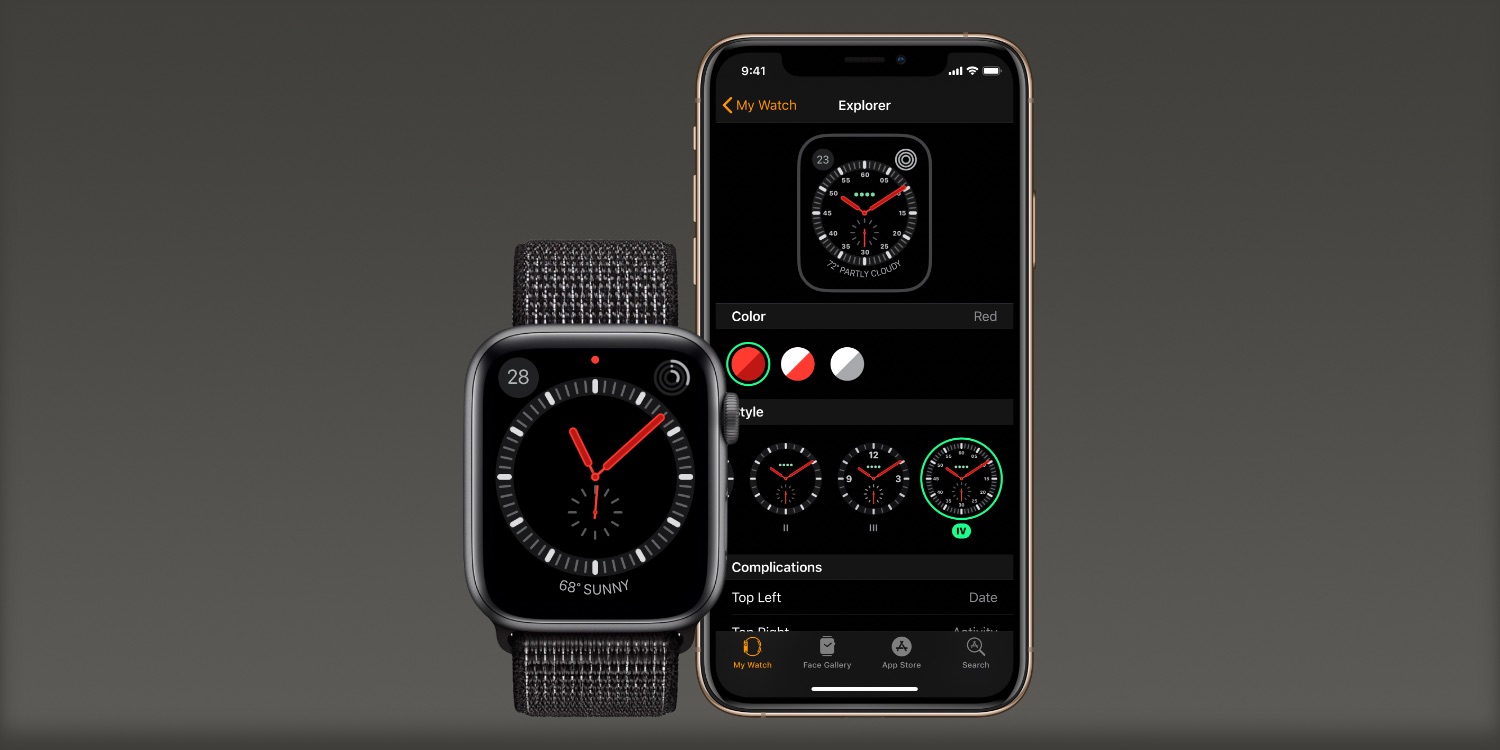

    Anyway, change of any kind always takes a period of adjustment before it just becomes how things work. Still, I’ve been running watchOS 27 since the first day of beta 1 in June. For me, losing Walkie-Talkie isn’t something I notice, losing the multitasking shortcut feels temporary, and the dynamic app grid is a fine default, but cumbersome for speedier users.

    Of course, I’d trade it all if we could get the Explorer watch face back. Removing features and changing how things work is par for the course, but removing Apple Watch faces when they’re already pretty user-removable still doesn’t make sense.

    Do more with your Apple products

    Apple AirTag 2 | Add Find My tracking to keys, bags, bikes, more

    You’re reading 9to5Mac — experts who break news about Apple and its surrounding ecosystem, day after day. Be sure to check out our homepage for all the latest news, and follow 9to5Mac on Twitter, Facebook, and LinkedIn to stay in the loop. Don’t know where to start? Check out our exclusive stories, reviews, how-tos, and subscribe to our YouTube channel

    Features News removes Three watchOS
    Follow on Google News Follow on Flipboard
    Share. Facebook Twitter Pinterest LinkedIn Tumblr Email Copy Link
    myappsplus
    • Website

    Related Posts

    Roblox will soon add offline and browser-based play modes

    September 12, 2026

    A Breakthrough? Or Just Breakable? Apple Unveiled the iPhone Duo, and CNET Writers Have Many Thoughts

    September 12, 2026

    Two iOS 27 Features Won’t Be Ready for Monday’s Launch

    September 12, 2026
    Add A Comment
    Leave A Reply Cancel Reply

    Top Posts

    The 6 AI-free Linux distros I recommend most

    August 19, 20263 Views

    AI, automation, robot dogs ensure on-site nuclear safety

    September 7, 20262 Views

    This tiny AI box could save me from upgrading my perfectly good laptop

    September 6, 20262 Views
    Latest Reviews

    Reddit begins testing a new audio and video experience, similar to popular TikTok videos

    myappsplusAugust 17, 2026

    Stop guessing which AI tool is best — this app tests them all for a one-time $40 (MSRP $499)

    myappsplusAugust 17, 2026

    The $119 MacBook Neo deal going viral on TikTok is a scam, and I almost fell for it — here’s where you can actually find it on sale

    myappsplusAugust 17, 2026
    Stay In Touch
    • Facebook
    • YouTube
    • TikTok
    • WhatsApp
    • Twitter
    • Instagram

    Subscribe to Updates

    Get the latest tech news from FooBar about tech, design and biz.

    Most Popular

    Reddit begins testing a new audio and video experience, similar to popular TikTok videos

    August 17, 20260 Views

    Stop guessing which AI tool is best — this app tests them all for a one-time $40 (MSRP $499)

    August 17, 20260 Views

    The $119 MacBook Neo deal going viral on TikTok is a scam, and I almost fell for it — here’s where you can actually find it on sale

    August 17, 20260 Views
    Our Picks

    ‘Part of the motive was making the player feel immersed in the experience and exposed’ — Rebellion says ’90s cassette futurism’ inspired Alien Deathstorm with an engineer protagonist who ‘felt like a natural fit’

    September 12, 2026

    Disrupt 2026 Side Event final deadline is tonight

    September 12, 2026

    iPhone 18 Pro vs Google Pixel 11 Pro: iOS or Android?

    September 12, 2026

    Subscribe to Updates

    Subscribe to our newsletter and get the latest tech news, app updates, AI trends, smartphone reviews, and exclusive deals delivered straight to your inbox.

    Facebook X (Twitter) Instagram Pinterest
    • About Us
    • Get In Touch
    • Disclaimer
    • Privacy Policy
    • Terms & Conditions
    © 2026 MyAppsPlus. All Rights Reserved.

    Type above and press Enter to search. Press Esc to cancel.