Close Menu
MyAppsPlus

    Subscribe to Updates

    Get the latest creative news from FooBar about art, design and business.

    What's Hot

    Vivo X500 Pro Max first impressions: Vivo came to play, and the competition should be nervous

    October 24, 2026

    This underrated Oppo camera mode helped me take photos that look like scenes from The Odyssey — and I wish my iPhone had the same feature

    October 24, 2026

    Why Mid-Tier Phones Suddenly Stop Software Update Support: Ridiculous Hidden Reasons That Leave Users Speechless

    October 24, 2026
    Facebook X (Twitter) Instagram
    Facebook X (Twitter) Instagram
    MyAppsPlusMyAppsPlus
    Saturday, October 24
    • Home
    • Breaking Tech
    • Apps & Software
    • AI & Automation
    • Android
    • iPhone & iOS
    • More
      • Reviews
      • How-To Guides
      • Deals & Discounts
      • Shop
    MyAppsPlus
    Home»Breaking Tech»There’s a chance your PlayStation 5 is plugged into the wrong HDMI port
    Breaking Tech

    There’s a chance your PlayStation 5 is plugged into the wrong HDMI port

    myappsplusBy myappsplusOctober 24, 2026004 Mins Read
    Share Facebook Twitter Pinterest Copy Link LinkedIn Tumblr Email Telegram WhatsApp
    Follow Us
    Google News Flipboard
    There’s a chance your PlayStation 5 is plugged into the wrong HDMI port
    Share
    Facebook Twitter LinkedIn Pinterest Email Copy Link

    The picture may look great, but that doesn’t mean you’re getting the full experience.

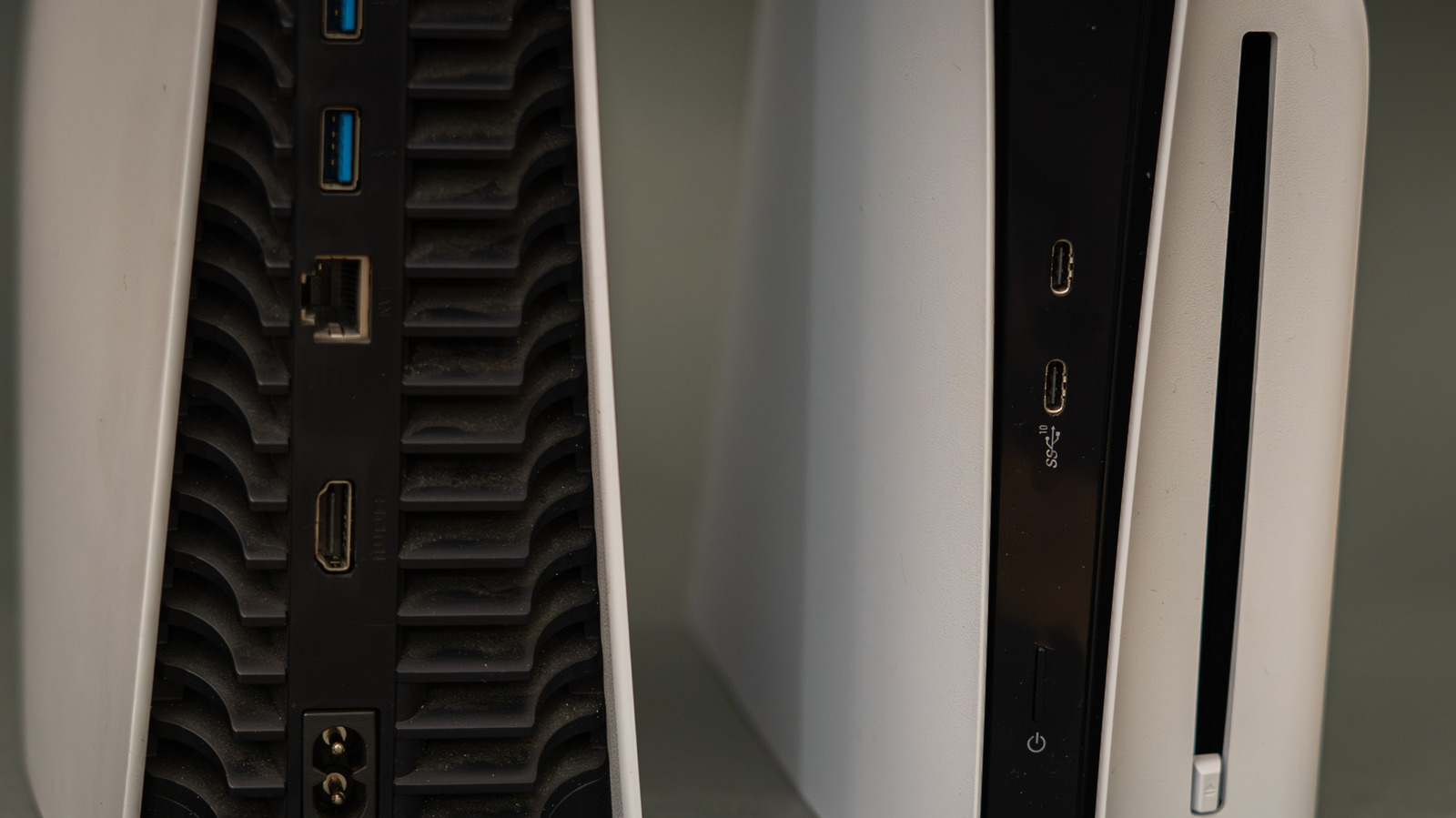
    A PlayStation 5 can display a good picture even while connected to an HDMI port that’s limiting its capabilities, which is a simple mistake to make. Most TVs and monitors come with multiple HDMI ports, each with tiny labels that are hard to read — assuming they’re even present and situated where you can see them. If there is no label, you’ll have to look up the specs for your brand and model. The PS5 console supports HDMI 2.1 for 4K output at 120Hz, among other gaming features, but accessing that requires both a compatible screen and the right output.

    It’s worse if you like to bring your PS5 around the house and set it up on different TVs, because each brand and model features different HDMI arrangements. Never assume that the same set of port numbers means the same specs, even if every TV in the house is from the same brand. For max benefit, check the specs for your exact model and look for an HDMI 2.1 input that supports 4K at 120Hz. On most TVs (not all), HDMI 2.1 ports are the third or fourth option.

    Your choice of cable is also important. Sony recommends using the HDMI cable that comes with the PS5, or another high-quality Ultra High Speed (HDMI 2.1) cable. It’s best to plug the cable directly into the screen or TV without a soundbar or similar between them. For the most part, that’s all it takes. A PS5 console and TV can’t provide peak signal support if the port, cable or intermediary equipment is getting in the way.

    What the correct HDMI cable will unlock

    The benefit of the correct HDMI port is access to the full breadth of output features the PS5 console supports. A 120Hz display can refresh its image 120 times per second, so compatible PS5 games offer smoother motion than a 60Hz setup can provide. However, the game has to support 120 fps output as well. This isn’t always enabled by default, so check the game’s video settings for an option like “120Hz output”, “High Frame Rate” or similar.

    Keep in mind that 120Hz gaming at a lower resolution (1080p or 1440p) can work through HDMI 2.0 on a compatible display. However, HDMI 2.1 is the relevant option for the PS5’s 4K 120Hz output. Also be aware that few PS5 games run at 4K/120; most high frame rate modes lower the resolution to compensate.

    If you’re using a monitor with a high refresh rate, check which resolutions and refresh rates it supports with HDMI, as this might differ from any DisplayPort inputs. Alone, a high refresh rate is not an indication that any given HDMI port supports the PS5 mode you want.

    Other important HDMI 2.1 features include Variable Refresh Rate (VRR), which syncs your screen’s refresh rate with your system’s output to prevent screen tearing. There’s also Auto Low Latency Mode, which tells your TV to switch into its “Game Mode” — disabling picture processing features to minimize input lag.

    Should I use HDMI 1 or 2 for gaming?
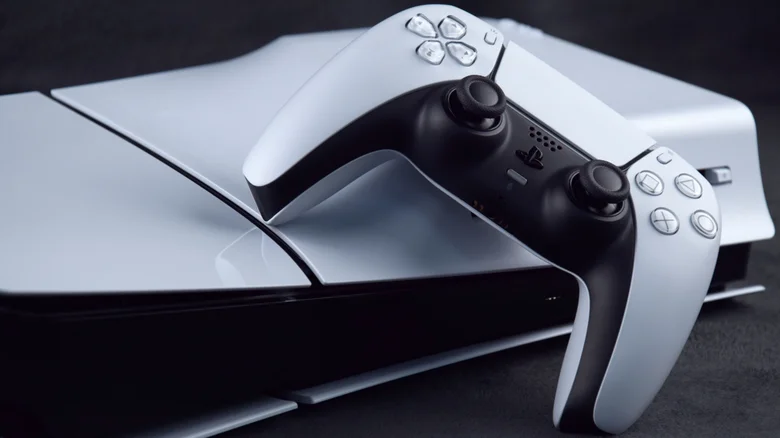
    A PlayStation 5 console laying flat, with a DualSense Wireless Controller leaning on it.

    Neither input number on your TV is inherently better or worse than the other. “HDMI 1” and “HDMI 2” are simply designators, not necessarily version numbers like HDMI 1.x or HDMI 2.x. Plus, you could have a port that’s clearly labeled HDMI 2.1, plug your HDMI cable into it, and still not get 4K 120Hz. Once the console is connected, check the TV/monitor’s input settings, since HDMI 2.1 is not always the default option. Various manufacturers use different menu names and terms, like “Enhanced Features” or similar.

    You also have to make sure to enable the feature on your PS5. On the main menu, open Settings > Screen and Video > Video Output. Set the resolution to Automatic for best results, leave Video Transfer Rate on Automatic and set Enable 120Hz Output to Automatic as well. Select Information for the Connected HDMI Device to see details about the screen’s resolution, Variable Refresh Rate and HDR support. Current Video Output Signal also gives you information for troubleshooting.

    If the console still fails to deliver the signal you expect, recheck the input, cable and display settings before assuming your PS5 needs to be shipped off for repair.

    chance PlayStation plugged Theres Your
    Follow on Google News Follow on Flipboard
    Share. Facebook Twitter Pinterest LinkedIn Tumblr Email Copy Link
    myappsplus
    • Website

    Related Posts

    Steam rolls out Personal Calendar feature that constantly updates recommended games

    October 24, 2026

    No Signs of AI Payoff Outside the Tech Sector

    October 24, 2026

    Capcom confirms data breach that affected 11.7 million users

    October 24, 2026
    Add A Comment
    Leave A Reply Cancel Reply

    Top Posts

    Cathay Pacific tests Google AI that dramatically cuts airplane contrails — tiny altitude shifts slash environmental impact by 40% in early trials

    September 8, 2026137 Views

    Drone swarm tech valued by both defense and civilian sectors, industry platform says

    September 8, 202615 Views

    Keep running out of mobile data? This new unlimited plan gets you up to 80Mbps 5G speeds for just AU$50/m

    October 8, 202614 Views
    Latest Reviews

    WD’s 6TB Elements portable hard drive drops to $260 for simple plug-and-play backups

    myappsplusSeptember 1, 2026

    Job postings show early signs of AI automation impact

    myappsplusSeptember 1, 2026

    iPhone 18 Pro Colors Apparently Include Black, But Skip Silver

    myappsplusSeptember 1, 2026
    Stay In Touch
    • Facebook
    • YouTube
    • TikTok
    • WhatsApp
    • Twitter
    • Instagram

    Subscribe to Updates

    Get the latest tech news from FooBar about tech, design and biz.

    Most Popular

    WD’s 6TB Elements portable hard drive drops to $260 for simple plug-and-play backups

    September 1, 20260 Views

    iPhone 18 Pro Colors Apparently Include Black, But Skip Silver

    September 1, 20260 Views

    The new Amazfit Cheetah 2 Pro falls to $399.99 in its first Amazon discount

    September 1, 20260 Views
    Our Picks

    Vivo X500 Pro Max first impressions: Vivo came to play, and the competition should be nervous

    October 24, 2026

    This underrated Oppo camera mode helped me take photos that look like scenes from The Odyssey — and I wish my iPhone had the same feature

    October 24, 2026

    Why Mid-Tier Phones Suddenly Stop Software Update Support: Ridiculous Hidden Reasons That Leave Users Speechless

    October 24, 2026

    Subscribe to Updates

    Subscribe to our newsletter and get the latest tech news, app updates, AI trends, smartphone reviews, and exclusive deals delivered straight to your inbox.

    Facebook X (Twitter) Instagram Pinterest
    • About Us
    • Get In Touch
    • Disclaimer
    • Privacy Policy
    • Terms & Conditions
    © 2026 MyAppsPlus. All Rights Reserved.

    Type above and press Enter to search. Press Esc to cancel.