Close Menu
MyAppsPlus

    Subscribe to Updates

    Get the latest creative news from FooBar about art, design and business.

    What's Hot

    Microsoft offers buyouts to around 60,000 employees, reports say

    October 26, 2026

    Don’t get caught out: here’s everything you need to put in your home emergency kit

    October 26, 2026

    Pro Max, but no Pro? Oppo explains its unique Find X10 series naming strategy

    October 26, 2026
    Facebook X (Twitter) Instagram
    Facebook X (Twitter) Instagram
    MyAppsPlusMyAppsPlus
    Monday, October 26
    • Home
    • Breaking Tech
    • Apps & Software
    • AI & Automation
    • Android
    • iPhone & iOS
    • More
      • Reviews
      • How-To Guides
      • Deals & Discounts
      • Shop
    MyAppsPlus
    Home»Breaking Tech»Roku apps keep crashing before you hit Play? Here’s why
    Breaking Tech

    Roku apps keep crashing before you hit Play? Here’s why

    myappsplusBy myappsplusOctober 26, 2026004 Mins Read
    Share Facebook Twitter Pinterest Copy Link LinkedIn Tumblr Email Telegram WhatsApp
    Follow Us
    Google News Flipboard
    Roku apps keep crashing before you hit Play? Here’s why
    Share
    Facebook Twitter LinkedIn Pinterest Email Copy Link

    There are a few things you can try to fix it.

    Say what you will about Roku in light of its impending takeover by Fox, but its products are a model of simplicity. There’s nothing cryptic about its hardware or software controls, and for the most part, Roku has resisted the temptation to jam its OS full of unnecessary visual flair or recommendations. You can be in your favorite streaming app in a matter of seconds.

    The platform isn’t bulletproof, however. Apps or Roku OS itself can still crash, which might almost be more irritating on a smart TV or media streamer than it is on a computer. Conflicts make sense on complex machines but a Roku device exists almost exclusively to stream video, perhaps with a little music thrown in for good measure. It might not feel far from your microwave refusing to make popcorn.

    There are several potential reasons for Roku app crashes, most of which can be solved with one of three actions. There are scenarios, however, where more radical tactics might be needed, including even hardware upgrades. We’ll try to steer you away from those.

    Why your Roku apps might be crashing, and how to fix it
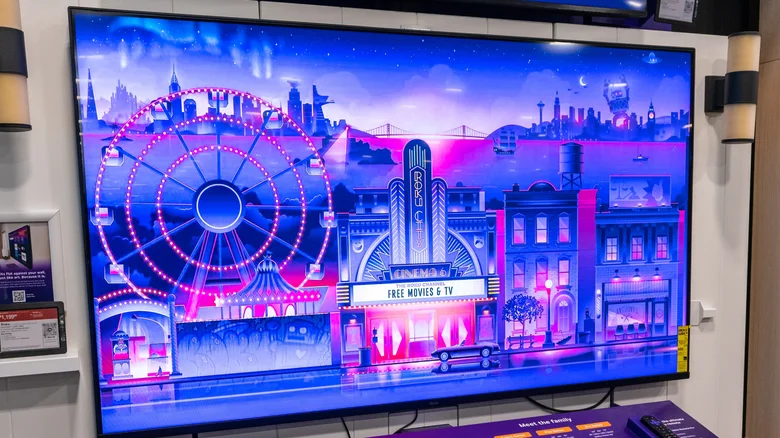
    A Roku TV on display at an electronics shop.

    One possibility is that an app or the OS is buggy in some form. Although all parties try to squash as many bugs as possible, testing is never perfect, especially with so many potential hardware and software combinations out there. Normally, Roku devices update automatically whenever you do a cold boot, or leave your device on for at least 24 to 36 hours. If you want to speed things up, use your remote to navigate to Settings > System > Software update > Check Now. Keep in mind that it can take days or weeks for a patch to be developed.

    If updates don’t accomplish anything, try restarting your Rokuight be skipped on your device). This gives background processes and the system cache a fresh start, which might be all you need to deal with less severe glitches. In fact, you should be doing this periodically anyway to keep your device running as smoothly as possible

    It might also be time for general housekeeping, by which we mean deleting unused apps. Although Roku apps aren’t exactly huge, even the 2024 Roku Ultra only has 4GB of storage, and older or cheaper devices may have less. You could be bumping into the swap space the OS needs, and there’s no sense risking that for an app you may never open again.

    When extreme measures are called for
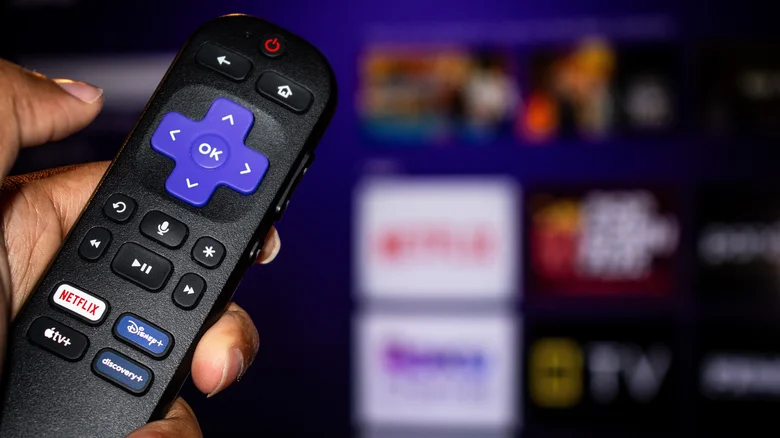
    A Roku remote with the Roku OS app grip hazy in the background.

    If you’ve tried all of the previous steps and nothing has worked so far, your last-ditch option may be performing a factory reset. This wipes the slate completely clean, reverting your device to the state it was in out of the box — hence the name. This should be avoided whenever possible, since you’ll not only have to redownload apps, but reconfigure settings and log back into your accounts. If you’re sure you want to try this, head to System > Advanced system settings > Factory reset. Roku also offers hardware-based reset commands if the OS has become totally unusable.

    If your device is many years old, an unfortunate possibility is that it may no longer be able to keep up with the latest software. While the company maintains surprisingly extensive update support, newer features and graphics can push the limits of RAM and processor power. You may be bumping up against these barriers, and have no choice but to buy new streaming gear.

    There’s only so much you can do to hold onto older software releases, unfortunately. Even when Roku has your back, streaming services may decide to cut off older app versions for the sake of security or other plans. You might as well keep updating apps as long as possible.

    apps crashing keep Roku Streaming
    Follow on Google News Follow on Flipboard
    Share. Facebook Twitter Pinterest LinkedIn Tumblr Email Copy Link
    myappsplus
    • Website

    Related Posts

    Microsoft offers buyouts to around 60,000 employees, reports say

    October 26, 2026

    How to set up your phone games to play on an Android Auto screen

    October 26, 2026

    Anthropic officially files for its public debut

    October 26, 2026
    Add A Comment
    Leave A Reply Cancel Reply

    Top Posts

    Cathay Pacific tests Google AI that dramatically cuts airplane contrails — tiny altitude shifts slash environmental impact by 40% in early trials

    September 8, 2026137 Views

    Keep running out of mobile data? This new unlimited plan gets you up to 80Mbps 5G speeds for just AU$50/m

    October 8, 202615 Views

    Drone swarm tech valued by both defense and civilian sectors, industry platform says

    September 8, 202615 Views
    Latest Reviews

    Anthropic’s new Fable release is cheaper, less restrictive

    myappsplusSeptember 2, 2026

    iPhone 18 Pro vs. iPhone 17 Pro: Should you upgrade this year?

    myappsplusSeptember 2, 2026

    Enjoy low-and-slow BBQ with East Oak’s 30-inch electric smokers starting from $207

    myappsplusSeptember 2, 2026
    Stay In Touch
    • Facebook
    • YouTube
    • TikTok
    • WhatsApp
    • Twitter
    • Instagram

    Subscribe to Updates

    Get the latest tech news from FooBar about tech, design and biz.

    Most Popular

    Anthropic’s new Fable release is cheaper, less restrictive

    September 2, 20260 Views

    Enjoy low-and-slow BBQ with East Oak’s 30-inch electric smokers starting from $207

    September 2, 20260 Views

    NYC schools announce major classroom technology overhaul

    September 2, 20260 Views
    Our Picks

    Microsoft offers buyouts to around 60,000 employees, reports say

    October 26, 2026

    Don’t get caught out: here’s everything you need to put in your home emergency kit

    October 26, 2026

    Pro Max, but no Pro? Oppo explains its unique Find X10 series naming strategy

    October 26, 2026

    Subscribe to Updates

    Subscribe to our newsletter and get the latest tech news, app updates, AI trends, smartphone reviews, and exclusive deals delivered straight to your inbox.

    Facebook X (Twitter) Instagram Pinterest
    • About Us
    • Get In Touch
    • Disclaimer
    • Privacy Policy
    • Terms & Conditions
    © 2026 MyAppsPlus. All Rights Reserved.

    Type above and press Enter to search. Press Esc to cancel.