Close Menu
MyAppsPlus

    Subscribe to Updates

    Get the latest creative news from FooBar about art, design and business.

    What's Hot

    Maple focuses on privacy-first artificial intelligence

    November 25, 2026

    Day 7 Apple Black Friday deals now live! Touch MacBook Pro $290 off, iPad mini, AirPods, AirTag 2, more

    November 25, 2026

    Motorola’s Android 17 update fixes Android Auto connections on folded Razr phones

    November 25, 2026
    Facebook X (Twitter) Instagram
    Facebook X (Twitter) Instagram
    MyAppsPlusMyAppsPlus
    Wednesday, November 25
    • Home
    • Breaking Tech
    • Apps & Software
    • AI & Automation
    • Android
    • iPhone & iOS
    • More
      • Reviews
      • How-To Guides
      • Deals & Discounts
      • Shop
    MyAppsPlus
    Home»Android»Motorola’s Android 17 update fixes Android Auto connections on folded Razr phones
    Android

    Motorola’s Android 17 update fixes Android Auto connections on folded Razr phones

    myappsplusBy myappsplusNovember 25, 2026012 Mins Read
    Share Facebook Twitter Pinterest Copy Link LinkedIn Tumblr Email Telegram WhatsApp
    Follow Us
    Google News Flipboard
    Motorola’s Android 17 update fixes Android Auto connections on folded Razr phones
    Share
    Facebook Twitter LinkedIn Pinterest Email Copy Link

    Affiliate links on Android Authority may earn us a commission. Learn more.

    Motorola’s Android 17 update fixes Android Auto connections on folded Razr phones

    No more flipping open your Razr every time you start your car.
    •

    •
    •
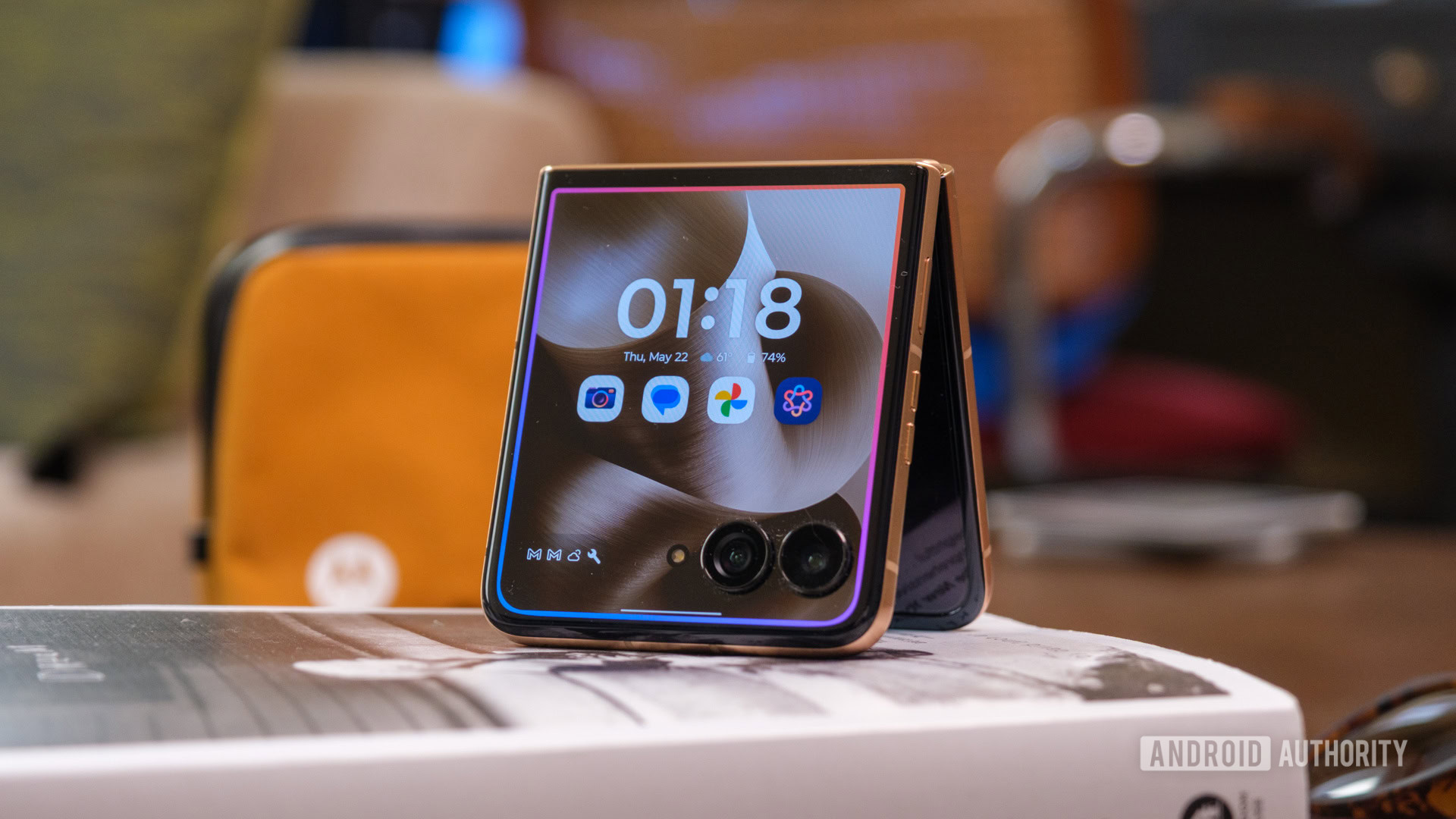
    Ryan Haines / Android Authority
    Add Android Authority on Google:
    Preferred SourceGoogle Discover
    TL;DR

    • Motorola Razr owners report that the Android 17 update fixes a long-standing Android Auto connectivity bug.
    • The issue emerged after the Android 16 update, forcing affected users to unfold their phones to establish a connection.

    One convenience of owning a flip phone is being able to carry out everyday tasks without unfolding it. But for some Motorola Razr owners, even something as simple as connecting to Android Auto has required opening their phones since the Android 16 update. Thankfully, the latest Android 17 update appears to be putting an end to this frustration.

    A Motorola Razr Ultra 2025 owner took to Reddit to share that Android Auto is once again connecting automatically while their phone is folded shut following the Android 17 update. Other owners in the thread have reported similar improvements.

    The problem dates back several months. In February, a Razr Plus 2024 owner reported that their phone used to connect to their car wirelessly without even taking it out of their pocket. After installing Android 16, they had to flip open the phone every time they started their car. Neither changing Android Auto’s settings nor clearing app data and reinstalling updates helped. The phone didn’t even need to be unlocked for Android Auto to start working again. Simply unfolding it was enough.

    Connectivity isn’t the only issue flip phone owners have experienced with Google’s driving platform. In September, we reported on a separate Android Auto bug that prevented Motorola Razr and Samsung Galaxy Z Flip owners from making outgoing calls through Gemini while their phones were folded shut.

    It’s unclear whether Motorola’s Android 17 update addresses that problem, too. Nevertheless, it’s encouraging to see Razr owners regain some of the convenience they lost with Android 16, especially for a feature they potentially use every day.

    News
    Android 17Android AutoMotorolaMotorola Razr

    Android Auto fixes Motorolas update
    Follow on Google News Follow on Flipboard
    Share. Facebook Twitter Pinterest LinkedIn Tumblr Email Copy Link
    myappsplus
    • Website

    Related Posts

    Big Google Home update adds these new Nest Cam, app, and Gemini features

    November 25, 2026

    Pure elegance on display

    November 25, 2026

    PancakeSwap warns users of fake Android and iPhone apps

    November 25, 2026
    Add A Comment
    Leave A Reply Cancel Reply

    Top Posts

    The pros and cons of using your phone as a mobile hotspot

    November 16, 202648 Views

    UiPath Launches AI Coding Agent, Integrates Claude Code and Codex to Target Development Automation

    November 16, 202646 Views

    Save on your groceries, gas, and holiday shopping with this $15 BJ’s membership (Reg. $60) 

    November 4, 202634 Views
    Latest Reviews

    Travel Tech Announces Pitch Competition Finalists for Upcoming Start-Up Summit

    myappsplusSeptember 12, 2026

    How to watch Pacific Nations Cup 2026: FREE rugby live streams from anywhere, schedule

    myappsplusSeptember 12, 2026

    3 nail-biting Paramount+ thriller movies to watch if you never want to sleep again

    myappsplusSeptember 12, 2026
    Stay In Touch
    • Facebook
    • YouTube
    • TikTok
    • WhatsApp
    • Twitter
    • Instagram

    Subscribe to Updates

    Get the latest tech news from FooBar about tech, design and biz.

    Most Popular

    Instagram chief thinks a chronological feed is ‘much worse’ and says the quiet part out loud

    September 12, 20260 Views

    Dbrand’s MNML Pixel 11 Pro cases are simply good, and that’s the point [Gallery]

    September 12, 20260 Views

    Some of the best budget running headphones just got a big discount on Amazon — save $70 on the Shokz OpenRun Pro

    September 12, 20260 Views
    Our Picks

    Maple focuses on privacy-first artificial intelligence

    November 25, 2026

    Day 7 Apple Black Friday deals now live! Touch MacBook Pro $290 off, iPad mini, AirPods, AirTag 2, more

    November 25, 2026

    Motorola’s Android 17 update fixes Android Auto connections on folded Razr phones

    November 25, 2026

    Subscribe to Updates

    Subscribe to our newsletter and get the latest tech news, app updates, AI trends, smartphone reviews, and exclusive deals delivered straight to your inbox.

    Facebook X (Twitter) Instagram Pinterest
    • About Us
    • Get In Touch
    • Disclaimer
    • Privacy Policy
    • Terms & Conditions
    © 2026 MyAppsPlus. All Rights Reserved.

    Type above and press Enter to search. Press Esc to cancel.