

![macOS 27 Top Features: much more than just Siri AI [Video]](https://9to5mac.com/wp-content/uploads/sites/6/2026/09/macOS-27-Top-Features.jpg?quality=82&strip=all&resize=1200,628 "macOS 27 Top Features: much more than just Siri AI [Video]")
Although Apple’s revamped personal assistant is no doubt the headlining feature in macOS 27 Golden Gate, there are many other new features and refinements in this year’s update that don’t involve Siri AI. Read our post as I cherry-pick a few of my favorite new macOS 27 updates, and be sure to watch our video as I walk through them all.
App icon revamp
macOS 27 changes almost all of the built-in app icons in some way, with a few icons like Siri, Preview, and Chess undergoing complete redesigns. Other app icons, like Finder, Photos, and Reminders, also receive noticeable revamps, with a trend toward emphasizing the Liquid Glass design language. Few app icons were spared changes in macOS Golden Gate, but many of the updates are subtle.
If you watch my video below, you’ll see slider comparisons showing how each app icon looked in macOS Tahoe and how it now looks in macOS Golden Gate.
Some of the updates, like the Photos app, I’m a fan of. Other updates, like Finder, I’m not fully sold on. Let me know what you think about the app icon changes down below in the comments.
Video: macOS 27 Top Features and Changes
One of the coolest things about macOS 27 is its broad support for HDR across the OS’s visuals. Icons, toolbars, and other parts of the Liquid Glass design language gain support for additional dynamic range that users of HDR-capable displays will immediately notice.
To identify which elements have additional dynamic range, you can use macOS’ built-in Digital Color Meter utility to see where shadows or highlights clip while viewing native SDR values. Be sure to watch my video as I explore various areas of the OS to show HDR support.
If you’re a Studio Display XDR user, you’ve no doubt seen the differences, but even if you haven’t ponied up for Apple’s most expensive display, you’ll still be able to enjoy the benefits on a third-party display that supports HDR.
I recently went hands-on with Asus’ ProArt QD-OLED 32-inch 4K display, and, given the panel technology, the HDR effects throughout the OS stood out. Unlike Apple’s first-party displays with Extended Dynamic Range support, you’ll need to venture into Settings > Displays and enable the High Dynamic Range toggle to enjoy the benefits.
Most recently, I’ve started using the Dell UltraSharp U3226Q QD-OLED display, which I’m really enjoying, and I will be posting a review on it soon. On both displays, the HDR elements pop, such as the blinking cursor within the newly redesigned Spotlight/Siri AI interface.
Design updates
macOS Golden Gate features a ton of design updates to address complaints users raised about macOS Tahoe. One of my biggest complaints was the mismatched corner radii between certain windows.
Of course, this wasn’t the only complaint addressed, but it was the one that mattered most to me. Other areas that were fixed were the floating side bars, which are now back to being edge-to-edge side bars, toolbars have been revamped with an obvious line of demarcation, and the Liquid Glass effect itself has been improved, including a new slider that lets users have more choice over the amount of transparency vs tint throughout the OS.
Another major complaint from users about macOS Tahoe was the unnecessary clutter heaped onto the menus. In macOS Tahoe, nearly every menu option got its own corresponding glyph, which made the menus look like a mess.
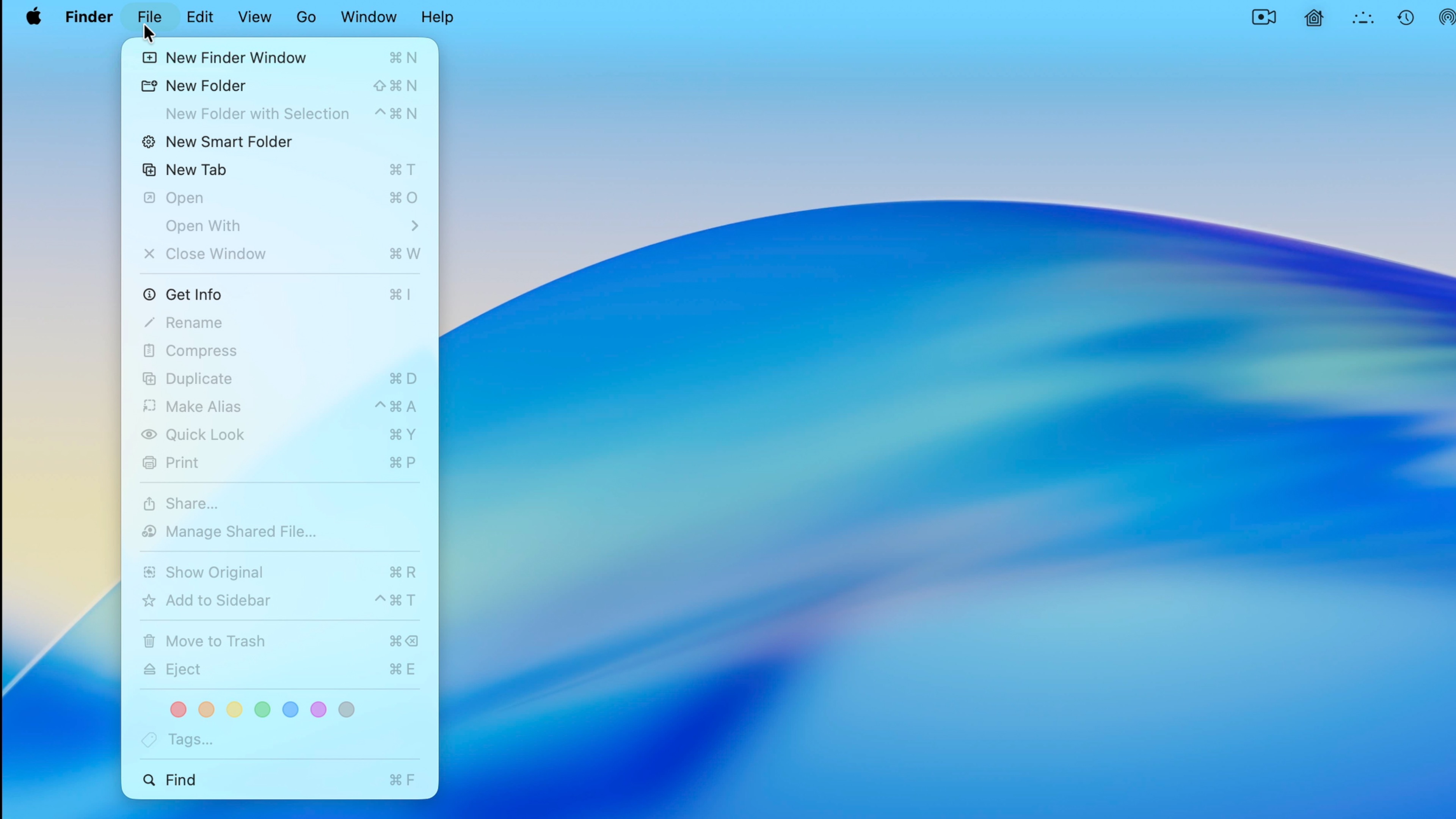
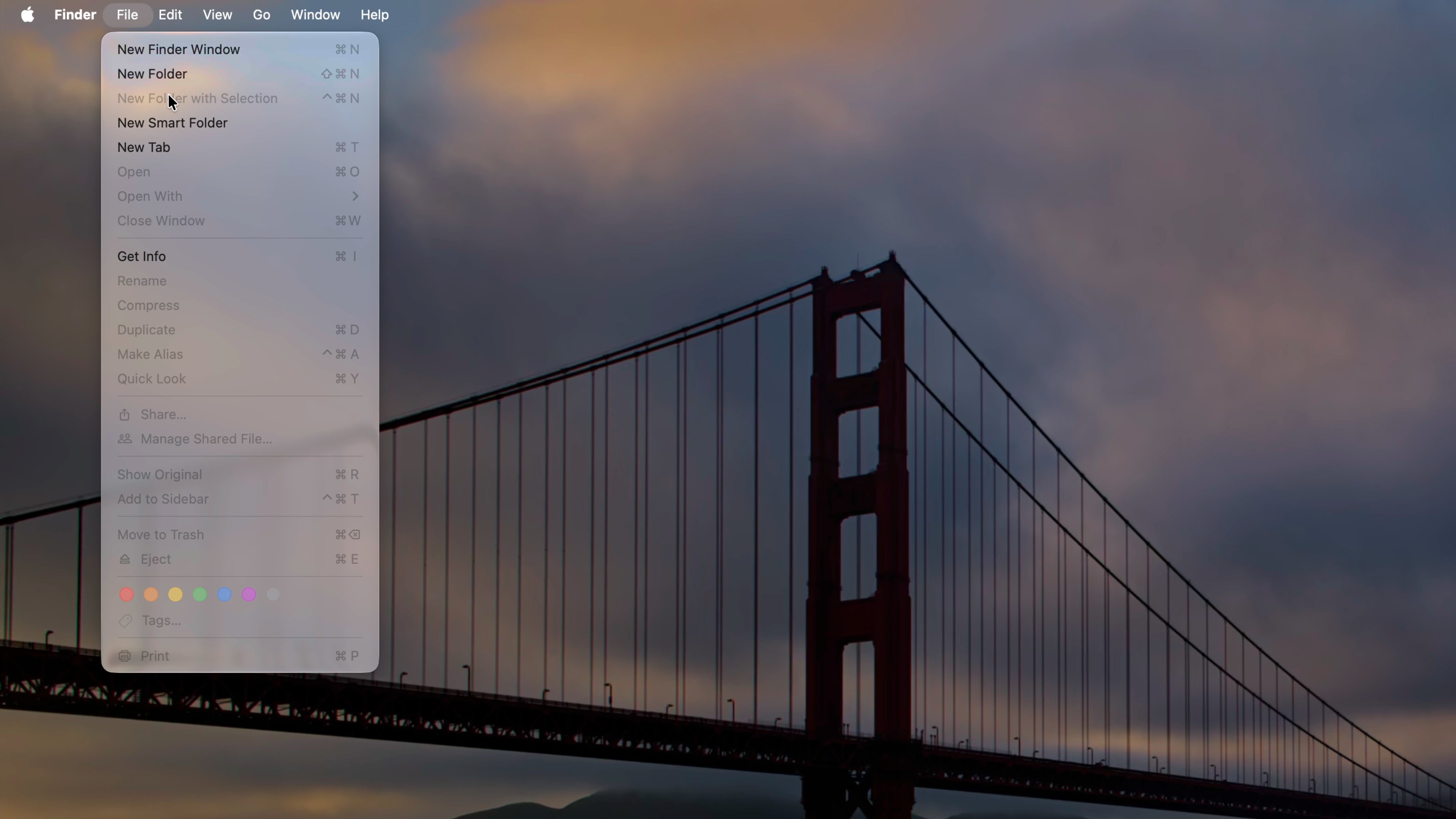
If every menu item has an icon, eventually you’re going to run out of icon options that make sense, while reducing the effectiveness of the glyphs that were there before. I’m so glad that Apple fixed this issue.
iPhone Mirroring
iPhone Mirroring on macOS 27 got three major improvements that make the feature so much better on Golden Gate.
- You can now access Control Center from a mirrored iPhone.
- You can resize the iPhone mirroring interface to match more closely the iPad mini aspect ratio.
- You can play back DRM-protected content from your iPhone on your Mac without a blackout.
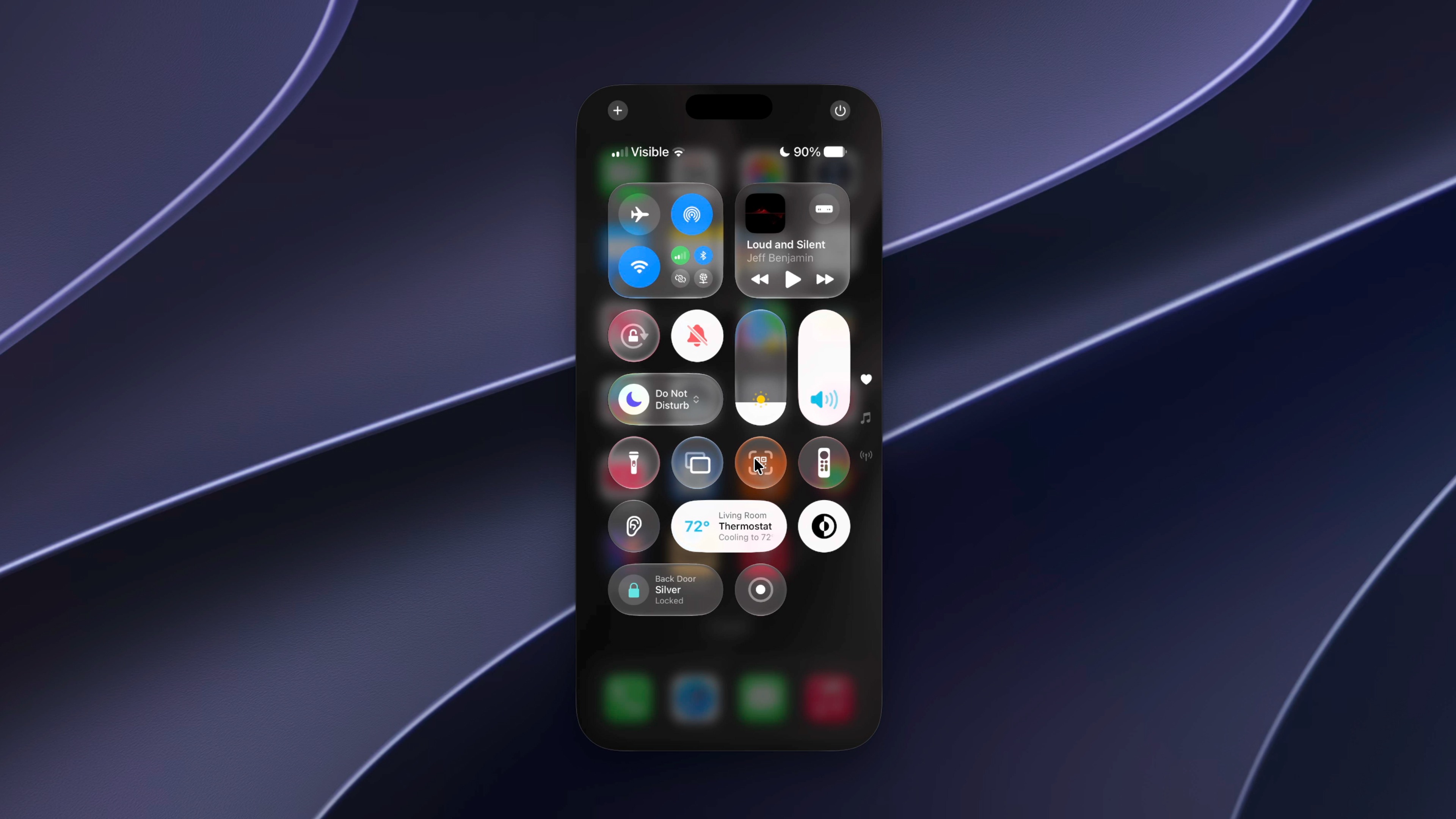
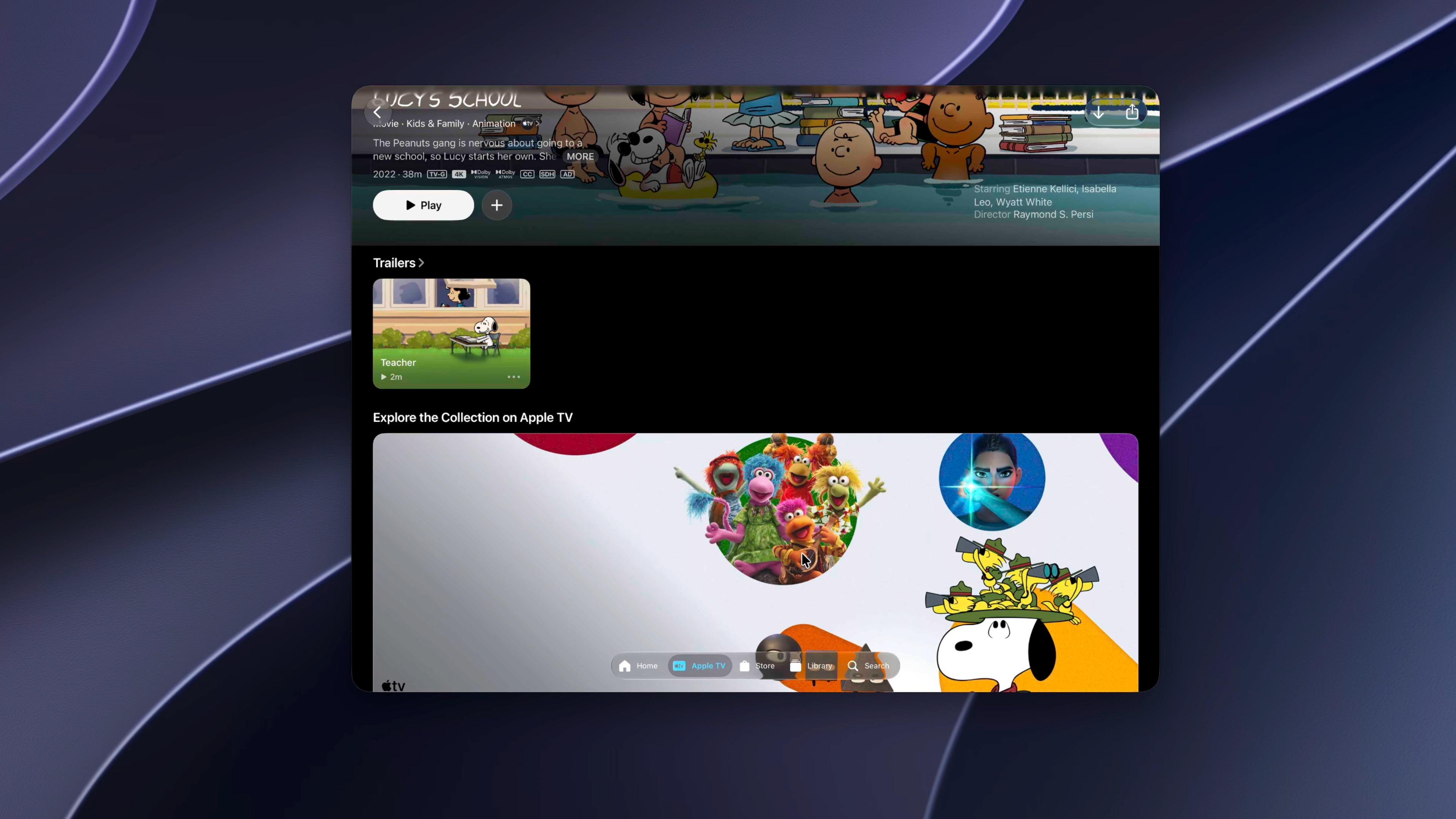
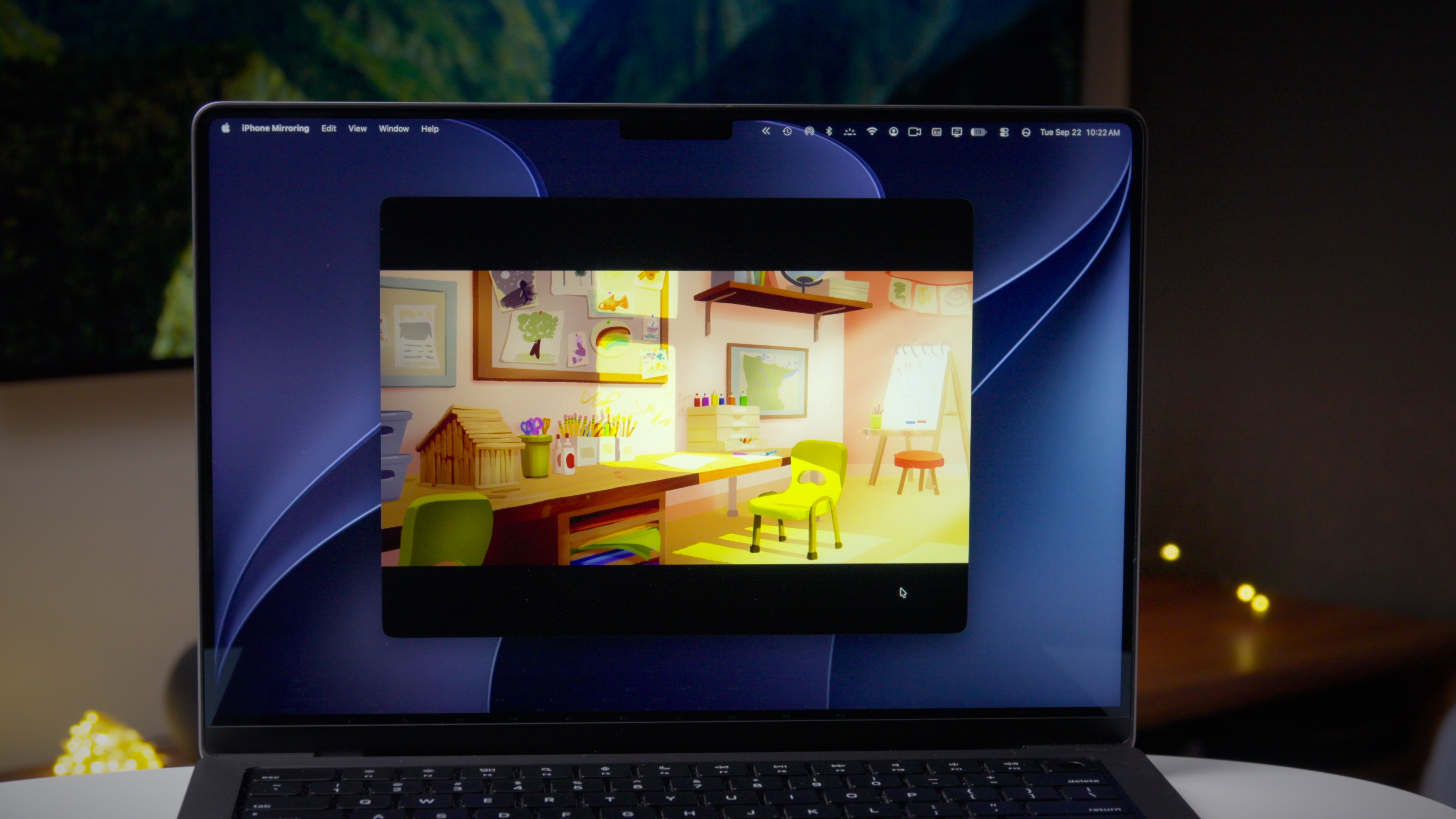
Needless to say, iPhone Mirroring just got a lot more useful in macOS 27!
9to5Mac’s Take
Although Siri AI takes up most of the headlines, macOS Golden Gate is not just about Siri. I cherry-picked a few of my favorite new additions in this post, but there are lots more to explore. Watch my full video for a rundown of everything new, and let me know what your favorite new features are in the comments.
Jeff’s favorite Mac accessories:
- Whoosh! Screen Cleaner – the best way to clean your Mac’s display
- Asus ProArt 6K Display – the most budget-friendly 6K Display for Mac
- Asus ProArt 5K Display – Pound for pound, the best external display for Mac
- Rodecaster Duo – the best and most feature-packed audio interface for Mac
- Apple Magic Mouse – the best mouse for Mac, hands-down
You’re reading 9to5Mac — experts who break news about Apple and its surrounding ecosystem, day after day. Be sure to check out our homepage for all the latest news, and follow 9to5Mac on Twitter, Facebook, and LinkedIn to stay in the loop. Don’t know where to start? Check out our exclusive stories, reviews, how-tos, and subscribe to our YouTube channel
