

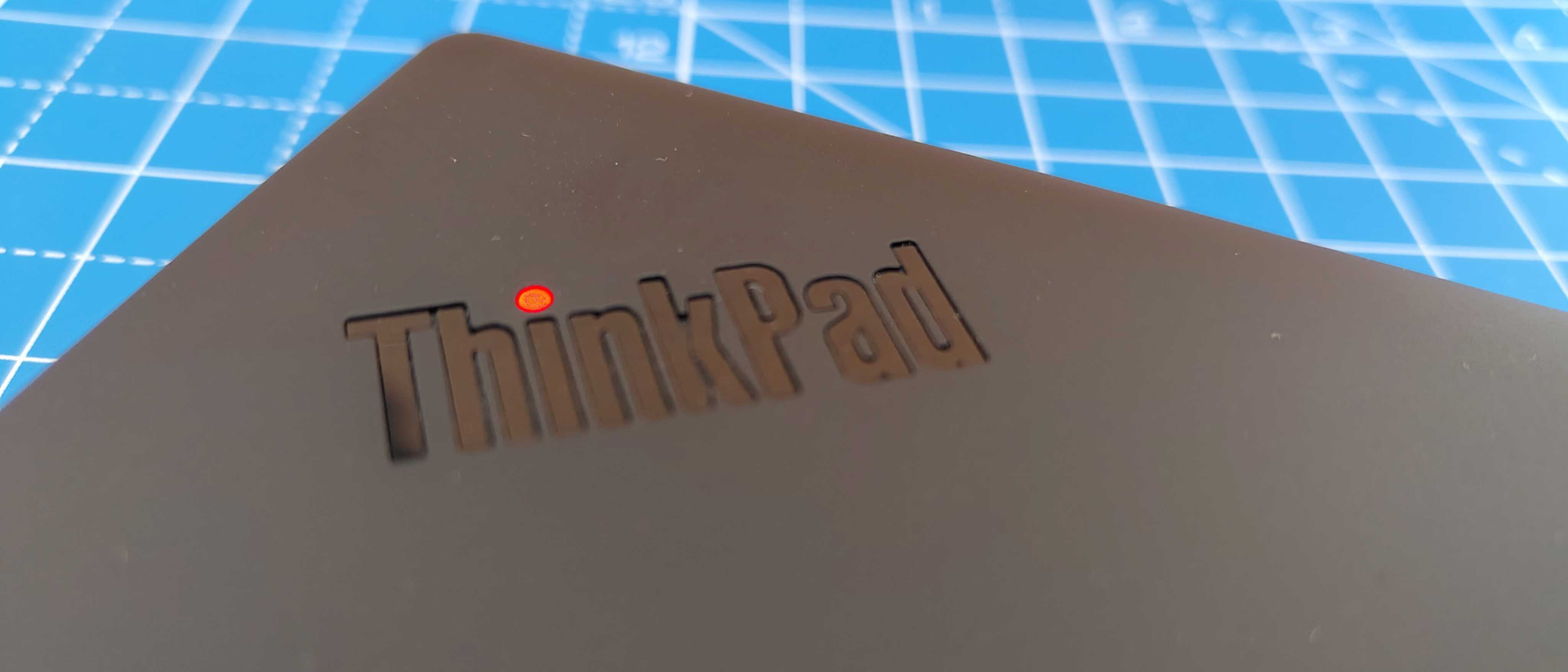
I still think the ThinkPad line-up is the top pick for business professionals, with 14-inch laptops being the sweet spot for screen clarity and portability. The ThinkPad T14s Gen 6 does nothing to change that.
It’s durably built, smart and stylish, and performance-driven for day-to-day work. And yes, it still has that iconic ThinkPad keyboard and trackpoint for those that write a lot of emails, reports, or the next New York Timesbestseller.
The NPU on the AMD model reviewed here hits up to 50 TOPS for AI workloads (the Intel model caps out at up top 48 TOPS), which is plenty of general office AI use, running Copilot+, blurring webcam backgrounds, and using tools in software like the Adobe suite.
As part of the ‘s’ range, the T14s Gen 6 is marginally slimmer than the traditional T14, stripping out certain enterprise features like the Ethernet port and upgradeable RAM. If that’s important for you, the T14s is a non-starter out of the box.
I wouldn’t consider that a deal-breaker for most workers – particularly if you use a strong wireless connection and future-proof with 32GB of memory (or up to 64GB if you opt for the AMD version). But it’s an additional consideration.
For most people, this will easily hit the mark at the best business laptop. It’s certainly one of the best I’ve used, with the AMD version proving reasonably powerful, portable, and sails through productivity workloads without pausing for breath.
- How much does it cost?From $1500 / £1500
- When is it out?Available now
- Where can you get it?Direct from Lenovo and online retailers
The Lenovo ThinkPad T14s Gen 6 is available from Lenovo and a range of online retailers with prices starting at $1500 / £1500 for the base configuration, up to around $3400 / £3400 once the laptop is fully specced with RAM and storage.
From what I’ve seen, the Intel models tend to retail slightly cheaper than AMD. For standard office work, the Intel is probably the better choice, though not by much. However, the AMD version has a maximum of 64GB RAM, which will be better for multi-tasking and smoother processes during heavier workloads (not to mention future-proofing the machine even more). It also has up to 50 TOPS NPU, versus up to 48 TOPS on the Intel machine.
Ultimately, the price is what I’d expect for a business laptop from a brand like Lenovo, putting it on par with the likes of the Dell Pro 14. Personally, I’d still opt for the ThinkPad over HP and Dell chiefly for its build quality, repairability, and the excellent keyboard. But performance-wise, it’s much of a muchness.
- Classic ThinkPad design and durability
- Fair but not glittering port selection
Design-wise, this is every inch a ThinkPad. Sleek, black, sensible, and stylish. Bezels are relatively thin across, and I notice it carries over the webcam notch from the Gen 5 T14s.
Coming from a Gen 4, I wasn’t initially sure how I felt about that notch. It gives the laptop a whole new silhouette, away from the traditional rectangles. A little showy, I thought, for an enterprise-grade laptop.
But it admittedly does keep the bezels slimmer along the top of the screen, and since it hangs a few millimeters over the edge of the base, offers a useful tab for opening the lid. In other words, I’ve grown to like it.
As with previous ThinkPads in this line, the screen also lays flat for collaboration purposes. I always think this is a nice touch, marking out the T14s as a business-first laptop.
Port selection is fair – two USB-C with 65W power delivery, two USB-A, HDMI, 3.5mm audio jack, nano SIM slot, and Kensington security slot. No Ethernet port, unfortunately, but still a decent if not dazzling array at a time when most laptops are stripping out as many ports as possible.
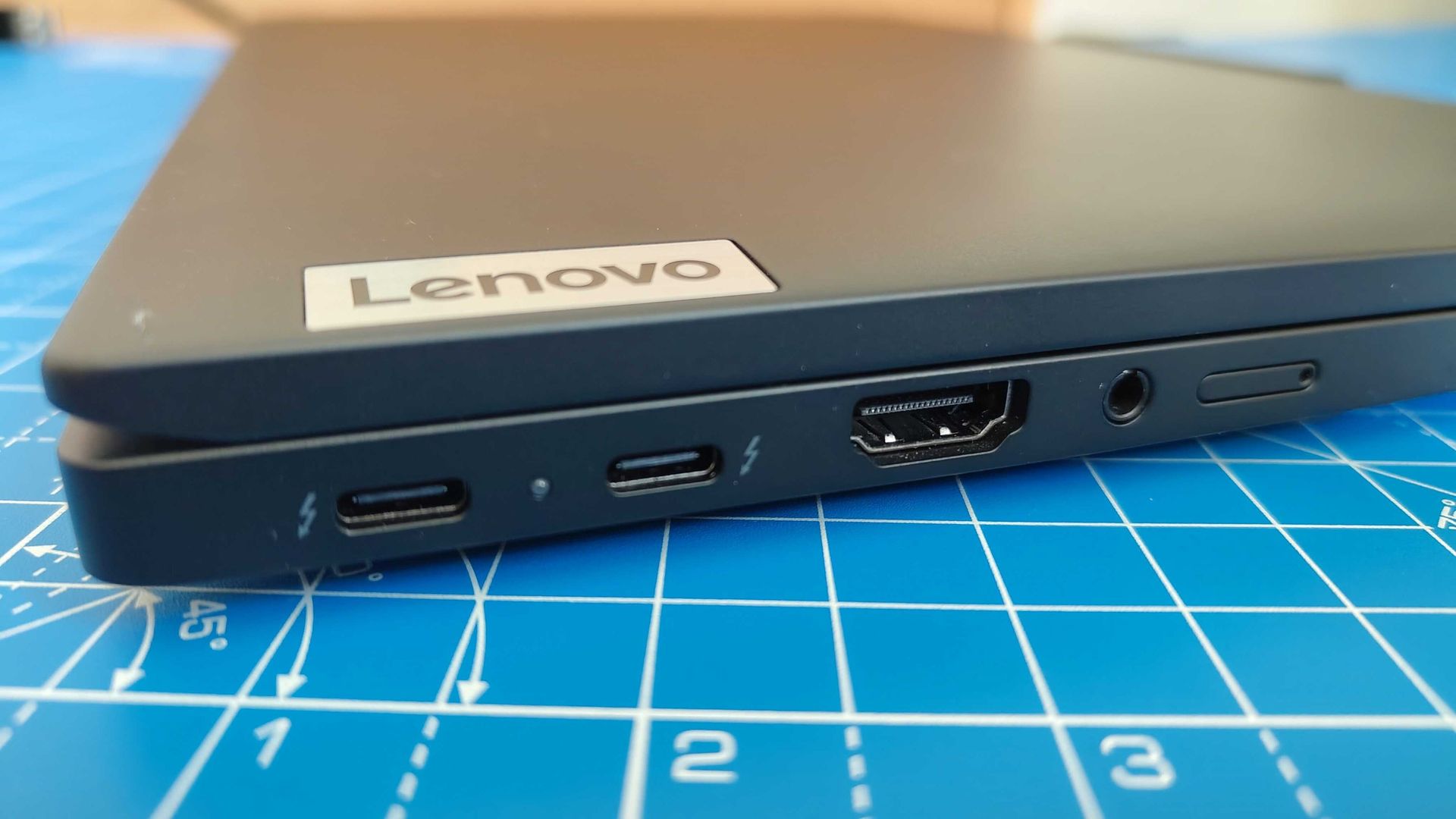
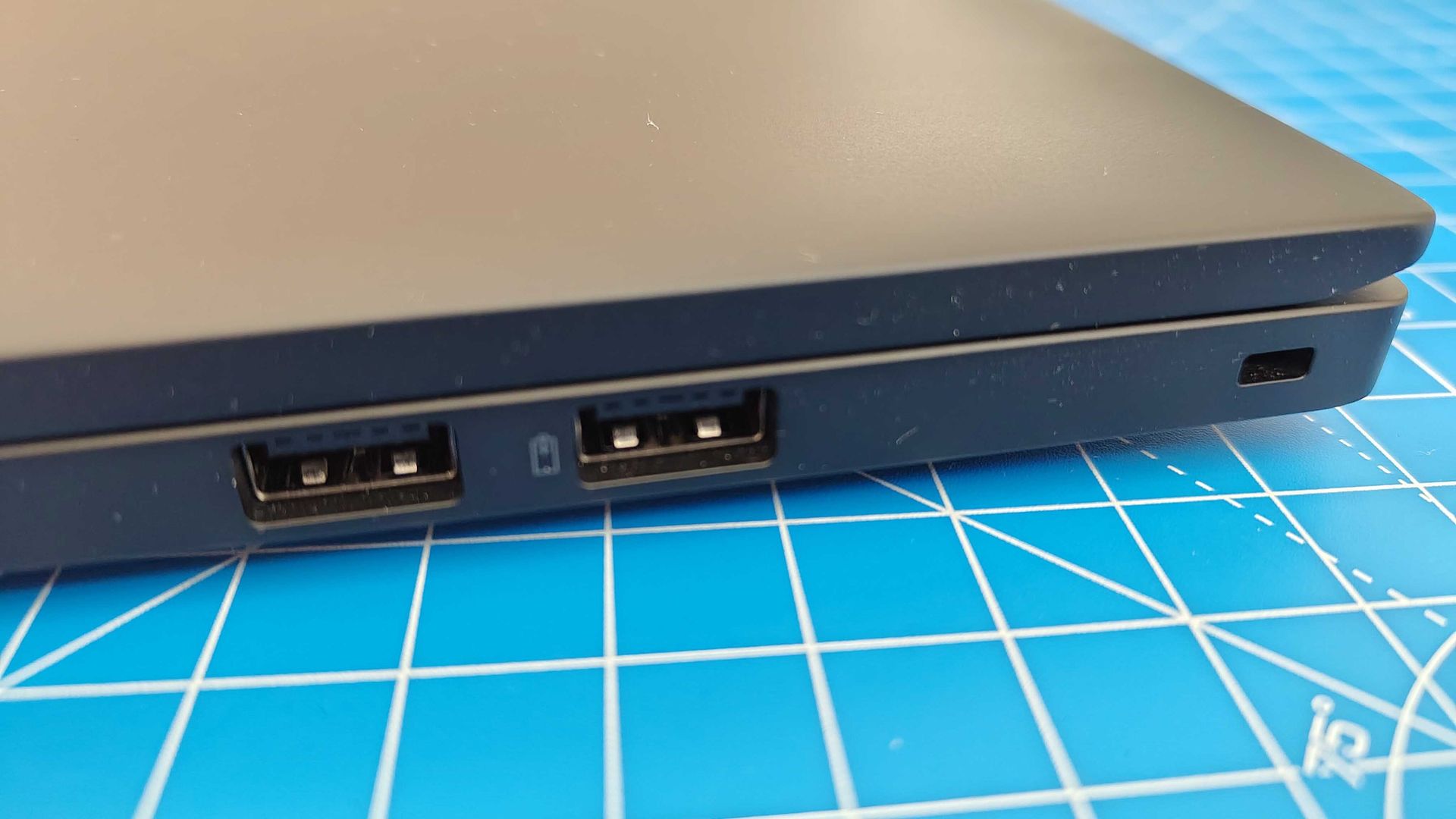
Unlike the Gen 4 model, which placed air vents on the base and along the right-hand side, the Gen 6 puts them all on the base. A win for right-handed mouse users in my book. Another change is speaker placement. They no longer sit atop the keyboard, but flank both sides instead.
As with every ThinkPad I’ve used, build quality here is excellent. I’d expect nothing less from Lenovo in this department. Like most of the line-up, it has a toughened MIL-STD-810H rating that will survive the most violent of commutes.
The outer shell is built from recycled aluminum for the base, carbon fiber-reinforced plastic on the lid, with recycled magnesium used for the keyboard frame. That keeps it feeling durable but relatively lightweight and backpack-friendly for travel.
The base weighs in at 2.87lb / 1.30kg for the AMD model, and 2.82lb / 1.28kg for the Intel one, but that can vary depending how you spec the display. Specced with Full HD touchscreen, AMD Ryzen AI 7 Pro 360 with Radeon 880M graphics, 32GB RAM, 1TB SSD, my review unit tipped the scales at 3lb / 1.36kg.
|
Up to Integrated Intel Arc 140V GPU |
Up to integrated AMD Radeon 880M |
|
|
Up to 1TB SSD M.2 2280 PCIe Gen4 |
||
|
14-inch, 1920×1200, IPS, 100% sRGB, 16:10 |
||
|
2x USB-C Thunderbolt 4, 40Gbps, 2x USB-A, 1x HDMI 2.1, 1x 3.5mm audio jack, Nano SIM slot, Smartcard reader, Kensington Nano Security Slot |
||
|
Wi-Fi 7, 5G, Bluetooth 5.4, NFC |
||
- Sails through daily office tasks
- Can’t handle graphics-intensive workloads
I’m always excited to try out new ThinkPads. I’ve been using the line since I got my first T431s many years ago. It was love at first sight
use. I find them fast, reliable, and well-equipped to tackle most general work tasks.
And I’m pleased to report the T14s Gen 6 is no different. So long as you accept its business-centric limitations – no 3D rendering and 8K video editing here. Although the AMD chip does facilitate some gaming, this is no 120FPS beast, this is an office workhorse first and foremost.
That’s exactly how I used it for most of my time during testing. Running Google Docs, the Adobe creative apps suite, alongside emails, streaming, and browsing proved no issue for the T14s. It’s what it was designed to do, and in that role it performs brilliantly.
14-inch is the sweet for modern business laptops in my experience, and here, the matte-finish IPS panel looks surprisingly vibrant. Yes, there’s still that softness you get from a 1920x1080p screen, but it didn’t impact the work I performed. With a 16:10 ratio, it offers more than enough screen real-estate to handle multiple apps and browsing.
Color gamut is 100% sRGB, but that’s more than enough for light photo editing for social media graphics. While some might be disappointed with that, most aren’t buying a T14s as a full content creation rig. Like the rest of the laptop, the display is well-suited to using Excel and Word and the like.
In online meetings, I found video quality is…fine. Just fine. I ran Google Meet calls using fiber internet and the built-in 5MP camera was serviceable, though looked a mite pixelated. The mic is ok, although the speakers were somewhat tinny. Not the worst I’ve used by any means, but the usual complaint that afflicts most laptops. Survivable for general calls, but I’d always recommend an external webcam and headset for anyone who’s jumping on a lot of calls where picture and audio is critical.
And, of course, there’s that keyboard. If you do a lot of typing on the job (and don’t want to hook up an external keyboard), I strongly recommend a ThinkPad. It’s not even close.
With a 1.5mm key depth travel, it’s very comfortable to type on for longer sessions. There’s none of that low-profile squishiness you find on a lot of business laptops and MacBooks, which have a stubby 1mm or 1.3mm travel.
However, as a 14-inch machine, there’s no room for a num-pad (opt for the ThinkPad T16 or similar if you need one). But for everyday emails, report writing, instant messaging, even schoolwork and fiction-writing, it’s easily the best of the bunch.
Now, with those air vents all sitting on the base, the unit can get warm – warmer, I think, than the Gen 4 model, although I didn’t jab a thermometer up there. That’s par for the course for a laptop, but it’s worth noting, and if you have the option of positioning it on a vented laptop stand at a desk, I’d recommend it over purely lap-based work.
The ThinkPad T14s I have here has a 58 Wh battery. From what I can tell, that’s standard across all configurations of the Gen 6. And it is replaceable, which makes it ideal for IT teams bulk-buying for the office where repairability matters.
Lenovo rates that battery for around 12 hours. But, as ever, that’s not a true picture out in the real-world, managing multiple tabs, taking video calls, and streaming. In my own ‘everyday’ use, I got around 8 to 9 hours on it, depending the tasks.
✅ Buy it if…
You’re a remote or hybrid worker, or you travel and need a solidly built and reliable business laptop for day-to-day office work. It excels at office tasks across the board, and looks as professional and work-ready as a administrative workhorse can.
❌ Don’t buy it if…
You perform graphics-intensive tasks in your job, where you’ll need a discrete GPU to handle those workloads – the integrated graphics here won’t cut it. Choose the T14 or T16 if you want upgradeable RAM or an Ethernet connection.
I used the ThinkPad T14s as my day-to-day laptop for two months, running the usual suite of office software, Adobe’s creative apps, and conducting video calls. After using it for day-to-day workloads in that time, I ran performance benchmarks using Geekbench 7, 3DMark, and CrystalDiskMark.
