Close Menu
MyAppsPlus

    Subscribe to Updates

    Get the latest creative news from FooBar about art, design and business.

    What's Hot

    Huge shift as Amazon introduces Alexa for Shopping on its mobile app and website in the UK

    November 12, 2026

    Our 3 favorite Android Auto cables (and why you might want to switch to wired)

    November 12, 2026

    Gentler Streak adds wellbeing timeline, customizable dashboard

    November 12, 2026
    Facebook X (Twitter) Instagram
    Facebook X (Twitter) Instagram
    MyAppsPlusMyAppsPlus
    Thursday, November 12
    • Home
    • Breaking Tech
    • Apps & Software
    • AI & Automation
    • Android
    • iPhone & iOS
    • More
      • Reviews
      • How-To Guides
      • Deals & Discounts
      • Shop
    MyAppsPlus
    Home»Reviews»Is your Samsung TV sluggish? The counterintuitive fix to disconnect it from Wi-Fi will speed it up — here’s why and what to use for streaming instead
    Reviews

    Is your Samsung TV sluggish? The counterintuitive fix to disconnect it from Wi-Fi will speed it up — here’s why and what to use for streaming instead

    myappsplusBy myappsplusNovember 12, 2026013 Mins Read
    Share Facebook Twitter Pinterest Copy Link LinkedIn Tumblr Email Telegram WhatsApp
    Follow Us
    Google News Flipboard
    Is your Samsung TV sluggish? The counterintuitive fix to disconnect it from Wi-Fi will speed it up — here’s why and what to use for streaming instead
    Share
    Facebook Twitter LinkedIn Pinterest Email Copy Link

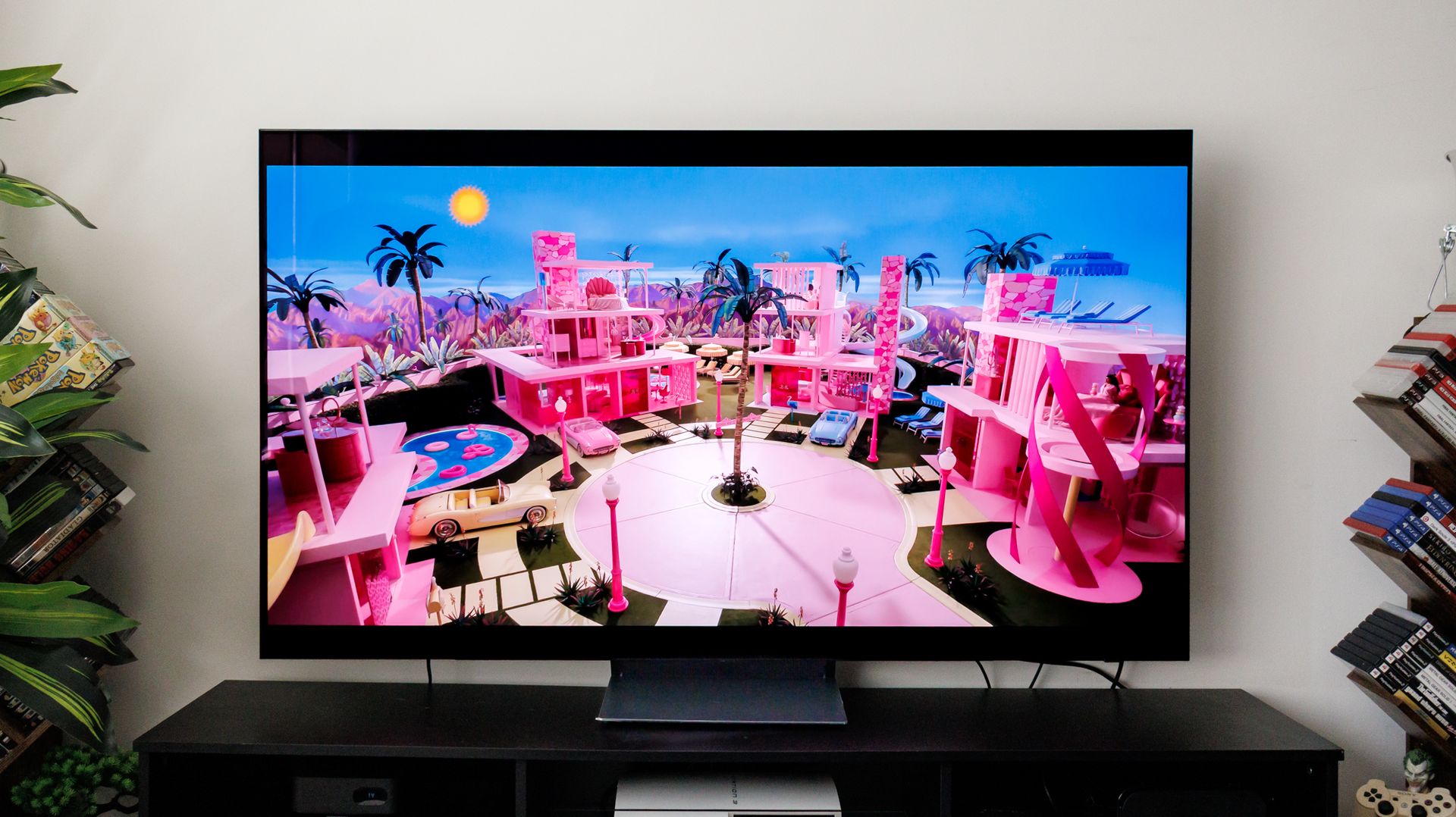
    Many Samsung smart TVs can eventually develop the same frustrating habit: menu lag. Hit the home button and the interface hitches, bogged down by banners, background app data, and buffering before it even lets you select an input. The TV displays 4K video easily enough, but it starts stumbling the moment it has to juggle all those background apps and menus.

    If clearing the cache or restarting only gives you temporary relief, there is a more permanent fix. Disconnect the TV from Wi-Fi and let a streaming device like a Fire TV Stick or Rokuhandle your apps instead.

    Why an offline screen runs faster

    Cutting your TV’s Wi-Fi does not mean giving up Netflix, Disney+, or YouTube. Instead of forcing your television to download and run those services directly, you plug a streaming stick into an HDMI port and connect that to your home internet instead.

    Keep in mind that budget devices like a Roku or Fire TV still have their own home-screen ads, though mid-tier models (like the 4K sticks) will generally feel much snappier than an older or budget TV’s own sluggish software.

    If you want the cleanest interface with no third-party banner ads, an Apple TVis your best option, though it still shows promotional trailers for Apple’s own shows. By taking the TV itself offline, you stop it from serving built-in ads and tracking your viewing data, leaving it to do what it does best: just show the picture.

    If you use them, you’ll lose Samsung’s TV Plus free channels, SmartThings phone controls, and native casting, though your new streaming stick can cover most of these needs through apps like Tubi, its own remote, and built-in AirPlay or Google Cast (depending on the stick you buy).

    Fire TV Stick HD: $39
    This is one of our top budget streaming stick picks for a reason: it’s cheap, plugs right into any HDMI port, and instantly breathes new life into your TV. You get sharp 1080p picture quality, reliable access to every major streaming app, and Alexa voice search without spending more than you have to.View Deal

    How to disconnect your TV from Wi-Fi

    Freeing your screen from the internet takes just a minute, though the exact steps will depend on your model. Start by grabbing your remote, pressing the Home button, and opening the All Settings menu. From there, navigate to General & Privacy, select Network, and tap Network Status.

    Next, select Disconnect to sever the active Wi-Fi connection and clear the saved network from the television’s memory. To finish up, plug your streaming stick into an open HDMI port, connect it to your Wi-Fi, and let its remote take over your daily viewing.

    Since an offline screen stops pulling down automatic updates, simply hop back onto your network for five minutes every few months to grab any vital firmware patches before cutting the connection again.

    • 3 simple settings to tweak that make your TV picture look instantly better
    • Your TV is watching you — how to turn off data collection on LG, Samsung, Roku and more
    • Does your Samsung TV keep adjusting its own volume? Here’s how to turn off Active Voice Amplifier
    counterintuitive Samsung sluggish TVs Your
    Follow on Google News Follow on Flipboard
    Share. Facebook Twitter Pinterest LinkedIn Tumblr Email Copy Link
    myappsplus
    • Website

    Related Posts

    Claude Code isn’t just for coding — it can find what’s slowing down your PC

    November 12, 2026

    I thought I had mouse-proofed my home until a pest expert revealed these surprising entry points I had overlooked — and you probably have, too

    November 12, 2026

    How AI security failures are endangering your supply chain – and what you can do

    November 12, 2026
    Add A Comment
    Leave A Reply Cancel Reply

    Top Posts

    Cathay Pacific tests Google AI that dramatically cuts airplane contrails — tiny altitude shifts slash environmental impact by 40% in early trials

    September 8, 2026138 Views

    Save on your groceries, gas, and holiday shopping with this $15 BJ’s membership (Reg. $60) 

    November 4, 202627 Views

    Apple is making Creator Studio an even better deal with new AI features and creative tools

    October 28, 202622 Views
    Latest Reviews

    Ryzen AI Max+ PRO 495 mini PCs with 192GB RAM emerge — Acemagic, GMKtek, Framework debut ultra-expensive ‘supercomputers’ that can handle 300B-parameter

    myappsplusSeptember 7, 2026

    You don’t need to spend more than $500 on a great queen mattress and we’ve got the lab data to prove it

    myappsplusSeptember 7, 2026

    AI, automation and delivery apps: What food-tech layoffs mean for Canada

    myappsplusSeptember 7, 2026
    Stay In Touch
    • Facebook
    • YouTube
    • TikTok
    • WhatsApp
    • Twitter
    • Instagram

    Subscribe to Updates

    Get the latest tech news from FooBar about tech, design and biz.

    Most Popular

    Ryzen AI Max+ PRO 495 mini PCs with 192GB RAM emerge — Acemagic, GMKtek, Framework debut ultra-expensive ‘supercomputers’ that can handle 300B-parameter

    September 7, 20260 Views

    You don’t need to spend more than $500 on a great queen mattress and we’ve got the lab data to prove it

    September 7, 20260 Views

    WhatsApp will soon let users chat with third-party AI agents

    September 7, 20260 Views
    Our Picks

    Huge shift as Amazon introduces Alexa for Shopping on its mobile app and website in the UK

    November 12, 2026

    Our 3 favorite Android Auto cables (and why you might want to switch to wired)

    November 12, 2026

    Gentler Streak adds wellbeing timeline, customizable dashboard

    November 12, 2026

    Subscribe to Updates

    Subscribe to our newsletter and get the latest tech news, app updates, AI trends, smartphone reviews, and exclusive deals delivered straight to your inbox.

    Facebook X (Twitter) Instagram Pinterest
    • About Us
    • Get In Touch
    • Disclaimer
    • Privacy Policy
    • Terms & Conditions
    © 2026 MyAppsPlus. All Rights Reserved.

    Type above and press Enter to search. Press Esc to cancel.