Close Menu
MyAppsPlus

    Subscribe to Updates

    Get the latest creative news from FooBar about art, design and business.

    What's Hot

    Forget the new Garmin Fenix 9 — this flagship-level alternative is already half price ahead of Amazon’s second Prime Day sale

    September 28, 2026

    How to turn your old MacBook into a home NAS server

    September 28, 2026

    When are surround sound systems actually worth it over soundbars?

    September 28, 2026
    Facebook X (Twitter) Instagram
    Facebook X (Twitter) Instagram
    MyAppsPlusMyAppsPlus
    Monday, September 28
    • Home
    • Breaking Tech
    • Apps & Software
    • AI & Automation
    • Android
    • iPhone & iOS
    • More
      • Reviews
      • How-To Guides
      • Deals & Discounts
      • Shop
    MyAppsPlus
    Home»Breaking Tech»How to turn your old MacBook into a home NAS server
    Breaking Tech

    How to turn your old MacBook into a home NAS server

    myappsplusBy myappsplusSeptember 28, 2026003 Mins Read
    Share Facebook Twitter Pinterest Copy Link LinkedIn Tumblr Email Telegram WhatsApp
    Follow Us
    Google News Flipboard
    How to turn your old MacBook into a home NAS server
    Share
    Facebook Twitter LinkedIn Pinterest Email Copy Link

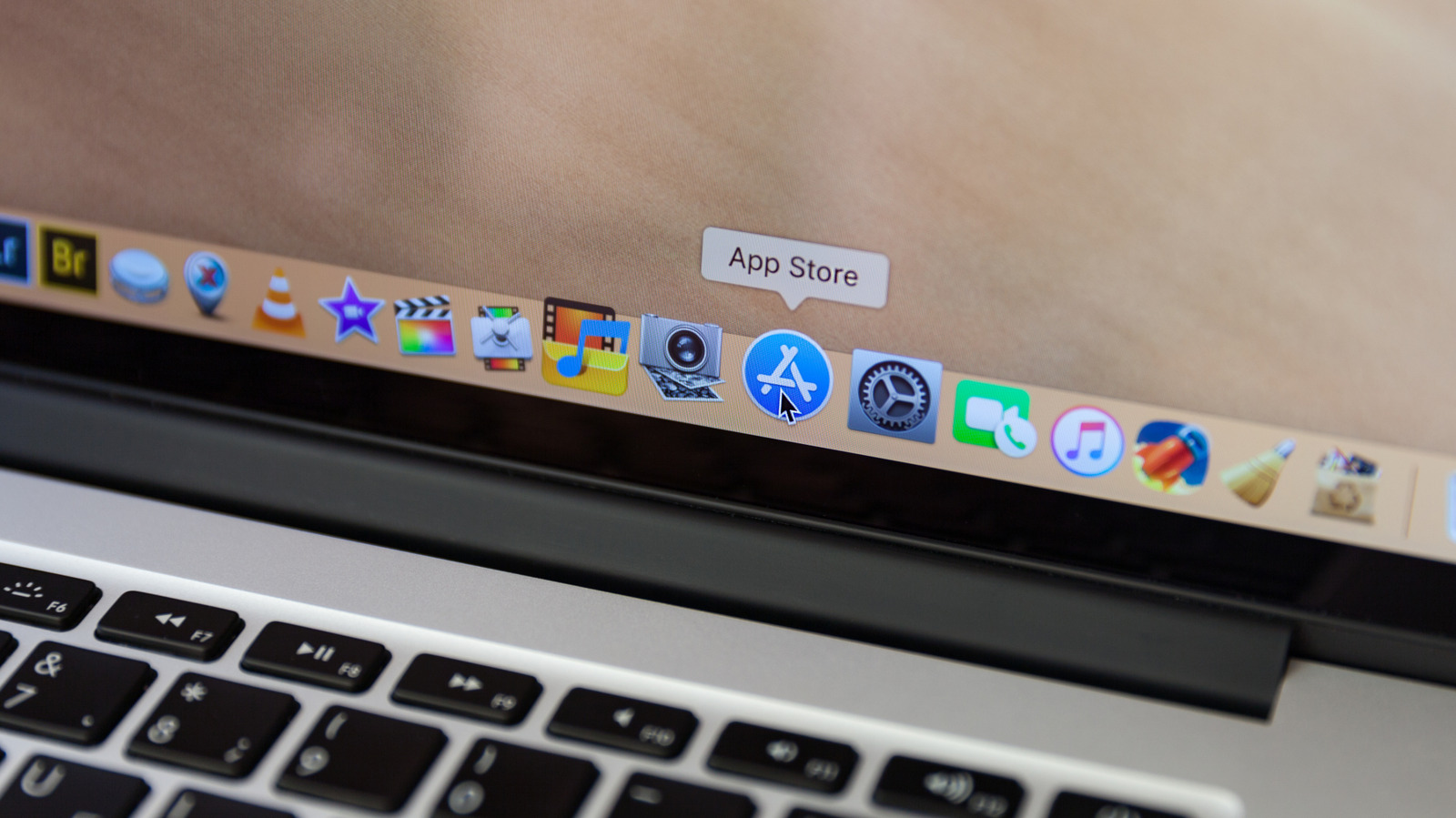
    Dig that MacBook out and put it to good use.

    To get more out of your old MacBook you may have thought about using it as a home Network Attached Storage (NAS) server. There are several paths to take, from very straightforward use of built-in macOS sharing tools all the way up to advanced, Linux-based solutions.

    What can you do with a NAS?

    Most NAS servers exist for one of three things: as a home media library, for collaboration and sharing, or for storage and backup. Given the value of the data, storage constraints and inherent risk of disk failure with older Macs, you should use external storage drives within your setup.

    Once you’ve got your Mac erased, reset to factory settings and updated to run the most stable macOS it can, what will you require? You’ll need a network and an Ethernet cable for fast and stable connection to your router. If your Intel Mac has an HDMI output, you’ll want a headless HDMI plug to trick it into thinking a display is attached and activating the GPU for best video performance. You’ll also use the free Amphetamine app to prevent your Mac from sleeping.

    macOS has built in file sharing
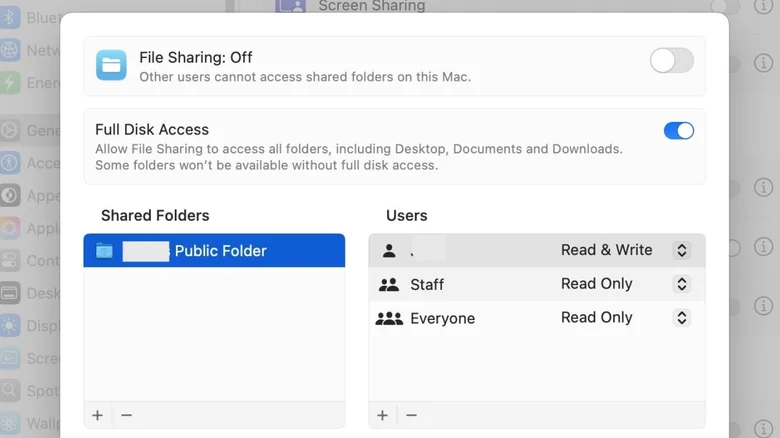
    The File Sharing dialog within System Settings on macOS.

    Screenshot by Jonny Evans (Apple)

    The easiest option is already available in macOS in Apple’s built-in Sharing settings. Open these to enable File Sharing and select folders to share. You can assign user access privileges, make your data available to Windows and Android devices, even share from your external drive. You connect using an IP address your Mac will provide and navigate shared files through the Finder.

    Your old Mac? Your new media server

    Old Macs can run excellent media server applications, including Plex, Kodi and Infuse. Plex is widely used. It offers an attractive, user-friendly interface, ease of use and the capacity to stream content remotely for a fee. Home streaming is free.

    As explained here, to install Plex you’ll need an account and a Plex Media Server, and you must follow the intuitive setup wizard. You’ll show Plex where all your media is located across your network, and Plex will download appropriate movie artwork and information to populate its Netflix-like media browser, featuring your content.

    One more thing: Older Macs with low RAM may stutter when transcoding footage at 4K, so set Plex to stream in Original quality to minimize this.

    One step beyond with Linux
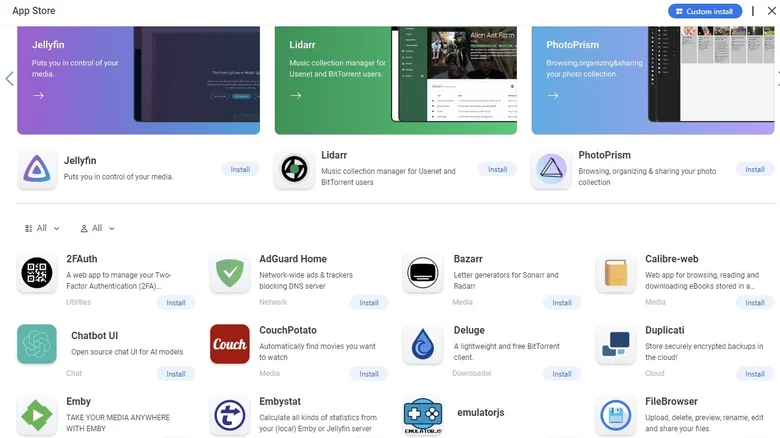
    CasaOS App Store screen shows dozens of easy install apps

    You can transform an old Mac into a highly sophisticated NAS system with Linux and open-ul tools like web-based dashboards, though old Macs with low memory will struggle

    Linux is a vast ecosystem with a multitude of approaches. One relatively user-friendly solution for both Intel and Apple Silicon Macs is to replace the OS with Debian and then overlay that with CasaOS or Umbrel, both of which provide you with excellent, helpful resources to guide you through the process. M-series Macs can also install Debian as a virtual machine. If you are comfortable with command-line access, you can run Docker directly on Debian to install and manage apps even more effectively.

    It’s important to point out that adopting Linux means your Mac won’t be running macOS anymore but will become a headless NAS system managed remotely through a browser. You can spice up your setup with additional tools, including Nextcloud, which turns your Mac into an online file storage system, or Jellyfin, a free, open-ld Mac

    Apple Big Tech Computing Laptops turn
    Follow on Google News Follow on Flipboard
    Share. Facebook Twitter Pinterest LinkedIn Tumblr Email Copy Link
    myappsplus
    • Website

    Related Posts

    When are surround sound systems actually worth it over soundbars?

    September 28, 2026

    Level 1, 2 and 3 EV chargers: Which is better to use?

    September 28, 2026

    Are 3D printers worth buying in 2026?

    September 28, 2026
    Add A Comment
    Leave A Reply Cancel Reply

    Top Posts

    Can reviews settle disputes that marked first two seasons?

    September 21, 20266 Views

    Microsoft resolves issues after software updates

    September 22, 20263 Views

    Do Tech Industry CEOs Really Earn an Average of 10,000 Yuan Per Day? Calculating Daily Salaries of Top Elite Employees in the Tech Sector

    September 20, 20263 Views
    Latest Reviews

    The reasons Siri may not work on CarPlay

    myappsplusAugust 23, 2026

    Augury’s first appearance in Gartner’s APM Market Guide signals that plant AI is moving toward agent-led automation

    myappsplusAugust 23, 2026

    I took the Volvo EX60 and BMW iX3 on 400-mile road trips — and range anxiety is officially dead

    myappsplusAugust 23, 2026
    Stay In Touch
    • Facebook
    • YouTube
    • TikTok
    • WhatsApp
    • Twitter
    • Instagram

    Subscribe to Updates

    Get the latest tech news from FooBar about tech, design and biz.

    Most Popular

    The reasons Siri may not work on CarPlay

    August 23, 20260 Views

    Augury’s first appearance in Gartner’s APM Market Guide signals that plant AI is moving toward agent-led automation

    August 23, 20260 Views

    I took the Volvo EX60 and BMW iX3 on 400-mile road trips — and range anxiety is officially dead

    August 23, 20260 Views
    Our Picks

    Forget the new Garmin Fenix 9 — this flagship-level alternative is already half price ahead of Amazon’s second Prime Day sale

    September 28, 2026

    How to turn your old MacBook into a home NAS server

    September 28, 2026

    When are surround sound systems actually worth it over soundbars?

    September 28, 2026

    Subscribe to Updates

    Subscribe to our newsletter and get the latest tech news, app updates, AI trends, smartphone reviews, and exclusive deals delivered straight to your inbox.

    Facebook X (Twitter) Instagram Pinterest
    • About Us
    • Get In Touch
    • Disclaimer
    • Privacy Policy
    • Terms & Conditions
    © 2026 MyAppsPlus. All Rights Reserved.

    Type above and press Enter to search. Press Esc to cancel.