Close Menu
MyAppsPlus

    Subscribe to Updates

    Get the latest creative news from FooBar about art, design and business.

    What's Hot

    Here’s how much Apple’s most expensive Duo will cost

    September 13, 2026

    Good for Mother Nature? RAM-pocalyse encourages millions to recycle their old devices as expert says ‘economics of component recovery are changing’

    September 13, 2026

    If I Could Only Buy 1 Artificial Intelligence (AI) Stock, This Would Be It

    September 13, 2026
    Facebook X (Twitter) Instagram
    Facebook X (Twitter) Instagram
    MyAppsPlusMyAppsPlus
    Sunday, September 13
    • Home
    • Breaking Tech
    • Apps & Software
    • AI & Automation
    • Android
    • iPhone & iOS
    • More
      • Reviews
      • How-To Guides
      • Deals & Discounts
      • Shop
    MyAppsPlus
    Home»Breaking Tech»How to make your Android alarm ring at full volume even when your calls are muted
    Breaking Tech

    How to make your Android alarm ring at full volume even when your calls are muted

    myappsplusBy myappsplusAugust 29, 2026003 Mins Read
    Share Facebook Twitter Pinterest Copy Link LinkedIn Tumblr Email Telegram WhatsApp
    Follow Us
    Google News Flipboard
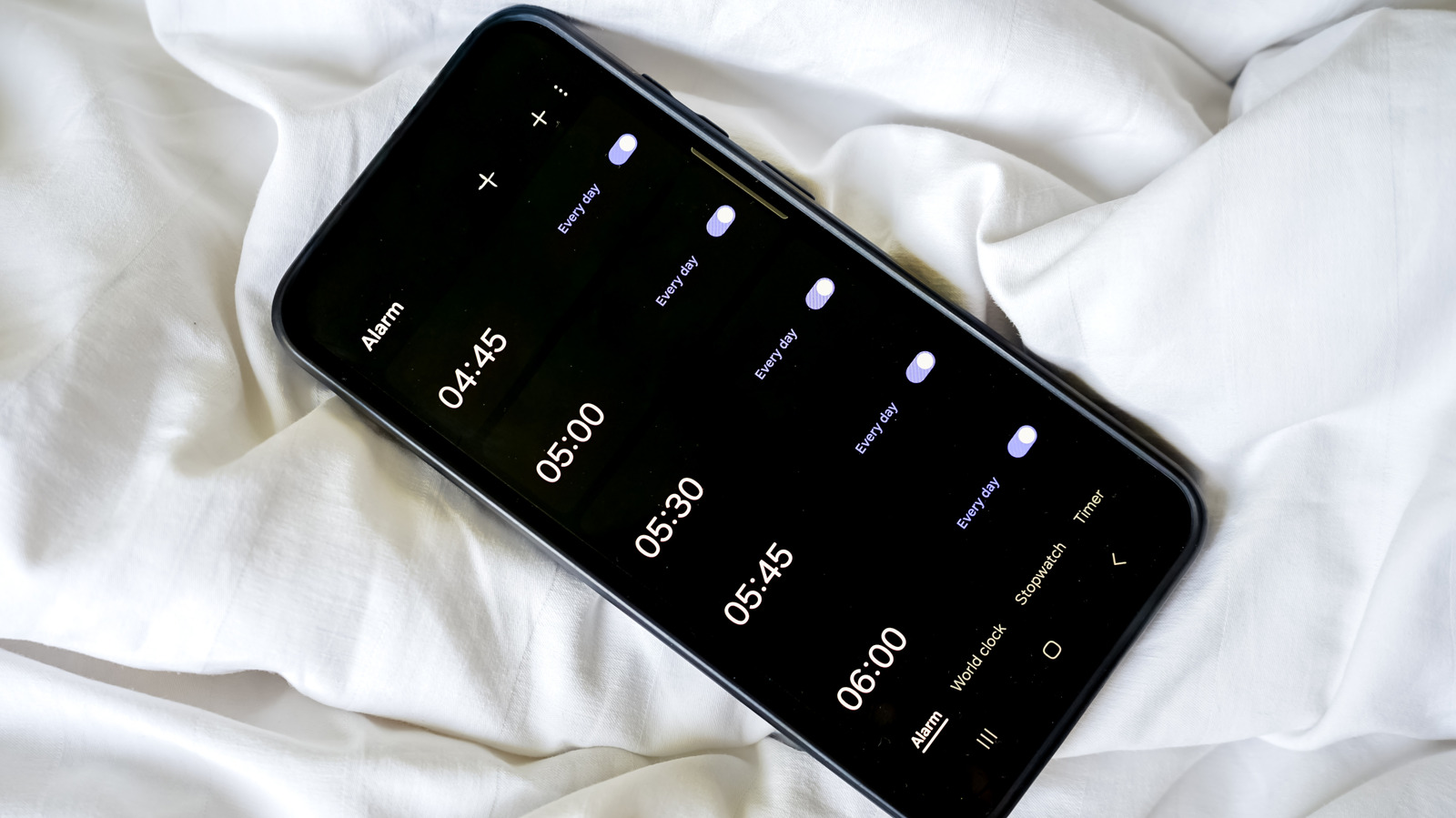
    How to make your Android alarm ring at full volume even when your calls are muted
    Share
    Facebook Twitter LinkedIn Pinterest Email Copy Link

    There’s no need to keep oversleeping (unless you want to).

    After a stressful day at work, it can be nice to unwind and just hit that volume down button until your Android phone is completely silent. No calls, no meetings, no distraction — just you touching grass. Although a silent phone can be comforting, on some Android devices muting calls can unintentionally mute your incoming alarms as well, which is a rough way to find out you overslept and missed a meeting.

    Thankfully, on most Android devices, there are a number of ways to keep your calls muted while your morning alarms still blast at full volume. But Android is a pretty broad ecosystem of different devices from different manufacturers, so there’s no one way to do this. On some devices, you can do everything in the volume slider; you can mute calls and manage your alarm’s volume right there. On others, you’ll likely have to rummage through your sound settings to find the right slider.

    How to keep your alarm at full volume when your Android phone is on mute
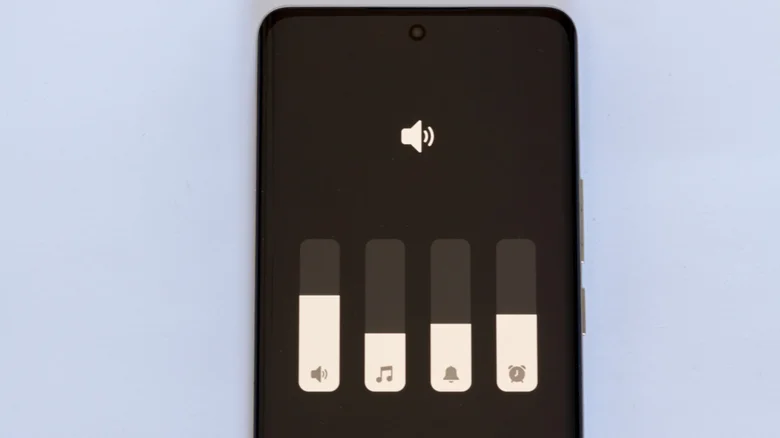
    Android expanded volume menu showing alarm slider.

    First, check your expanded volume menu. Tap any of your volume buttons to bring up your volume slider, then tap the three-dot icon. In the expanded menu, you’ll see sliders for different sounds like media, ringtone and notifications. If you see one for alarms, then adjust it to your preferred level.

    If that doesn’t work for you, then you’ll have to head into your settings app. Go to Settings > Sound & vibration > Volume. In this menu, you’ll see separate sliders for media, ringtone, notifications and alarm. Drag the alarm slider to adjust its volume. Do note that, depending on your exact Android device, the steps and menu might not be exactly the same.

    If you’re using a Samsung phone and don’t fancy a trip to your settings app, you can make the alarm volume slider appear in the expanded volume menu. Just go to your alarm app, set a short timer, and once that goes off, use your volume buttons and three-dot icon to open the volume menu. Now you’ll notice that your alarm’s slider is in the menu and you can adjust its volume.

    The last place to look is your Do Not Disturb settings. Once again, open Settings and navigate to or search for your Do Not Disturb settings. Once there, make sure alarms are allowed during Do Not Disturb.

    Still no alarm sound? Other things worth checking

    Man holding phone with mute sound symbol.

    A few other things can keep your alarms quiet even after you’ve tried all the fixes above. And one of the common culprits that easily flies under the radar is Bluetooth audio routing. In plain terms, look at whether your phone is connected to any Bluetooth audio device, like your earbuds or car speakers, and is routing your alarm’s audio through there instead of your phone. 

    Your phone’s battery optimization settings are another suspect that could be behind your alarm’s silence, especially if you’re using a third-party alarm app. Go through your settings and check if your alarm or clock app has been put to sleep or restricted from background activity. If you discover that’s the case, exclude the app and give it optimized or unrestricted background access for best results.

    Talking about third-party alarm apps. If you’re using one, make sure it’s set as the default alarm app. Otherwise, your Android phone will keep using the native clock app instead. So no alarm you set will go off.

    Google Make Samsung Smartphones Your
    Follow on Google News Follow on Flipboard
    Share. Facebook Twitter Pinterest LinkedIn Tumblr Email Copy Link
    myappsplus
    • Website

    Related Posts

    Sam Altman says OpenAI won’t file for IPO this year

    September 13, 2026

    The 9 buzziest startups from Y Combinator’s latest Demo Day, according to VCs

    September 13, 2026

    How to adjust the Liquid Glass effect on your iPhone with iOS 27

    September 13, 2026
    Add A Comment
    Leave A Reply Cancel Reply

    Top Posts

    The 6 AI-free Linux distros I recommend most

    August 19, 20264 Views

    AI, automation, robot dogs ensure on-site nuclear safety

    September 7, 20262 Views

    This tiny AI box could save me from upgrading my perfectly good laptop

    September 6, 20262 Views
    Latest Reviews

    Why Fluper is the No.1 Mobile App Development Company in the UAE, Saudi Arabia, and the Middle East.

    myappsplusAugust 18, 2026

    How New Kuwait And Indonesia Tech Deals At Baker Hughes (BKR) Have Changed Its Investment Story

    myappsplusAugust 18, 2026

    Google is reportedly planning to move all Pixel production out of China

    myappsplusAugust 18, 2026
    Stay In Touch
    • Facebook
    • YouTube
    • TikTok
    • WhatsApp
    • Twitter
    • Instagram

    Subscribe to Updates

    Get the latest tech news from FooBar about tech, design and biz.

    Most Popular

    Why Fluper is the No.1 Mobile App Development Company in the UAE, Saudi Arabia, and the Middle East.

    August 18, 20260 Views

    How New Kuwait And Indonesia Tech Deals At Baker Hughes (BKR) Have Changed Its Investment Story

    August 18, 20260 Views

    Google is reportedly planning to move all Pixel production out of China

    August 18, 20260 Views
    Our Picks

    Here’s how much Apple’s most expensive Duo will cost

    September 13, 2026

    Good for Mother Nature? RAM-pocalyse encourages millions to recycle their old devices as expert says ‘economics of component recovery are changing’

    September 13, 2026

    If I Could Only Buy 1 Artificial Intelligence (AI) Stock, This Would Be It

    September 13, 2026

    Subscribe to Updates

    Subscribe to our newsletter and get the latest tech news, app updates, AI trends, smartphone reviews, and exclusive deals delivered straight to your inbox.

    Facebook X (Twitter) Instagram Pinterest
    • About Us
    • Get In Touch
    • Disclaimer
    • Privacy Policy
    • Terms & Conditions
    © 2026 MyAppsPlus. All Rights Reserved.

    Type above and press Enter to search. Press Esc to cancel.