Close Menu
MyAppsPlus

    Subscribe to Updates

    Get the latest creative news from FooBar about art, design and business.

    What's Hot

    Your Google account will lose its ability to unlock your Nintendo account next year

    November 10, 2026

    How to check if an image is AI-generated on iPhone

    November 10, 2026

    Today’s Apple Books and audiobooks deals from $1 or less

    November 10, 2026
    Facebook X (Twitter) Instagram
    Facebook X (Twitter) Instagram
    MyAppsPlusMyAppsPlus
    Tuesday, November 10
    • Home
    • Breaking Tech
    • Apps & Software
    • AI & Automation
    • Android
    • iPhone & iOS
    • More
      • Reviews
      • How-To Guides
      • Deals & Discounts
      • Shop
    MyAppsPlus
    Home»iPhone & iOS»How to check if an image is AI-generated on iPhone
    iPhone & iOS

    How to check if an image is AI-generated on iPhone

    myappsplusBy myappsplusNovember 10, 2026004 Mins Read
    Share Facebook Twitter Pinterest Copy Link LinkedIn Tumblr Email Telegram WhatsApp
    Follow Us
    Google News Flipboard
    How to check if an image is AI-generated on iPhone
    Share
    Facebook Twitter LinkedIn Pinterest Email Copy Link

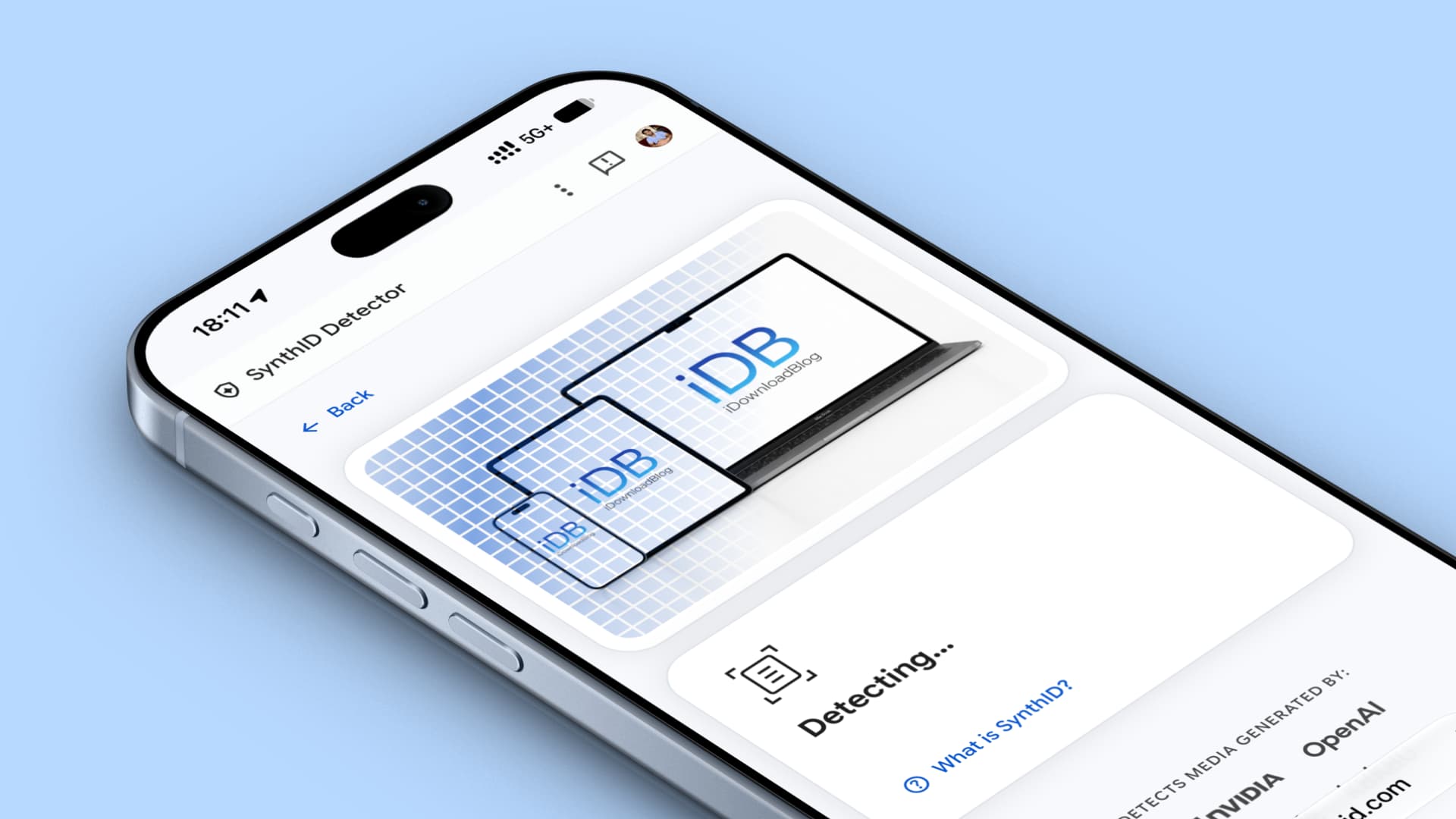
    In this step-by-step tutorial, we show you how to check whether an image is AI-generated using SynthID Detector or Siri on your iPhone, iPad, Mac, Android phone, or Windows PC.

    AI image generation tools have gotten extremely good, and there is a high possibility that many people, including those who like to think they are tech-savvy, may be deceived into believing an AI image is real.

    To address this, Google developed the SynthID digital watermark, which is added to AI-generated or AI-edited photos from participating companies. This watermark is invisible to humans, but dedicated tools like SynthID Detector can see it and tell if the image was made or edited by AI.

    Google, OpenAI, Nvidia, Kakao, and Apple are among the leading companies that add the SynthID digital watermark to images their AI tools generate or edit.

    Apple added the invisible SynthID watermark feature in iOS 27.2 for images generated by its Image Playground app and Image Wand tool or edited in the Apple Photos app using AI features like Clean Up, Extend, and Spatial Reframing.

    This means that if you edit a photo on your iPhone using these AI tools and send it to someone, they can easily tell whether it was AI-edited or generated, thanks to the embedded, invisible SynthID watermark.

    I recently heard about an incident involving a person who used AI to generate or manipulate expense bill images and submitted them to their employer to claim reimbursements. The fraud was eventually detected when the person responsible for approving the claims started checking whether the submitted bills were AI-generated. So make sure you no longer use these methods to fabricate images to mislead people.

    That said, here are a couple of quick ways to know if an image is AI-generated. The first method works on all devices, while the Siri methods are for iPhone, iPad, and Mac.

    Use SynthID Detector

    Use these steps to check whether an image is AI-generated, provided it was created or edited with generative tools from companies that support SynthID, such as Apple, OpenAI (ChatGPT), Google (photos generated with Gemini), Nvidia, and Kakao.

    1) Visit synthid.com on your phone or computer and agree to the terms and conditions if you do.

    2) Tap Select file or the profile icon and sign in with your Google, Apple, or OpenAI account. As of now, accepting the terms and conditions, signing in, and allowing SynthID Detector to access basic details like your name are mandatory.

    3) Tap Select file again and upload the photo you want to check to see whether it’s AI-generated.
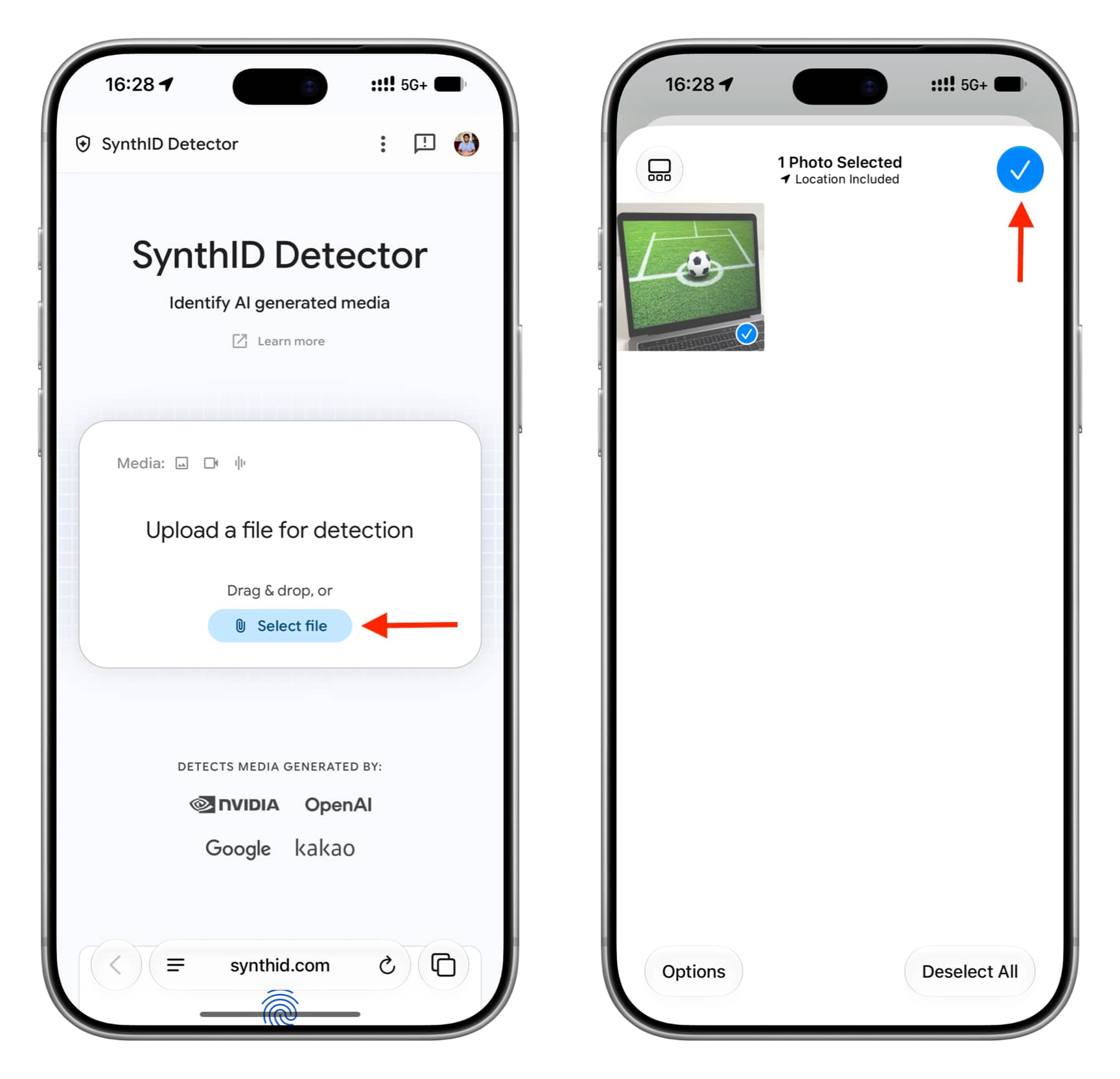
    Uploading a photo to SynthID Detector on iPhone

    4) If it’s AI-generated, it will say “SynthID was detected. This media was made or edited with AI from a SynthID partner.” I got this for an image I generated in Apple’s Image Playground app on my iPhone running iOS 27.3 beta.

    In some cases, it also shows the AI company name that generated the image, like “This media was made or edited with OpenAI.”
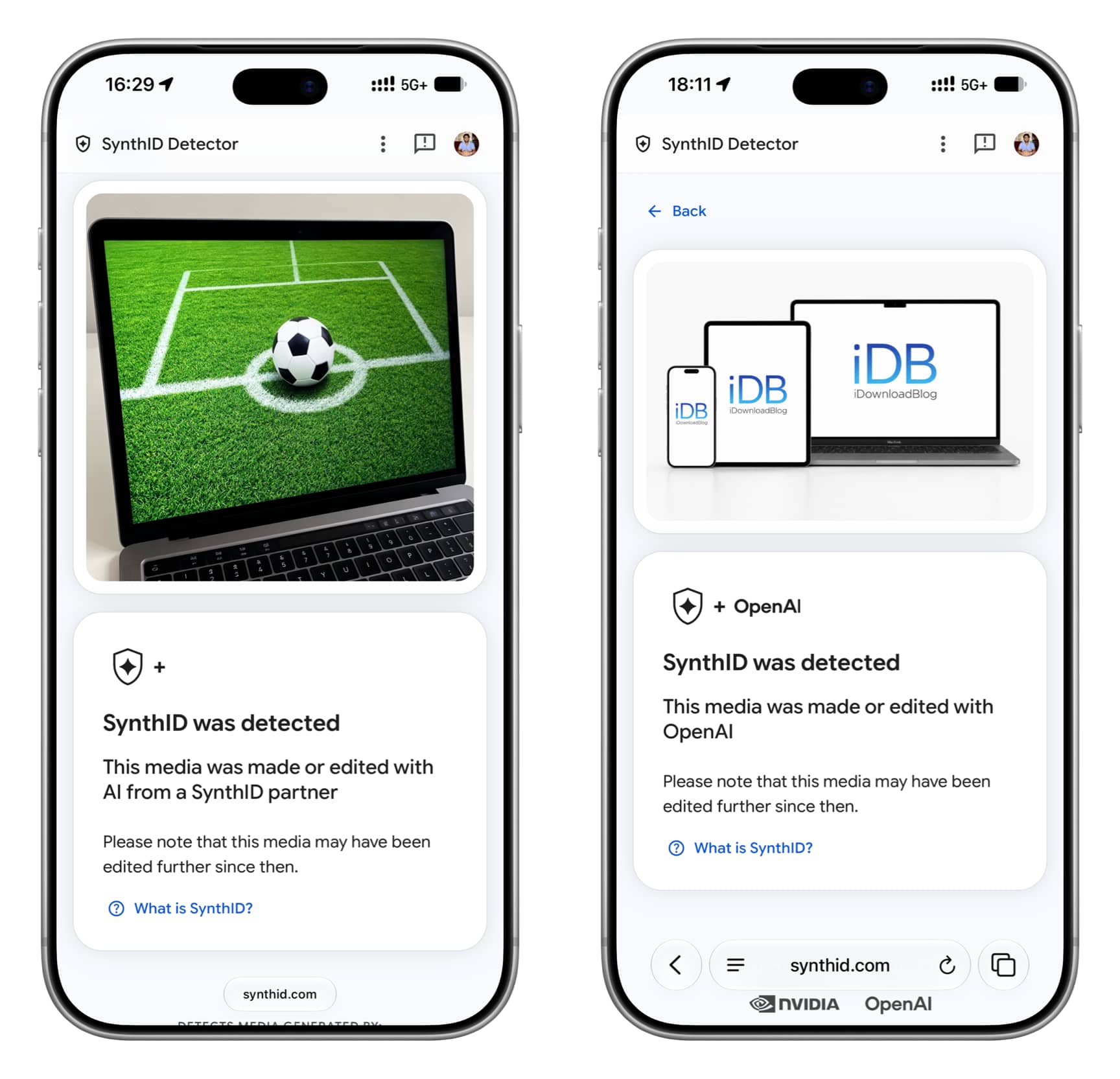
    SynthID was detected for two photos

    If the image is not AI-generated or generated/edited using a tool that doesn’t use SynthID, it will say “SynthID was not detected. It is unlikely that this media was made with AI from a SynthID partner.”
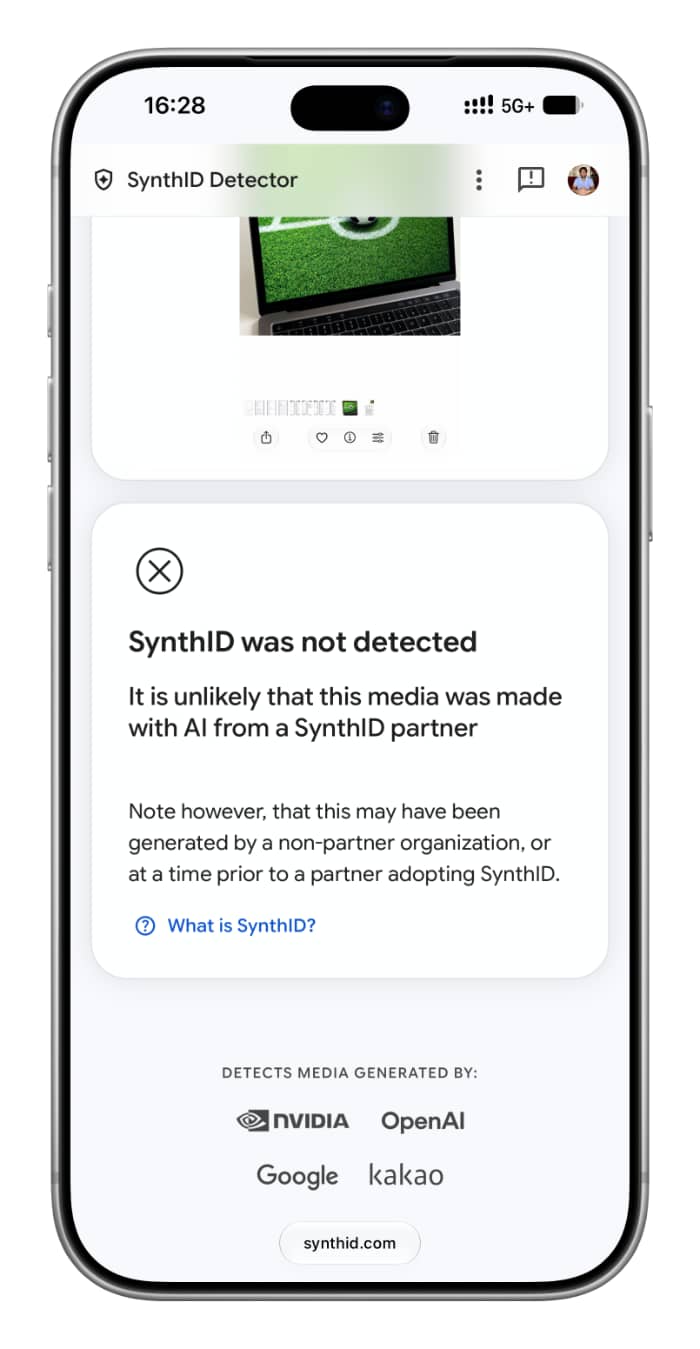
    SynthID was not detected for an image

    Ask Siri app

    iOS 27, iPadOS 27, and macOS 27 Golden Gate have a dedicated Siri app. Add a photo and ask if it’s AI-generated. It works, but isn’t always accurate; I had ChatGPT generate an image, and Siri said it wasn’t AI-generated.
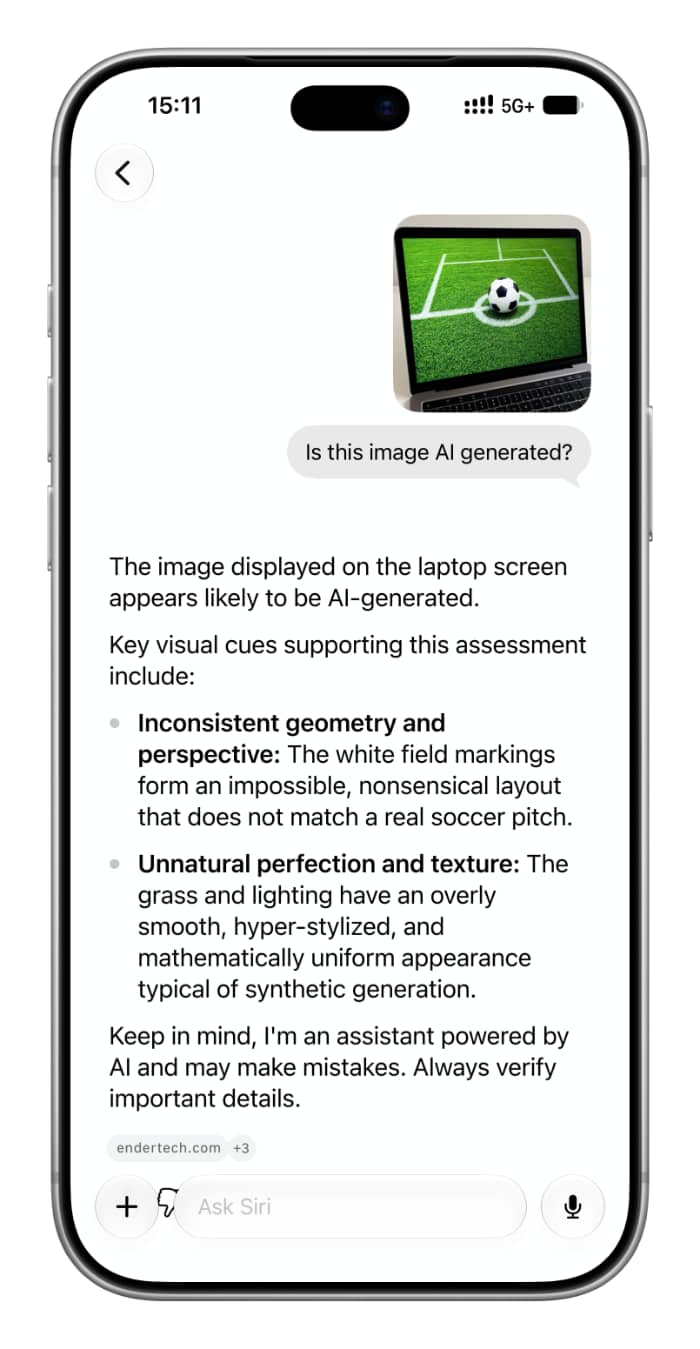
    Asking Siri AI app on iPhone if an image is AI generated

    Ask Siri

    Siri in iOS 27 has screen awareness, meaning it can see and understand what’s on your phone screen. Simply have the image open on the screen and ask Siri if it’s AI-generated. Siri should be able to tell.
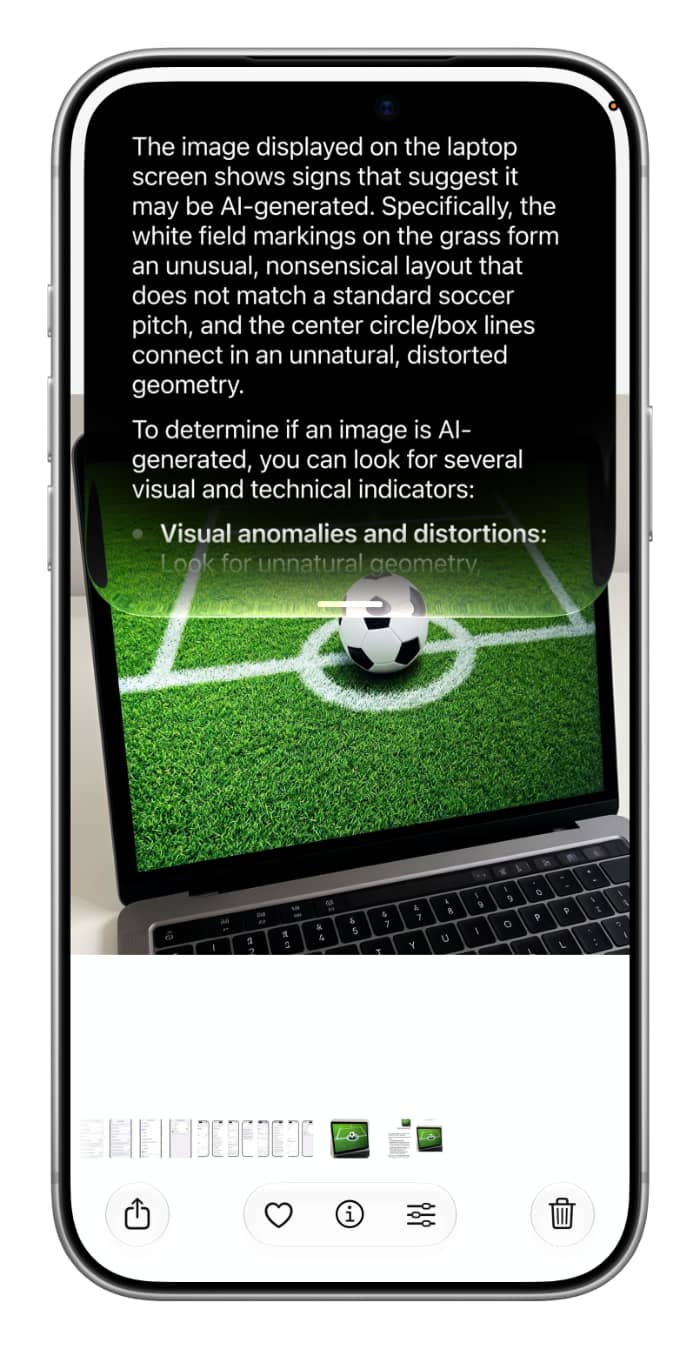
    Asking Siri on iPhone if an image is AI generated

    Use reverse image search

    Search for the image and spend some time finding where it came from. A bit of research should give you an idea of the photo’s origins.

    To sum up, using Google SynthID is the best, sure-shot way to know whether an image is AI-generated or manipulated, but it only works if the AI tool used is one that has partnered with SynthID. Thankfully, the top companies that make the most AI images, like OpenAI (ChatGPT), Google (Gemini), Nvidia, and Apple, are already partners. Hopefully, more companies will come on board and add invisible watermarks to their AI-generated images so we don’t end up in a world where it’s impossible to tell real from fake.

    Also, check out: New features added to iPhone Photos app in iOS 27

    AI Apple Featured Google How to iOS 27 News Push Siri Tutorial Tutorials
    Follow on Google News Follow on Flipboard
    Share. Facebook Twitter Pinterest LinkedIn Tumblr Email Copy Link
    myappsplus
    • Website

    Related Posts

    Your Google account will lose its ability to unlock your Nintendo account next year

    November 10, 2026

    Today’s Apple Books and audiobooks deals from $1 or less

    November 10, 2026

    Google Pixel Watch gets step-by-step workout guidance with the November Pixel Drop

    November 10, 2026
    Add A Comment
    Leave A Reply Cancel Reply

    Top Posts

    Cathay Pacific tests Google AI that dramatically cuts airplane contrails — tiny altitude shifts slash environmental impact by 40% in early trials

    September 8, 2026138 Views

    Save on your groceries, gas, and holiday shopping with this $15 BJ’s membership (Reg. $60) 

    November 4, 202627 Views

    Apple is making Creator Studio an even better deal with new AI features and creative tools

    October 28, 202622 Views
    Latest Reviews

    Apple A20 Pro chip: why it’s such a big deal for the iPhone Ultra and iPhone 18 Pro Max

    myappsplusSeptember 7, 2026

    Get Lifetime Access to AI-Driven Stock Picks, a Done-for-You Portfolio Builder & a Personal AI Financial Coach

    myappsplusSeptember 7, 2026

    “I feel like I’m in my 50s” — the simple workout routine Julie Andrews, 90, swears by

    myappsplusSeptember 7, 2026
    Stay In Touch
    • Facebook
    • YouTube
    • TikTok
    • WhatsApp
    • Twitter
    • Instagram

    Subscribe to Updates

    Get the latest tech news from FooBar about tech, design and biz.

    Most Popular

    I’m fixing my desk posture without doing a single back exercise — here’s the foot mobility trick a neurosurgeon taught me

    September 7, 20260 Views

    €4.6B in deals and August’s highlights

    September 7, 20260 Views

    I kept waking up sweaty because of a classic bedding mistake — here’s what fixed it

    September 7, 20260 Views
    Our Picks

    Your Google account will lose its ability to unlock your Nintendo account next year

    November 10, 2026

    How to check if an image is AI-generated on iPhone

    November 10, 2026

    Today’s Apple Books and audiobooks deals from $1 or less

    November 10, 2026

    Subscribe to Updates

    Subscribe to our newsletter and get the latest tech news, app updates, AI trends, smartphone reviews, and exclusive deals delivered straight to your inbox.

    Facebook X (Twitter) Instagram Pinterest
    • About Us
    • Get In Touch
    • Disclaimer
    • Privacy Policy
    • Terms & Conditions
    © 2026 MyAppsPlus. All Rights Reserved.

    Type above and press Enter to search. Press Esc to cancel.