Close Menu
MyAppsPlus

    Subscribe to Updates

    Get the latest creative news from FooBar about art, design and business.

    What's Hot

    How OpenAI turned its coding tools into dots, an always-on personal assistant

    October 27, 2026

    Audeze Maxwell 2 ANC review: an excellent, though not essential, upgrade for the best-sounding gaming headset I’ve ever used

    October 27, 2026

    You can score AirTag 2 at the lowest price ever today

    October 27, 2026
    Facebook X (Twitter) Instagram
    Facebook X (Twitter) Instagram
    MyAppsPlusMyAppsPlus
    Tuesday, October 27
    • Home
    • Breaking Tech
    • Apps & Software
    • AI & Automation
    • Android
    • iPhone & iOS
    • More
      • Reviews
      • How-To Guides
      • Deals & Discounts
      • Shop
    MyAppsPlus
    Home»Android»Google Photos rolls out customizable redesign of your ‘Collections’ tab 
    Android

    Google Photos rolls out customizable redesign of your ‘Collections’ tab 

    myappsplusBy myappsplusOctober 27, 2026002 Mins Read
    Share Facebook Twitter Pinterest Copy Link LinkedIn Tumblr Email Telegram WhatsApp
    Follow Us
    Google News Flipboard
    Google Photos rolls out customizable redesign of your ‘Collections’ tab 
    Share
    Facebook Twitter LinkedIn Pinterest Email Copy Link

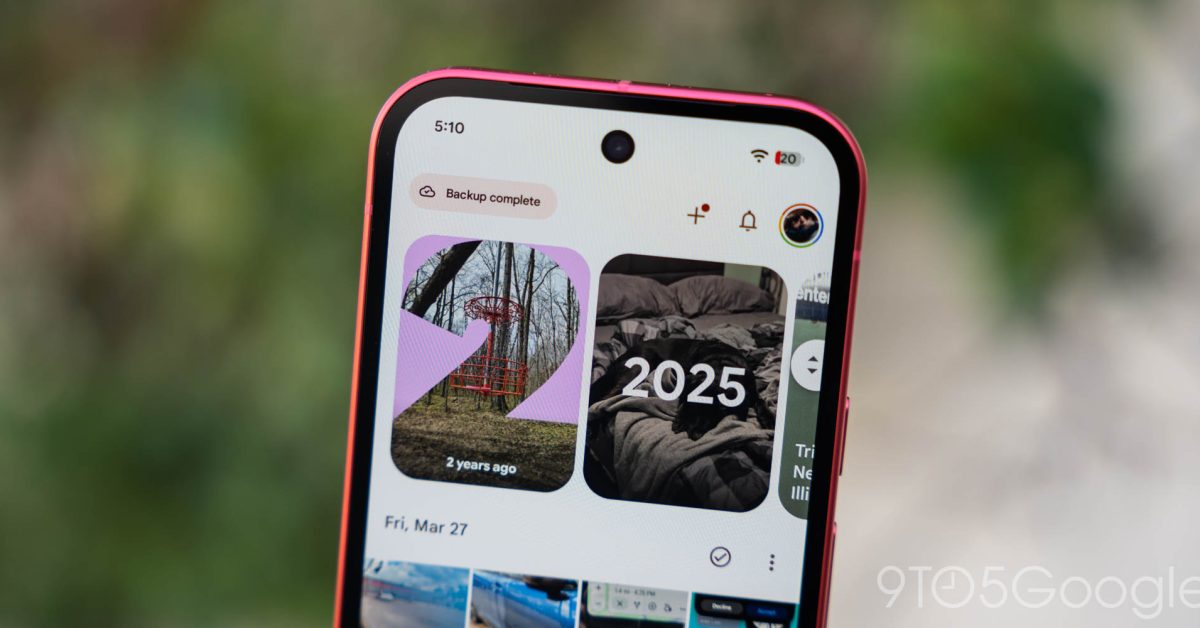
    Following the floating navigation bar in July, Google Photos for Android is rolling out a big redesign that lets you customize the Collections tab.

    The previous design started with a 2×2 grid. Favorites and Trash were at the top, while the other two shortcuts changed based on usage. Then there were large cards for Albums, On this device, People & pets, Wardrobe, Documents, Places, Stickers, and Moments. On Android, this was followed by a list: Screenshots, Videos, Recently Added, Archive, and Locked.

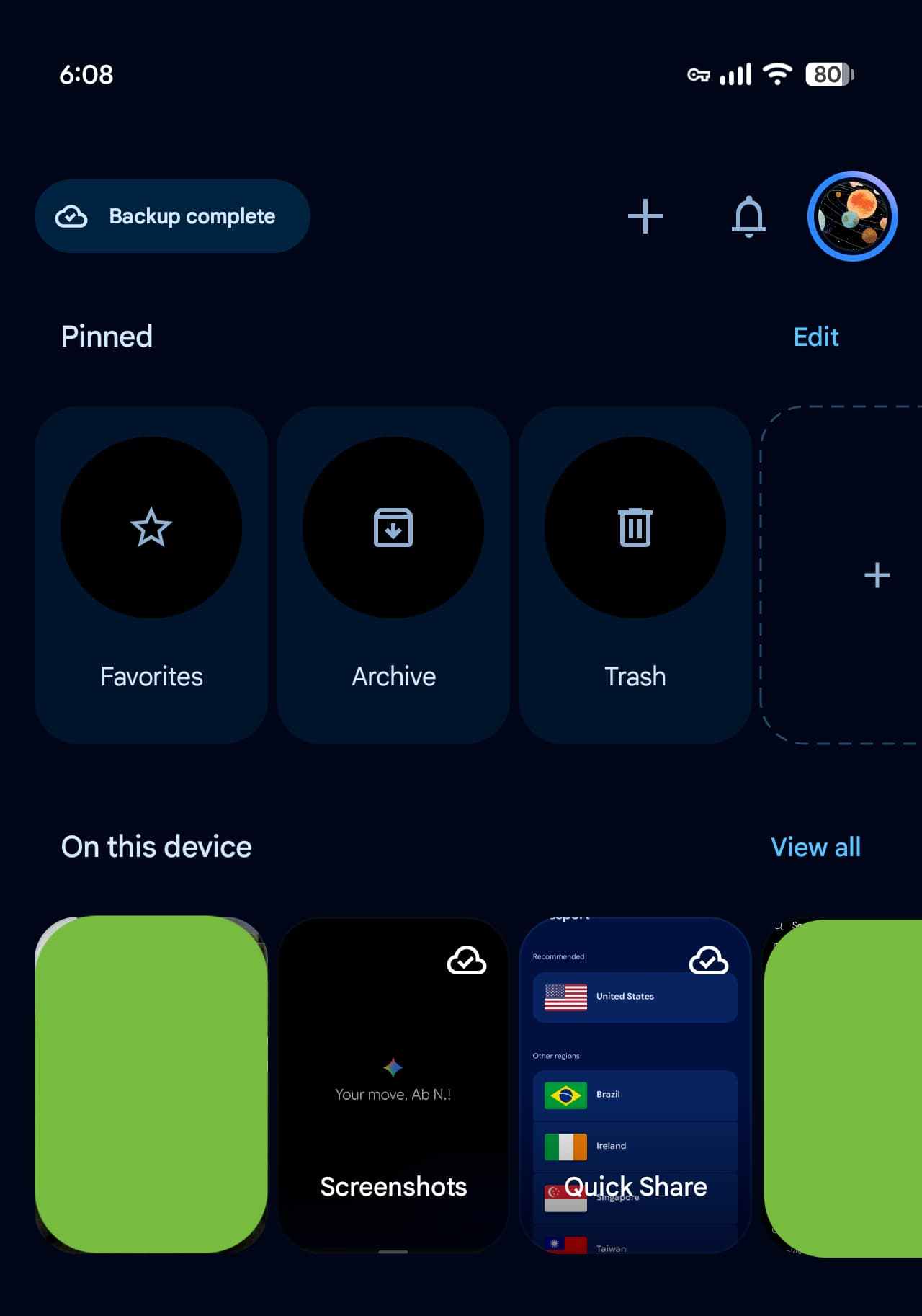
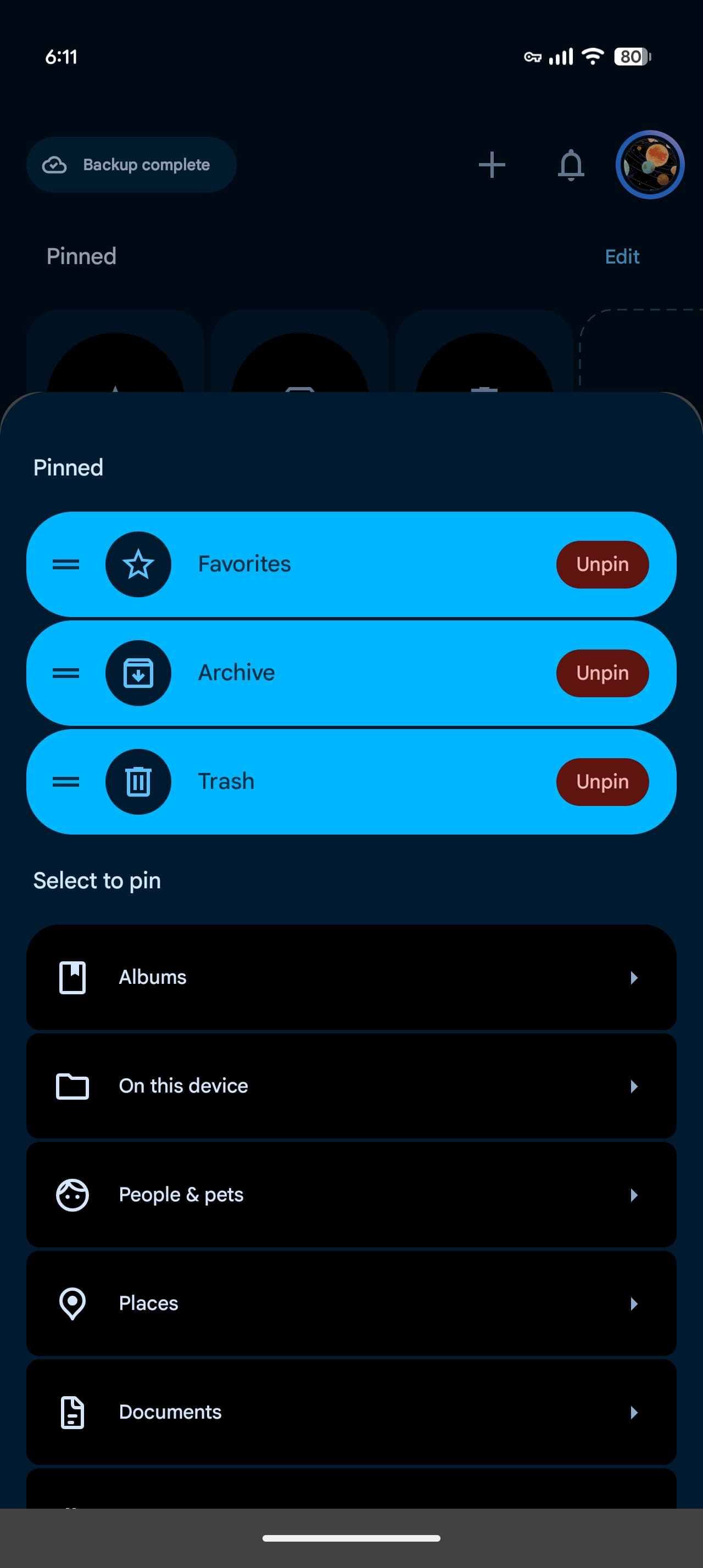
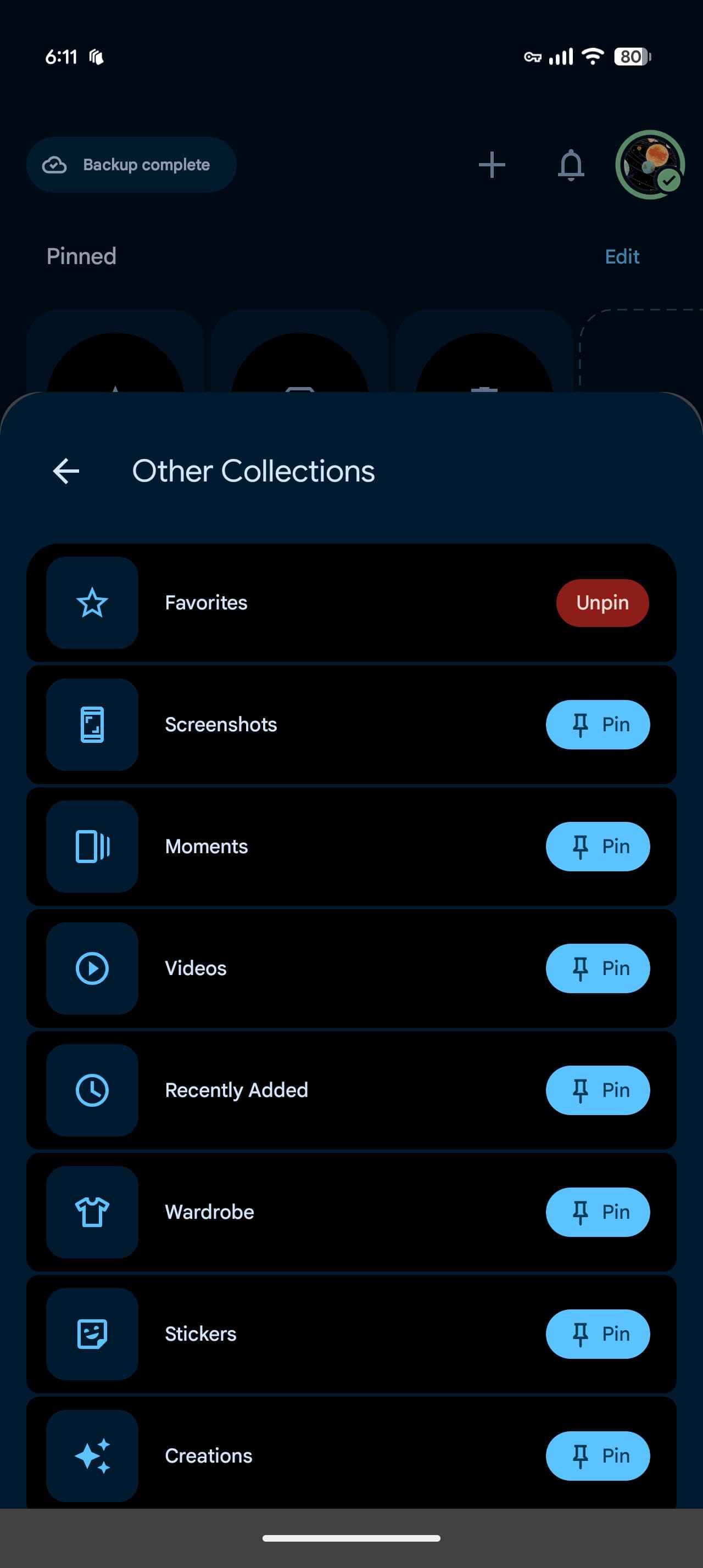
    This redesign of Collections is focused on customization. The first section is called “Pinned” and lets you choose which cards appear. By default, the carousel shows Favorites, Screenshots, and Trash. You also have the option to remove this section entirely. 

    That’s followed by carousels for On this device, Albums, People & pets, Wardrobe, Places, and Documents. “View all” at the top-right corner lets you jump straight to the full grid or list view. Other options let you hide each section and rearrange the order in which they appear.
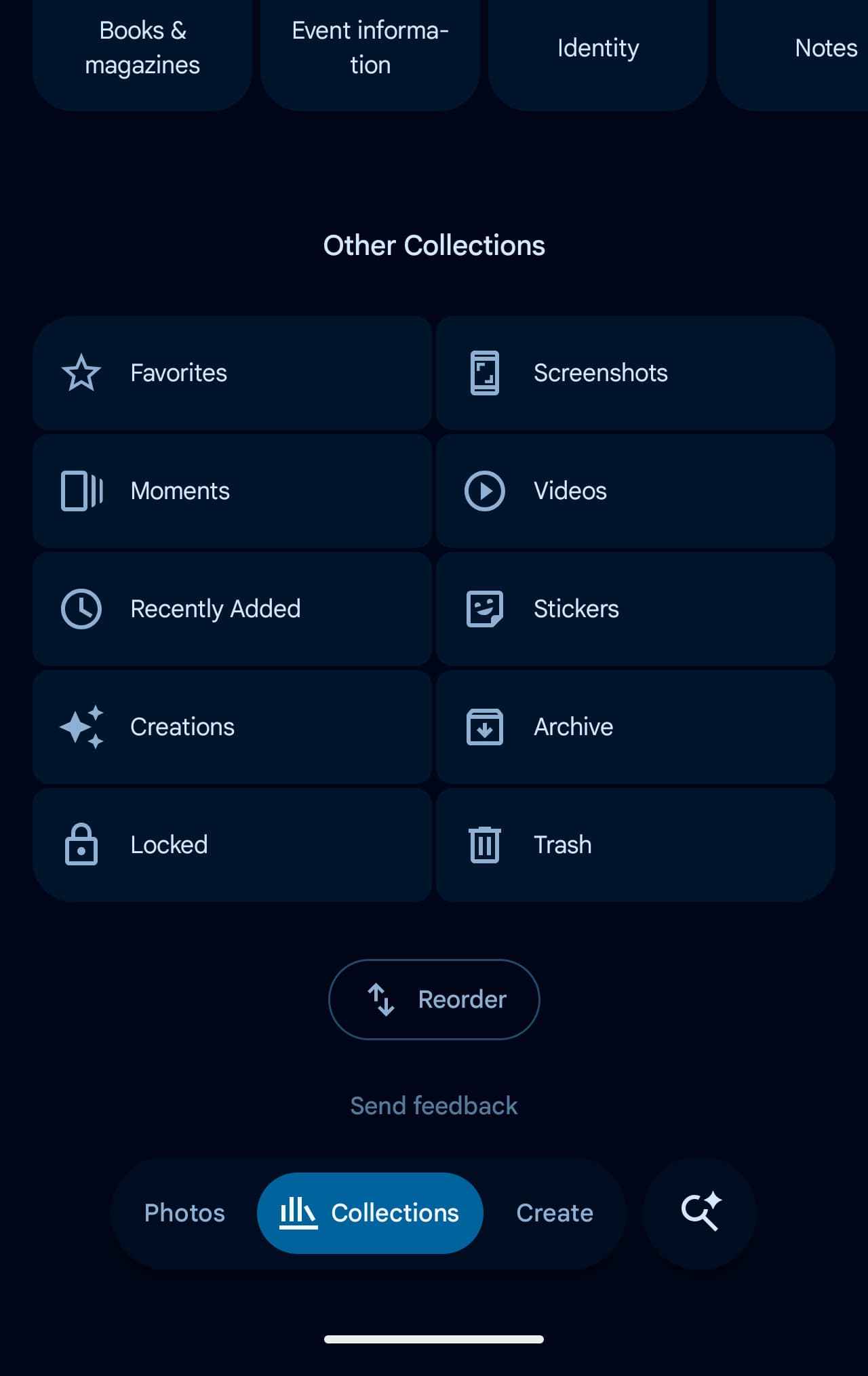

    The “Other Collections” grid rounds out this page: Favorites, Screenshots, Moments, Videos, Recently Added, Stickers, Creations, Archive, Locked, and Trash. The “Reorder” button is found at the very bottom. 

    This redesign is now widely rolling out with Google Photos 7.97. Instead of the usual Force stop, we’ve curiously been able to get this server-side update by restarting our devices and then opening the Photos app.

    You’re reading 9to5Google — experts who break news about Google and its surrounding ecosystem, day after day. Be sure to check out our homepage for all the latest news, and follow 9to5Google on Twitter, Facebook, and LinkedIn to stay in the loop. Don’t know where to start? Check out our exclusive stories, reviews, how-tos, and subscribe to our YouTube channel

    customizable Google News Photos rolls
    Follow on Google News Follow on Flipboard
    Share. Facebook Twitter Pinterest LinkedIn Tumblr Email Copy Link
    myappsplus
    • Website

    Related Posts

    Fix Apple TV screenshot and recording issues on Mac

    October 27, 2026

    Googlebooks could soon get much better at letting you pick up where you left off

    October 27, 2026

    October 26, 2026 – Apple unveils new iPad mini

    October 27, 2026
    Add A Comment
    Leave A Reply Cancel Reply

    Top Posts

    Cathay Pacific tests Google AI that dramatically cuts airplane contrails — tiny altitude shifts slash environmental impact by 40% in early trials

    September 8, 2026137 Views

    Keep running out of mobile data? This new unlimited plan gets you up to 80Mbps 5G speeds for just AU$50/m

    October 8, 202615 Views

    Drone swarm tech valued by both defense and civilian sectors, industry platform says

    September 8, 202615 Views
    Latest Reviews

    Anthropic’s new Fable release is cheaper, less restrictive

    myappsplusSeptember 2, 2026

    iPhone 18 Pro vs. iPhone 17 Pro: Should you upgrade this year?

    myappsplusSeptember 2, 2026

    Enjoy low-and-slow BBQ with East Oak’s 30-inch electric smokers starting from $207

    myappsplusSeptember 2, 2026
    Stay In Touch
    • Facebook
    • YouTube
    • TikTok
    • WhatsApp
    • Twitter
    • Instagram

    Subscribe to Updates

    Get the latest tech news from FooBar about tech, design and biz.

    Most Popular

    Anthropic’s new Fable release is cheaper, less restrictive

    September 2, 20260 Views

    Enjoy low-and-slow BBQ with East Oak’s 30-inch electric smokers starting from $207

    September 2, 20260 Views

    NYC schools announce major classroom technology overhaul

    September 2, 20260 Views
    Our Picks

    How OpenAI turned its coding tools into dots, an always-on personal assistant

    October 27, 2026

    Audeze Maxwell 2 ANC review: an excellent, though not essential, upgrade for the best-sounding gaming headset I’ve ever used

    October 27, 2026

    You can score AirTag 2 at the lowest price ever today

    October 27, 2026

    Subscribe to Updates

    Subscribe to our newsletter and get the latest tech news, app updates, AI trends, smartphone reviews, and exclusive deals delivered straight to your inbox.

    Facebook X (Twitter) Instagram Pinterest
    • About Us
    • Get In Touch
    • Disclaimer
    • Privacy Policy
    • Terms & Conditions
    © 2026 MyAppsPlus. All Rights Reserved.

    Type above and press Enter to search. Press Esc to cancel.