Close Menu
MyAppsPlus

    Subscribe to Updates

    Get the latest creative news from FooBar about art, design and business.

    What's Hot

    The iPhone Duo Can Be a Tiny Mac, a Toaster, and a Nintendo DS

    October 24, 2026

    AI Models Show Promise in Alzheimer’s Classification

    October 24, 2026

    Fitbit and Pixel Watch can now recognize more than 100 activities automatically

    October 24, 2026
    Facebook X (Twitter) Instagram
    Facebook X (Twitter) Instagram
    MyAppsPlusMyAppsPlus
    Saturday, October 24
    • Home
    • Breaking Tech
    • Apps & Software
    • AI & Automation
    • Android
    • iPhone & iOS
    • More
      • Reviews
      • How-To Guides
      • Deals & Discounts
      • Shop
    MyAppsPlus
    Home»Android»Google Messages rolling out Enhanced Protection mode against spam and scams
    Android

    Google Messages rolling out Enhanced Protection mode against spam and scams

    myappsplusBy myappsplusOctober 23, 2026002 Mins Read
    Share Facebook Twitter Pinterest Copy Link LinkedIn Tumblr Email Telegram WhatsApp
    Follow Us
    Google News Flipboard
    Google Messages rolling out Enhanced Protection mode against spam and scams
    Share
    Facebook Twitter LinkedIn Pinterest Email Copy Link

    Following the announcement earlier this month, Google Messages for Android is rolling out an Enhanced Protection mode to counter spam and scams.

    To date, Google Messages has offered Standard Protection to block “spam and suspected harmful links.” Enhanced Protection introduces “Advanced detection to prevent spam and scams.” There are three core features at launch.

    Scam Detection will leverage “cloud Gemini models to evaluate complex message context and understand a scammer’s intent more quickly when you’re in a conversation with an unknown sender.” Compared to the existing on-device detection, this approach is better at identifying “novel and sophisticated attacks.”

    It uses Android’s Private AI Compute feature to encrypt messages and process them in a secure space that is “private to you and not available to anyone else, including Google.”

    Meanwhile, enhanced link protections use the on-device Gemini Nano model and real-time web signals to evaluate whether an unfamiliar link is trustworthy before you tap. This feature is available on the Pixel 10+, Samsung Galaxy S26 series, Z Flip 8, Z Fold 8, and “other select devices.”
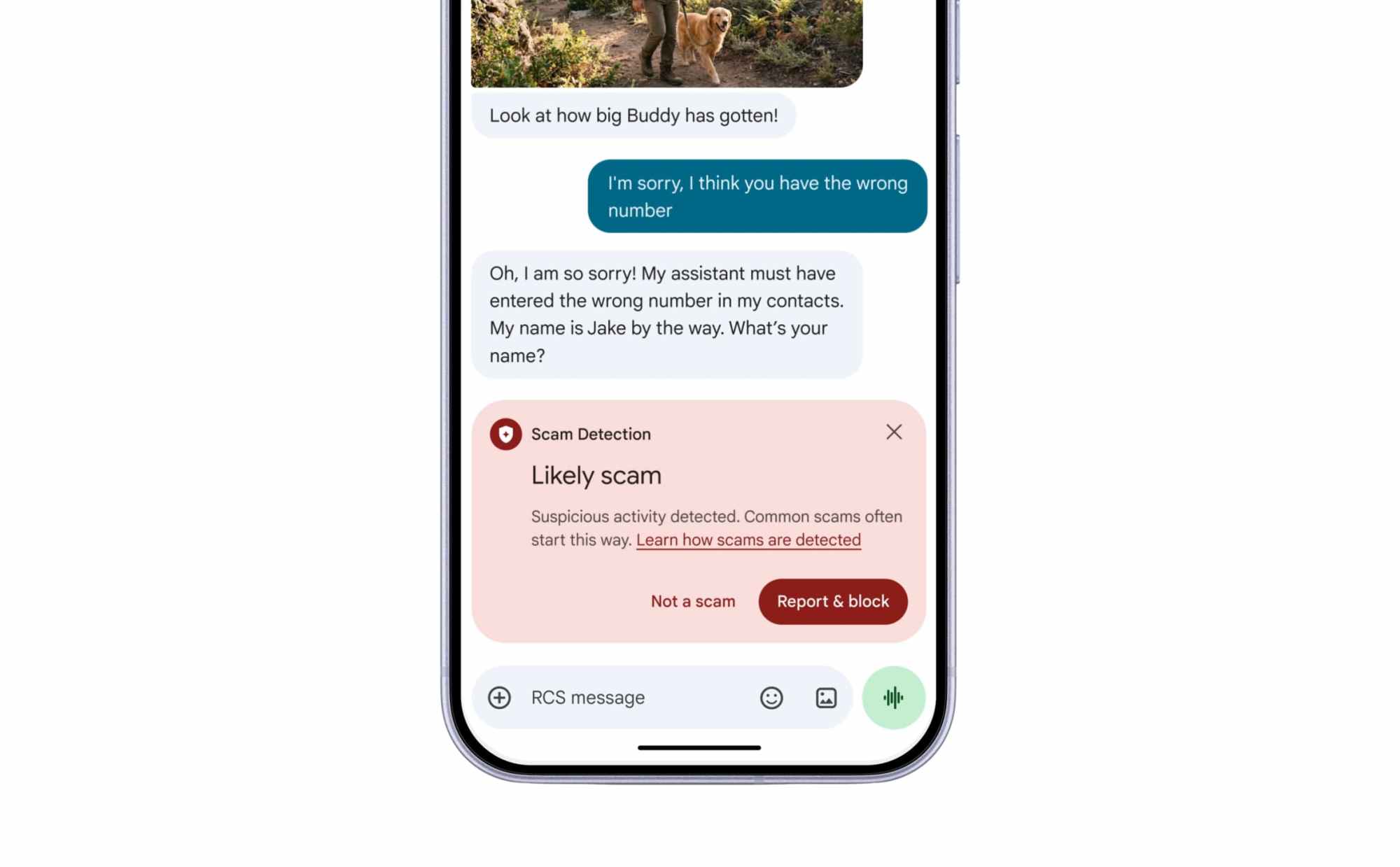

    The final update redesigns warnings to give you additional time and more context to “pause before tapping links” sent by numbers not in your contacts.

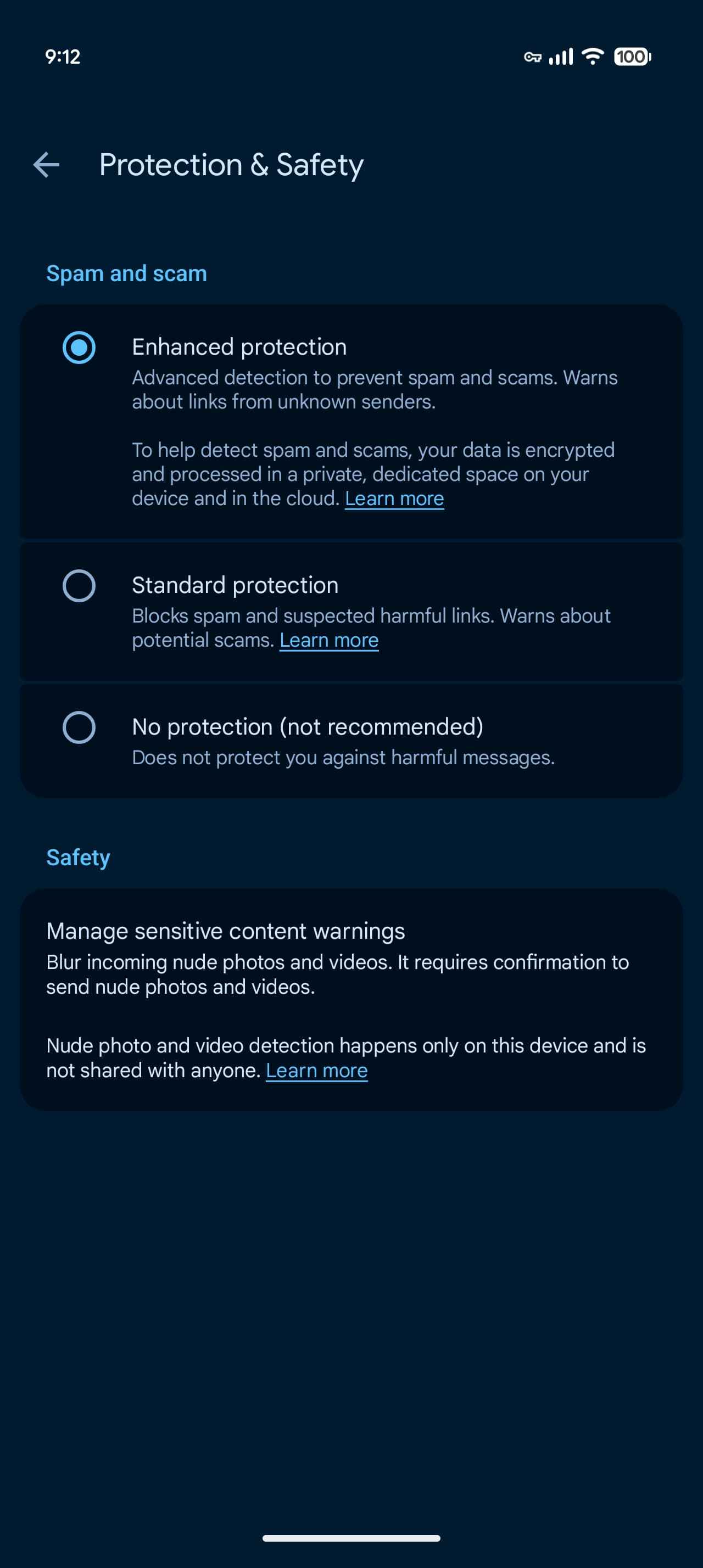
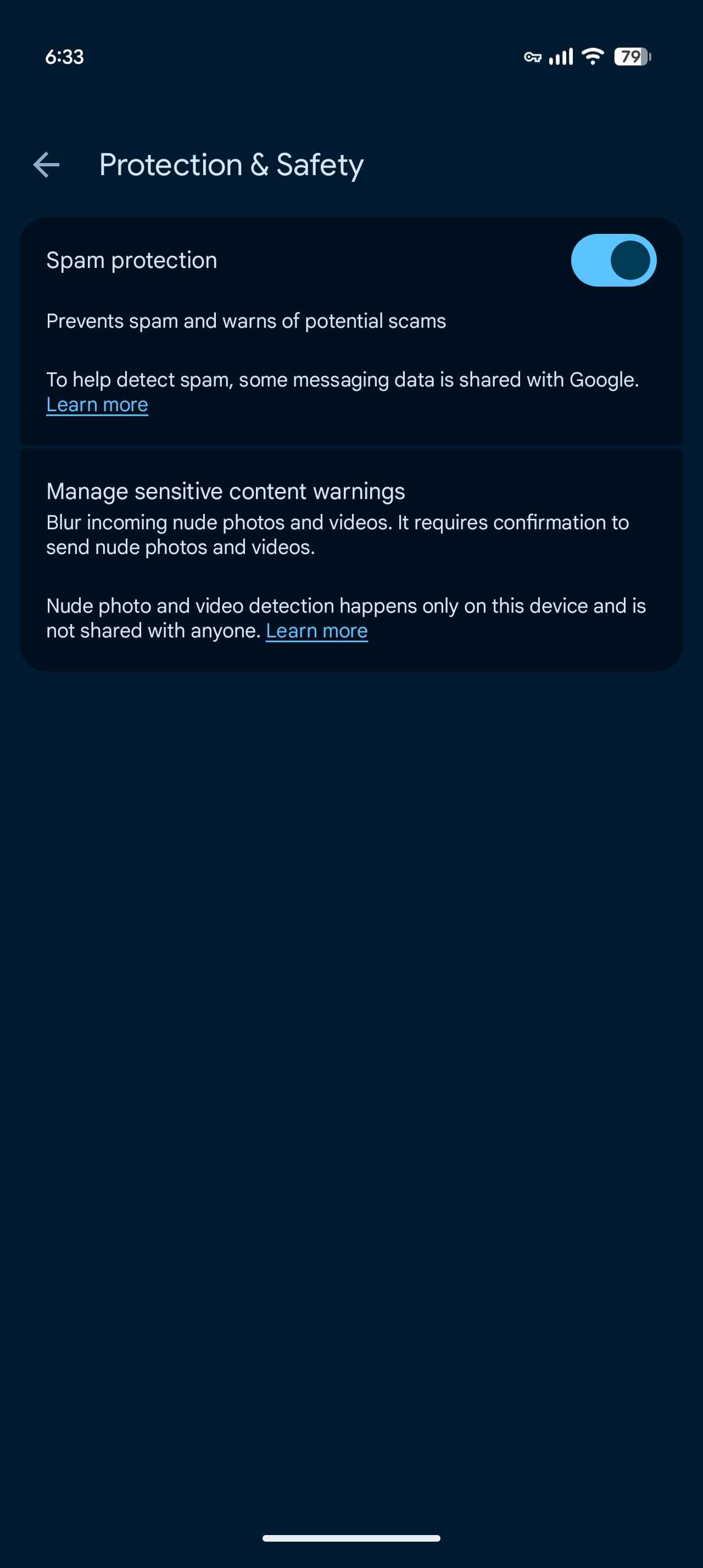
    Enhanced Protection is an opt-in feature. To enable, go to Google Messages settings > Protection & safety. Instead of an on/off toggle, you’ll find three options:

    • Enhanced protection
    • Standard protection
    • No protection (not recommended)

    We’re seeing this available with the latest Google Messages beta (version 20261020_00_RC00).


    You’re reading 9to5Google — experts who break news about Google and its surrounding ecosystem, day after day. Be sure to check out our homepage for all the latest news, and follow 9to5Google on Twitter, Facebook, and LinkedIn to stay in the loop. Don’t know where to start? Check out our exclusive stories, reviews, how-tos, and subscribe to our YouTube channel

    enhanced Google Messages News rolling
    Follow on Google News Follow on Flipboard
    Share. Facebook Twitter Pinterest LinkedIn Tumblr Email Copy Link
    myappsplus
    • Website

    Related Posts

    Fitbit and Pixel Watch can now recognize more than 100 activities automatically

    October 24, 2026

    Galaxy Buds On leak gives us a 360-degree look at Samsung’s upcoming earbuds

    October 24, 2026

    Cheap Android phones found with malware already installed

    October 24, 2026
    Add A Comment
    Leave A Reply Cancel Reply

    Top Posts

    Cathay Pacific tests Google AI that dramatically cuts airplane contrails — tiny altitude shifts slash environmental impact by 40% in early trials

    September 8, 2026137 Views

    Drone swarm tech valued by both defense and civilian sectors, industry platform says

    September 8, 202615 Views

    Best Gaming TV 2026: High refresh rates and stunning visuals

    September 8, 202614 Views
    Latest Reviews

    iPhone 18 Pro camera upgrades — everything we know about the new sensor

    myappsplusSeptember 1, 2026

    Apple’s top App Store exec, Phil Schiller, follows wave of exits as CEO Tim Cook steps down

    myappsplusSeptember 1, 2026

    Magna increases bet on battery swapping in India with $35M for Yuma

    myappsplusSeptember 1, 2026
    Stay In Touch
    • Facebook
    • YouTube
    • TikTok
    • WhatsApp
    • Twitter
    • Instagram

    Subscribe to Updates

    Get the latest tech news from FooBar about tech, design and biz.

    Most Popular

    Galaxy Tab S10+ and Tab S10 Ultra also get the August 2026 software update

    September 1, 20260 Views

    Score up to 25% off Premier Protein, Orgain, Muscle Milk, more

    September 1, 20260 Views

    You might be using Claude wrong — 5 habits to stop right now

    September 1, 20260 Views
    Our Picks

    The iPhone Duo Can Be a Tiny Mac, a Toaster, and a Nintendo DS

    October 24, 2026

    AI Models Show Promise in Alzheimer’s Classification

    October 24, 2026

    Fitbit and Pixel Watch can now recognize more than 100 activities automatically

    October 24, 2026

    Subscribe to Updates

    Subscribe to our newsletter and get the latest tech news, app updates, AI trends, smartphone reviews, and exclusive deals delivered straight to your inbox.

    Facebook X (Twitter) Instagram Pinterest
    • About Us
    • Get In Touch
    • Disclaimer
    • Privacy Policy
    • Terms & Conditions
    © 2026 MyAppsPlus. All Rights Reserved.

    Type above and press Enter to search. Press Esc to cancel.