Close Menu
MyAppsPlus

    Subscribe to Updates

    Get the latest creative news from FooBar about art, design and business.

    What's Hot

    How Accurate Were Rumors About Apple’s OLED Touchscreen MacBook Pro?

    October 29, 2026

    Alphabet, Microsoft earnings reveal surging AI demand as spending soars

    October 29, 2026

    Apple’s maxed-out M5 Ultra Mac Studio is here, and it costs as much as a Chevy Bolt EV

    October 29, 2026
    Facebook X (Twitter) Instagram
    Facebook X (Twitter) Instagram
    MyAppsPlusMyAppsPlus
    Thursday, October 29
    • Home
    • Breaking Tech
    • Apps & Software
    • AI & Automation
    • Android
    • iPhone & iOS
    • More
      • Reviews
      • How-To Guides
      • Deals & Discounts
      • Shop
    MyAppsPlus
    Home»Breaking Tech»Don’t get rid of your old phone, turn it into a security camera
    Breaking Tech

    Don’t get rid of your old phone, turn it into a security camera

    myappsplusBy myappsplusSeptember 6, 2026014 Mins Read
    Share Facebook Twitter Pinterest Copy Link LinkedIn Tumblr Email Telegram WhatsApp
    Follow Us
    Google News Flipboard
    Don’t get rid of your old phone, turn it into a security camera
    Share
    Facebook Twitter LinkedIn Pinterest Email Copy Link

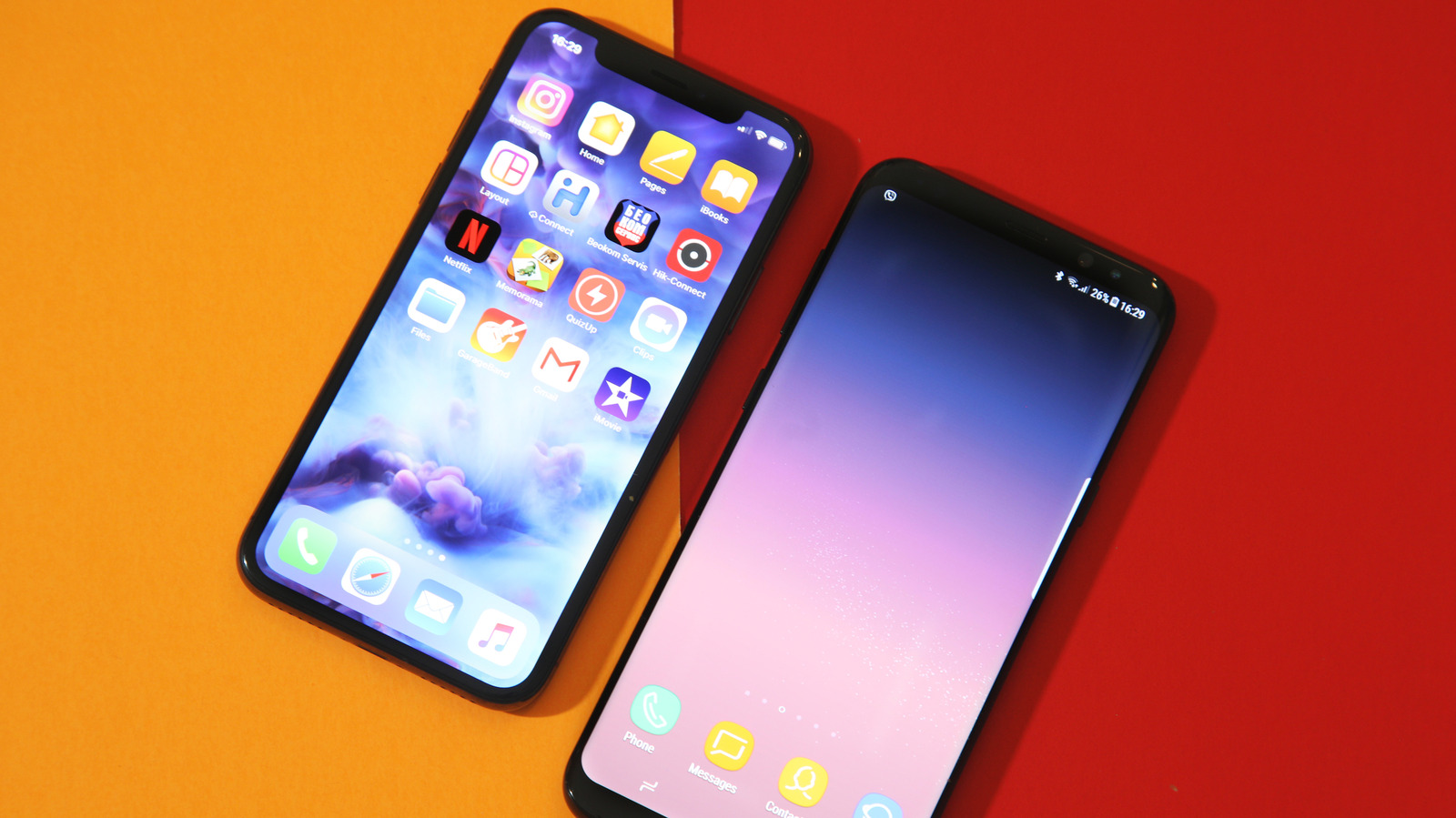
    Dig out that dusty phone from your junk drawer.

    Your phone is more versatile than you think — even that old one that’s been gathering dust for a few years in your drawer. With just a few tweaks and the right apps, you can pretty much give your old phone a new lease on life. One of the interesting things you can do with your old phone is to turn it into a fully functional security camera.

    Turning your old phone into a security camera is much easier than it sounds; in fact, you can get it done in under five minutes. Repurposing your old phone or tablet in this way saves you the money you’d spend on actual security cameras and saves you the hassle of recycling or selling these older devices. There are no special skills needed, and best of all, you don’t need to wire anything (except your phone’s charger). All you’ll need to get started is a few minutes of free time, your old phone(s), a stable internet connection (Wi-Fi is better, but mobile data works too) and the AlfredCamera app; it works on both iOS and Android.

    How to turn your old phone into a security camera

    First, download the AlfredCamera app on your main phone and the old phone. There are other apps that can do this, but we’re using AlfredCamera because it’s free, cross-platform and easy to set up.

    On your main phone: Open the app, sign up, then in the “Prepare another device as your camera screen,” select Mobile Device. 
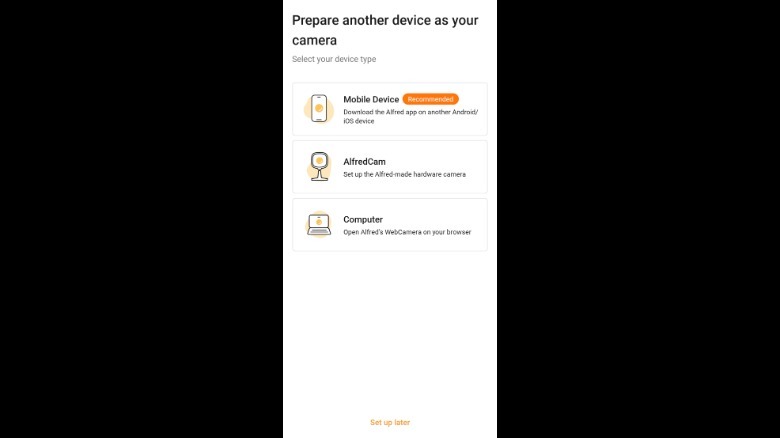
    AlfredCamera: Home Security camera device setup page

    Screenshot by Isaac Egbon (AlfredCamera: Home Security)

    Here, you’ll be given two options on how you want to connect your old phone: Log into the same account on your old phone or scan a QR code to pair both devices. Now, grab your old phone, open the app, then pair both devices using your preferred method. And just like that, your old phone is now a security camera. Lastly, make sure your main phone is set to Viewer in the top left corner while your old phone is set to Camera.
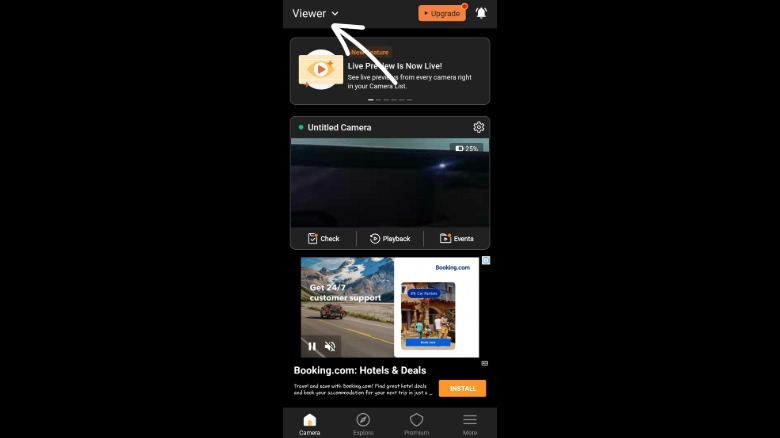
    screenshot of AlfredCamera: Home Security camera page

    AlfredCamera doesn’t stop at live video; the free plan includes a full-volume siren alarm, a low-light mode for nighttime viewing, two-way talk and the ability to switch cameras or rotate orientation, all from your main phone. Premium unlocks more: The Standard plan starts at $5.99/month and allows you to add up to four cameras (up from two in the free plan), HD streaming, an eight-hour recording loop, 14-day cloud storage and person/vehicle/pet detection. Premium Plus ($7.99/month) removes the camera limit and adds full HD, unlimited recording and 30-day cloud storage.

    Getting the most out of your DIY security camera
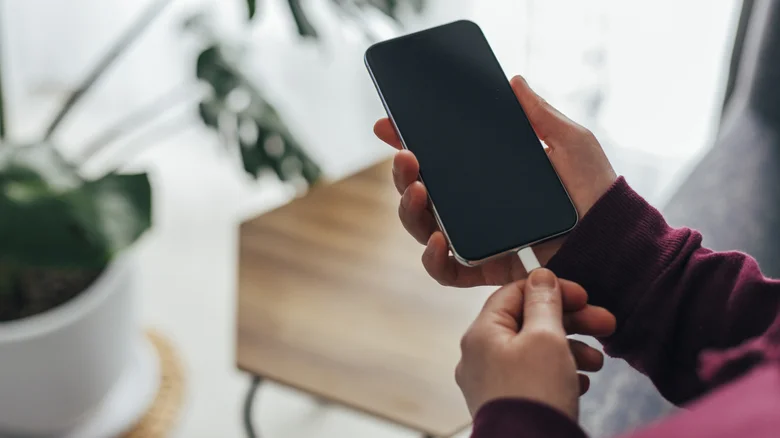
    Person plugging an iPhone in.

    If there’s one thing that’s common on most old phones, it’s probably bad battery life. So, if you can, position your new security camera near an outlet and leave it plugged in at all times. If that doesn’t work well with the angle you want, a long charging cable can bridge the gap. A phone stand is also a good addition, so you can get more flexibility on where and how you angle the camera.

    If you don’t have any important information on your old phone, you should factory reset it. Although this isn’t necessary, a factory reset not only frees up the phone’s storage for recordings, but it also clears out any old accounts, saved passwords or personal data still sitting on the device, which matters since this phone will now be running around the clock, connected to your Wi-Fi.

    Next, check your old phone’s battery optimization settings and disable it for the AlfredCamera app. This step prevents Android or iOS from closing the app when it’s running in the background and keeps the app running 24/7. Lastly, if you’re placing the phone in a place that’s exposed to the elements, consider weather-proofing it with a clear, waterproof phone case, or better yet, mount it just inside a window instead of directly outside.

    Accessories apps Dont Smartphones Tablets
    Follow on Google News Follow on Flipboard
    Share. Facebook Twitter Pinterest LinkedIn Tumblr Email Copy Link
    myappsplus
    • Website

    Related Posts

    These Claude Enterprise features let you track AI ROI – what’s new

    October 29, 2026

    OpenAI now lets you text your Dot agent

    October 29, 2026

    Georgia Tech Week 9 Availability Report: Latest Updates Ahead of Pittsburgh Matchup

    October 29, 2026
    Add A Comment
    Leave A Reply Cancel Reply

    Top Posts

    Cathay Pacific tests Google AI that dramatically cuts airplane contrails — tiny altitude shifts slash environmental impact by 40% in early trials

    September 8, 2026137 Views

    Keep running out of mobile data? This new unlimited plan gets you up to 80Mbps 5G speeds for just AU$50/m

    October 8, 202615 Views

    Drone swarm tech valued by both defense and civilian sectors, industry platform says

    September 8, 202615 Views
    Latest Reviews

    Wonderful raises $550M at $5B valuation for its AI automation platform

    myappsplusSeptember 3, 2026

    When is Apple releasing new AirPods?

    myappsplusSeptember 3, 2026

    Beat Apple’s Price Hikes With Woot’s Mac and iPad Sale

    myappsplusSeptember 3, 2026
    Stay In Touch
    • Facebook
    • YouTube
    • TikTok
    • WhatsApp
    • Twitter
    • Instagram

    Subscribe to Updates

    Get the latest tech news from FooBar about tech, design and biz.

    Most Popular

    When is Apple releasing new AirPods?

    September 3, 20260 Views

    Anker just launched a ton of new products at IFA 2026 — including an AI-powered home hub

    September 3, 20260 Views

    Mid-week Apple Books and audiobook deals from $2

    September 3, 20260 Views
    Our Picks

    How Accurate Were Rumors About Apple’s OLED Touchscreen MacBook Pro?

    October 29, 2026

    Alphabet, Microsoft earnings reveal surging AI demand as spending soars

    October 29, 2026

    Apple’s maxed-out M5 Ultra Mac Studio is here, and it costs as much as a Chevy Bolt EV

    October 29, 2026

    Subscribe to Updates

    Subscribe to our newsletter and get the latest tech news, app updates, AI trends, smartphone reviews, and exclusive deals delivered straight to your inbox.

    Facebook X (Twitter) Instagram Pinterest
    • About Us
    • Get In Touch
    • Disclaimer
    • Privacy Policy
    • Terms & Conditions
    © 2026 MyAppsPlus. All Rights Reserved.

    Type above and press Enter to search. Press Esc to cancel.