

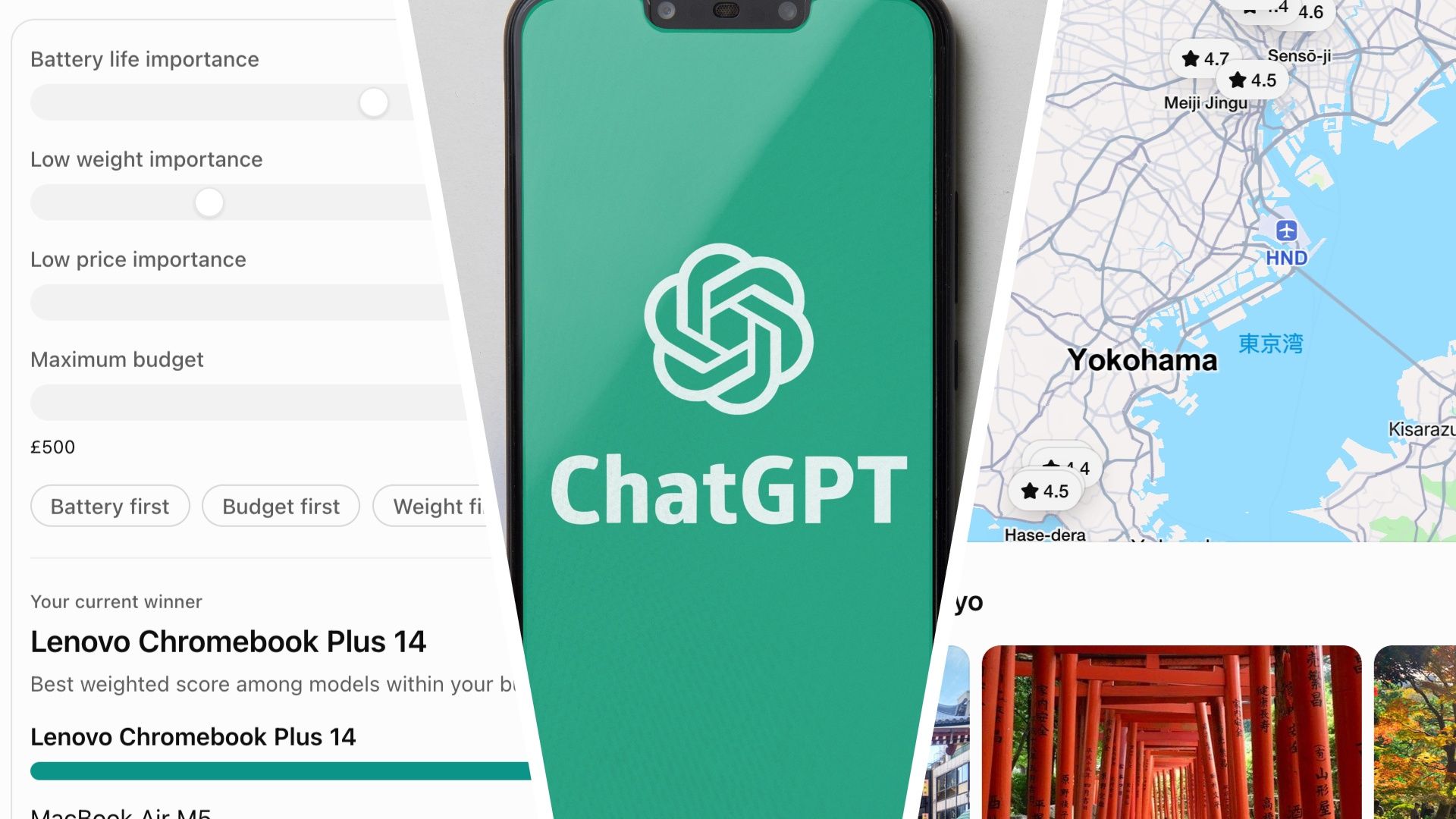
OpenAI really likes to drop stealth upgrades to ChatGPT onto us with no warning. Sometimes these are really minor, but the latest one adds an entirely new way for it to respond to your queries, and utilizes the power of GPT-6.
Instead of just providing the usual text-based answers to your queries, you now get text, visuals, and interactive elements all mixed together in whatever way best suits the answer. The interface for typing into ChatGPT looks exactly the same, but the answers you get are a lot more fun.
In a way, it’s a little bit like ChatGPT now makes a simple app, on the fly, to answer your question. But don’t let the word “app” here put you off — this isn’t overly difficult or just for developers and coders.
The clever thing is that you don’t need to know anything about making apps, or even ask ChatGPT to make one. You simply ask a question, as you’ve always done, and now you’ll find yourself looking at an interactive calculator, a quiz or a product comparison instead of a wall of text.
The best way to understand it is to give it a go. Here are five ways I used the new Intelligent UI, and you can try them all yourself as well. Once you’ve done all five, you’ll have a good understanding of what it’s capable of.
Intelligent UI is available for all users in the standard Chat tab, uses GPT-6, and is available in all the different membership packages, including Free.
1. Savings calculator
How much you need to save for retirement is one of those questions that starts to become more important after the age of 50, and it’s perfect for an interactive answer. For this test, I used the prompt “I’m 55 and save £500 a month. How much can I save for retirement?”
To answer me, ChatGPT produced a simple retirement calculator app that lets me change variables like retirement age, monthly savings, and assumed annual growth to see how much I’d end up saving. For Retirement Age and Monthly Savings, it presented sliders, so I could just scale things up or down with ease. It’s a great way to interactively experiment with figures.
2. Exploring how a seven-speed bike works
Rather than just telling you how something works, ChatGPT can now show you. For this test, I just used the simple prompt, “Show me how the gears on a seven-speed bike work”.
To answer me, ChatGPT produced a great illustration of the drivetrain of the bike, with a slider bar that I could use to effectively change gear. It was a simplified model, rather than an accurate rendering. The rear sprocket changed size as I selected a different gear. It was actually a perfect visual explanation, and the interactive element helped make the process nice and clear. The answer was also packed with details like the number of teeth on a gear and the gear ratio.
3. Learning Japanese
I’ve just started learning Japanese, so I asked ChatGPT to help me with hiragana, its most fundamental Japanese writing system. I used the simple prompt “Help me learn hiragana”, and it introduced me to the first 5 vowel sounds — a i u e o — showing me the hiragana character for each, with tips on how to pronounce it, and then jumped into a handy interactive quiz where I had to guess the character.
What I liked was that the quiz started off with just the first five characters, then offered to teach me the next five when I was ready. I can see this being a really useful study aid.
4. Asking for a 3-day itinerary
I asked ChatGPT for a three-day Tokyo itinerary. I wanted to see if I could change the budget, interests, or available time without starting from scratch.
“Give me a three-day Tokyo itinerary. Budget is £3,000. I’m interested in seeing ancient temples. Starting in late November.” This produced a reply with a lot more images than I’d been used to seeing and an interactive map, but nothing really interactive.
It was not until ChatGPT asked me if the budget included flights, and I replied, “The budget does not include flights — can you let me adjust the budget?” that it produced a truly interactive itinerary. By adjusting the budget slider, I could see how all the different elements of my trip were impacted. There was also a button to press to see the updated itinerary based on the new budget.
This example showed how you can ask for interactive elements in your answer, even if ChatGPT doesn’t give them to you the first time.
5. Comparing products
I asked ChatGPT to compare three laptops. I wanted to see if I could adjust the importance of battery life, weight, and price and see whether its recommendation changed. I used the prompt:
“Compare three of the most recent laptops, including a Chromebook. I want to see if I can adjust the importance of battery life, weight, and price and see whether your recommendation changes.”
This was a really useful implementation of ChatGPT’s new interactive abilities, and a much better way of comparing laptops than I’ve ever tried before. ChatGPT selected an Apple MacBook Air 13-inch M5, an ASUS Zenbook S14 UX5406, and a Lenovo Chromebook Plus 14″ MediaTek Kompanio Ultra 910 in an interactive product companion that let me change the importance of battery life, weight, and price. Seeing how the recommended laptop changed when I played with the sliders was a great way of experimenting.
ChatGPT is becoming something different
That last example — the one showing laptop recommendations — really showcases the brilliance of ChatGPT’s new interactive elements in its replies. Instead of reading a recommendation and wondering how it might change if I cared more about battery life than price, I could find out for myself, simply by moving a slider.
Other AI chatbots can produce interactive experiences too, but what’s impressed me about Intelligent UI is how naturally OpenAI has incorporated them into everyday ChatGPT conversations. You don’t need to know how to code, or even understand what’s happening behind the scenes. You just ask a question.
There are a few things worth bearing in mind. ChatGPT doesn’t always produce an interactive answer automatically, and sometimes you need to specifically ask for one. Also, just because an answer comes with an impressive-looking calculator or interactive graphic doesn’t mean the underlying information is necessarily correct. The laptop comparison, for example, included an estimated battery-life figure, so I’d still want to check the specifications before spending any money.
There might not have been much fanfare about the introduction of Intelligent UI, but it feels natural and intuitive to use. Now I know ChatGPT can be so interactive in its responses, and I’ve seen how useful it can be, I’m going to start writing prompts that assume it can be interactive in its responses more often. Intelligent UI is one of the best ChatGPT upgrades I’ve seen in a while.
