Close Menu
MyAppsPlus

    Subscribe to Updates

    Get the latest creative news from FooBar about art, design and business.

    What's Hot

    Australia says rogue OpenAI model hacked into its healthcare system, admonishes Sam Altman

    September 24, 2026

    Samsung Galaxy S26 FE review: false economy

    September 24, 2026

    Bentley’s debut EV is a £173k luxury missile in SUV form that can out-accelerate supercars

    September 24, 2026
    Facebook X (Twitter) Instagram
    Facebook X (Twitter) Instagram
    MyAppsPlusMyAppsPlus
    Thursday, September 24
    • Home
    • Breaking Tech
    • Apps & Software
    • AI & Automation
    • Android
    • iPhone & iOS
    • More
      • Reviews
      • How-To Guides
      • Deals & Discounts
      • Shop
    MyAppsPlus
    Home»Android»Android’s Create My Widget ‘app’ detailed on phones, Googlebooks
    Android

    Android’s Create My Widget ‘app’ detailed on phones, Googlebooks

    myappsplusBy myappsplusSeptember 24, 2026002 Mins Read
    Share Facebook Twitter Pinterest Copy Link LinkedIn Tumblr Email Telegram WhatsApp
    Follow Us
    Google News Flipboard
    Android’s Create My Widget ‘app’ detailed on phones, Googlebooks
    Share
    Facebook Twitter LinkedIn Pinterest Email Copy Link

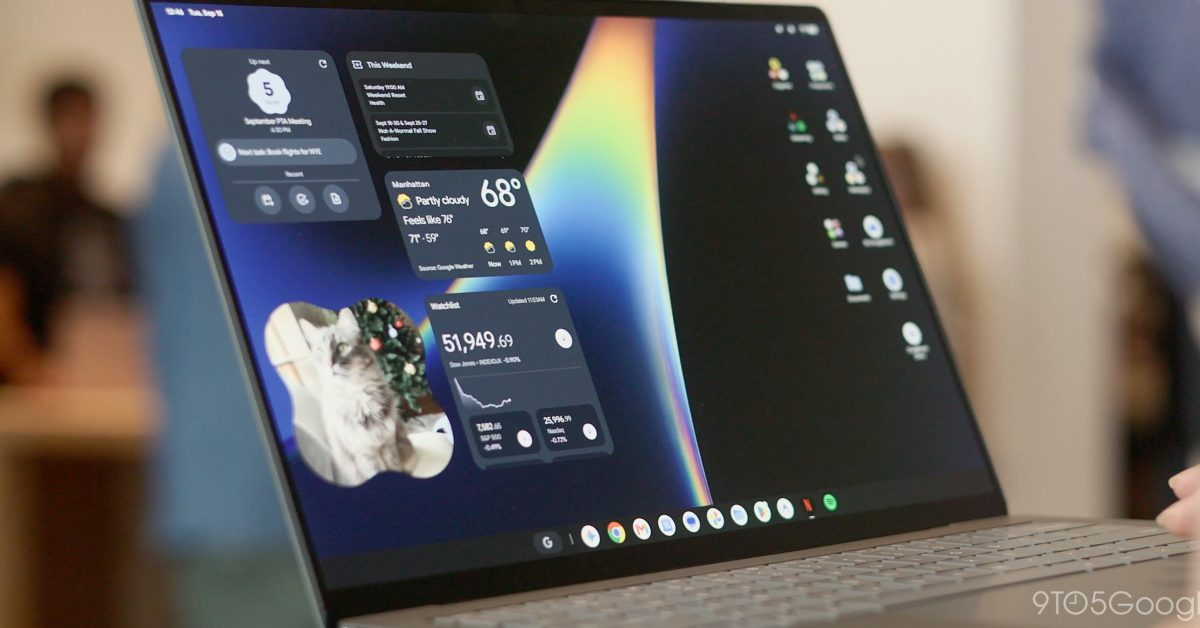
    Create My Widget will debut in early October on Googlebooks. Ahead of that, a Play Store listing details what the interface will look like, including on Android phones.

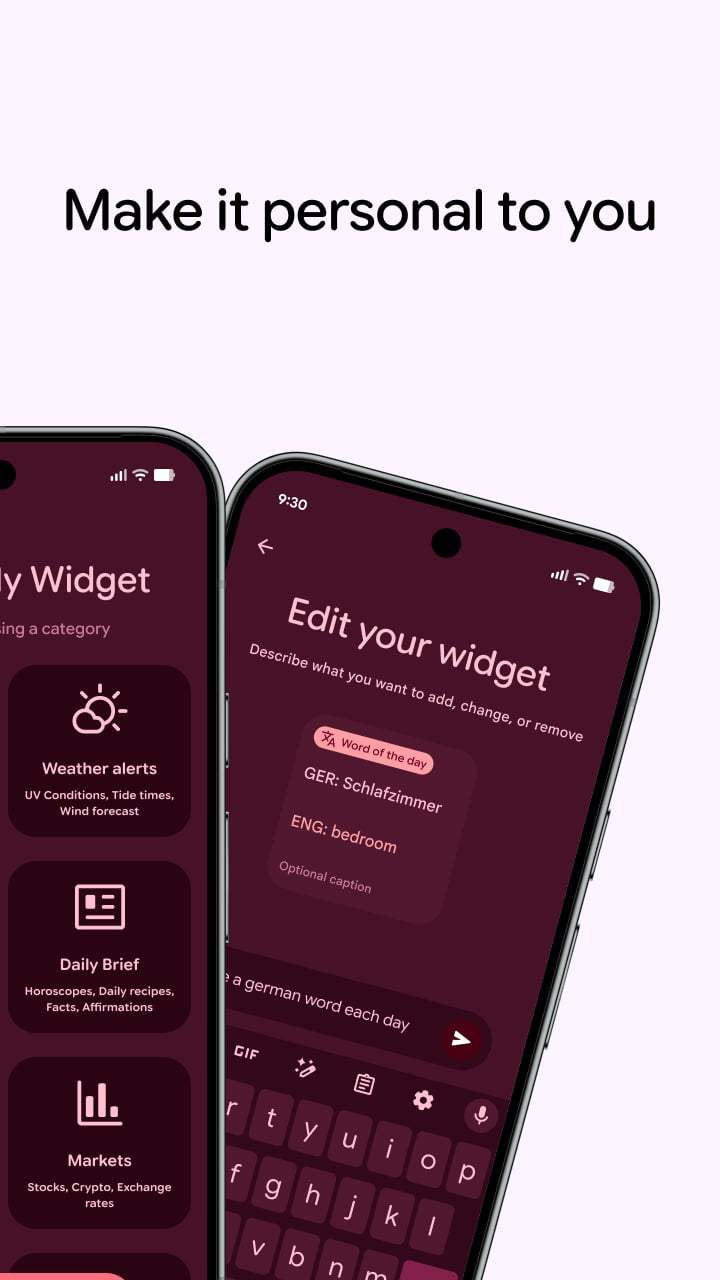
    On phones, we see a guided creation experience with categories like:

    • Combo: Combine different or similar themed topics
    • Weather alerts: UV Conditions, Tide times, Wind forecast
    • My world clock: Timezones, Daylight savings countdown
    • Daily Brief: Horoscopes, Daily recipes, Facts, Affirmations 
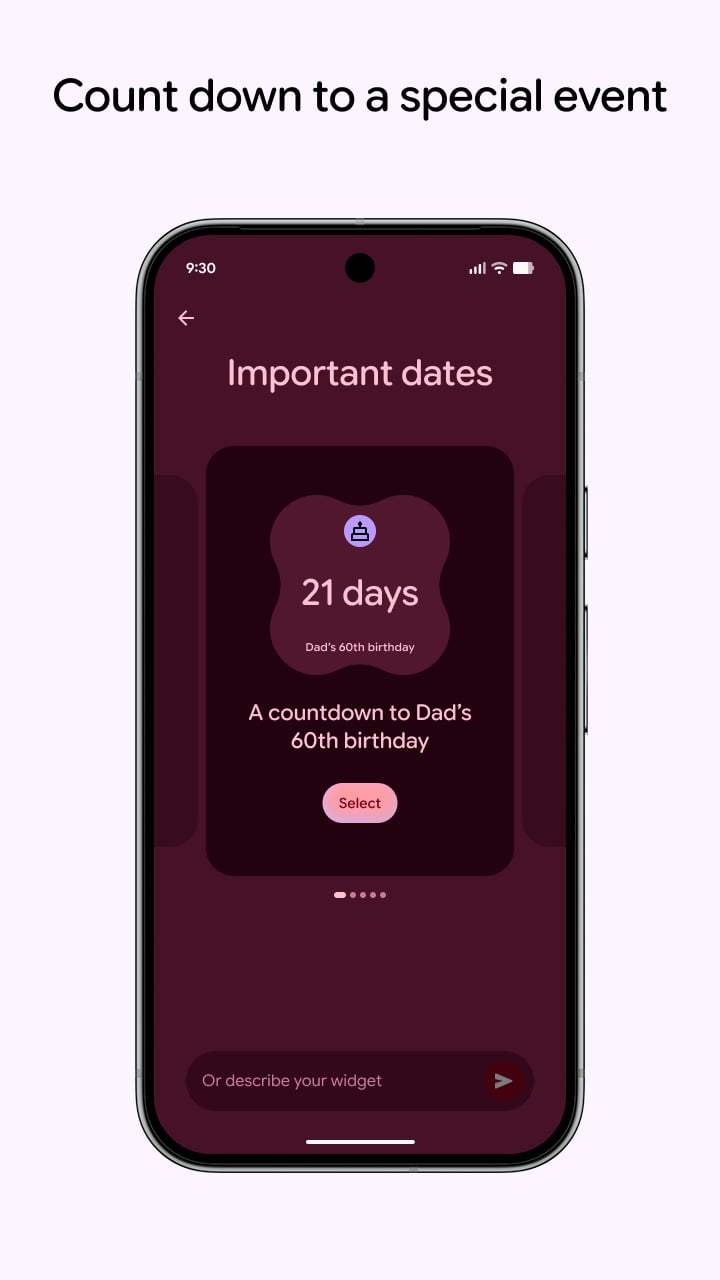
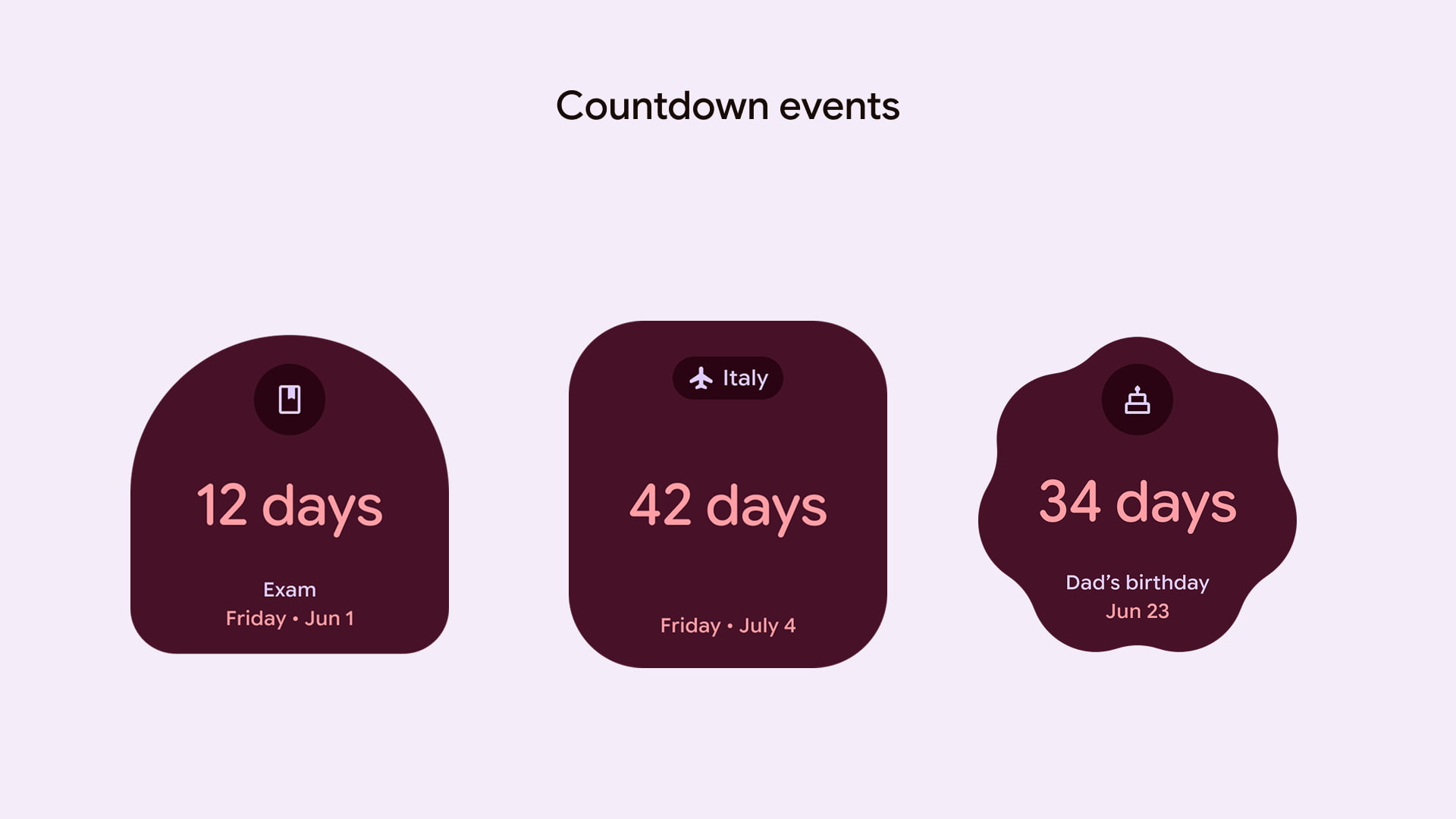
    • Important dates: Countdown to birthdays, holidays, & anniversaries
    • Markets: Stocks, Crypto, Exchange rates
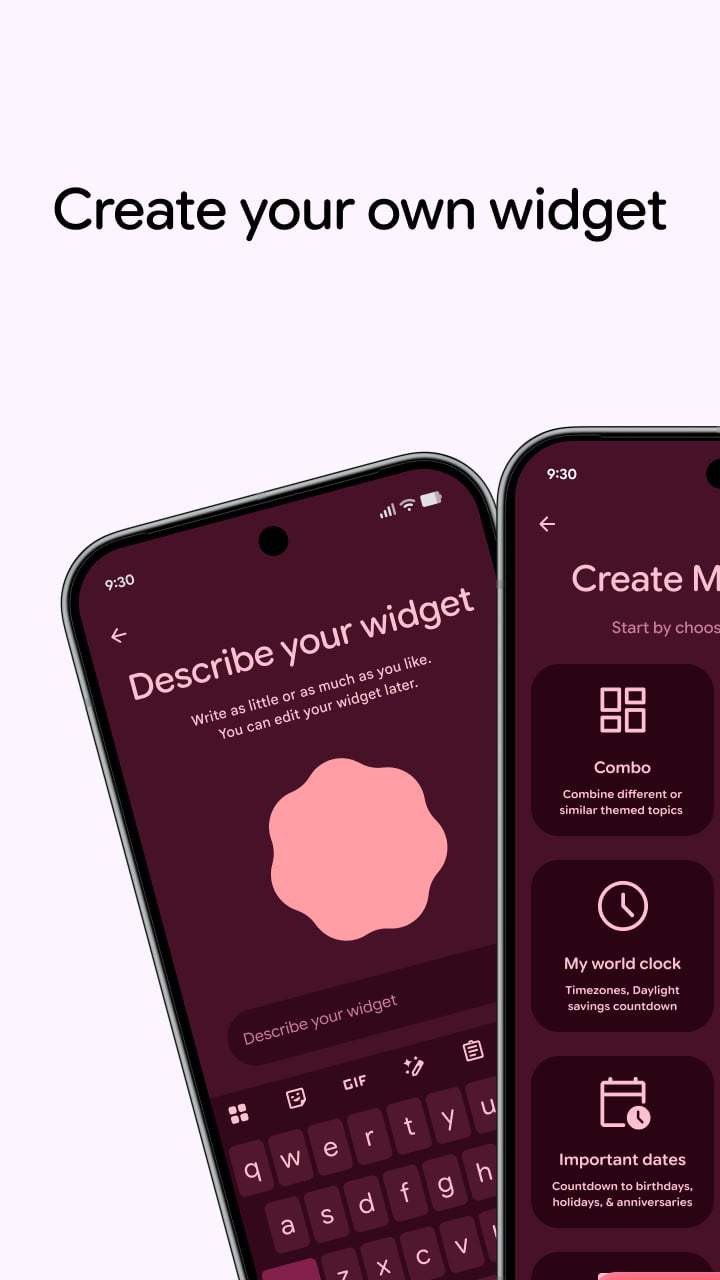

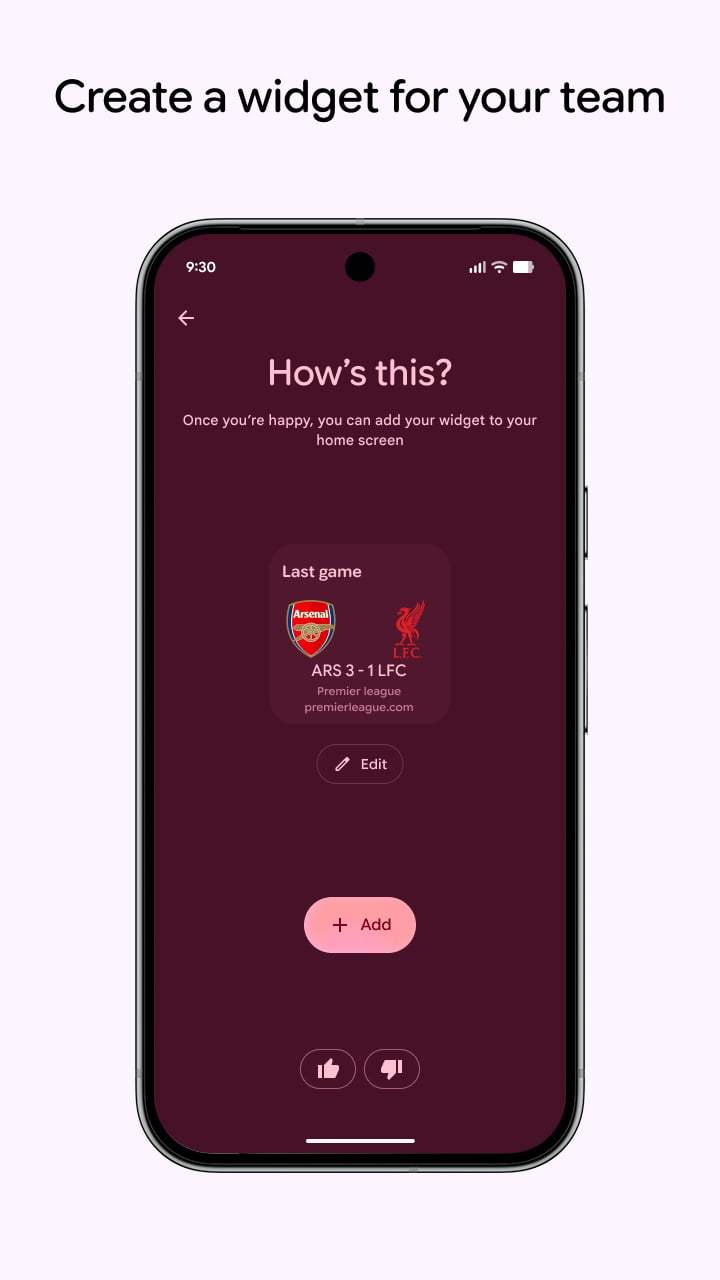
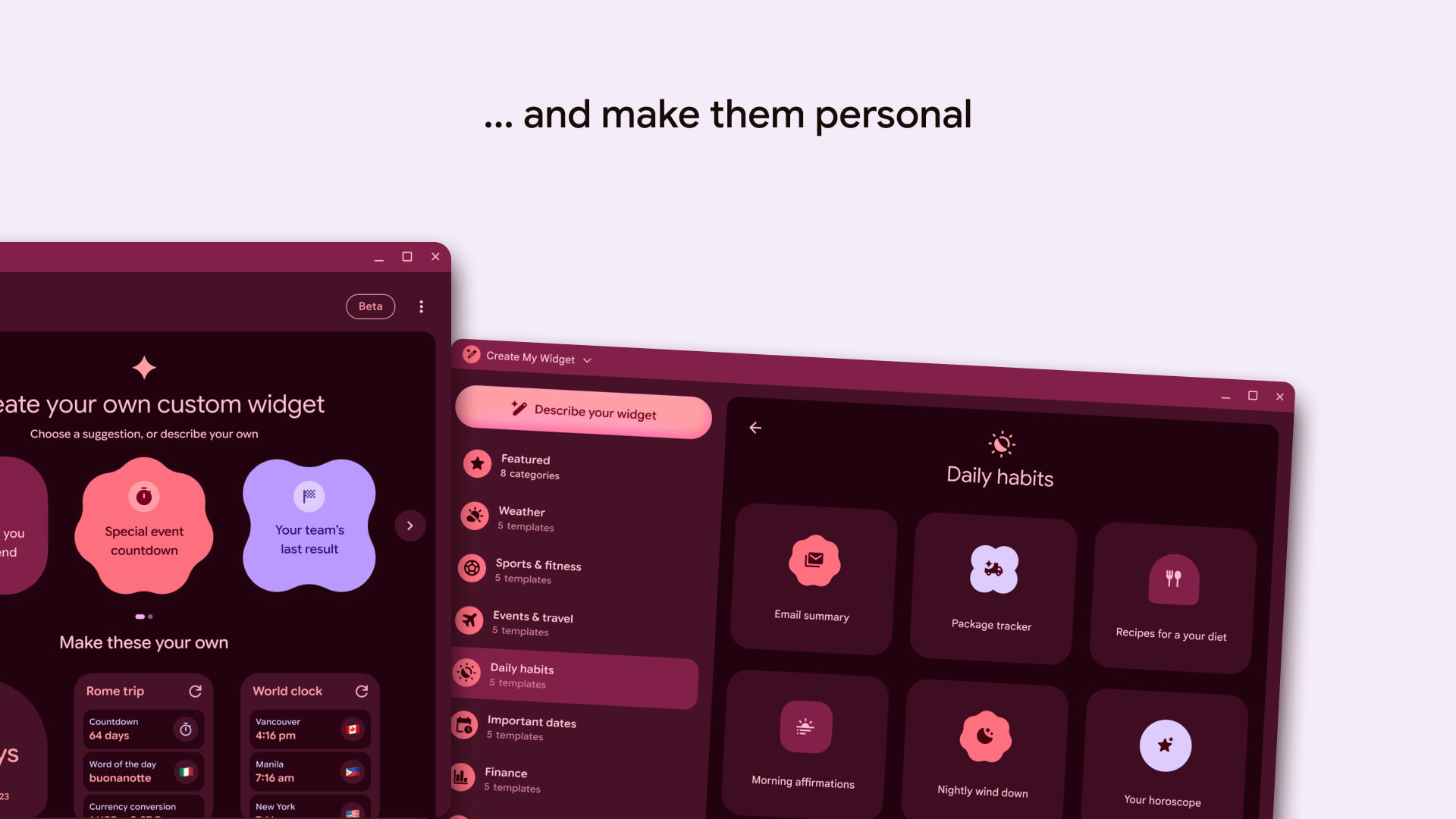
    Each shows a carousel of suggested widgets, while you can always “describe your widget” with the prompt box at the bottom. The final step is to add it to your homescreen.

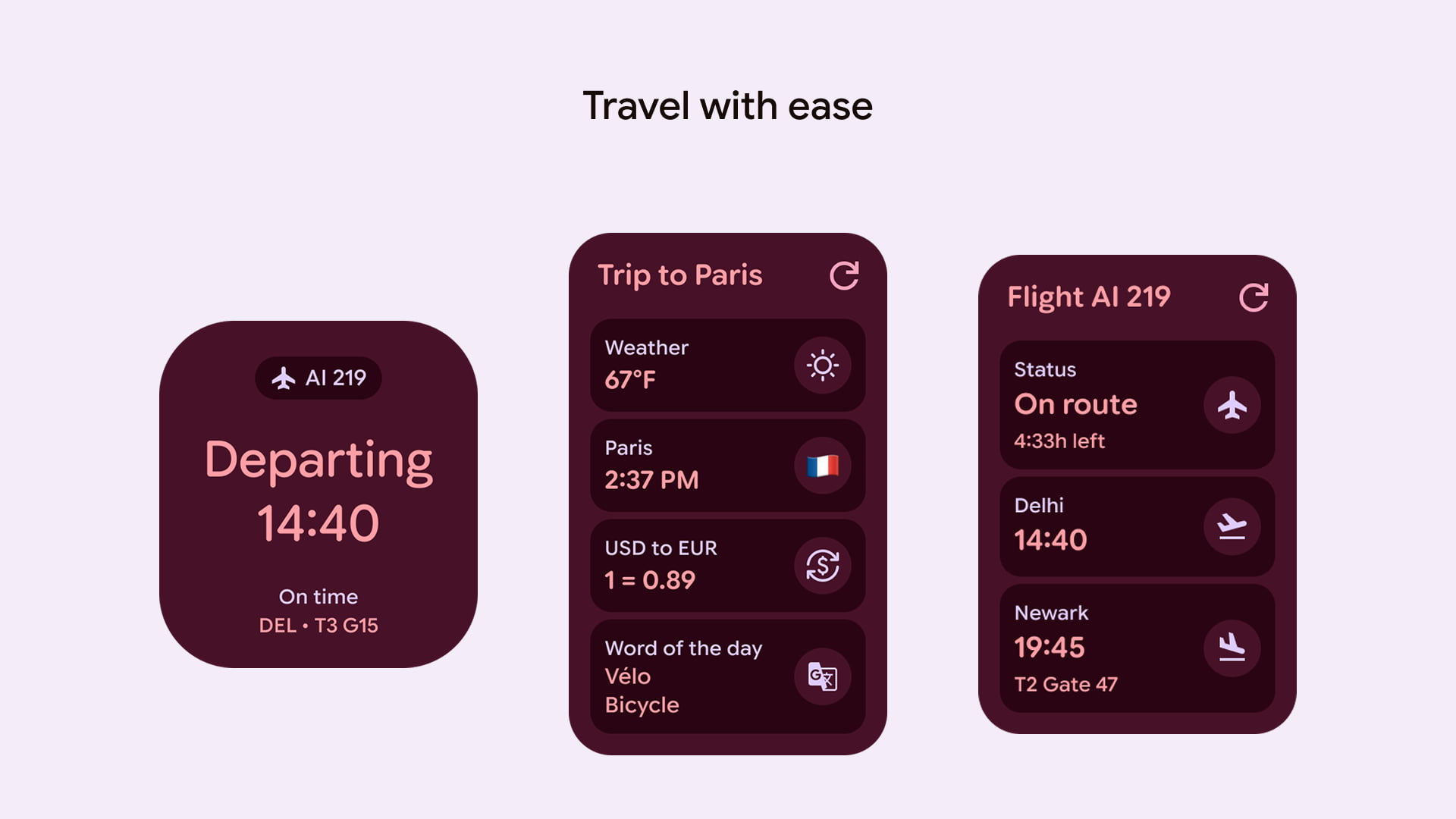
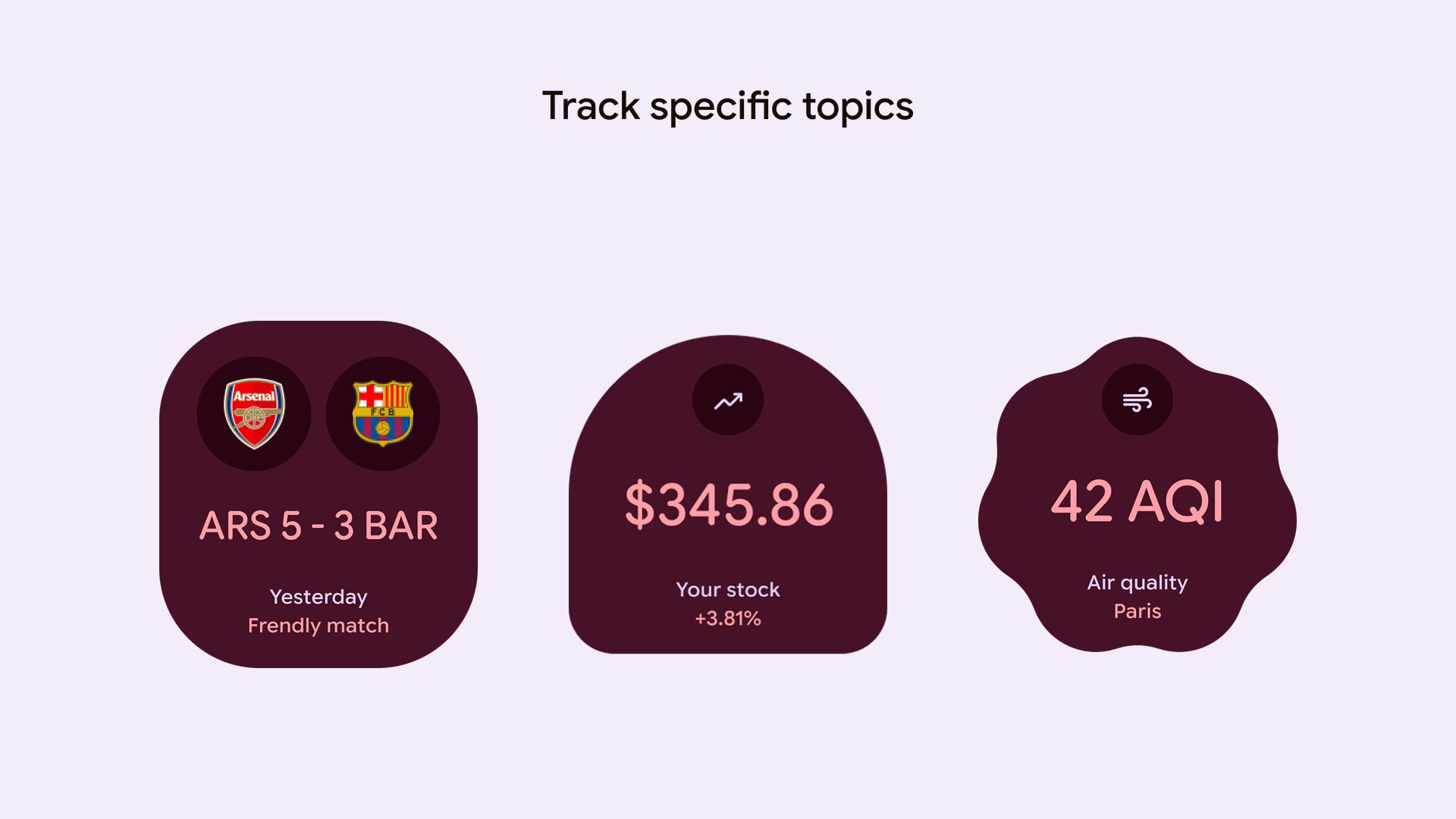
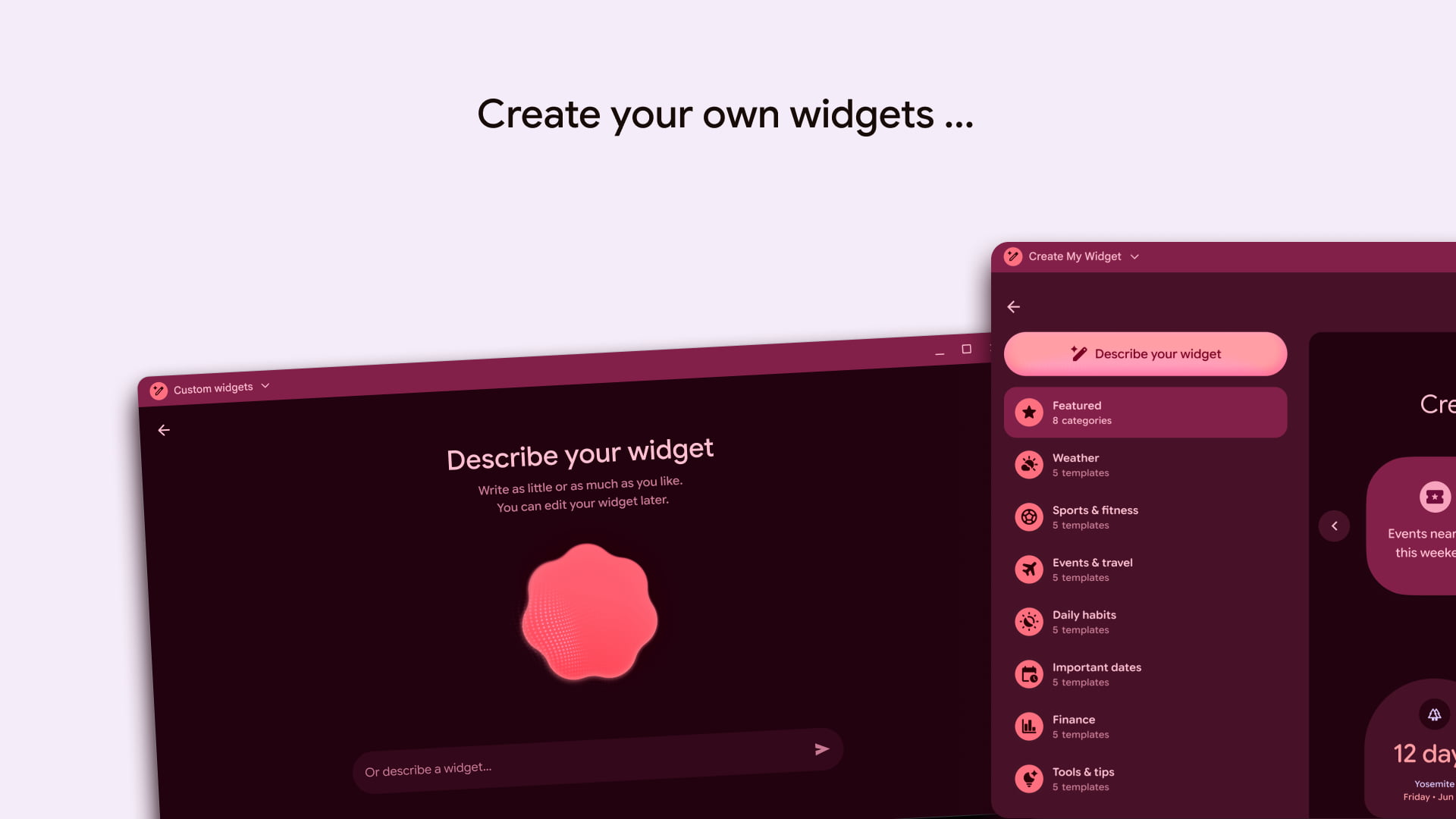
    The Googlebook interface lists more categories like Weather, Sports & fitness, Events & travel, Daily habits, Important dates, Finance, and Tools & tips. Each is home to several “templates” that help teach users what is possible.

    These generative widgets can make use of various Material 3 Expressive shapes for simpler, low-information designs.

    The release date for Create My Widget is September 24, while the package name is straightforward enough: com.google.android.apps.yourwidget.

    The version we have on the Play Store today is 1.27.983746769.0-desktop_release and focused on the upcoming Googlebook launch. 


    You’re reading 9to5Google — experts who break news about Google and its surrounding ecosystem, day after day. Be sure to check out our homepage for all the latest news, and follow 9to5Google on Twitter, Facebook, and LinkedIn to stay in the loop. Don’t know where to start? Check out our exclusive stories, reviews, how-tos, and subscribe to our YouTube channel

    Androids create detailed News widget
    Follow on Google News Follow on Flipboard
    Share. Facebook Twitter Pinterest LinkedIn Tumblr Email Copy Link
    myappsplus
    • Website

    Related Posts

    Googlebook laptops are already selling out just days after pre-orders opened

    September 24, 2026

    Bellroy’s leather Pixel 11 Pro case is a keeper

    September 24, 2026

    macOS 27 Top Features: much more than just Siri AI [Video]

    September 24, 2026
    Add A Comment
    Leave A Reply Cancel Reply

    Top Posts

    Top 10 Best React Native App Development Companies in 2026

    September 12, 20263 Views

    This tiny AI box could save me from upgrading my perfectly good laptop

    September 6, 20263 Views

    Can reviews settle disputes that marked first two seasons?

    September 21, 20262 Views
    Latest Reviews

    Get up to 51% off fleeces from Patagonia, The North Face, Passenger, Adidas, and more — cosy and cool jackets for autumn

    myappsplusAugust 22, 2026

    Take-Two subpoenas Discord and Microsoft in hunt for GTA VI leaker

    myappsplusAugust 22, 2026

    Creality Falcon A1C review: I was instantly impressed with this compact, affordable, beginner-friendly laser engraver

    myappsplusAugust 22, 2026
    Stay In Touch
    • Facebook
    • YouTube
    • TikTok
    • WhatsApp
    • Twitter
    • Instagram

    Subscribe to Updates

    Get the latest tech news from FooBar about tech, design and biz.

    Most Popular

    Get up to 51% off fleeces from Patagonia, The North Face, Passenger, Adidas, and more — cosy and cool jackets for autumn

    August 22, 20260 Views

    Take-Two subpoenas Discord and Microsoft in hunt for GTA VI leaker

    August 22, 20260 Views

    Creality Falcon A1C review: I was instantly impressed with this compact, affordable, beginner-friendly laser engraver

    August 22, 20260 Views
    Our Picks

    Australia says rogue OpenAI model hacked into its healthcare system, admonishes Sam Altman

    September 24, 2026

    Samsung Galaxy S26 FE review: false economy

    September 24, 2026

    Bentley’s debut EV is a £173k luxury missile in SUV form that can out-accelerate supercars

    September 24, 2026

    Subscribe to Updates

    Subscribe to our newsletter and get the latest tech news, app updates, AI trends, smartphone reviews, and exclusive deals delivered straight to your inbox.

    Facebook X (Twitter) Instagram Pinterest
    • About Us
    • Get In Touch
    • Disclaimer
    • Privacy Policy
    • Terms & Conditions
    © 2026 MyAppsPlus. All Rights Reserved.

    Type above and press Enter to search. Press Esc to cancel.