

When Google announced Android 17 at Google I/O 2026, it also marked the arrival of Android Auto 17. Android Auto 17 added many new features, with Google primarily focusing on Gemini AI’s deeper integration with the platform. Days after the announcement, Google released the beta version of the software — Android Auto 17.0 — to beta testers worldwide. This was followed by the release of the stable version of Android Auto to eligible users in late June and early July.
Google has issued multiple updates to Android Auto since then. The first stable version was followed by version 17.2, and version 17.6 began rolling out in late August or early September. A few weeks after 17.6’s release, Google began seeding the most recent stable release, Android Auto 17.7. As of late September 2026, this version is the newest stable version of Android Auto, although Google has already rolled out the beta version of Android Auto 17.8 as of writing.
While all Android Auto users will eventually get version 17.7 update on their devices. Thus, if you want to update to Android Auto 17.7 before Google officially pushes it
How to manually update to the latest version of Android Auto
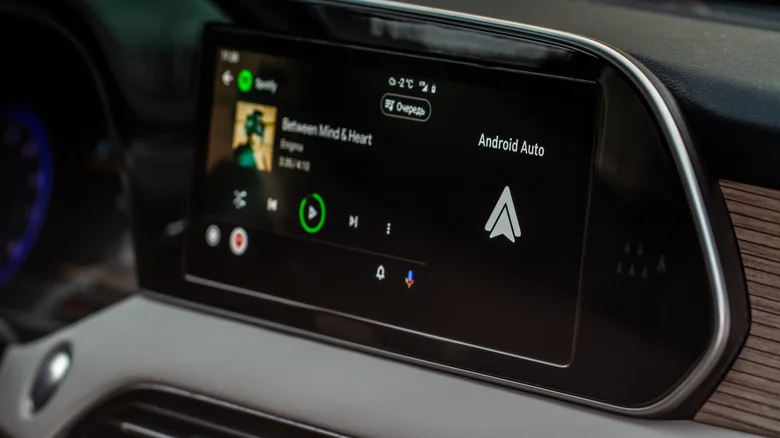
Google usually rolls out Android Auto updates gradually, which helps limit the damage if an update contains a serious bug. If problems appear among the first group of users, Google can slow down or stop the rollout before the update reaches millions of other users. However, for those who want to try all of Android Auto’s latest features, this can be a major irritant.
Currently, the only way to sidestep this issue is to download the latest version’s APK from trusted platforms like APKMirror and follow the on-screen installation instructions. However, there is always an inherent risk associated with this method, and we recommend this only to users who are sure about what they’re doing. If you’re willing to take the risk, though, you can download Android Auto 17.7 here. Once downloaded, the installation process is fairly straightforward.
A major issue with Google’s recent small-scale Android Auto updates is that the company doesn’t post detailed change logs. According to users who have installed Android Auto 17.7, Google hasn’t made major changes to the software or UI, suggesting that most improvements were under the hood. If you are already on a stable version of Android Auto 17 and were hoping 17.7 would introduce big changes to the user experience, be prepared to be disappointed.
What’s new with Android Auto 17?
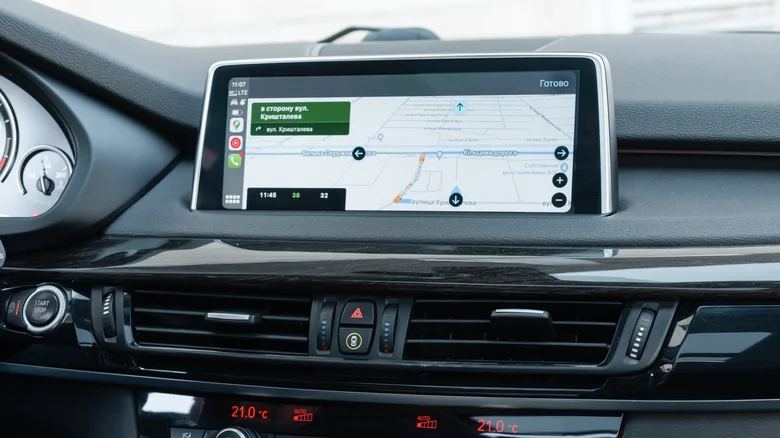
When Google announced Android Auto 17 in May 2026, it promised a lot of feature updates. As discussed earlier, most of these additions involved the integration of Gemini AI across the platform. Android Auto 17 also promised a new widgets system and an updated Material 3 Expressive interface redesign that revamped the fonts, wallpapers, and animations.
Another major update Google promised was Immersive Navigation, which shows a 3D view of the surroundings, including buildings, overpasses, and terrain. These updated maps will also show the position of traffic lights and stop signs, helping users be more aware of what’s coming up. Immersive Navigation began rolling out to some users in August 2026
Android Auto 17 is also bringing 60 FPS FHD video playback to video apps. Select vehicles will eventually be able to watch 60-FPS content on their infotainment displays. Another entertainment-related addition is support for automatically switching video playback to audio-only playback when a car starts moving. Many of these features have yet to debut in the stable version of Android Auto and will only be released in stages over the next several months.
