

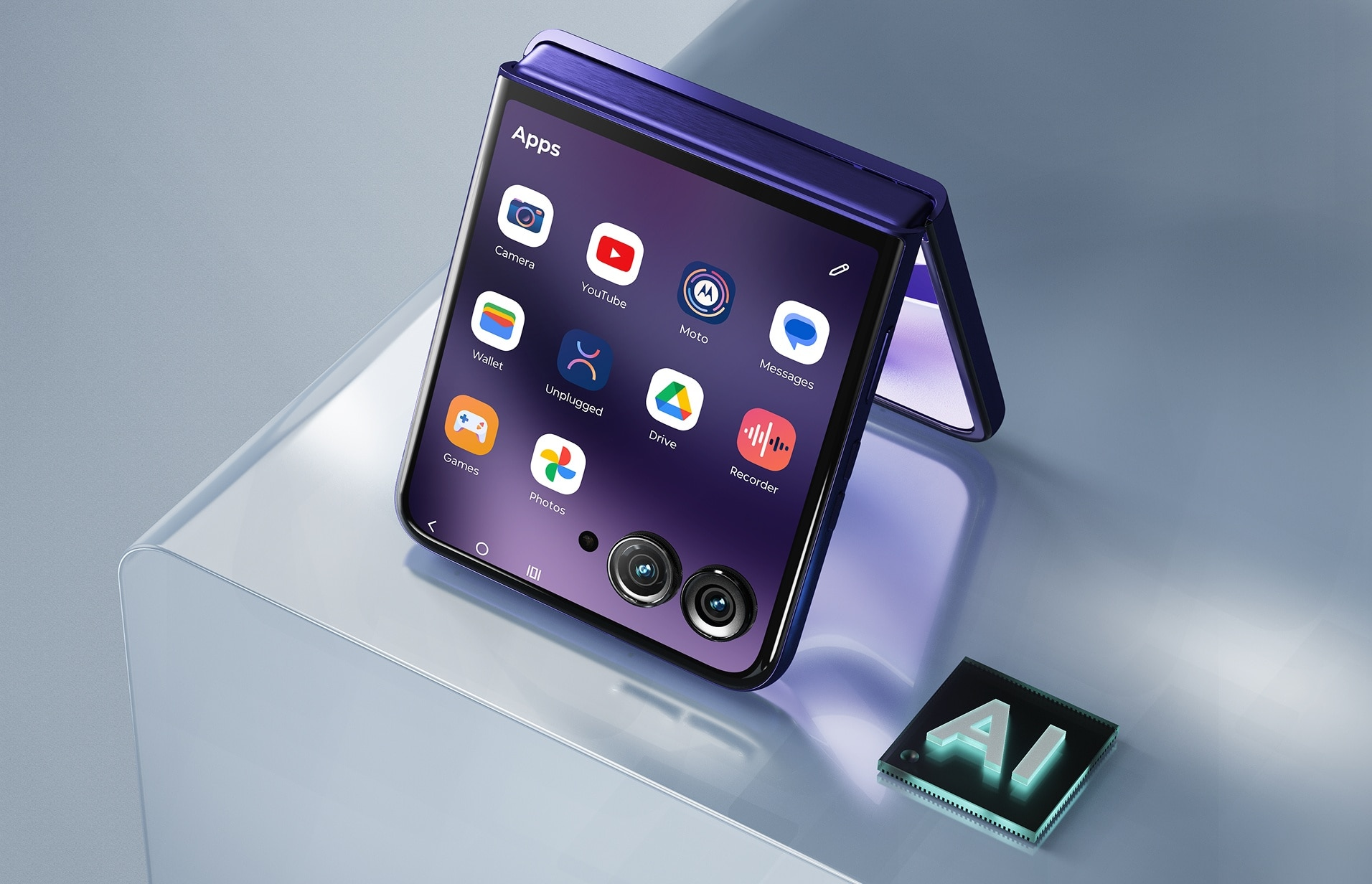
The Motorola Razr Ultra 2026 just got the update that matters most to anyone who compared it to the Samsung Galaxy Z Flip 8 and hesitated. Stable Android 17 began rolling out on October 6 to the $1,499.99 flip phone in the United States, as build vA171WLH.38-19-5 — a 4.1 GB download that closes the software-generation gap that reviewers had been pointing to since Samsung’s rival launched at $300 less with Android 17 pre-installed.
For Razr Ultra 2026 owners, that context matters. When Digital Trends and TechRepublic ran their Galaxy Z Flip 8 vs. Razr Ultra 2026 comparisons, the Samsung device’s advantage of shipping with Android 17 from day one — alongside a lower $1,199.99 starting price — was a named factor in their verdicts. That specific software gap no longer exists as of this week. What remains is the three-year OS update commitment Motorola made on the Razr Ultra 2026, compared to Samsung’s significantly longer support window on the Flip 8 — a difference worth understanding before calling this parity.
The broader significance: Motorola became the first non-Google smartphone maker to launch an Android 17 beta program when it opened enrollment on February 25, 2026 — just twelve days after Google released Android 17 Beta 1 for Pixel devices on February 13. The Razr Ultra 2026’s stable update arriving in early October follows the Motorola Edge 2025 and Motorola Signature, which were among the first non-Pixel phones globally to receive stable Android 17 in August 2026. More than 50 Motorola devices are confirmed for the update.
Live Updates Gets a Camera Cutout Home — Android’s Answer to Dynamic Island
The most visually distinctive change in Android 17’s HelloUI implementation is a repositioning of the Live Updates panel that is harder to describe than it is to notice in practice. Live Updates now lives inside the camera cutout at the top center of the screen, replacing its prior position at the far left of the status bar.
This is a meaningful architectural decision. Apple’s Dynamic Island — introduced on the iPhone 14 Pro in 2022 — repurposed the physical camera notch as an interactive software element, making the hardware constraint a UI feature rather than a flaw. Android 17 formalizes this approach for the broader Android ecosystem, and Motorola’s HelloUI now implements it accordingly, centering live activity indicators — ongoing calls, music playback, timer countdowns, the flashlight — on the camera hardware rather than tucking them into the corner.
Third-party app compatibility with the centered Live Updates has been expanded in Android 17, meaning the feature extends beyond Motorola’s own system functions to outside developers who support the API.
Themed Icons Come to HelloUI — Five Years After Android Added the Option
Motorola’s Android 17 update adds native themed icon support to HelloUI — a feature that Google built into Android 12 in 2021 but that Motorola did not implement until now. Themed icons use Android’s Monet color extraction system to dynamically recolor app icons to match the hue palette drawn from the user’s wallpaper. The practical result: icons that feel visually unified with the home screen rather than appearing as distinct branded elements against a chosen background.
The delay matters as context. Motorola phones have historically run a skin called HelloUI that sits close to stock Android — praised for its low bloat and fast performance but occasionally criticized for falling behind on the cosmetic features that Google has added to Pixel phones over the years. Themed icons were among the most-requested missing features. Android 17 delivers them.
Alongside themed icons, the Android 17 update brings a refreshed 3×3 app grid in HelloUI’s app drawer, removes app title labels for a cleaner look, and adds an option to create folders directly from the drawer. Icons throughout the Settings app have been redesigned to match the Material 3 Expressive visual standard that Android 17 carries to non-Pixel devices for the first time.
Qira AI: Motorola’s Assistant Gets a New Name and New Reach
Motorola’s AI suite — previously marketed under the Moto AI brand — has been renamed Qira with the Android 17 update. The rebrand comes with functional additions. Qira notification summaries feature is the most immediately practical addition: Qira analyzes incoming messages and group chats and condenses them into shorter overviews, letting users catch up on busy threads without opening each conversation.
The phone’s dedicated AI Key, a hardware button added with the Razr Ultra 2026, also gains new flexibility. A newly configurable “Double Press” shortcut can now be remapped to launch the Digital Assistant, Qira specifically, the Pay Attention focus mode, or other actions. Previous builds restricted the double-press to fewer options.
Pause Point: Friction as a Focus Tool
A new productivity feature called Pause Point introduces an intentional delay when a user tries to open an app they have flagged as a distraction. Rather than blocking the app outright, the mechanism briefly suspends the launch — a pause of roughly one to two seconds — giving the user a moment to reconsider whether opening it is what they actually want to do right now. Motorola describes this as an intentional friction mechanism in the app launch stack designed to support healthier digital habits, not a parental control or external content filter. Users designate which apps trigger the pause themselves.
Does Android 17 on Motorola Equal Android 17 on Pixel?
This is the right question to ask about any non-Pixel Android 17 update, and the honest answer for the Razr Ultra 2026 is: mostly, with some distinctions.
Material 3 Expressive — Google’s physics-based animation and adaptive color theming design framework — is structurally present in Android 17 and applies to Motorola’s Settings app, volume controls, and icon rendering. The new volume panel adopts Material 3 Expressive’s thick rectangular slider design. Quick Settings tiles are now resizable. Lock screen personalization options expand to include new clock faces and typography choices.
However, some features that Pixel users have associated with Android 17 are hardware-gated or AI-model-gated and will not necessarily appear identically on Motorola devices. The Razr Ultra 2026 runs a Snapdragon 8 Elite chip with 16 GB of RAM — capable hardware — but feature parity with Pixel 10-series functionality depends on Google’s decisions about which Android 17 capabilities it makes available to OEM partners. Motorola has not published a feature-by-feature equivalency comparison.
What is confirmed in the changelog for this build: Live Updates redesign, Qira AI integration, notification summaries, themed icons, Pause Point, AI Key double-press customization, resizable Quick Settings tiles, new lock screen options, Enhanced HDR Brightness control with adjustable slider, improved haptics throughout the system, and the redesigned Settings page.
What the Gap Still Looks Like After the Update
Android 17 narrows the Razr Ultra 2026 vs. Galaxy Z Flip 8 divide on software generation, but it does not eliminate the other differences that comparison reviewers identified. The Galaxy Z Flip 8 launched at $1,199.99 with Android 17 and One UI 9; the Razr Ultra 2026 launched at $1,499.99 with Android 16 and HelloUI, and is now running Android 17 as of this week. The $300 price gap remains.
The more durable gap is software support commitment. Motorola has promised the Razr Ultra 2026 three years of major OS upgrades and four years of security patches. Samsung has committed to a substantially longer support window on the Galaxy Z Flip 8. If an owner of the Razr Ultra 2026 plans to use the phone for four or five years, Samsung’s commitment means the Galaxy Z Flip 8 — despite its lower price — is likely to receive more future updates. Android Authority noted that this support disparity makes the $1,500 price harder to justify.
For buyers deciding between the two right now, Android 17 on the Razr Ultra 2026 removes one named reason to choose the Galaxy Z Flip 8. The reasons that remain are price, long-term support, and — depending on the user — whether Samsung’s Galaxy AI ecosystem or Motorola’s Qira and HelloUI better suits their workflow.
How to Get Android 17 on Your Razr Ultra 2026
The rollout began October 6, 2026 and is proceeding in phased batches by carrier and region. Not all U.S. owners will receive the update simultaneously. To check whether it has arrived on your device: go to Settings > System > System updates. If the update has not appeared yet, Motorola recommends waiting and checking again over the next several days as the rollout expands.
Before installing: ensure the device is charged to at least 50 percent and connected to a reliable Wi-Fi network before downloading the 4.1 GB package.
Frequently Asked Questions
What is Qira AI on the Motorola Razr Ultra 2026?
Qira is Motorola’s renamed AI assistant — the successor to Moto AI — that ships with Android 17. On the Razr Ultra 2026, it powers notification summaries (condensing long message threads into shorter overviews) and enables deeper customization of the phone’s dedicated AI Key, including a new double-press shortcut that can be mapped to launch Qira directly, among other options. The AI Key hardware was added with the 2026 hardware refresh; Android 17 expands what the button can do.
Does the Android 17 update now make the Motorola Razr Ultra 2026 a better deal than the Samsung Galaxy Z Flip 8?
It depends on what you weight most. The update closes the OS-generation gap — both phones now run Android 17 — but the Galaxy Z Flip 8 still starts at $1,199.99 versus the Razr Ultra 2026’s $1,499.99. Samsung has also committed to a longer software support window than Motorola’s three-year major OS upgrade promise. The Razr Ultra 2026 holds advantages in battery capacity, storage, RAM, and display brightness. The $300 price difference and the support-duration gap are the factors that remain unchanged by this update.
Why did Motorola’s Razr Ultra 2026 launch without Android 17 if Motorola was first to run an Android 17 beta?
The Razr Ultra 2026 launched in May 2026, before Google finalized stable Android 17 for Pixel devices in June 2026. Motorola’s Android 17 beta program — which opened on February 25, 2026, twelve days after Google’s first developer beta — is separate from the stable release. Even though Motorola was first among non-Google OEMs to run beta testing, stable Android 17 was not available for third-party devices to ship on at the time the Razr Ultra 2026 went on sale. Samsung’s Galaxy Z Flip 8, which launched in late July 2026, was able to ship with Android 17 because it launched after the stable OS was available.
What is Pause Point and how does it work on Android 17?
Pause Point is a focus feature new to Motorola’s Android 17 update. When you try to open an app you have designated as a distraction, Pause Point briefly delays the app from launching — creating a short moment of intentional friction rather than blocking the app entirely. You choose which apps trigger the pause. Motorola describes it as a tool to help users reconsider impulse app-opening rather than a strict restriction. The feature operates at the OS level in the app launch stack and does not require parental controls or third-party software to function.
ⓒ 2026 TECHTIMES.com All rights reserved. Do not reproduce without permission.
