


Plaud and Anker’s latest earbuds double as recorders, and one doesn’t even need a smartphone.
Over the last three years, automated note-taking and summarization have emerged as one of the more common uses of AI. Through built-in features in Google Meet, third-party apps like Granola and standalone gadgets like the Plaud Note, it’s fairly easy to hop on a call or take a meeting and never have to worry about taking notes.
For anyone who spends much of their day wearing headphones, wireless earbuds with built-in AI note-taking features seem like they could be a natural fit. Both Plaud and Anker have started exploring earbud-shaped devices that offer access to AI-generated transcriptions, in some cases even supporting a way to get a transcript without a smartphone. How these devices actually convert your audio into text is the same, but how they record does differ in some key ways.
Where audio is being recorded
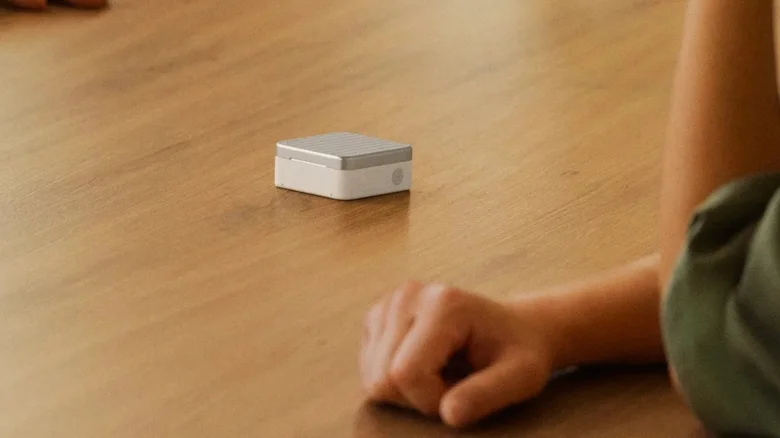
One of the headlining features of Anker’s new Soundcore Liberty 5 Pro Max is its AI Note-Taker, a feature that uses a microphone in the wireless earbuds’ charging case to record audio that Anker then transcribes, summarizes and displays in the Soundcore app. You can start a recording directly from the case using its built-in 1.78-inch AMOLED touchscreen, and interestingly, Anker only relies on the case’s microphone rather than the built-in ones in the earbuds themselves. The company also specifically says it can’t capture audio from video calls and phone calls.
Plaud takes a different approach for the Plaud One, its first pair of wireless earbuds. They’re capable of recording meetings and conversations, just like the company’s other recorders, but they combine two audio sources: the microphones on the earbuds’ charging case and the microphones built into the earbuds. This allows you to set the charging case on a table to capture a meeting or wear the earbuds to capture audio from a video call. One approach isn’t necessarily better than the other, but they do reflect what the headphones were designed for: The Soundcore Liberty 5 Pro Max are a full-featured pair of wireless earbuds that just happen to have an AI feature, while the Plaud One are an AI device that just so happens to also be able to connect to your phone over Bluetooth.
Where audio is being transcribed (and more)
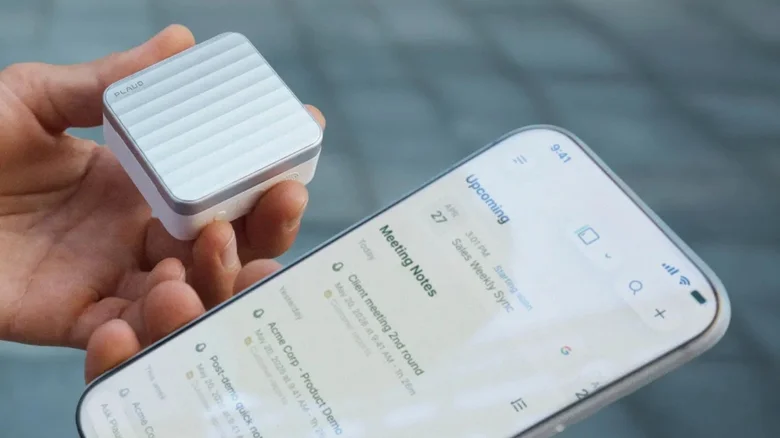
While there are multiple local transcription models that are small enough to run on your laptop or smartphone — Whisper, an open-— they typically aren’t offered by the companies selling these note-taking tools. Instead, after recording audio to your earbuds’ local storage, they then transfer it to the cloud through your smartphone’s internet connection to be transcribed and displayed in a companion app
One reason they might skip local models is to maintain compatibility with as many phones as possible, rather than just the ones that can quickly perform transcriptions locally. Another might be that larger, more demanding transcription models can produce more detailed results and different kinds of outputs (companies seem to love the idea of making mind maps). Since cloud backups are often one of the perks of paying for a recording device, sending audio to be transcribed at the same time as you’re backing it up makes sense. All of these benefits also help justify paying for a subscription.
Regardless of why AI devices favor this cloud approach, it does mean you have to wait to transcribe your meetings, conversations or classes until you have an internet connection. Or you could use the Plaud One, which supports 4G LTE and doesn’t need a cellular contract to use (availability will vary from region to region). Plaud says cellular connectivity comes with the Plaud One, though it says details on a “future plan” will be shared separately.
Transcribing audio isn’t entirely free
Actually converting the audio you record into summaries, transcripts and other useful documents also comes at a cost. Prices vary depending on the company, and how often you plan on transcribing, summarizing or otherwise generating things with your audio.
In the case of the Soundcore Liberty 5 Pro Max, Anker’s free Starter Plan covers 120 minutes of transcription time per month for 24 months and includes 10,000 minutes of cloud storage. If you run through that, the company also sells a Pro plan that adds an additional 1,200 minutes of transcription time per month and unlocks unlimited storage for $16 per month, $70 every six months or $100 per year. The Unlimited plan gets you unlimited transcriptions and unlimited storage for $240 per year.
The Plaud One comes with a Plaud Starter Plan that includes 300 transcription minutes per month and $200 worth of Plaud tokens, which are used for the earbuds’ agentic AI capabilities. Beyond that, you can pay for an $18-per-month Pro plan that gives you 1,200 minutes of transcription time every 30 days, or a $30-per-month Unlimited plan that gives you unlimited transcription minutes. If you burn through all of those, the company also sells extensions in 600, 3,000 and 6,000 minute packages for $13, $60 and $100, respectively.
Privacy is still an open question
Being able to capture audio recordings without a person’s consent or knowledge is a concern that comes built into these AI recording devices. That they sometimes include an easy way to immediately upload those recordings for transcription only makes that concern more pressing. Plaud and its competitors emphasize the security of their cloud infrastructure and their methods for transferring audio to the cloud, but that doesn’t account for a user’s actions.
In one-party consent states where laws allow for audio to be captured even if only one person is aware they’re being recorded, the Liberty 5 Pro Max and Plaud One can be used without issue, provided you’re actually participating in the conversation you’re recording. All-party (sometimes called two-party) consent states make legally using a recording device more involved. That doesn’t make either Anker’s or Plaud’s wireless earbuds bad, but it does put the legal burden on the person wearing them.
