Close Menu
MyAppsPlus

    Subscribe to Updates

    Get the latest creative news from FooBar about art, design and business.

    What's Hot

    A perfect gift for just about anyone at up to $190 off

    November 17, 2026

    Apple’s buggy HomeView launch is making Google Home look good

    November 17, 2026

    Google’s new ‘Fast Switch’ feature leaks, lets you use one number on two Android phones

    November 17, 2026
    Facebook X (Twitter) Instagram
    Facebook X (Twitter) Instagram
    MyAppsPlusMyAppsPlus
    Tuesday, November 17
    • Home
    • Breaking Tech
    • Apps & Software
    • AI & Automation
    • Android
    • iPhone & iOS
    • More
      • Reviews
      • How-To Guides
      • Deals & Discounts
      • Shop
    MyAppsPlus
    Home»Breaking Tech»How to clean up your iCloud storage to free up space
    Breaking Tech

    How to clean up your iCloud storage to free up space

    myappsplusBy myappsplusNovember 17, 2026023 Mins Read
    Share Facebook Twitter Pinterest Copy Link LinkedIn Tumblr Email Telegram WhatsApp
    Follow Us
    Google News Flipboard
    How to clean up your iCloud storage to free up space
    Share
    Facebook Twitter LinkedIn Pinterest Email Copy Link

    A few settings changes can stop your iCloud from filling up again.

    Apple doesn’t give you very much iCloud storage when you purchase one of its products, and no matter how many of its devices you buy, you never get more than a stingy 5GB. Since almost everything you sync or back up with Apple shares that space, how do you free up space once iCloud gets full?

    That space is occupied by all your photos, videos, backups, mail, mail attachments, data from apps like Messages and Notes, the contents of your iCloud Drive and some third-party app data — even images stored in Shared Albums, which began to count against your storage with iOS 27.

    You can upgrade your iCloud subscription from just $0.99 a month for 50GB, but deleting costs nothing. You can delete data held in files, photos, app backups, voice memos and everything else, either on your Apple device ore after a 30-day delay. Keep in mind that anything you remove from any of your apps, including photos and videos, will disappear across all your devices

    The fastest ways to free up iCloud storage
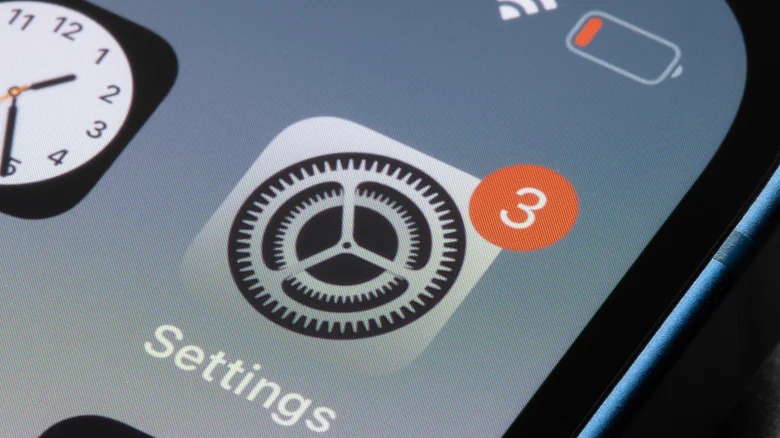
    An iPhone showing the Settings icon on the home screen.

    You can check how much storage is being used and by what in iCloud Settings on your device or on the iCloud website. Go to Settings > [Your Name] > iCloud. Then click Manage (on Mac) or tap Storage (on iOS) to reach the storage management section. Note that on a Mac, Settings is called System Settings.

    Here you can review a list of all the apps taking up storage space, ranked by size. You’ll usually find Photos, Mail, Backups, iCloud Drive and Messages at the top of the list. It is also worth scrolling down to see if there are any apps you no longer use, taking up this precious space.

    Here are five of the fastest ways to free up iCloud storage:

    1. Open Settings > [Your Name] > iCloud > Storage > Recommended for You for suggestions to manage your storage.
    2. Open Photos and explore your video collection, deleting those you don’t need, as video takes up more space than still images.
    3. Open Messages Settings and change KeepMessages to 30 Days or 1 Year. Your devices will delete older messages and shared video to save space.
    4. Open Settings > [Your Name] > iCloud > Storage > Backups and delete old backups for devices you no longer own or use.
    5. Tap See All beside the Saved to iCloud item in Settings to toggle apps you don’t use to Off. This may affect how the apps work, so check before you try this.

    Managing the real space invaders in iCloud
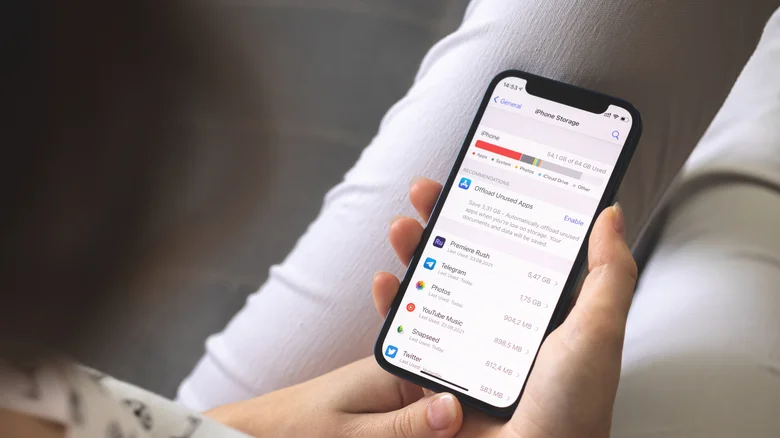
    An iPhone displaying the iPhone Storage screen.

    Photos and Mail are usually the biggest space hogs, so start there. To manage your Photos, ts in iCloud Settings, then Manage Storage. You’ll see how many photos and videos you have synced with iCloud and find tools Apple provides to get rid of duplicates

    Another option is to transfer your iCloud photos to Google for image archiving or use an external HDD or SSD drive. iCloud Mail also counts toward your storage, so delete large attachments and empty your Trash, Junk and Deleted messages frequently.

    One final step: check the Recently Deleted folders in Photos, Mail, iCloud Drive and Notes frequently, as these hold items for about 30 days once you delete them. This lets you rescue items you deleted by mistake, but also means your storage remains full.

    If you find items you want to delete in those folders, select them and tap Delete to override the delay.

    Apple clean iCloud storage Your
    Follow on Google News Follow on Flipboard
    Share. Facebook Twitter Pinterest LinkedIn Tumblr Email Copy Link
    myappsplus
    • Website

    Related Posts

    Apple’s buggy HomeView launch is making Google Home look good

    November 17, 2026

    Apple memory supplier expects price increases through at least 2030

    November 17, 2026

    Uber Eats starts drone deliveries in Texas

    November 17, 2026
    Add A Comment
    Leave A Reply Cancel Reply

    Top Posts

    UiPath Launches AI Coding Agent, Integrates Claude Code and Codex to Target Development Automation

    November 16, 202638 Views

    Google’s new AI shopping cart tracks deals across stores

    October 25, 202631 Views

    Save on your groceries, gas, and holiday shopping with this $15 BJ’s membership (Reg. $60) 

    November 4, 202630 Views
    Latest Reviews

    Google to invest $15 billion in AI infrastructure in Finland, its largest single investment in Europe

    myappsplusSeptember 9, 2026

    The first and latest Star Wars films are coming to IMAX 70mm in 2027

    myappsplusSeptember 9, 2026

    AAPL Stock Has Mostly Struggled On iPhone Launch Days: Can John Ternus ‘Fold’ Apple Towards Better Days?

    myappsplusSeptember 9, 2026
    Stay In Touch
    • Facebook
    • YouTube
    • TikTok
    • WhatsApp
    • Twitter
    • Instagram

    Subscribe to Updates

    Get the latest tech news from FooBar about tech, design and biz.

    Most Popular

    Everything announced during Nintendo Direct

    September 9, 20260 Views

    Get it for $600 at Staples

    September 9, 20260 Views

    iPhone Duo is official — price, release date, specs, and everything you need to know

    September 9, 20260 Views
    Our Picks

    A perfect gift for just about anyone at up to $190 off

    November 17, 2026

    Apple’s buggy HomeView launch is making Google Home look good

    November 17, 2026

    Google’s new ‘Fast Switch’ feature leaks, lets you use one number on two Android phones

    November 17, 2026

    Subscribe to Updates

    Subscribe to our newsletter and get the latest tech news, app updates, AI trends, smartphone reviews, and exclusive deals delivered straight to your inbox.

    Facebook X (Twitter) Instagram Pinterest
    • About Us
    • Get In Touch
    • Disclaimer
    • Privacy Policy
    • Terms & Conditions
    © 2026 MyAppsPlus. All Rights Reserved.

    Type above and press Enter to search. Press Esc to cancel.