Close Menu
MyAppsPlus

    Subscribe to Updates

    Get the latest creative news from FooBar about art, design and business.

    What's Hot

    Galaxy S26 owners could get their first taste of One UI 9.5 today

    November 18, 2026

    Samsung’s upcoming Daily Briefing feature could take the hassle out of setting reminders

    November 18, 2026

    Apple Pay, Music, iCloud and more not working in major outage

    November 18, 2026
    Facebook X (Twitter) Instagram
    Facebook X (Twitter) Instagram
    MyAppsPlusMyAppsPlus
    Wednesday, November 18
    • Home
    • Breaking Tech
    • Apps & Software
    • AI & Automation
    • Android
    • iPhone & iOS
    • More
      • Reviews
      • How-To Guides
      • Deals & Discounts
      • Shop
    MyAppsPlus
    Home»Breaking Tech»Apple adds new disk controls to prevent AI agents from running amok
    Breaking Tech

    Apple adds new disk controls to prevent AI agents from running amok

    myappsplusBy myappsplusNovember 17, 2026002 Mins Read
    Share Facebook Twitter Pinterest Copy Link LinkedIn Tumblr Email Telegram WhatsApp
    Follow Us
    Google News Flipboard
    Apple adds new disk controls to prevent AI agents from running amok
    Share
    Facebook Twitter LinkedIn Pinterest Email Copy Link

    Mac users will be warned of the risks of granting AI full disk access.

    After sounding an alarm about the issue last month, Apple is taking steps to limit Mac disk access to AI agents, the company announced on its developer blog. In its latest macOS beta, Apple introduced controls to ensure that users will need to take “very explicit” actions to grant apps like ChatGPT, Claude and Gemini “this extraordinary level of [full disk] access.” 

    The issue rose to prominence in September, when Inc. columnist Jason Aten noticed that Meta’s Muse Mac app was able to access his messages even though he thought he had denied that permission. Meta argued that Aten must have granted access, saying the feature is entirely opt-in, but the incident caught Apple’s eye. “Some developers are using Full Disk Access in ways that could put users at risk, exposing everything on their systems — including files, mail, messages, and even browsing history — without users’ full knowledge and understanding,” Apple wrote.
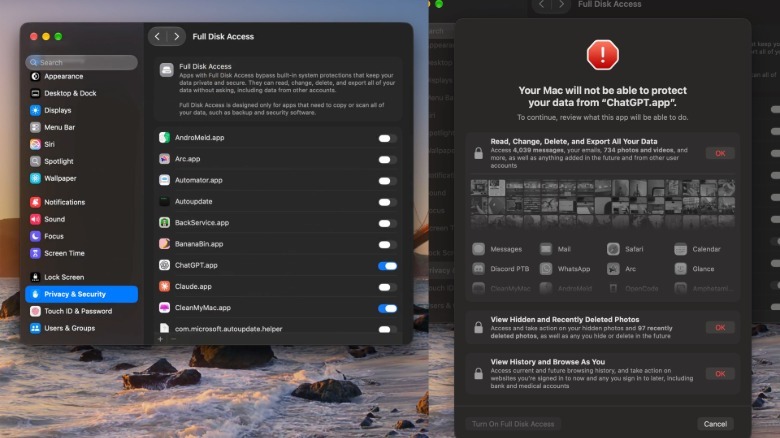
    Apple's new scare screens are shown for full disk access approval

    Apple vowed to address the issue with new disk controls. As screen grabs from X user @madeby_ldt show, Apple’s Full Disk Access setting now requires explicit permissions to be granted from a scary-looking pop-up screen. It states, “Your Mac will not be able to protect your data from [your desired AI app],” and forces you to review and OK the actions it will be able to take. Those include “Read, Change, Delete and Export all your Data,” “View Hidden and Recently Deleted Photos,” and “View History and Browser as You.” 

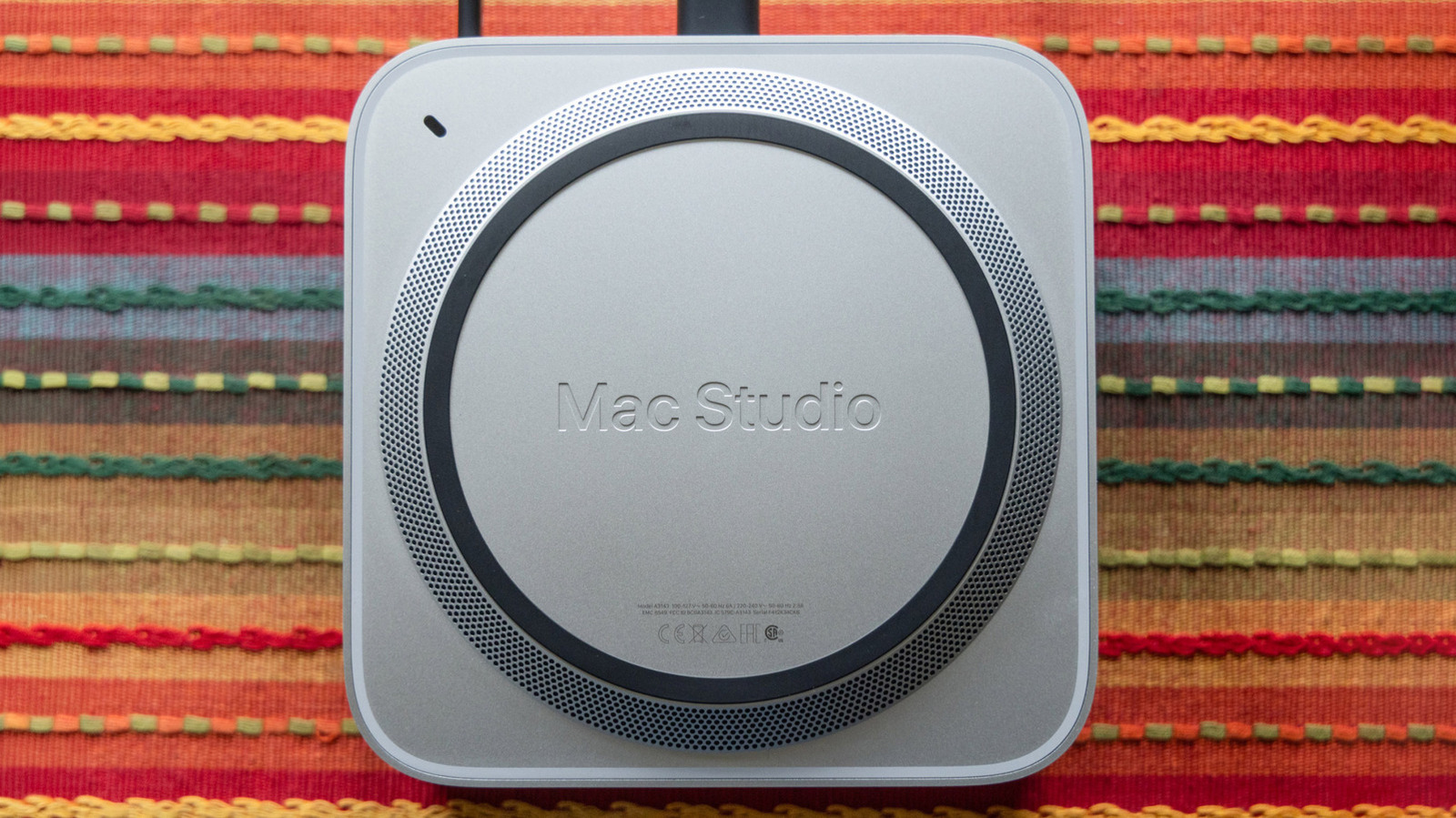
    The new controls won’t stop users from granting AI agents access to your files, but it should give them pause. If one of those AI agents goes rogue — which is something we’ve seen before — they could potentially leak or misuse your private data. Stopping this is key for Mac models like the Studio that Apple is specifically marketing for local AI models and agents. 

    “As AI agents become increasingly capable and autonomous, the risks associated with this level of access will grow substantially. We are committed to ensuring users clearly understand these risks before granting such access, so they can make informed decisions about their own data and privacy,” Apple said last month. The new feature is now out on macOS 27.3 beta 2, but there’s no word on when it will be released to all users. 

    adds AI Apple controls Disk
    Follow on Google News Follow on Flipboard
    Share. Facebook Twitter Pinterest LinkedIn Tumblr Email Copy Link
    myappsplus
    • Website

    Related Posts

    Apple Pay, Music, iCloud and more not working in major outage

    November 18, 2026

    Your flight might get canceled — use these 7 ChatGPT prompts to build a backup travel plan

    November 18, 2026

    Microsoft says its new AI coding model rivals Claude Opus 5.5 at 5% of the cost

    November 18, 2026
    Add A Comment
    Leave A Reply Cancel Reply

    Top Posts

    UiPath Launches AI Coding Agent, Integrates Claude Code and Codex to Target Development Automation

    November 16, 202640 Views

    The pros and cons of using your phone as a mobile hotspot

    November 16, 202634 Views

    Google’s new AI shopping cart tracks deals across stores

    October 25, 202631 Views
    Latest Reviews

    Modern laptops ditched disc drives — this $39 Dell DW316 USB-powered DVD-RW writer brings them back

    myappsplusSeptember 9, 2026

    Apple CEO John Ternus says the best AI device is still the iPhone

    myappsplusSeptember 9, 2026

    Best reveals from today’s Nintendo Direct: New Kirby, Metroid Ravenous, GameCube, more

    myappsplusSeptember 9, 2026
    Stay In Touch
    • Facebook
    • YouTube
    • TikTok
    • WhatsApp
    • Twitter
    • Instagram

    Subscribe to Updates

    Get the latest tech news from FooBar about tech, design and biz.

    Most Popular

    iPhone Duo is official — price, release date, specs, and everything you need to know

    September 9, 20260 Views

    Apple’s iPhone Duo foldable has the same IP68 protection as Pixel Fold

    September 9, 20260 Views

    Samsung, take note: iPhone Duo supports stylus input better than any Galaxy Fold

    September 9, 20260 Views
    Our Picks

    Galaxy S26 owners could get their first taste of One UI 9.5 today

    November 18, 2026

    Samsung’s upcoming Daily Briefing feature could take the hassle out of setting reminders

    November 18, 2026

    Apple Pay, Music, iCloud and more not working in major outage

    November 18, 2026

    Subscribe to Updates

    Subscribe to our newsletter and get the latest tech news, app updates, AI trends, smartphone reviews, and exclusive deals delivered straight to your inbox.

    Facebook X (Twitter) Instagram Pinterest
    • About Us
    • Get In Touch
    • Disclaimer
    • Privacy Policy
    • Terms & Conditions
    © 2026 MyAppsPlus. All Rights Reserved.

    Type above and press Enter to search. Press Esc to cancel.