

Get a handle on how your diet is affecting your overall health.
For those keeping a close eye on their health goals, the Google Health app pairs seamlessly with Fitbit trackers and Google Pixel smartwatches. The Google Health Premium subscription tier offers many upgrades to really hone in on daily intake and activity goals, such as food and hydration tracking.
It’s not necessarily a unique feature. Many fitness tracker companion apps offer nutrition logging, including Oura and Garmin. There are also popular third-party apps like MyFitnessPal that have food logging capabilities. But Google Health Premium’s version is incredibly intuitive, versatile and will actually make you more inclined to use it.
We live in a day and age where everything is all about protein. Are you getting enough protein? Does this yogurt, bread or bar have sufficient protein to help you meet your daily goals? Not only that, but we’re also counting carbs, calories and fat, and trying to calculate whether we’re eating in a deficit and meeting or exceeding goals. This sorely underrated feature of the Google Health app is one of the best upgrades with Google Health Premium that you probably aren’t using yet.
Logging meals is incredibly simple
Christine Persaud for Engadget
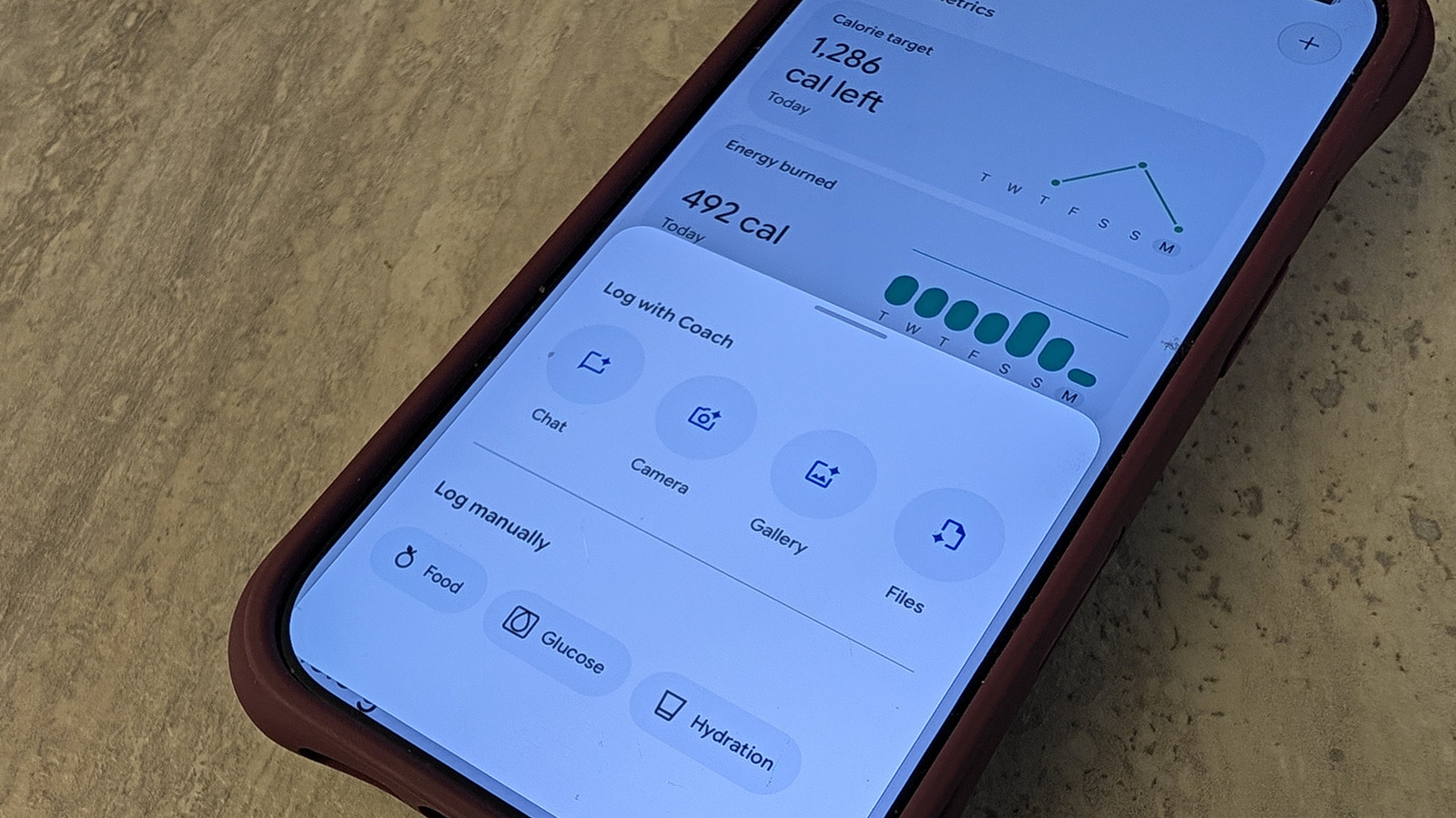
Once you sign up for Google Health Premium, available at $9.99 per month or at no extra charge through a Google One subscription, it unlocks a Nutrition section under the Health tab of the app. Here, you can see data like your calorie target (based on gender, age, height, weight, and average activity) and caloric burn and intake. It knows how many calories you burned based on steps, activity, and heart rate logged from a companion tracker or smartwatch. But how does it know how much you consumed? That’s up to you to log.
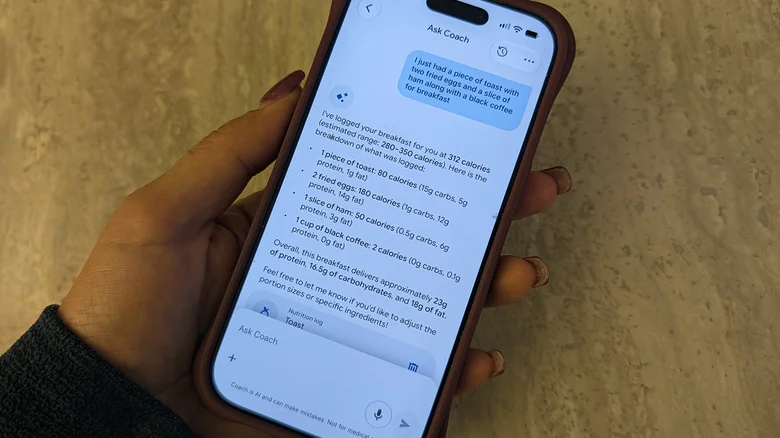
There are several ways you can log a meal. Tap the “+” sign at the top right of the Nutrition card, tap the “+ Log” button under your daily summary on the Today tab, or select Food & Drink if it’s within those customizable tabs. You can also select the Ask Coach assistant and type or speak details of the meal.
It’s incredibly simple. Describe the meal (say “I had a coffee, banana, and coconut yogurt”) or use a barcode scanner on each ingredient. The most convenient option? Just take a photo. Use that photo you were going to upload to social media anyway and upload it to the app. Alternatively, you can take one right from the app. It intelligently analyzes and identifies the dish, then calculates data from the ingredients. You can even snap a photo of a packaged item, like a box of cereal or protein bar, and watch it calculate the nutritional content accordingly.
If necessary, you can modify details as needed. Maybe you want to clarify that your Caesar salad has light dressing, for example, or that you only ate half a portion.
The nutritional information you get is so helpful
Logging is great, but what can you do with all this information? The more you log, the more helpful the data is. Working alongside a tracker like the Fitbit Air or Fitbit Edge, it can determine patterns. It may determine that you don’t sleep well when you have caffeine or a heavy meal late at night. Perhaps you have more energy in workouts with a bigger breakfast. It can also provide recommendations on what to eat to stay within your caloric recommendations or meet your protein goals.
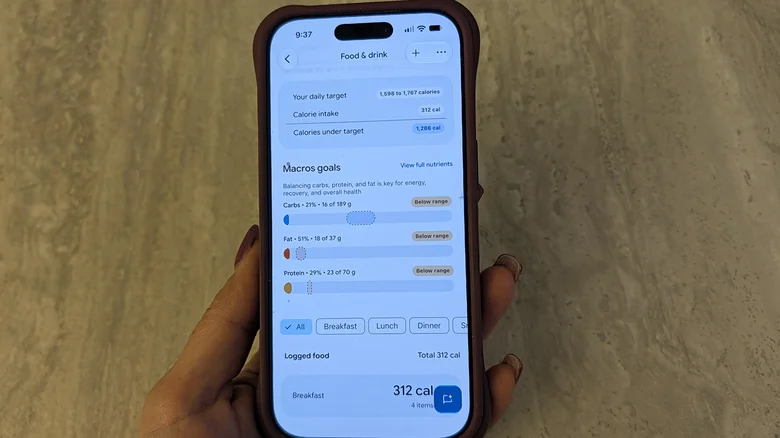
In the summary page for each day, you’ll see an ongoing calculation of how many calories you have left to consume to either reach your target or remain in a caloric deficit in relation to how many calories you have burned. You’ll also see macro goals, calculated from the meals you have logged. This includes carbs, fat, and protein. It advises where you should be for each and what percentage of that you’re at.
Like any food logging app, it takes diligence to remember to add everything you consume, from your morning coffee to your afternoon snack or the cup of popcorn you snuck in at night. But it’s so easy to do this by snapping photos or speaking to Ask Coach. You could sit down at night and dictate your entire day’s worth of meals so it’s all logged at once (and check if there’s space in your calorie goals for that evening glass of wine). It’s so easy to do on the fly, and one of the most underrated Google Health Premium features you should be using.
