Close Menu
MyAppsPlus

    Subscribe to Updates

    Get the latest creative news from FooBar about art, design and business.

    What's Hot

    Don’t throw away your old TV – Here’s what to do instead

    November 15, 2026

    Early Apple Watch Black Friday Deals Arrive With Series 12 Hitting New Record Lows

    November 15, 2026

    The iPhone 18 Pro’s C2 modem has transformed my terrible signal

    November 15, 2026
    Facebook X (Twitter) Instagram
    Facebook X (Twitter) Instagram
    MyAppsPlusMyAppsPlus
    Sunday, November 15
    • Home
    • Breaking Tech
    • Apps & Software
    • AI & Automation
    • Android
    • iPhone & iOS
    • More
      • Reviews
      • How-To Guides
      • Deals & Discounts
      • Shop
    MyAppsPlus
    Home»iPhone & iOS»Your iPhone has a built-in barometer — Here’s how to use it
    iPhone & iOS

    Your iPhone has a built-in barometer — Here’s how to use it

    myappsplusBy myappsplusNovember 14, 2026004 Mins Read
    Share Facebook Twitter Pinterest Copy Link LinkedIn Tumblr Email Telegram WhatsApp
    Follow Us
    Google News Flipboard
    Your iPhone has a built-in barometer — Here’s how to use it
    Share
    Facebook Twitter LinkedIn Pinterest Email Copy Link

    Feeling a little under pressure? Your iPhone can measure that.

    Since Apple introduced the iPhone 6 and 6 Plus in 2014, most iPhones have included a built-in barometer. The first-generation iPhone SE didn’t get the memo, apparently, and is an exception. Apple explained its inclusion as a means of determining relative elevation changes. Without diving too deeply into atmospheric science, iPhones with barometers detect your elevation based on current barometric pressure. The higher up you travel, the lower the pressure, which your iPhone translates into an approximate elevation reading.

    Barometric pressure is essentially the force exerted by the air above you. Air molecules have mass, and the more air above you, the more pressure is exerted on you. It’s useful information for determining elevation, but to be clear, barometric pressure also changes with the weather. By itself, the sensor can’t tell if falling pressure means you’re scrambling up a mountain or if storm clouds are rolling in. Apps have to depend on more information, like GPS altitude and local weather station data.

    While your phone has all that data to play with, it’s not immediately clear how you, as the owner, can take advantage of it.

    Why does Apple include a barometer without a dedicated barometer app?

    A standalone app was never the purpose of including the barometer in the first place, nor is that the case today. It’s a contributing feature in most respects, filling in data gaps that other sensors can’t determine. For instance, motion activity, including elevation changes, is used in the Health app for step counting and stair climbing. Similarly, your iPhone’s barometer provides a measurement that other software can use to track elevation changes and determine your location.

    Though Apple hasn’t offered a dedicated barometer app, it does allow developers access to pressure and altitude information through Core Motion. They can take that information and build it into fitness and outdoor apps where it will continue to contribute in the background.

    It’s also worth noting that Apple’s Weather app doesn’t use the built-in barometer either. Instead, it pulls information from external weather data sources. If you see a barometric pressure reading in the Weather app, that information is not coming from the iPhone’s barometer.

    How to check barometric pressure on an iPhone
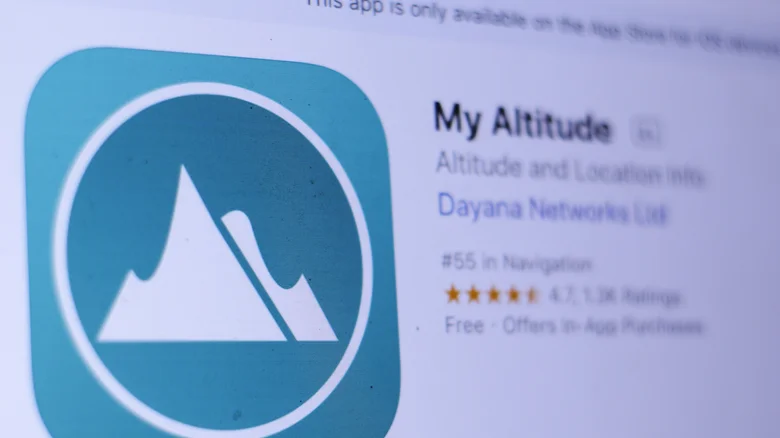
    Close-up picture of the My Altitude App from Dayana Networks Ltd.

    To view measurements directly from, say, your new iPhone 18, you’ll need an app that explicitly supports the built-in pressure sensor rather than pulling from outside data. App descriptions should lay out all of their sources, so you can easily verify if it’s using the built-in barometer or third-party data.

    Barometer & Altimeter & Thermo is a solid option, and it says right there in the description box that it uses the iPhone’s built-in barometer. It also uses GPS and weather station information for calibration. It’s a free app to download, but like most free apps, you’ll have to watch a few commercials and build up a little pressure in your skull while awaiting the results. The listing as of November 2026 requires iOS 13 or later, so as long as you’re not rocking an iPhone 5 from the dinosaur era, you should be fine.

    Another option is My Altitude, which also lists that it uses on-device sensors by default when available. Despite misspelling “see” level in its description, it carries a 4.8 overall rating from 27,000 ratings. The free version includes adverts, because of course it does, with in-app purchases to remove them.

    Whichever app you go with, take note of the pressure reading before and after walking up a flight of stairs. Then return to the same spot and check weather-related barometric pressure readings so you can compare the two. Just a fun little comparison task to run. Just don’t confuse pressure changes caused by storms or rapidly clearing skies with changes in your current elevation.

    barometer builtin Heres iPhone Your
    Follow on Google News Follow on Flipboard
    Share. Facebook Twitter Pinterest LinkedIn Tumblr Email Copy Link
    myappsplus
    • Website

    Related Posts

    Don’t throw away your old TV – Here’s what to do instead

    November 15, 2026

    Early Apple Watch Black Friday Deals Arrive With Series 12 Hitting New Record Lows

    November 15, 2026

    The iPhone 18 Pro’s C2 modem has transformed my terrible signal

    November 15, 2026
    Add A Comment
    Leave A Reply Cancel Reply

    Top Posts

    Save on your groceries, gas, and holiday shopping with this $15 BJ’s membership (Reg. $60) 

    November 4, 202629 Views

    Google’s new AI shopping cart tracks deals across stores

    October 25, 202628 Views

    5 Best Smartphone Deals Under Rs 30,000 On Amazon And Flipkart

    October 30, 202623 Views
    Latest Reviews

    Apple faces new UK rules over nude images on children’s iPhones

    myappsplusSeptember 8, 2026

    Everything revealed at Zelda Direct: Ocarina of Time pre-order deal, release date, new Switch 2, more

    myappsplusSeptember 8, 2026

    Google has deployed a fix for YouTube’s blank screen problems

    myappsplusSeptember 8, 2026
    Stay In Touch
    • Facebook
    • YouTube
    • TikTok
    • WhatsApp
    • Twitter
    • Instagram

    Subscribe to Updates

    Get the latest tech news from FooBar about tech, design and biz.

    Most Popular

    Apple faces new UK rules over nude images on children’s iPhones

    September 8, 20260 Views

    GL.iNet Beryl 7 review: This Wi-Fi 7 travel router saved my holiday connecting 5 iPads, a laptop, and a couple of phones

    September 8, 20260 Views

    69% of Americans oppose local AI data centers in 2026 poll — Trump blasts blocking communities on Truth Social for choosing poverty over server farms, throwing off ‘tremendous amounts of money’

    September 8, 20260 Views
    Our Picks

    Don’t throw away your old TV – Here’s what to do instead

    November 15, 2026

    Early Apple Watch Black Friday Deals Arrive With Series 12 Hitting New Record Lows

    November 15, 2026

    The iPhone 18 Pro’s C2 modem has transformed my terrible signal

    November 15, 2026

    Subscribe to Updates

    Subscribe to our newsletter and get the latest tech news, app updates, AI trends, smartphone reviews, and exclusive deals delivered straight to your inbox.

    Facebook X (Twitter) Instagram Pinterest
    • About Us
    • Get In Touch
    • Disclaimer
    • Privacy Policy
    • Terms & Conditions
    © 2026 MyAppsPlus. All Rights Reserved.

    Type above and press Enter to search. Press Esc to cancel.