

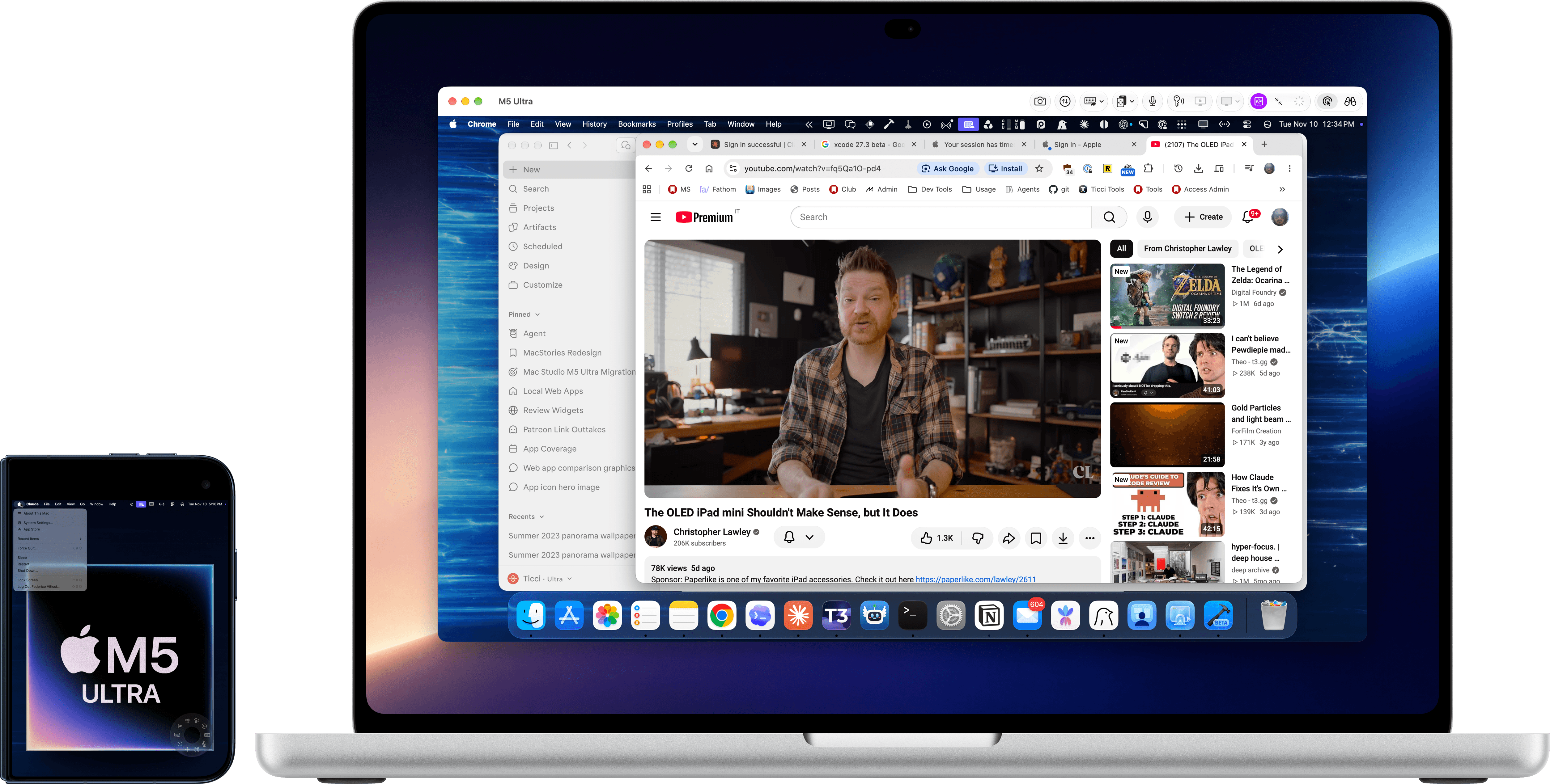
Last year, I was talking to an Apple engineer at WWDC and they asked me which features I was still missing from iPadOS following the massive update that was iPadOS 26 and its complete rethinking of multitasking, among other updates. Without hesitation, I replied that for iPadOS to be effective in my new kind of AI workflow, I still needed two niche features that would help me – and others like me – work better with agents: a Terminal, for running agents locally on iPad, and the Screen Sharing app they’d updated on macOS a few years prior in macOS Sonoma, for connecting to agents remotely.
I knew that the second part of the answer would catch them by surprise. “What do you mean the Screen Sharing app?” As I reminded them, a few years before, Apple’s macOS team added a High Performance mode to the Screen Sharing app that is built into every Mac. That feature is awesome: it requires a high-speed network with low latency, plus a modern Mac with Apple silicon; if these requirements are met, it kicks off a remote desktop session that is basically “fancy VNC” that has vastly superior image quality, low-latency interactions, and “supports stereo audio, HDR video reference mode, 4:4:4 chroma subsampling, and high frame rates (30 or 60 fps)”. You can read more about it here; John reviewed it at the time here.
You see, rumor has it that Apple created High Performance mode for the Vision Pro (which was also announced in 2023) as the underlying technology for Mac Virtual Display, which is, arguably, the best feature of the Vision Pro to date. In the process, however, they realized that the mode was also useful for Mac-to-Mac connections, and so they added it to the semi-forgotten Screen Sharing app, thus turning an abandoned utility into the best-performing remote desktop client for Mac.
I’ve been using Apple’s Screen Sharing app almost exclusively (I still used Jump Desktop for connecting to my gaming PC) for the past two years since I started running coding agents first on a Mac mini, then on a fleet of Mac Studios. Nothing came even close to the speed, stability, and image quality of Apple’s High Performance mode when I wanted to connect from my MacBook Pro to the Mac Studio running Claude Code and Codex. Hence why I brought this up in my private conversation with the aforementioned Apple engineer: in an agentic world that involved remote Macs doing the work behind the scenes, and assuming Apple didn’t want to put a Terminal on iPadOS, it would have been nice to at least have a Screen Sharing app of matching quality on the platform.
Well: I can stop wishing for that. In a surprising turn of events, Edovia’s Screens – the app that started it all for me when I first covered it 16 years ago (welp) – has become, to the best of my knowledge, the first third-party VNC client for Apple platforms to support the same High Performance mode used by Apple.
And, as you can imagine, this mode is awesome in Screens too. And because Screens is on the iPhone and iPad, too, in addition to the Mac and Vision Pro, it means we finally have a way to connect to a remote Mac (with support for multiple virtual displays, also new in this release) with the same quality and performance as the Screen Sharing app for Mac, but from iOS and iPadOS. In my tests for the past week with Apple’s and Edovia’s apps side by side, I couldn’t tell a meaningful difference between the two in terms of image quality and performance. Even better: the updated Screens app does not require any additional software to be installed on your Mac to take advantage of the new performance mode. Since it’s using the official Apple technology for this, all you need to do is – just like in the Screen Sharing app – pick between Standard and High Performance mode upon connecting.
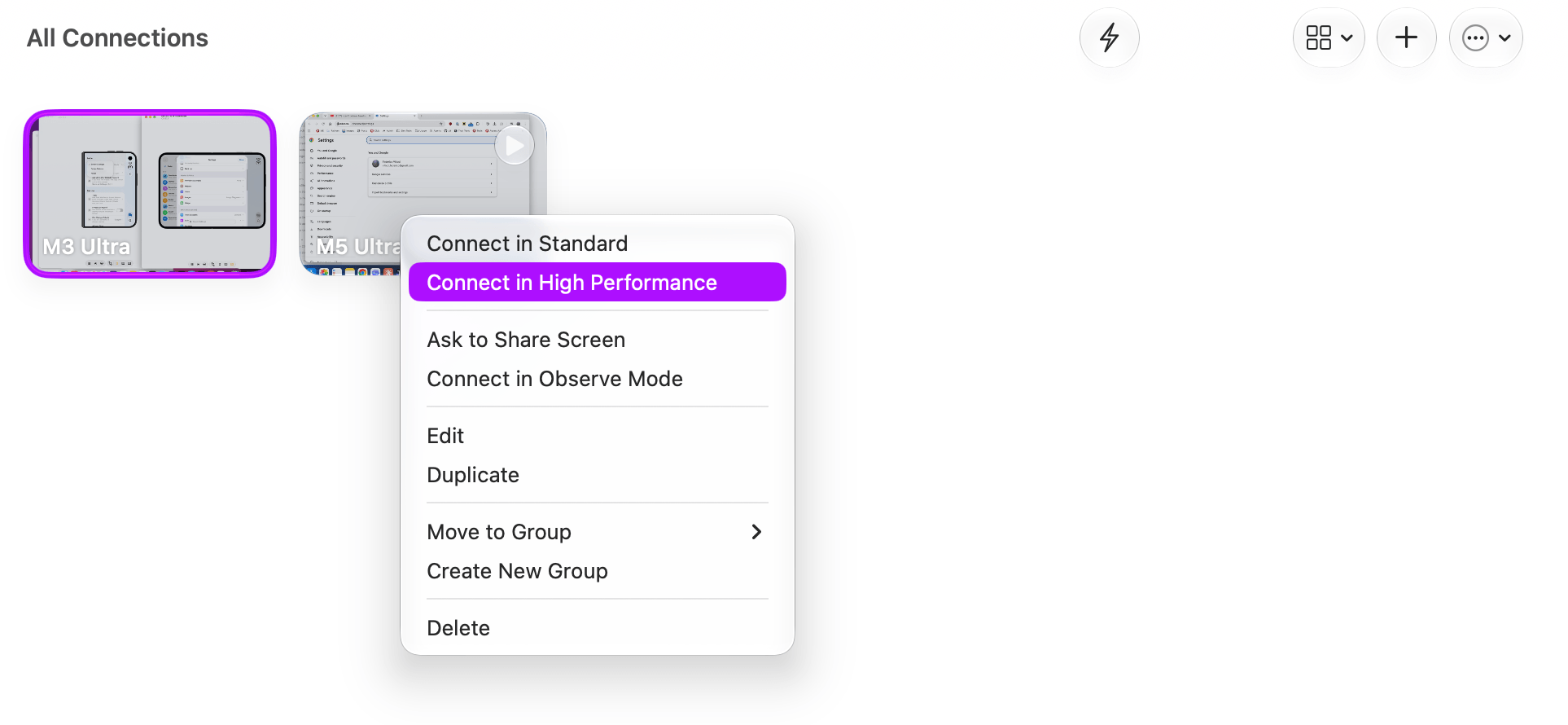
Connecting in High Performance mode.
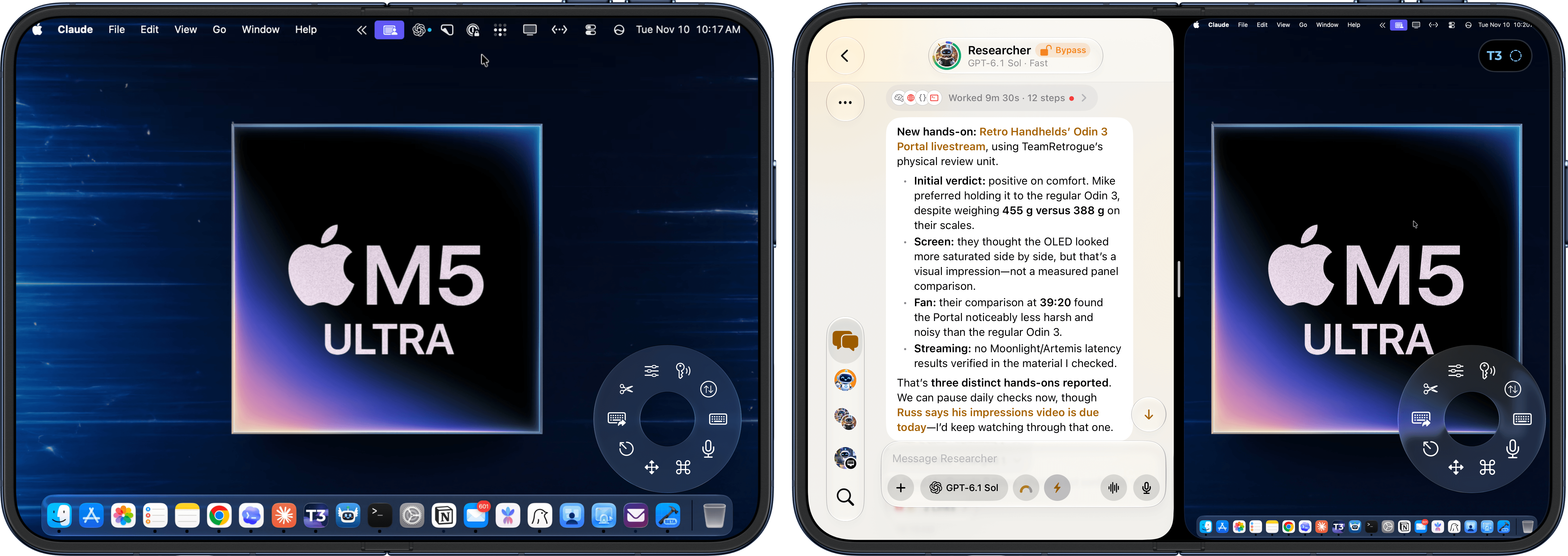
Multitasking with Screens on iPhone Duo (right).
There is, however, a lot more going on behind the scenes in Screens 5.10 that made this update possible. One of the benefits of High Performance mode is that it can dynamically scale the resolution of the host Mac to match the display that’s connecting to it. This means that, at long last, Screens will resize the Mac’s desktop to match the resolution of the display you’re using with no more constant panning and zooming to navigate around black bars shown around the macOS UI. If you’re connecting from a Mac laptop, you’ll get a widescreen desktop in full resolution. Using an iPhone Duo’s outer display? You’ll get a tiny Mac desktop instead that is, however, perfectly usable in my experience for quick tasks (such as approving agent prompts). Open up the Duo, or use an iPad, and Screens will automatically resize to match the larger canvas. It all just works and it takes a couple of seconds on a fast connection to resize. We’ve seen this feature in other apps before (such as Jump Desktop and Sill, which I covered last week), and it’s great to see Screens catch up in this regard.
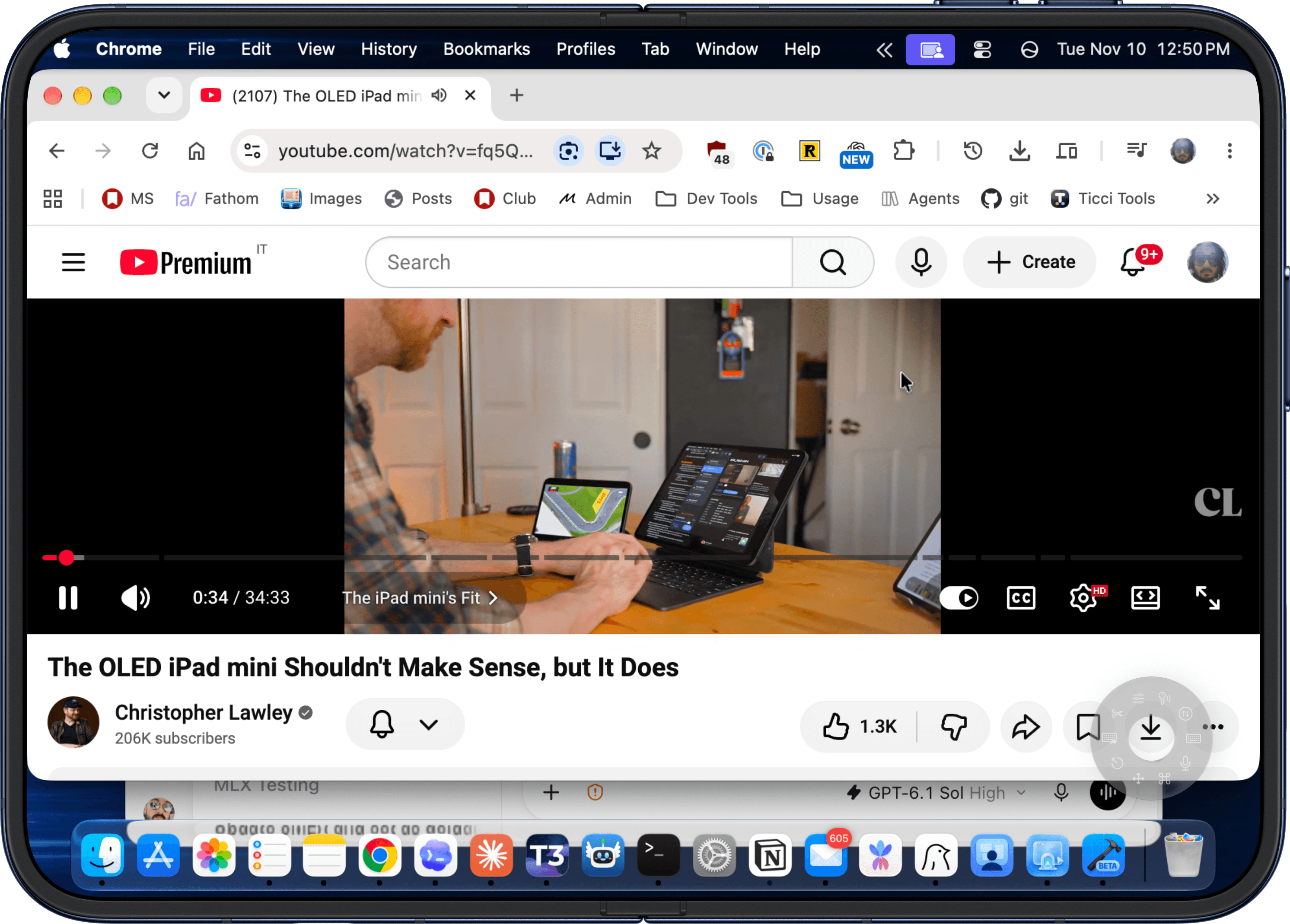
Using the new Screens on the iPhone Duo’s inner display.
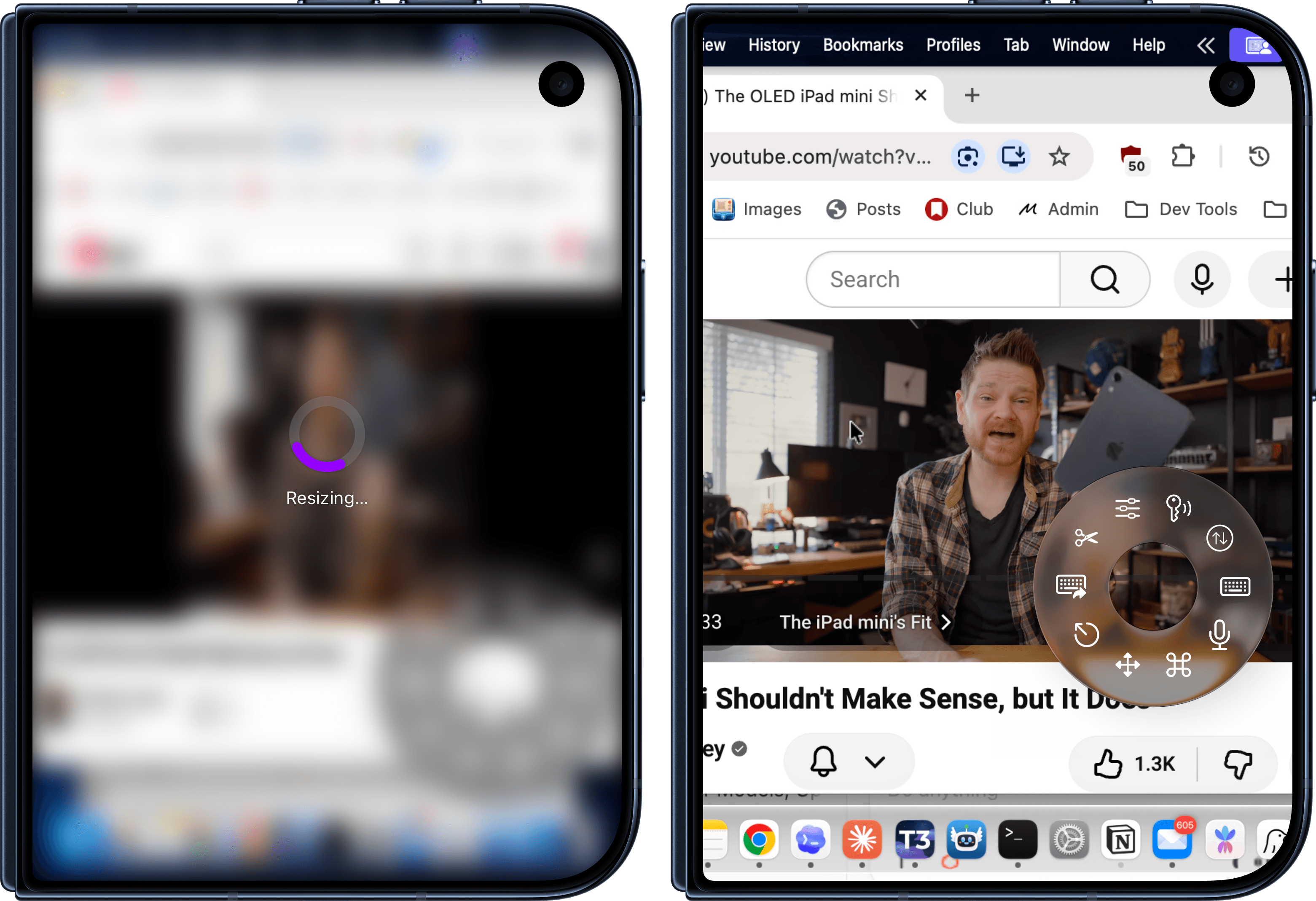
Dynamic resizing in action.
But wait, there’s more. In addition to High Performance mode and dynamic resizing, Edovia also modernized the underlying foundation of the app, improving the frameworks that are used to stream from one device to another. Screens now uses HEVC video, which allows for smoother animations and more fluid transitions of windows and other elements; and the app is now using a Metal-based graphics rendering pipeline to accelerate graphics performance and responsiveness. Impressively, the Metal-driven optimizations also apply to non-Mac computers, which I haven’t been able to test myself, but am curious to learn more about. The difference in performance between the old Screens with Standard mode and its original rendering engine and this new one is staggering.
To top it all off, this update also introduces the ability for Screens to stream audio in real time from a remote computer – again, matching what’s possible in Apple’s Screen Sharing app. I didn’t quite believe it when I first read the app’s changelog last week, so I had to check for myself. The combination of HEVC, Metal, and audio streaming is so good, I can start a YouTube video on my M5 Ultra Mac Studio, stream it via Screens to my MacBook Pro, and the video looks and sounds just fine with no delays or weird image artifacts. I don’t know why I’d ever do this in practice, but the fact that it’s technically possible is a testament to the quality of the work Edovia put into this release.
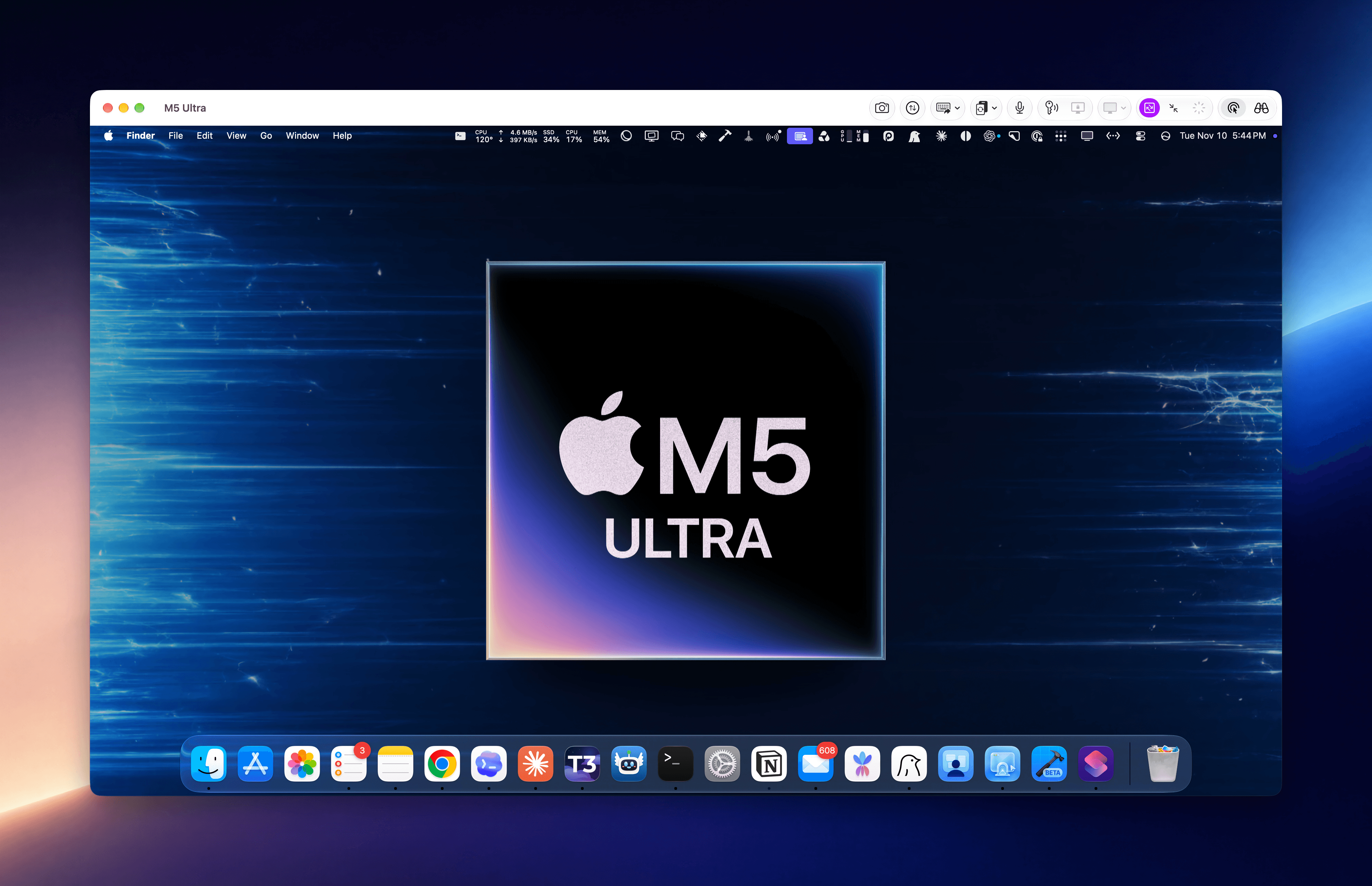
Screens on macOS Golden Gate.
In case it’s not clear: I think Luc Vandal and the Edovia team shipped one of the most impressive app updates of the year with Screens 5.10, breathing new life into an app at the best possible time given the rise of agents running on remote Macs and Apple’s lack of a Screen Sharing app for iPhone and iPad.
Screens 5.10 has singlehandedly allowed me to unify my scattered remote screen sharing setup back into one app on all my devices that matches the performance of Apple’s official app, but also exceeds Apple’s work thanks to its power-user options such as a floating toolbar, Tailscale integration, customizable keyboard shortcuts, and more.
After 16 years, Screens is, once again, the best remote screen sharing app for Apple platforms. If you, like me, manage agents on remote Macs on a daily basis, I cannot recommend checking out Screens 5.10 enough.
Access Extra Content and Perks
Founded in 2015, Club MacStories has delivered exclusive content every week for nearly a decade.
What started with weekly and monthly email newsletters has blossomed into a family of memberships designed for every MacStories fan.
Learn more here and from our Club FAQs.
Club MacStories: Weekly and monthly newslettersion workflows, longform writing, early access to the MacStories Unwind podcast, periodic giveaways, and more;
Club MacStories+: Everything that Club MacStories offers, plus an active Discord community, advanced search and custom RSS features for exploring the Club’s entire back catalog, bonus columns, and dozens of app discounts;
Club Premier: All of the above and AppStories+, an extended version of our flagship podcast that’s delivered early, ad-free, and in high-bitrate audio.
