Close Menu
MyAppsPlus

    Subscribe to Updates

    Get the latest creative news from FooBar about art, design and business.

    What's Hot

    New to ChatGPT? Here’s how to learn in 15 minutes — this lesson plan could even work for your parents

    November 1, 2026

    Neither side thinks hiring is working’: Gen Z job seekers are rewriting their CVs as they’re worried about sounding like AI — and they aren’t alone

    November 1, 2026

    The AI bubble could expose your deepest secrets

    November 1, 2026
    Facebook X (Twitter) Instagram
    Facebook X (Twitter) Instagram
    MyAppsPlusMyAppsPlus
    Sunday, November 1
    • Home
    • Breaking Tech
    • Apps & Software
    • AI & Automation
    • Android
    • iPhone & iOS
    • More
      • Reviews
      • How-To Guides
      • Deals & Discounts
      • Shop
    MyAppsPlus
    Home»Breaking Tech»How long is too long for a USB cable?
    Breaking Tech

    How long is too long for a USB cable?

    myappsplusBy myappsplusNovember 1, 2026003 Mins Read
    Share Facebook Twitter Pinterest Copy Link LinkedIn Tumblr Email Telegram WhatsApp
    Follow Us
    Google News Flipboard
    How long is too long for a USB cable?
    Share
    Facebook Twitter LinkedIn Pinterest Email Copy Link

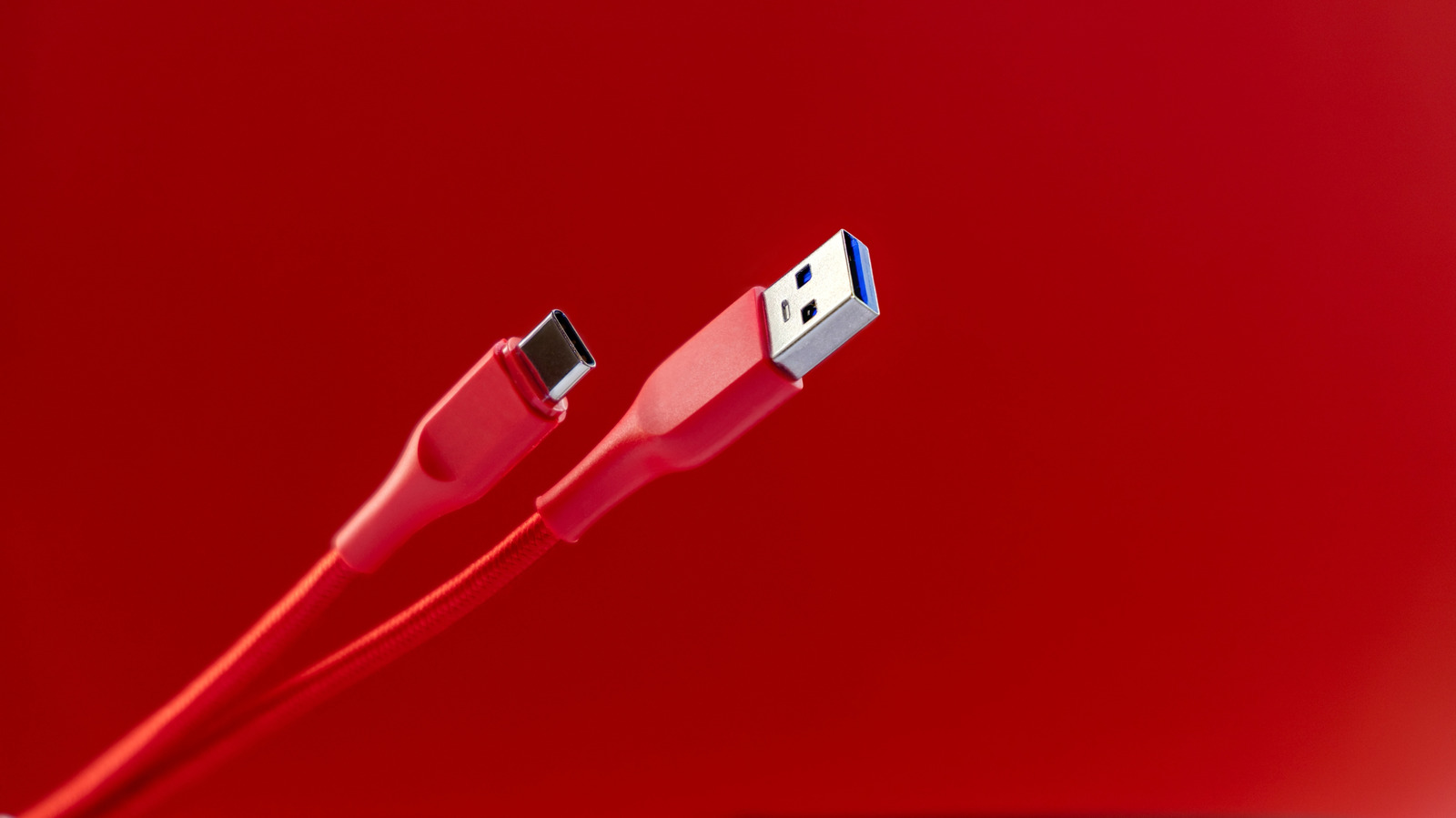
    One of the best things about USB is that you rarely need to think about it. Sure, there are some differences between USB generations, but no matter what, if you plug a USB cable into a compatible device, it will work without issues, as long as the cable isn’t too long, that is. Of course, you’re unlikely to need an extremely lengthy USB cable — unlike, say, HDMI cables — but if you ever do, there are limits to USB cable length that you should be aware of.

    The USB Implementers Forum (USB-IF), which defines USB standards, has outlined maximum lengths for different types of USB cables. These range from about 16 feet to as low as 3 feet. The Forum is an industry group, not a regulatory body, so there’s nothing stopping manufacturers from making longer cables. The limits are a guide to best practices, as exceeding the USB-IF’s specifications could hamper a USB cable’s performance.

    USB transfer speeds suffer with longer cables

    Each generation of USB cables can transfer data faster than the last, but later generations actually have a shorter recommended length. USB 1.0 and 2.0 cables have a recommended maximum of 16.4 feet. For USB 3.0 through 3.2, that drops to 9.8 feet. USB 4 cables are much more limited, with a maximum recommended length of just 2.6 feet. Whether you’re <a href="https://myappsplus.com/why-your-spotify-might-be-using-so-much-storage/” title=”Why your Spotify might be using so much storage”>using a USB-A or USB-C cable doesn’t matter; the maximum length is the same either way.

    It might seem odd that maximum cable length doesn’t improve over time as transfer rate does, but it has to do with the physical limits of the cables. A signal traveling through a cable degrades over time due to electrical resistance. The farther a signal has to travel, the more cable it has to push through to get there, losing signal along the way. Longer cables are also more susceptible to damage, which can further slow transfer speeds.

    A USB cable that’s too long won’t suddenly stop working. Instead, it simply won’t function as well as one that’s within spec. Data may transfer more slowly than you’re used to, or connected devices won’t receive as much power. The higher the potential transfer rate or power delivery, the more you’re likely to notice the difference. That’s why it’s important to know the maximum length of your USB cables.

    How to extend the range of a USB cable
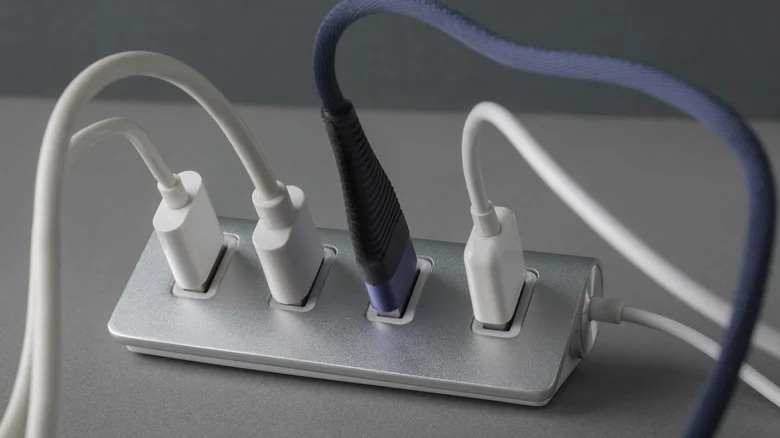
    Multiple USB cables plugged into USB hub.

    If you can, it’s always best to reposition your devices so you don’t need to exceed a USB cable’s length limits, but that’s not always possible. In those cases, you can purchase an active USB cable or an active USB extender, either of which will have built-in components to extend the signal’s range. However, active USB cables are significantly more expensive than standard cables. They also draw extra power from the USB port, and thus might not be compatible with older ports.

    Another potential solution is to use a powered USB hub and use the longest supported cable between the hub and your computer. Plugging too many devices into the same hub can slow them down, but as long as you don’t exceed the USB port’s bandwidth, you shouldn’t encounter any noticeable performance difference. Powered hubs are preferable, since an unpowered hub can only draw power from the USB port, which can be unreliable.

    Accessories cable long
    Follow on Google News Follow on Flipboard
    Share. Facebook Twitter Pinterest LinkedIn Tumblr Email Copy Link
    myappsplus
    • Website

    Related Posts

    The AI bubble could expose your deepest secrets

    November 1, 2026

    $890K Wine Industry Boost For Vineyard Tech, Know-How

    November 1, 2026

    Why your Spotify might be using so much storage

    November 1, 2026
    Add A Comment
    Leave A Reply Cancel Reply

    Top Posts

    Cathay Pacific tests Google AI that dramatically cuts airplane contrails — tiny altitude shifts slash environmental impact by 40% in early trials

    September 8, 2026137 Views

    What was the PSX? The souped-up PS2 rarely sold outside of Japan

    September 14, 202616 Views

    Keep running out of mobile data? This new unlimited plan gets you up to 80Mbps 5G speeds for just AU$50/m

    October 8, 202615 Views
    Latest Reviews

    Oura files to go public

    myappsplusSeptember 3, 2026

    Bring good fortune to your home with LEGO’s Lucky Cat figure down at $20

    myappsplusSeptember 3, 2026

    How to watch ‘The Terror: Devil in Silver’ online — stream the Dan Stevens horror series from anywhere

    myappsplusSeptember 3, 2026
    Stay In Touch
    • Facebook
    • YouTube
    • TikTok
    • WhatsApp
    • Twitter
    • Instagram

    Subscribe to Updates

    Get the latest tech news from FooBar about tech, design and biz.

    Most Popular

    Oura files to go public

    September 3, 20260 Views

    How to watch ‘The Terror: Devil in Silver’ online — stream the Dan Stevens horror series from anywhere

    September 3, 20260 Views

    Audacity’s new look is finally here, along with its largest feature update in years

    September 3, 20260 Views
    Our Picks

    New to ChatGPT? Here’s how to learn in 15 minutes — this lesson plan could even work for your parents

    November 1, 2026

    Neither side thinks hiring is working’: Gen Z job seekers are rewriting their CVs as they’re worried about sounding like AI — and they aren’t alone

    November 1, 2026

    The AI bubble could expose your deepest secrets

    November 1, 2026

    Subscribe to Updates

    Subscribe to our newsletter and get the latest tech news, app updates, AI trends, smartphone reviews, and exclusive deals delivered straight to your inbox.

    Facebook X (Twitter) Instagram Pinterest
    • About Us
    • Get In Touch
    • Disclaimer
    • Privacy Policy
    • Terms & Conditions
    © 2026 MyAppsPlus. All Rights Reserved.

    Type above and press Enter to search. Press Esc to cancel.