Close Menu
MyAppsPlus

    Subscribe to Updates

    Get the latest creative news from FooBar about art, design and business.

    What's Hot

    NYT Connections hints and answers for Wednesday, October 28 (game #1235)

    October 28, 2026

    How to change and customize your Android Auto display

    October 28, 2026

    AI Slop Apps Are Becoming a Problem – Apple’s Latest App Store Guidelines Send a Message

    October 28, 2026
    Facebook X (Twitter) Instagram
    Facebook X (Twitter) Instagram
    MyAppsPlusMyAppsPlus
    Wednesday, October 28
    • Home
    • Breaking Tech
    • Apps & Software
    • AI & Automation
    • Android
    • iPhone & iOS
    • More
      • Reviews
      • How-To Guides
      • Deals & Discounts
      • Shop
    MyAppsPlus
    Home»Breaking Tech»The best ways to tell if someone is using AI glasses
    Breaking Tech

    The best ways to tell if someone is using AI glasses

    myappsplusBy myappsplusOctober 27, 2026003 Mins Read
    Share Facebook Twitter Pinterest Copy Link LinkedIn Tumblr Email Telegram WhatsApp
    Follow Us
    Google News Flipboard
    The best ways to tell if someone is using AI glasses
    Share
    Facebook Twitter LinkedIn Pinterest Email Copy Link

    Smart glasses are making unwanted surveillance all too easy, but you’re far from powerless against this covert tech.

    Smart glasses might be the next big trend in consumer tech, as there’s certainly real demand for these gadget-intensive pieces of eyewear. However, there are very legitimate concerns about how these glasses can be used for stalking or other shady activity, especially as the prevalence of public recording comes more and more under scrutiny. If you share those concerns, you might want to keep an eye out for some tell-tale signs of AI glasses.

    Of course, it could be a little rude to go around asking random people if they’re wearing AI glasses when you’re going off a gut instinct. Luckily, most (albeit not all) smart glasses brands have built-in signs of use. If you can’t rely on those giveaways, there are some solid-enough reasons for you to be suspicious.

    How to recognize whether someone’s using smart glasses
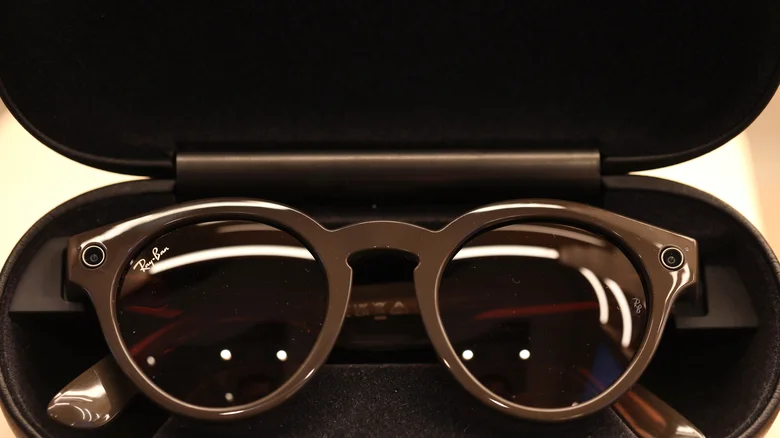
    Ray-Ban Smart Glasses displayed in their case.

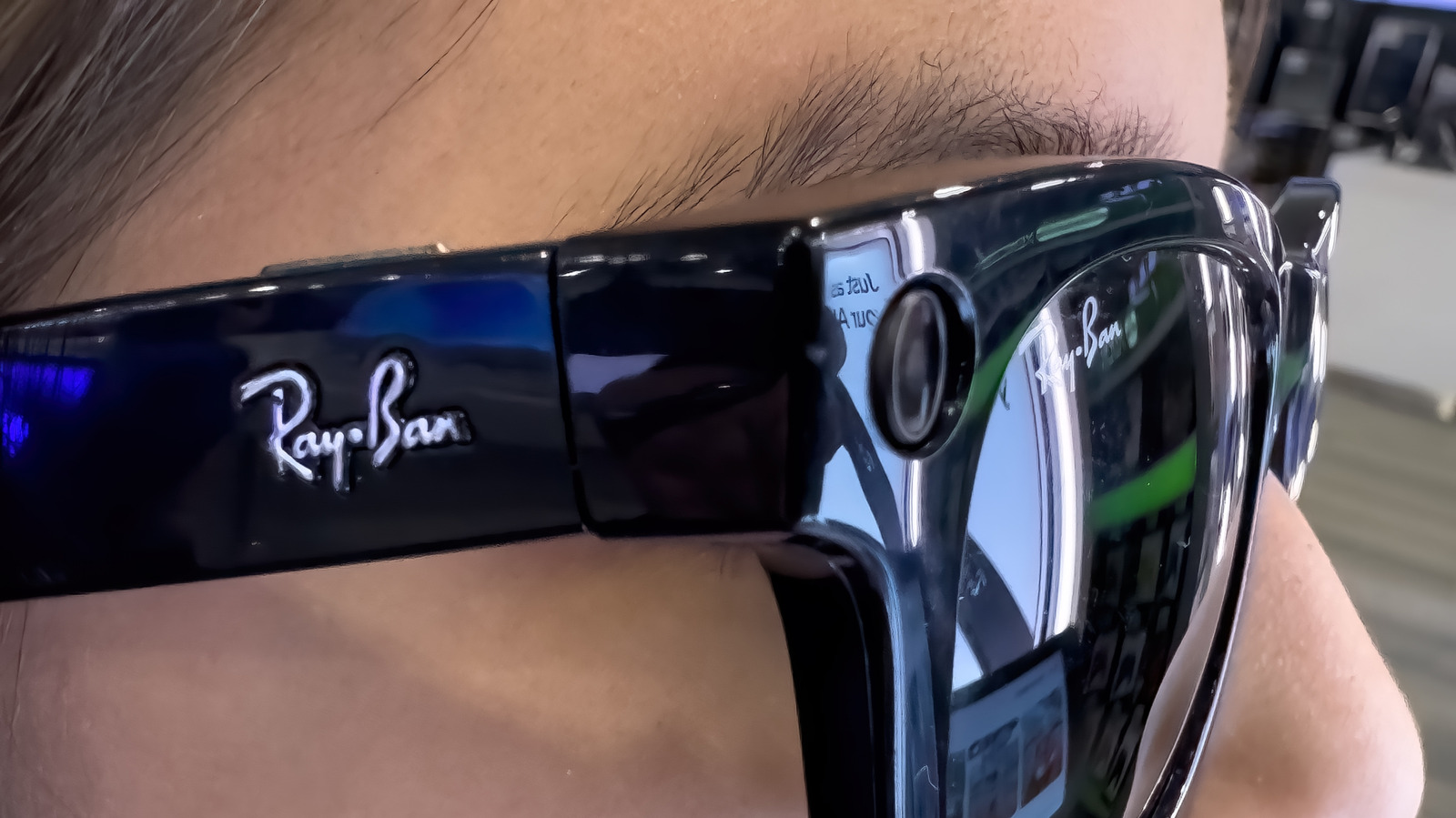
    Smart glasses are actually pretty easy to recognize at a glance, as their tech-riddled innards often require thick frames, particularly around the temples and the outer sides of the lenses (although this admittedly isn’t always the case). That second area is typically where camera lenses are located, while any giveaway ports or grilles might be further back on the design. Most smart glasses also have an indicator light that turns on when they’re filming; if you suspect you’re being filmed via smart glasses, look for a small LED light.

    However, there are reports of a variety of low-cost dupe glasses being sold on sites such as TikTok Shop and Temu that don’t have a recording light (as well as audio-first glasses that don’t have cameras, such as the Ray-Ban Meta Audio Glasses), so you’ll need to look closer at the aforementioned physical traits. You can also check whether someone you suspect is recording is quickly pressing the temples of their glasses, pausing every now and then to zone out (as if to read text on their glasses’ display), or whispering quiet voice commands to themselves. These could be signs of someone interacting with their smart glasses, though there is a small chance they are all completely unrelated.

    The apps that can warn you about smart glasses
    Meta logo displayed on a phone with Ray-Ban Smart Glasses projected in the background.

    One of the most recent developments in the arms race against this tech is the arrival of apps that can warn you if smart glasses are nearby. The likes of Nearby Glasses and ZuckOff scan for nearby Bluetooth devices and the identifiers often associated with AI glasses. Admittedly, both of these apps aren’t completely reliable. For one thing, there’s a chance that anyone wearing smart glasses nearby has turned off their Bluetooth. There’s also a risk of false positives. However, both can serve as your first line of defense against nearby smart glasses.

    Just because you have a strong suspicion that there are AI glasses nearby, though, doesn’t mean you should jump immediately to a confrontation. The best thing to do if someone near you is stirring your suspicions is to move away from the individual and speak to the authorities if you’re being followed. If you’re hosting a meeting or event that demands a level of confidentiality, it may be worth making a neutral statement about smart glasses not being permitted. In either case, if you need to speak with a stranger about whether they’re recording you without your knowledge, do so calmly in a public environment.

    Best Someone tell ways Wearables
    Follow on Google News Follow on Flipboard
    Share. Facebook Twitter Pinterest LinkedIn Tumblr Email Copy Link
    myappsplus
    • Website

    Related Posts

    How to change and customize your Android Auto display

    October 28, 2026

    Discord public server messages may be soon searchable on Google, but you can opt out

    October 28, 2026

    Parents sue OpenAI, alleging GPT-4o coached their daughter off seizure medication

    October 27, 2026
    Add A Comment
    Leave A Reply Cancel Reply

    Top Posts

    Cathay Pacific tests Google AI that dramatically cuts airplane contrails — tiny altitude shifts slash environmental impact by 40% in early trials

    September 8, 2026137 Views

    Keep running out of mobile data? This new unlimited plan gets you up to 80Mbps 5G speeds for just AU$50/m

    October 8, 202615 Views

    Drone swarm tech valued by both defense and civilian sectors, industry platform says

    September 8, 202615 Views
    Latest Reviews

    25 Clever Camping Gear Picks That Actually Deliver

    myappsplusSeptember 2, 2026

    OpenMatter adds an AI model gateway and privacy-preserving machine learning

    myappsplusSeptember 2, 2026

    Adobe acquires Indian market intelligence startup Rilo

    myappsplusSeptember 2, 2026
    Stay In Touch
    • Facebook
    • YouTube
    • TikTok
    • WhatsApp
    • Twitter
    • Instagram

    Subscribe to Updates

    Get the latest tech news from FooBar about tech, design and biz.

    Most Popular

    25 Clever Camping Gear Picks That Actually Deliver

    September 2, 20260 Views

    OpenMatter adds an AI model gateway and privacy-preserving machine learning

    September 2, 20260 Views

    500 Bugs, $22, and a Dream: Bringing PocketVault to Android

    September 2, 20260 Views
    Our Picks

    NYT Connections hints and answers for Wednesday, October 28 (game #1235)

    October 28, 2026

    How to change and customize your Android Auto display

    October 28, 2026

    AI Slop Apps Are Becoming a Problem – Apple’s Latest App Store Guidelines Send a Message

    October 28, 2026

    Subscribe to Updates

    Subscribe to our newsletter and get the latest tech news, app updates, AI trends, smartphone reviews, and exclusive deals delivered straight to your inbox.

    Facebook X (Twitter) Instagram Pinterest
    • About Us
    • Get In Touch
    • Disclaimer
    • Privacy Policy
    • Terms & Conditions
    © 2026 MyAppsPlus. All Rights Reserved.

    Type above and press Enter to search. Press Esc to cancel.