Close Menu
MyAppsPlus

    Subscribe to Updates

    Get the latest creative news from FooBar about art, design and business.

    What's Hot

    Azul patches Java after eMudhra certificate compromise

    October 25, 2026

    Tesla App Update 4.62.3 Release Notes

    October 25, 2026

    Apple Wants to Fix Safari’s Cramped Layout on iPhone Duo

    October 25, 2026
    Facebook X (Twitter) Instagram
    Facebook X (Twitter) Instagram
    MyAppsPlusMyAppsPlus
    Sunday, October 25
    • Home
    • Breaking Tech
    • Apps & Software
    • AI & Automation
    • Android
    • iPhone & iOS
    • More
      • Reviews
      • How-To Guides
      • Deals & Discounts
      • Shop
    MyAppsPlus
    Home»Breaking Tech»Here’s how to test a CR2032 battery to see if it’s good
    Breaking Tech

    Here’s how to test a CR2032 battery to see if it’s good

    myappsplusBy myappsplusOctober 25, 2026004 Mins Read
    Share Facebook Twitter Pinterest Copy Link LinkedIn Tumblr Email Telegram WhatsApp
    Follow Us
    Google News Flipboard
    Here’s how to test a CR2032 battery to see if it’s good
    Share
    Facebook Twitter LinkedIn Pinterest Email Copy Link

    You won’t need expensive equipment or invest much time.

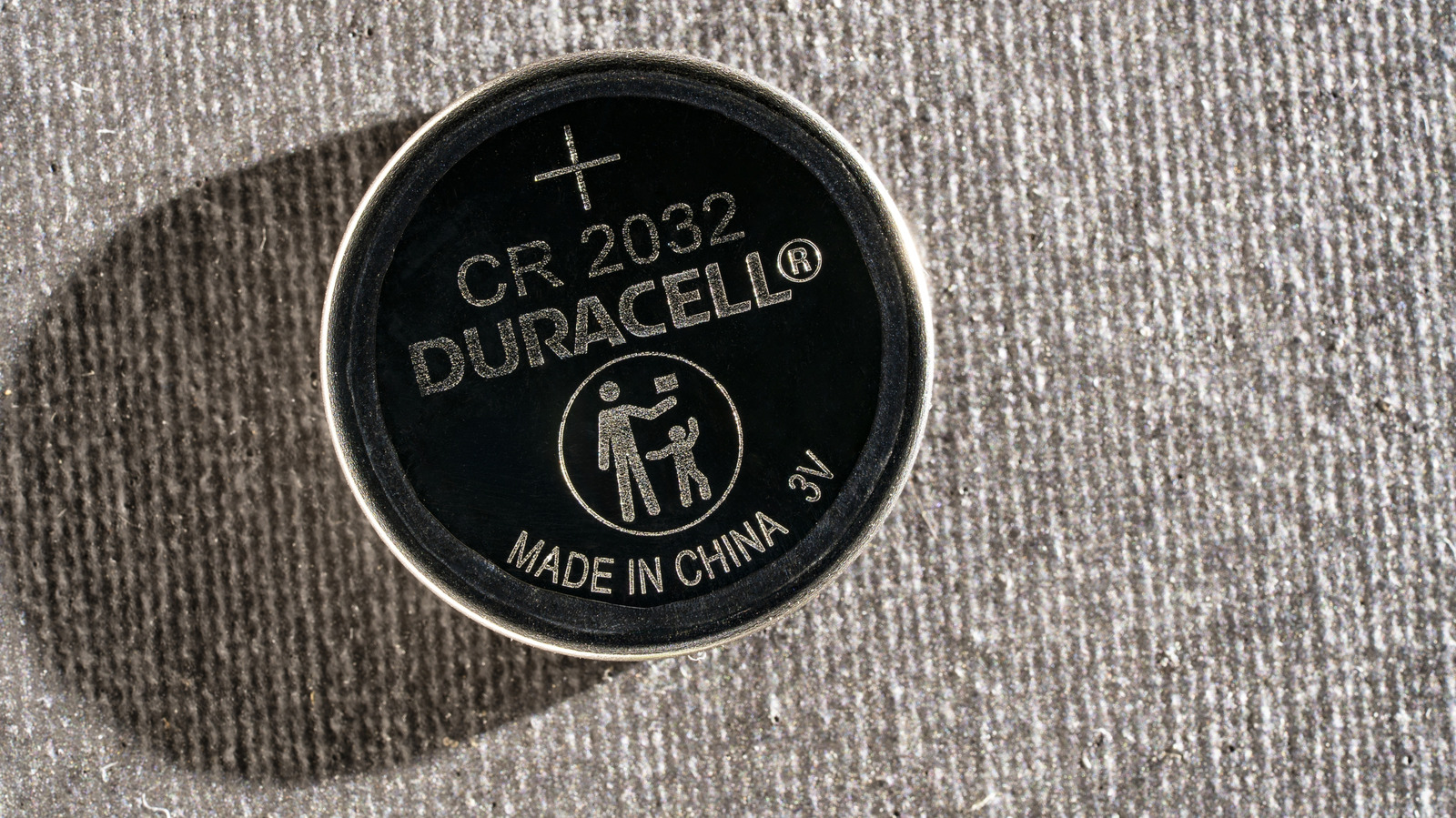
    Your car key fob suddenly needs several presses to unlock the door. Your AirTag stops responding when you try to locate it. Before blaming either gadget, it’s worth checking the battery inside. One common type is the CR2032, a 3V lithium coin cell also used in Samsung’s SmartTag2 and some smart home sensors. Depending on the device and how often it’s used, one can last way over a year.

    A multimeter can help you check the battery’s voltage, and it’s a good addition to your toolbox if you don’t already own one. There are cheaper ways to check, too, but don’t mistake a voltage reading for a complete picture of battery health.

    How to test a CR2032 battery with a multimeter
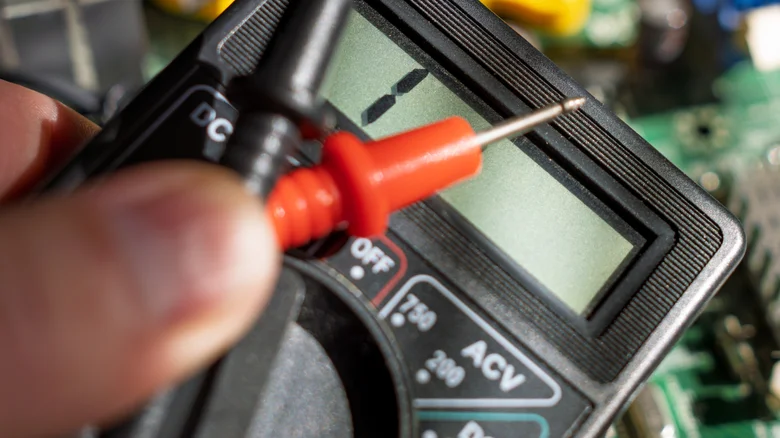
    A close-up of a black digital multimeter with a red test probe held beside its display.

    Begin by checking the battery itself. If you spot crusty residue, rust-colored patches, swelling or leakage, skip the test and replace it. Have a look at the device’s contacts too, since corrosion there can cause trouble even with a good battery.

    Remove the CR2032 and set your digital multimeter to DC voltage (V with a solid line over a dashed line). Plug the black lead into COM and the red lead into the V or VΩ port. If your meter doesn’t automatically select a range, set it above 3V, typically 20V.

    Hold the battery by its edges over a nonconductive surface. Touch the red probe to the broad face marked with a plus sign (+) and the black probe to the center of the smaller negative face underneath. Keep the probe tips from touching each other or bridging the battery’s terminals. A negative reading simply means you’ve reversed the probes.

    A fresh CR2032 typically reads around 3V, while a reading closer to 2.5V is a good reason to bring in a replacement. But don’t give that 3V reading too much credit though. A multimeter draws almost no current, so a battery might look fine on the display but struggle when your key fob or tracker actually needs power. There’s no single pass-or-fail reading for every device. If it keeps acting up, try a fresh CR2032 unit before assuming the device is faulty.

    No multimeter? Here’s how to check your AirTag or key fob battery
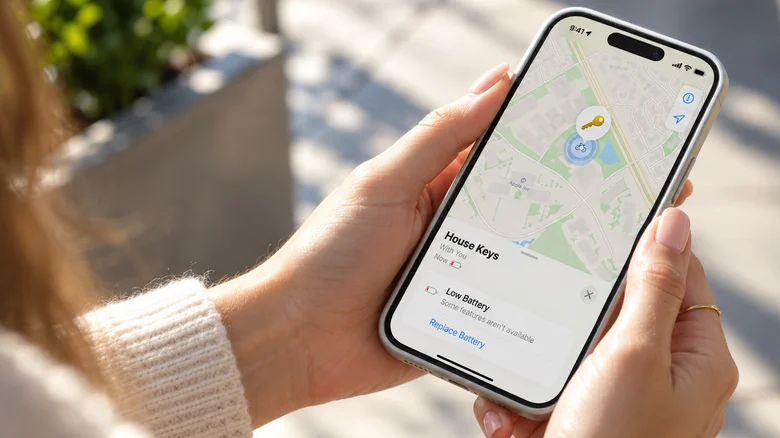
    Hands holding an iPhone displaying a Low Battery warning for an AirTag named House Keys in Find My app.

    A dedicated coin-cell tester is another option. Some cost around $10, although certain models only measure voltage rather than how the battery performs under load. Basic multimeters can cost less than $20 and are good for checking other batteries or troubleshooting low-voltage electronics. Still, buying either just to diagnose one suspect $3 battery is a harder sell.

    There’s also the LED trick, assuming you have one lying around. A small red or yellow LED is a better choice than a blue or white one because it generally needs less voltage to light up. Touch its longer leg to the CR2032’s positive side and the shorter leg to the negative side. If it lights up, the battery can supply some current. That’s about all it proves. The LED won’t tell you how much life is left, and one that stays dark doesn’t necessarily mean the battery is dead.

    AirTag owners can check Find My before opening anything. Select Items inside the app and tap your AirTag. If it says “Low Battery,” or shows a depleted battery icon, skip the testing and replace the CR2032. Some CR2032 batteries have bitterant coatings that may prevent proper contact, even when they’re brand new. <a href="https://myappsplus.com/what-is-theater-mode-on-your-apple-watch-and-when-should-you-use-it/” title=”What is Theater Mode on your Apple Watch and when should you use it?”>Apple recommends packaging marked “Compatible with Apple AirTag” when replacing an AirTag battery, and says an AirTag’s battery lasts more than a year, while Samsung rates the SmartTag2 for up to 500 days in normal mode.

    After removing a CR2032, keep it out of children’s reach and tape its terminals before taking them to a battery collection facility. If one is swallowed, seek emergency medical care immediately, as serious internal injuries can occur in as little as two hours.

    Accessories battery CR2032 Heres Test
    Follow on Google News Follow on Flipboard
    Share. Facebook Twitter Pinterest LinkedIn Tumblr Email Copy Link
    myappsplus
    • Website

    Related Posts

    FICCI seeks greater Dutch investment in India’s mfg, tech sectors

    October 25, 2026

    Why your Ring camera is still useful without a subscription

    October 25, 2026

    The Entire Journalism Industry Is on a Collision Course With AI

    October 25, 2026
    Add A Comment
    Leave A Reply Cancel Reply

    Top Posts

    Cathay Pacific tests Google AI that dramatically cuts airplane contrails — tiny altitude shifts slash environmental impact by 40% in early trials

    September 8, 2026137 Views

    Drone swarm tech valued by both defense and civilian sectors, industry platform says

    September 8, 202615 Views

    Keep running out of mobile data? This new unlimited plan gets you up to 80Mbps 5G speeds for just AU$50/m

    October 8, 202614 Views
    Latest Reviews

    Samsung is randomly deactivating some accounts for ‘security reasons’

    myappsplusSeptember 1, 2026

    ‘Sonos 27’ brings a refreshed UI to the app and lets AI agents control your system

    myappsplusSeptember 1, 2026

    Anthropic reveals its view of how AI agents should interact with the physical world

    myappsplusSeptember 1, 2026
    Stay In Touch
    • Facebook
    • YouTube
    • TikTok
    • WhatsApp
    • Twitter
    • Instagram

    Subscribe to Updates

    Get the latest tech news from FooBar about tech, design and biz.

    Most Popular

    Samsung is randomly deactivating some accounts for ‘security reasons’

    September 1, 20260 Views

    ‘Sonos 27’ brings a refreshed UI to the app and lets AI agents control your system

    September 1, 20260 Views

    Anthropic reveals its view of how AI agents should interact with the physical world

    September 1, 20260 Views
    Our Picks

    Azul patches Java after eMudhra certificate compromise

    October 25, 2026

    Tesla App Update 4.62.3 Release Notes

    October 25, 2026

    Apple Wants to Fix Safari’s Cramped Layout on iPhone Duo

    October 25, 2026

    Subscribe to Updates

    Subscribe to our newsletter and get the latest tech news, app updates, AI trends, smartphone reviews, and exclusive deals delivered straight to your inbox.

    Facebook X (Twitter) Instagram Pinterest
    • About Us
    • Get In Touch
    • Disclaimer
    • Privacy Policy
    • Terms & Conditions
    © 2026 MyAppsPlus. All Rights Reserved.

    Type above and press Enter to search. Press Esc to cancel.