

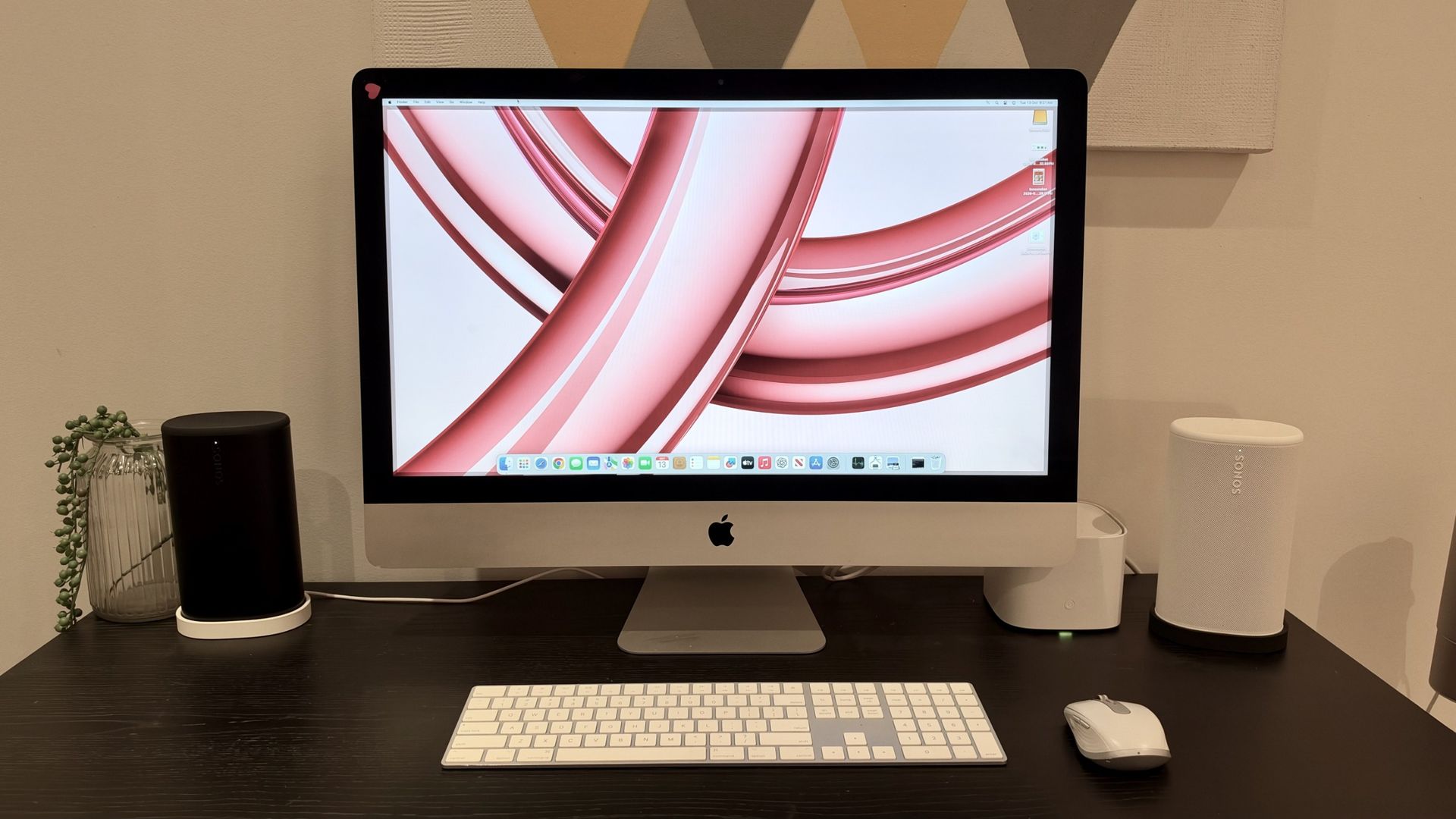
Nostalgia in tech is all the rage right now. Whether it’s film cameras making a comeback, CDs seeing a resurgence or flip phones dominating headlines — old tech has somehow become cool again.
I’m not immune to the nostalgia bug either but, rather than buy something new, I decided to set myself the task of giving a 2013 Apple iMac a new lease on life.
This particular 27-inch model had been gathering dust, but with its generous display and otherwise functional hardware, throwing it away seemed like a terrible waste. Especially when a new 24-inch M4-powered iMacwould set me back upwards of AU$2,000. With a little research and DIY knowledge, I could get the vintage 27-inch model humming again for under AU$500 instead.
My ambitions were relatively modest — I wanted something capable of web browsing, a little light creative work and other basic daily tasks. I wasn’t expecting it to compete with my M2 MacBook Air.
After a little research, I settled on two relatively straightforward upgrades: more RAM and a new 1TB solid-state drive (SSD). And for a total outlay of approximately AU$310, I was hopeful I could give this old Mac a fighting chance.
Two upgrades, one aging iMac
The first thing I needed to address was the storage. My iMac originally came with a mechanical hard drive, which is hardly a recipe for speedy performance in 2026.
Swapping an old hard drive for an SSD is often one of the most effective ways to breathe new life into an aging computer. With no moving parts and significantly faster data access, an SSD can improve everything from boot times to opening applications.
My original plan was to replace the internal drive entirely, but that presented a slight problem. Unlike some earlier iMac models, my late-2013 version has a display that’s secured to the chassis with adhesive. Getting inside requires cutting through that adhesive, carefully lifting the display and disconnecting cables before you can even think about accessing the drive.
I’d never attempted anything remotely like this before, and the thought of potentially damaging a perfectly good 27-inch screen wasn’t especially appealing. Fortunately, there was an alternative — an external SSD.
Rather than dismantling the computer, I could connect a TeamGroup T-Force Vulcan Z 1TB SSD drive. It’s a considerably less intimidating approach, even if the iMac’s aging USB 3.0 port meant I wouldn’t be getting the full performance potential of a modern SSD
The second upgrade — the RAM — was comparatively easier as Apple made upgrading the RAM on this generation of iMac remarkably straightforward. A small access panel on the rear of the computer provides access to four memory slots, meaning there’s no need to dismantle anything to install additional modules.
My iMac had 8GB of RAM originally, and adding two 8GB Timetec DDR3 sticksbrought the total to a rather generous 24GB. I don’t claim to be a computer hardware expert, but even I knew that it would provide considerably more breathing room for multitasking than the original configuration.
I’ll admit, I wouldn’t have known where to start without a little help from ChatGPT. It guided me through choosing compatible components and, more importantly, the process of installing macOS Sonoma on a computer that doesn’t officially support it.
Rather than spending hours trawling through forums, I could explain exactly what I was seeing on screen and get advice on what to try next. It wasn’t entirely plain sailing, but having something to turn to whenever I hit a stumbling block made the whole process far less daunting. Although, as my colleague discovered when asking ChatGPT and Gemini to help build a gaming PC, AI assistance doesn’t always guarantee a stress-free experience.
How much did it all cost?
I’m well aware of the current RAM crisis affecting the tech industry, so my immediate thought was that buying additional memory could make this project rather expensive.
Thankfully, it turns out nobody running an AI data centre is particularly interested in 13-year-old DDR3.
A quick search on Amazon revealed a compatible pair of 8GB RAM modules for around AU$70, while a 1TB SSD came in just under AU$230. That’s the components taken care of for AU$300. Throw in a Ugreen external SSD enclosure (I paid AU$17) and, factoring in some Amazon promotions at the time of ordering, my total spend was approximately AU$310.
That’s considerably less than buying a brand-new iMac, of course, but it’s still a reasonable amount of money to invest in a computer that’s more than a decade old. And while I was quietly optimistic, I was also aware that throwing RAM and an SSD at an aging Intel processor wouldn’t magically turn it into a modern Mac.
There was only one way to find out whether I’d made a sensible investment.
So, how does it perform?
With the upgrades completed and macOS Sonoma installed, I finally had a functioning iMac sitting on my desk. But getting an old computer to boot is one thing. Making it genuinely useful in 2026 is another.
My first test was to see how long it took to start up. From pressing the power button to reaching the desktop, I recorded a time of 1 minute and 52 seconds.
I’ll admit, I was hoping for better. I’m accustomed to the near-instant responsiveness of my M2 MacBook Air, so waiting almost two minutes for a computer to boot feels like a small eternity.
There are some mitigating factors, of course. This is still a 2013 machine powered by a 3.2GHz quad-core Intel Core i5 processor, and it’s booting macOS from an external SSD over USB 3.0 rather than a faster internal connection.
It’s also worth pointing out that I didn’t record performance benchmarks before upgrading the hardware, so I can’t offer any definitive figures showing how much faster the machine has become.
Fortunately, things improved once I actually started using it. Basic web browsing proved perfectly fine, with pages loading successfully and the overall experience remaining usable, albeit with the occasional lag. I was particularly interested to see how it would handle Canva as I occasionally use the browser-based design platform for light creative work.
And, to my surprise, it worked. I opened Canva on one half of the 27-inch display, with the TechRadar YouTube channel running in another browser window alongside it. I was able to work on a simple design while keeping the website open, although there was some noticeable sluggishness.
It’s certainly not an experience I’d choose over a modern Mac, but it demonstrates that this old machine still has something to offer.
The display is another highlight. With its 2560 x 1440 resolution, the 27-inch panel still provides plenty of screen real estate, and being able to arrange multiple windows side by side is something I particularly appreciate.
Sure, it doesn’t have the sharpness or brightness of Apple’s newer displays, but that doesn’t automatically make it unpleasant to use.
And there’s something rather satisfying about seeing an old computer handling tasks that, just a short while ago, I wasn’t entirely convinced it would be capable of.
There are still some big compromises
Of course, there’s only so much new storage and additional memory is able to achieve. The processor and graphics hardware are still more than a decade old, and while upgrading them isn’t entirely impossible, doing so would require a far more involved disassembly process. Given the relatively modest tasks I had in mind, it was a level of effort and expense I wasn’t prepared to entertain.
Then there’s the issue of software compatibility. My late-2013 iMac officially supports macOS Catalina at most, but I’ve managed to get macOS Sonoma running through an unofficial installation method.
While this gives me access to a much newer operating system, it’s not an officially supported configuration, and that brings potential complications around security updates, drivers and long-term reliability.
Was it worth the money?
So, would I recommend spending a few hundred dollars upgrading a 13-year-old iMac?
Well, that depends. If you’re hoping to turn an old Intel Mac into something that feels as quick and responsive as a modern Apple silicon machine, you’re probably going to be disappointed, unless you’re working with a relatively newer model than my machine.
My nearly two-minute boot time alone is evidence that upgrading the storage and RAM hasn’t miraculously solved every performance issue. And while web browsing and Canva are perfectly usable, there’s enough occasional lag to remind me that this isn’t a computer I’d want to rely on for demanding work.
But that was never really the point of the exercise. I already have an M2 MacBook Air that I turn to for my everyday computing needs. What I wanted was to see whether I could rescue an old iMac and give it a useful second life, rather than let it become a part of our growing e-waste problem.
And on that front, I’d consider the experiment a success. I now have a working 27-inch desktop that can browse the web, handle simple creative tasks and provide a decent amount of screen space, all without having to buy an entirely new computer.
Honestly, if you’ve got an old computer gathering dust, it might be worth investigating whether it still has some life left in it. Just don’t expect it to be as quick as you remember.
