Close Menu
MyAppsPlus

    Subscribe to Updates

    Get the latest creative news from FooBar about art, design and business.

    What's Hot

    All about the new Apple HomeView smart home device

    October 14, 2026

    Manage private pricing offers for Amazon Bedrock with managed entitlements

    October 14, 2026

    Turn your PDFs into audiobooks with ChatGPT — here’s the simple trick

    October 14, 2026
    Facebook X (Twitter) Instagram
    Facebook X (Twitter) Instagram
    MyAppsPlusMyAppsPlus
    Wednesday, October 14
    • Home
    • Breaking Tech
    • Apps & Software
    • AI & Automation
    • Android
    • iPhone & iOS
    • More
      • Reviews
      • How-To Guides
      • Deals & Discounts
      • Shop
    MyAppsPlus
    Home»Android»Chrome 155 for Googlebook brings expanded web app installs, integration
    Android

    Chrome 155 for Googlebook brings expanded web app installs, integration

    myappsplusBy myappsplusOctober 14, 2026002 Mins Read
    Share Facebook Twitter Pinterest Copy Link LinkedIn Tumblr Email Telegram WhatsApp
    Follow Us
    Google News Flipboard
    Chrome 155 for Googlebook brings expanded web app installs, integration
    Share
    Facebook Twitter LinkedIn Pinterest Email Copy Link

    With Chrome 155, Googlebooks now better support web apps by allowing for expanded installation and system integration.

    Previously, Chrome on Googlebooks (which is the Android version with desktop-level features) “only enabled the Install option for websites specifically configured as web apps.” As seen above, pages “without an installable web manifest” just opened as a browser tab.

    Google reiterates today how that was a “conscious design choice,” but it heard the community feedback.

    Chrome 155 this week lets you “manually install any webpage as an app directly from the Chrome browser so that it works as an app in its own window.” To do so:

    1. On your Googlebook, open Chrome.
    2. Go to a website you want to install.
    3. At the top right, open the Chrome menu > Save and share > Install and create shortcut…
      • On some websites, at the top right of the address bar, select Install.
    4. Select Install.
    5. To complete the web app installation, follow the on-screen instructions.

    Additionally, Google says: “If you previously created a browser-tab shortcut for a website prior to this update, remove the old shortcut first and re-install the page using the steps above.”

    Meanwhile, installed web apps that appear in the app launcher can now be “pinned to your taskbar or homescreen and run in Chrome.” They will benefit from “shared Google Account login, cookies, site permissions, and installed browser extensions.”

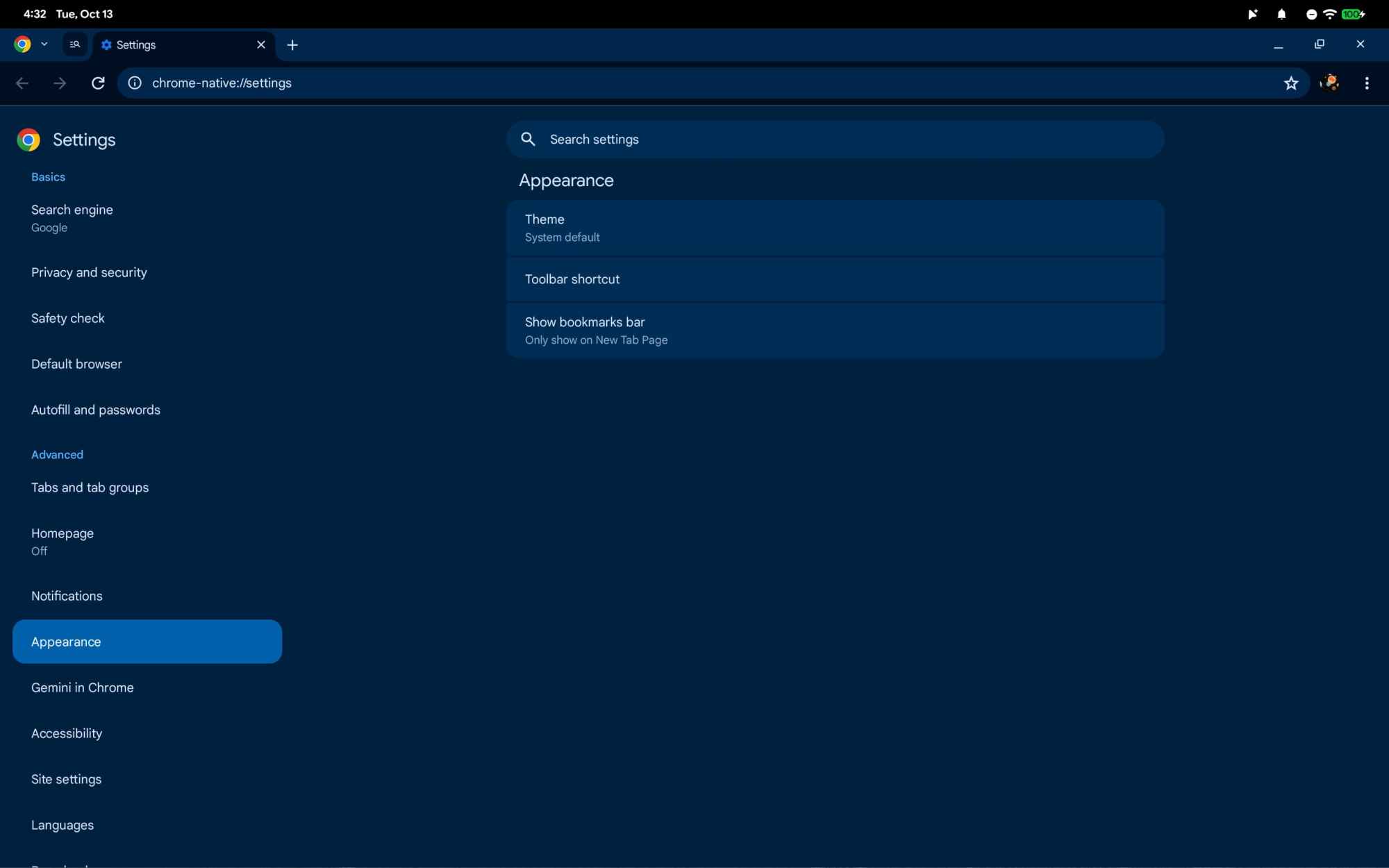
    With this release, Chrome Settings is no longer a fullscreen interface, which has been the case on mobile but not desktop platforms. As a separate tab, “you can more easily reference a web page while tweaking settings.”

    Version 155.0.8059.79 of Chrome is rolling outvices

    You’re reading 9to5Google — experts who break news about Google and its surrounding ecosystem, day after day. Be sure to check out our homepage for all the latest news, and follow 9to5Google on Twitter, Facebook, and LinkedIn to stay in the loop. Don’t know where to start? Check out our exclusive stories, reviews, how-tos, and subscribe to our YouTube channel

    brings Chrome expanded Googlebook News
    Follow on Google News Follow on Flipboard
    Share. Facebook Twitter Pinterest LinkedIn Tumblr Email Copy Link
    myappsplus
    • Website

    Related Posts

    All about the new Apple HomeView smart home device

    October 14, 2026

    Apple says $5.7B patent verdict was based on ‘guesswork’

    October 14, 2026

    Google will let you distribute vibe-coded Android apps with just a Google account

    October 13, 2026
    Add A Comment
    Leave A Reply Cancel Reply

    Top Posts

    Cathay Pacific tests Google AI that dramatically cuts airplane contrails — tiny altitude shifts slash environmental impact by 40% in early trials

    September 8, 202612 Views

    What was the PSX? The souped-up PS2 rarely sold outside of Japan

    September 14, 202610 Views

    Can reviews settle disputes that marked first two seasons?

    September 21, 20269 Views
    Latest Reviews

    91% of professionals say their firm still falls short on AI

    myappsplusAugust 29, 2026

    The Garmin Enduro 4 was a no-show at the Fenix 9 launch — but a fresh leak suggests the mega-battery smartwatch could be imminent

    myappsplusAugust 29, 2026

    I tested the Sony Bravia Theater Bar 7 + subwoofer — and recommending it is a no-brainer

    myappsplusAugust 29, 2026
    Stay In Touch
    • Facebook
    • YouTube
    • TikTok
    • WhatsApp
    • Twitter
    • Instagram

    Subscribe to Updates

    Get the latest tech news from FooBar about tech, design and biz.

    Most Popular

    I tested the Sony Bravia Theater Bar 7 + subwoofer — and recommending it is a no-brainer

    August 29, 20260 Views

    The iPhone Air Is One of Apple’s Most Important Products, Even if It Wasn’t a Blockbuster

    August 29, 20260 Views

    Google Health gets better workout logging, improved maps, and Health Connect fixes

    August 29, 20260 Views
    Our Picks

    All about the new Apple HomeView smart home device

    October 14, 2026

    Manage private pricing offers for Amazon Bedrock with managed entitlements

    October 14, 2026

    Turn your PDFs into audiobooks with ChatGPT — here’s the simple trick

    October 14, 2026

    Subscribe to Updates

    Subscribe to our newsletter and get the latest tech news, app updates, AI trends, smartphone reviews, and exclusive deals delivered straight to your inbox.

    Facebook X (Twitter) Instagram Pinterest
    • About Us
    • Get In Touch
    • Disclaimer
    • Privacy Policy
    • Terms & Conditions
    © 2026 MyAppsPlus. All Rights Reserved.

    Type above and press Enter to search. Press Esc to cancel.