Close Menu
MyAppsPlus

    Subscribe to Updates

    Get the latest creative news from FooBar about art, design and business.

    What's Hot

    With iOS 27, Apple Is Quietly Setting the Stage to Paywall Your iPhone

    September 30, 2026

    Early October Prime Day deals 2026: Bose, Lego, and Apple

    September 30, 2026

    Pixel 11a looks mostly unchanged in first leak, reportedly brings purple color back [Gallery]

    September 30, 2026
    Facebook X (Twitter) Instagram
    Facebook X (Twitter) Instagram
    MyAppsPlusMyAppsPlus
    Wednesday, September 30
    • Home
    • Breaking Tech
    • Apps & Software
    • AI & Automation
    • Android
    • iPhone & iOS
    • More
      • Reviews
      • How-To Guides
      • Deals & Discounts
      • Shop
    MyAppsPlus
    Home»Breaking Tech»How to prepare your Samsung Galaxy for the One UI 9 update
    Breaking Tech

    How to prepare your Samsung Galaxy for the One UI 9 update

    myappsplusBy myappsplusSeptember 30, 2026003 Mins Read
    Share Facebook Twitter Pinterest Copy Link LinkedIn Tumblr Email Telegram WhatsApp
    Follow Us
    Google News Flipboard
    How to prepare your Samsung Galaxy for the One UI 9 update
    Share
    Facebook Twitter LinkedIn Pinterest Email Copy Link

    With Samsung’s One UI 9 rollout chugging along the globe, there’s no better time to make a few quick tweaks.

    Samsung’s One UI 9 update is being brought to Galaxy phones, with a rollout that began on September 16 and has been spreading to more and more devices. If you live in the right region and have the right device, you might already be able to download One UI 9 — and if not, it should be just around the corner anyway. Before you go through with updating, though, there are some preparations you’ll want to make.

    Much of what the Android-17 based One UI 9 is bringing is based on new AI features, whether that’s the intelligent tracking of the My Fancam feature or the timely mid-conversation suggestions of Now Nudge (which can pull up reservation details or save location details while you’re texting). Furthermore, there’s also more support for scam detection and AI-enhanced privacy alerts that detect possible security breaches in the background. If you’re excited to get your hands on features like these, you’ll want to get your phone ready.

    Getting your phone ready for One UI 9
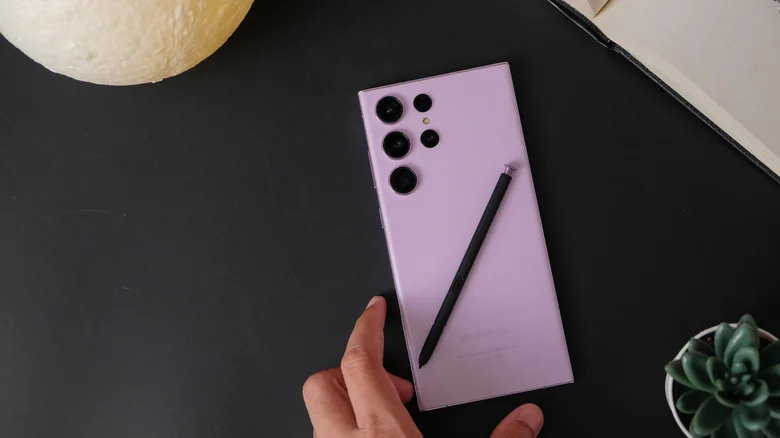
    Samsung Galaxy S23 on a desk.

    For starters, you want to make sure your phone is eligible for the update in the first place; if you have at least an S23 series phone, or a Z Flip or Z Fold no older than the 5 models, you’re good to go for when the full One UI 9 update arrives. The full stable update has only just started rolling out on the S26 series, and may take some time to reach the wider ecosystem. To check if the update is available, go Settings > Software Update > Check for updates (if your device hasn’t already made you aware of an available update). You can also go from Software Update to Download and install to schedule the update to download automatically at a later time, such as when your device is charging.

    Don’t jump straight to updating before taking a few precautions, though. The update will take up about 4GB of space, so you’ll want to free up that much storage with some wiggle room to boot. Moreover, you’ll want to make sure you’re topped up on battery before updating — and, if you’re scheduling the update, that your phone has enough charge and a Wi-Fi connection during the update time. Additionally, if you’re worried about anything going wrong during the update, make sure your important files are backed up physically or on the Cloud.

    Some phones are still in the beta stages with One UI 9
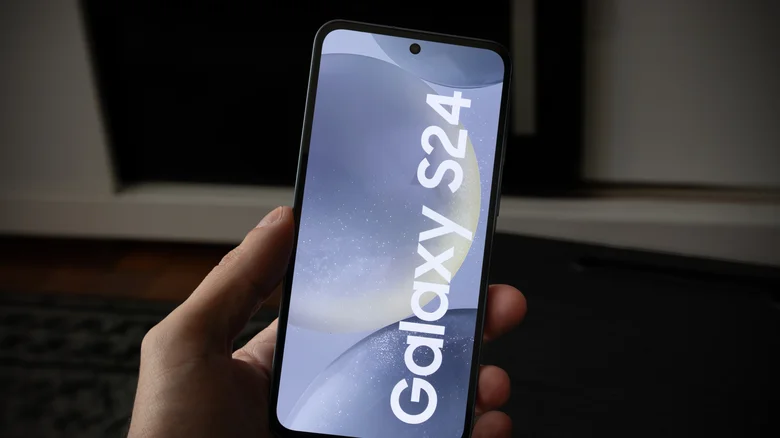
    Samsung Galaxy S24 being held.

    It’s not just the stable version of One UI 9 being rolled out, but further beta versions of the update for older devices as well. While Samsung’s One UI 9 beta rolled out on the latest Galaxy phones months ago, a second beta has just launched for the Galaxy A55 and A35 phones, as well as the S24 series. The update for the A series pair is starting its rollout in South Korea, whereas the Beta 2 update for the S24 is starting in India.

    The A55’s update size is about 403.66MB, whereas A35 users should free up about 500MB for its own second beta update. The S24 is seeing the largest new beta at the current time, with a 600.90MB size tag. You should take all the other precautions above when downloading these less-stable beta updates, but you’ll only be eligible for the former two in the first place if your device is enrolled in Samsung’s One UI 9 beta program.

    Galaxy Prepare Samsung Smartphones Your
    Follow on Google News Follow on Flipboard
    Share. Facebook Twitter Pinterest LinkedIn Tumblr Email Copy Link
    myappsplus
    • Website

    Related Posts

    Apple Pay finally launches in India after years on the sidelines

    September 30, 2026

    How do translation earbuds actually work?

    September 30, 2026

    a16z-backed EliseAI raises $350M, doubles valuation to $4B

    September 30, 2026
    Add A Comment
    Leave A Reply Cancel Reply

    Top Posts

    Can reviews settle disputes that marked first two seasons?

    September 21, 20267 Views

    Here’s what happens to your old computer parts you donate to Goodwill

    September 28, 20264 Views

    Experts call for leveraging AI, breaking key tech bottlenecks to propel advanced manufacturing

    September 19, 20264 Views
    Latest Reviews

    ChatGPT Can Now Send Your iMessages

    myappsplusAugust 24, 2026

    Humble man arrested after ‘thousands’ of AI-generated child porn images found, Pct. 1 says

    myappsplusAugust 24, 2026

    Epic fights Apple’s bid to seal key data behind proposed fees on linked-out purchases

    myappsplusAugust 24, 2026
    Stay In Touch
    • Facebook
    • YouTube
    • TikTok
    • WhatsApp
    • Twitter
    • Instagram

    Subscribe to Updates

    Get the latest tech news from FooBar about tech, design and biz.

    Most Popular

    Humble man arrested after ‘thousands’ of AI-generated child porn images found, Pct. 1 says

    August 24, 20260 Views

    Epic fights Apple’s bid to seal key data behind proposed fees on linked-out purchases

    August 24, 20260 Views

    Where are the upgrades? [Video]

    August 24, 20260 Views
    Our Picks

    With iOS 27, Apple Is Quietly Setting the Stage to Paywall Your iPhone

    September 30, 2026

    Early October Prime Day deals 2026: Bose, Lego, and Apple

    September 30, 2026

    Pixel 11a looks mostly unchanged in first leak, reportedly brings purple color back [Gallery]

    September 30, 2026

    Subscribe to Updates

    Subscribe to our newsletter and get the latest tech news, app updates, AI trends, smartphone reviews, and exclusive deals delivered straight to your inbox.

    Facebook X (Twitter) Instagram Pinterest
    • About Us
    • Get In Touch
    • Disclaimer
    • Privacy Policy
    • Terms & Conditions
    © 2026 MyAppsPlus. All Rights Reserved.

    Type above and press Enter to search. Press Esc to cancel.