

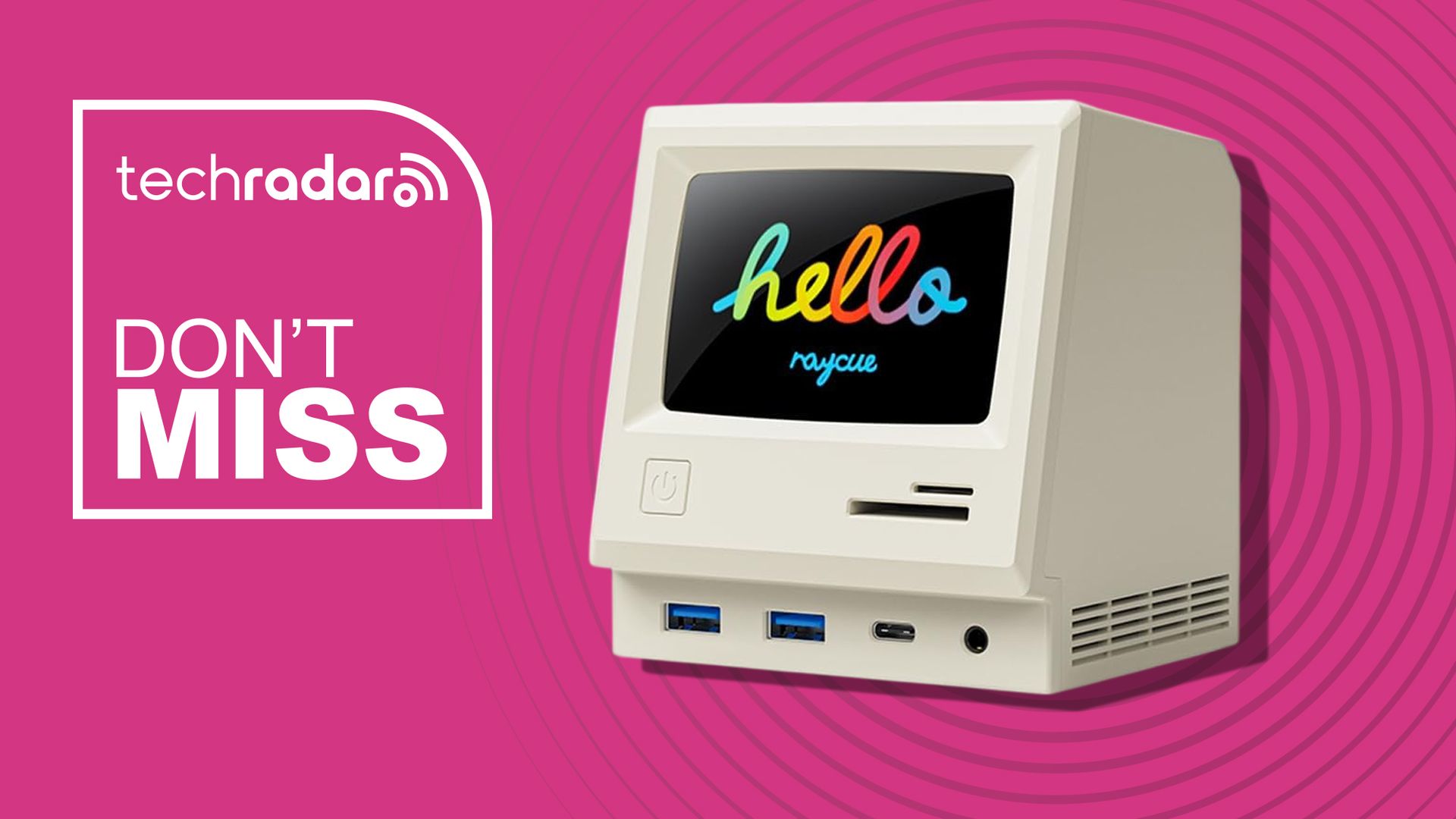
A docking station isn’t usually the most exciting thing on your desk, but the RayCue 128K SE changes that with a cool retro design. Alongside 13 connectivity options, it has a 3.5-inch IPS display that works as a digital clock or photo frame.
• Best for: Anyone who appreciates retro styling and wants to add plenty of ports and multiple displays to a USB-C laptop.
• The deal: The RayCue 128K SE 13-in-1 USB-C docking station is now $86 (was $100) at Amazon as part of the early Prime Day deals. But the offer ends in a few hours.
• Why we like it: The retro Mac design makes the RayCue 128K SE look great and it’s not all style over substance. You get three 4K HDMI outputs, five USB-A ports, 5Gbps USB-C, Gigabit Ethernet, SD and microSD card slots, and 3.5mm audio. Its built-in 3.5-inch IPS screen can also display photos and video, adding to that miniature vintage-computer appeal.
128K SE Docking Station: was $99.99 now $85.99
RayCue’s 13-in-1 USB-C dock features three 4K HDMI outputs, five USB-A ports, 5Gbps USB-C, Gigabit Ethernet, SD and microSD slots, audio, a 3.5-inch display and 45W power adapter for laptops.View Deal
The RayCue 128K SE is designed to turn a compatible USB-C laptop into a much more capable desktop setup. Along with connecting your peripherals, it can drive up to three external 4K displays, giving Windows owners plenty of screen space without needing several separate adapters.
Ironically for the design, there is a limitation for Mac owners, however: due to the way macOS handles display signals, connected external monitors display the same content rather than operating as three independent extended desktops.
The built-in screen has some personality beyond the retro styling, too. Using the RayCue 128K app, you can customize what appears on it, making the dock as much a desk accessory as a way of expanding your laptop.
Price context & historical value
The regular Amazon price is $99.99, while this early Prime Day offer cuts the RayCue 128K SE to $85.99. That’s a $14 saving off the listed price. That might not seem like a massive saving, but this is the cheapest we’ve seen it before.
Should you buy it?
✅ Buythe RayCue 128K SE Docking Station if…
You want to turn a USB-C laptop into a permanent multi-monitor desktop setup while reducing the number of separate adapters plugged into it. The little IPS screen is an unusual bonus if you like displaying photos or want a desktop clock.
❌ Skipthe RayCue 128K SE Docking Station if…
Mac owners wanting three independently extended external displays should look elsewhere because of the somewhat ironic macOS display limitation. It’s also excessive if you only need a couple of extra USB ports and a single monitor output.
