Close Menu
MyAppsPlus

    Subscribe to Updates

    Get the latest creative news from FooBar about art, design and business.

    What's Hot

    These are Amazon’s 16 best-selling tablets — and which ones are worth buying

    September 23, 2026

    Improve your Apple CarPlay experience by doing these simple things

    September 23, 2026

    Motorola Signature 27 is a proper flagship with Snapdragon 8 Elite Extreme Gen 6

    September 23, 2026
    Facebook X (Twitter) Instagram
    Facebook X (Twitter) Instagram
    MyAppsPlusMyAppsPlus
    Wednesday, September 23
    • Home
    • Breaking Tech
    • Apps & Software
    • AI & Automation
    • Android
    • iPhone & iOS
    • More
      • Reviews
      • How-To Guides
      • Deals & Discounts
      • Shop
    MyAppsPlus
    Home»Apps & Software»Apple releases first iOS 27.2 public beta with new iPhone Health app
    Apps & Software

    Apple releases first iOS 27.2 public beta with new iPhone Health app

    myappsplusBy myappsplusSeptember 22, 2026002 Mins Read
    Share Facebook Twitter Pinterest Copy Link LinkedIn Tumblr Email Telegram WhatsApp
    Follow Us
    Google News Flipboard
    Apple releases first iOS 27.2 public beta with new iPhone Health app
    Share
    Facebook Twitter LinkedIn Pinterest Email Copy Link

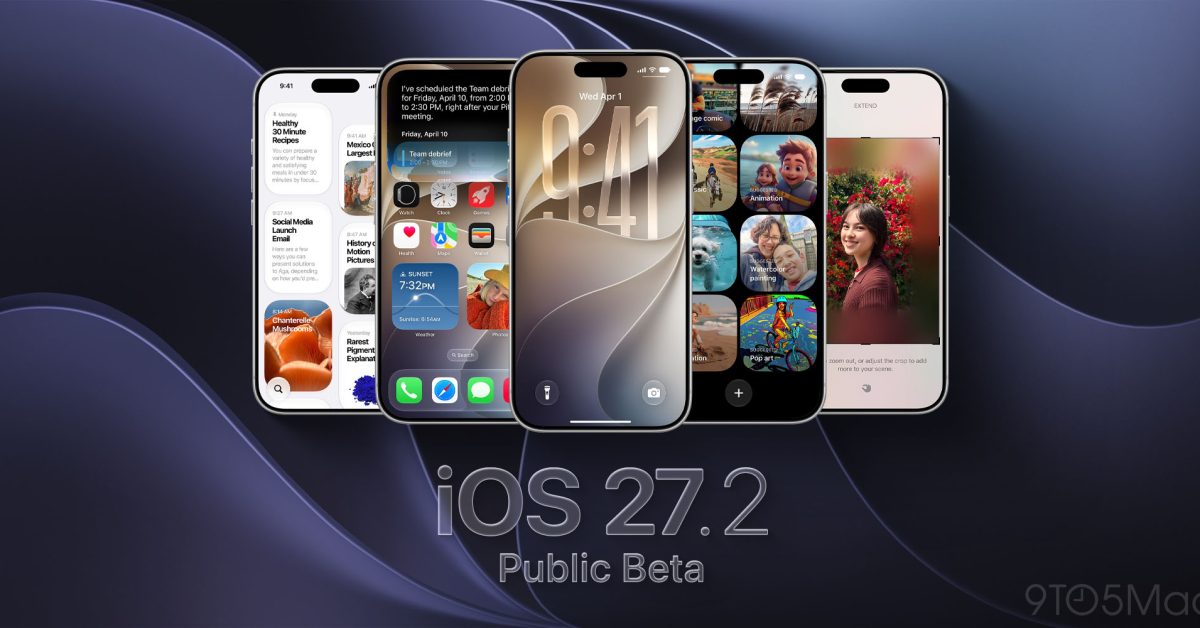
    Six days ago, Apple released iOS 27.2 developer beta 1, skipping over iOS 27.1 beta. Following yesterday’s developer beta 2 release, Apple has now issued the first iOS 27.2 public beta version, with the new iPhone Health app included. Apple has also turned on the ability to schedule and purchase labs through Quest Diagnostics from the new Health app in iOS 27.2 beta.

    iOS 27.2 beta includes all-new Health app and more

    iOS 27.2 is the next release that will follow the official launch of iOS 27 from <a href="https://myappsplus.com/android-september-2026-update-check-your-patch/” title=”Android September 2026 Update: Check Your Patch”>September 14. iOS 27.1 is just for iPhone Duo.

    Apple has already detailed how the iOS 27.1 SDK will let developers take full advantage of the iPhone Duo display. You can see how apps will appear on iPhone Duo based on which iOS version they target here.

    Apple released Xcode 27.1 beta on Friday, adding the iPhone Duo simulator and app development support for the new foldable iPhone.

    The first iOS 27.2 developer beta included these changes:

    • Apple’s redesigned Health app first announced during the iPhone 18 Pro event is now live in this beta.
    • Dual capture mode comes to Group FaceTime.
    • Siri AI language support now includes French, Japanese, Korean, Portuguese, and Spanish.
    • Apple TV app profiles come to iPhone.
    • Up Next is now New Episodes in Apple Podcasts. Continue Playing section is now directly below New Episodes. Podcasts also have color-matched backgrounds on episode lists.
    • Apple Music uses less of the icon’s color for labels in the app now.

    iOS 27.2 is set to be released officially in October. For now, there’s both a developer beta and public beta path for iPhone users looking to test the new Apple Health app early.

    Do more with your Apple products

    Apple AirTag 2 | Add Find My tracking to keys, bags, bikes, more

    You’re reading 9to5Mac — experts who break news about Apple and its surrounding ecosystem, day after day. Be sure to check out our homepage for all the latest news, and follow 9to5Mac on Twitter, Facebook, and LinkedIn to stay in the loop. Don’t know where to start? Check out our exclusive stories, reviews, how-tos, and subscribe to our YouTube channel

    Apple beta first public releases
    Follow on Google News Follow on Flipboard
    Share. Facebook Twitter Pinterest LinkedIn Tumblr Email Copy Link
    myappsplus
    • Website

    Related Posts

    Improve your Apple CarPlay experience by doing these simple things

    September 23, 2026

    Motorola Signature 27 is a proper flagship with Snapdragon 8 Elite Extreme Gen 6

    September 23, 2026

    Public beta debuts for iPadOS 27.2 and more, here’s what’s new

    September 23, 2026
    Add A Comment
    Leave A Reply Cancel Reply

    Top Posts

    This tiny AI box could save me from upgrading my perfectly good laptop

    September 6, 20263 Views

    New Target ad delivers look at upcoming deals in one of Nintendo’s ‘largest promotions ever’

    September 13, 20262 Views

    Top 10 Best React Native App Development Companies in 2026

    September 12, 20262 Views
    Latest Reviews

    I tested this game-changing, sub-$100 Godox flash kit — and it’s the best portrait photography upgrade I’ve tried all year

    myappsplusAugust 21, 2026

    OK, can we actually cool data centers with our pee?

    myappsplusAugust 21, 2026

    TCL QM8L vs QM7L: Which SQD Mini-LED TV tested better in our lab?

    myappsplusAugust 21, 2026
    Stay In Touch
    • Facebook
    • YouTube
    • TikTok
    • WhatsApp
    • Twitter
    • Instagram

    Subscribe to Updates

    Get the latest tech news from FooBar about tech, design and biz.

    Most Popular

    I tested this game-changing, sub-$100 Godox flash kit — and it’s the best portrait photography upgrade I’ve tried all year

    August 21, 20260 Views

    OK, can we actually cool data centers with our pee?

    August 21, 20260 Views

    TCL QM8L vs QM7L: Which SQD Mini-LED TV tested better in our lab?

    August 21, 20260 Views
    Our Picks

    These are Amazon’s 16 best-selling tablets — and which ones are worth buying

    September 23, 2026

    Improve your Apple CarPlay experience by doing these simple things

    September 23, 2026

    Motorola Signature 27 is a proper flagship with Snapdragon 8 Elite Extreme Gen 6

    September 23, 2026

    Subscribe to Updates

    Subscribe to our newsletter and get the latest tech news, app updates, AI trends, smartphone reviews, and exclusive deals delivered straight to your inbox.

    Facebook X (Twitter) Instagram Pinterest
    • About Us
    • Get In Touch
    • Disclaimer
    • Privacy Policy
    • Terms & Conditions
    © 2026 MyAppsPlus. All Rights Reserved.

    Type above and press Enter to search. Press Esc to cancel.