Close Menu
MyAppsPlus

    Subscribe to Updates

    Get the latest creative news from FooBar about art, design and business.

    What's Hot

    M5 Ultra and M6 Chip Benchmark Results Reveal Graphics Performance

    September 19, 2026

    Google says its AI model gained unauthorized access to three outside systems

    September 19, 2026

    Virginia Tech band reviews heat safety after Iowa musician’s death

    September 19, 2026
    Facebook X (Twitter) Instagram
    Facebook X (Twitter) Instagram
    MyAppsPlusMyAppsPlus
    Saturday, September 19
    • Home
    • Breaking Tech
    • Apps & Software
    • AI & Automation
    • Android
    • iPhone & iOS
    • More
      • Reviews
      • How-To Guides
      • Deals & Discounts
      • Shop
    MyAppsPlus
    Home»Breaking Tech»How Focus mode has changed in iOS 27
    Breaking Tech

    How Focus mode has changed in iOS 27

    myappsplusBy myappsplusSeptember 19, 2026003 Mins Read
    Share Facebook Twitter Pinterest Copy Link LinkedIn Tumblr Email Telegram WhatsApp
    Follow Us
    Google News Flipboard
    How Focus mode has changed in iOS 27
    Share
    Facebook Twitter LinkedIn Pinterest Email Copy Link

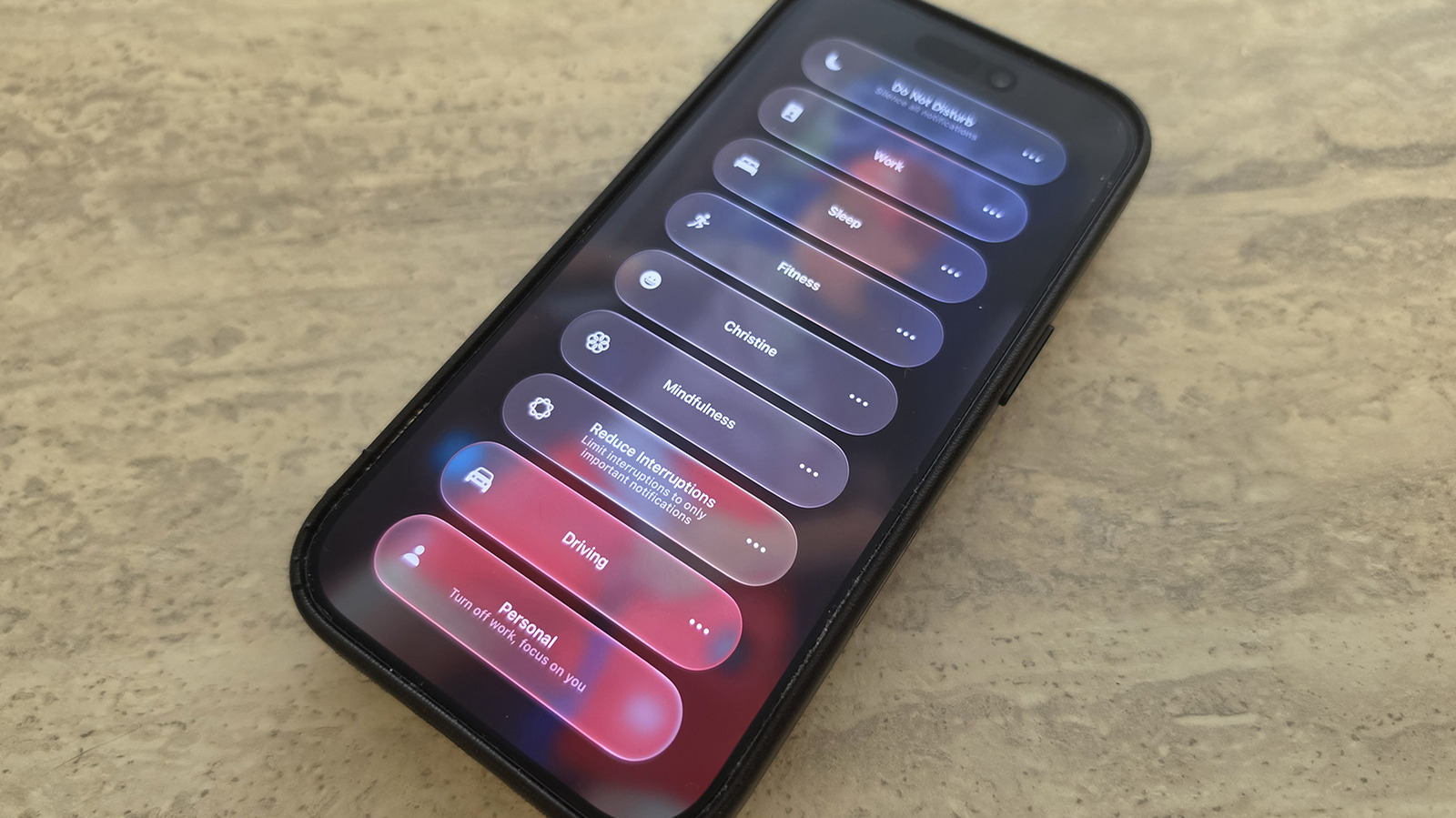
    Focus isn’t the biggest feature to change with iOS 27, but it has some cool enhancements worth knowing.

    One of the best tools your <a href="https://myappsplus.com/apples-iphone-18-pro-goes-on-sale-ai-safety-debate-continues/” title=”Apple's iPhone 18 Pro goes on sale, AI safety debate continues”>iPhone offers to help you avoid distractions is Focus, which lets you control which alerts arrive at what times. It includes default modes like Work, Personal, Sleep and more, as well as the ability to create your own. For example, you might want to silence social media notifications while still getting pings for incoming messages from family members.

    To select a Focus mode, swipe down from the top-right of the screen to open Control Center, then tap the Focus panel and select the desired mode from there. To configure your Focus modes, go to Settings, scroll down to Focus, then select any option (or create your own) to tweak what’s permitted and what’s silenced. 

    While Focus has been around for several years, some of iOS 27’s improvements include tweaks to the feature. If you haven’t updated yet, this is another great reason to do so.

    Notable changes to Focus mode
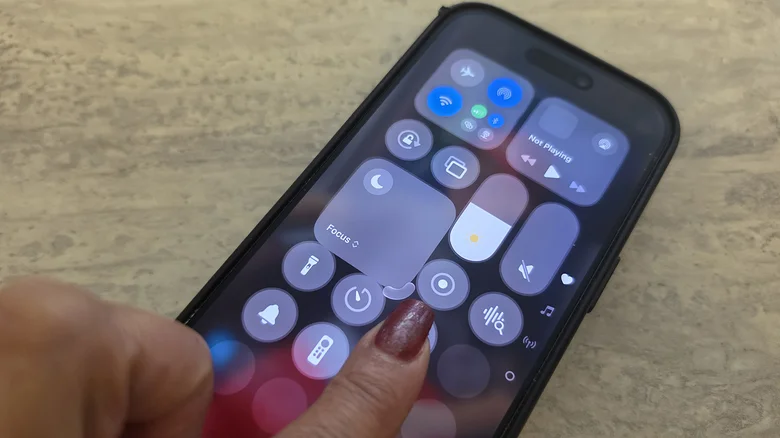
    A finger dragging on the Focus mode icon in Control Center on iPhone to make it bigger.

    Christine Persaud for Engadget

    You can now change how the Focus entry appears in Control Center. With Control Center opened, long-press on any empty part of the screen until edit mode activates. Drag the bottom-right corner of the Focus icon to resize it as desired. While this was limited to a 2×1 space in iOS 26 and earlier, you can now make it a small 1×1 circle to save room or as large as 2×2 for quicker selections.

    iOS 27 also brings improvements to Focus mode tracking that allow you to build better Shortcuts around them. As explained by Derek Seaman, Shortcut actions can check your specific phone state based on the Focus mode that’s currently active. For example, I created a Shortcut, using natural language commands, that asks my phone to play a podcast when it’s in Driving focus mode. You can now select Sleep Focus mode for an automation trigger, too.

    Finally, “Otherwise if” logic statements are now supported with Shortcuts and Focus mode triggers. So, you might have a Shortcut trigger a specific action automatically if Sleep Focus is turned on, but if Driving is on instead, another action will trigger. Your device is able to track when you switch to each mode and run the action accordingly. This allows for more granular control of automated actions so they relate back to the Focus mode your phone is in, not just a single trigger.

    Focus mode can simplify automations
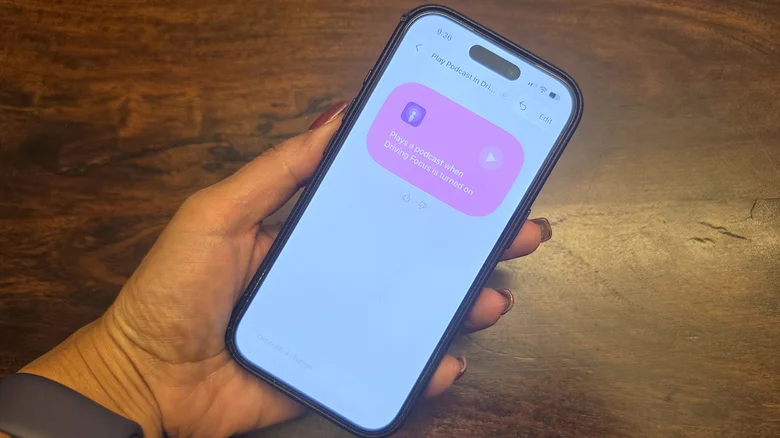
    A hand holding an iPhone, showing Driving focus mode with an automation.

    There are vast improvements to Siri AI with iOS 27. You can use natural language commands to have Siri create a Shortcut that includes Focus mode status integrated to it, now improved with iOS 27.

    I have a custom Focus Mode called Christine where I silence notifications from Facebook, Instagram, Phone and Messenger but still permit notifications from Slack and my Ring video doorbell. You can also choose specific people to allow notifications from, like your boss or spouse, so you don’t miss a crucial message.

    I also set a Shortcut to open my workout app automatically whenever I switch to Fitness mode. These aren’t massive changes, but can make your days run more smoothly thanks to actions being easier to trigger. It’s worth getting more familiar with Focus mode and using it alongside Shortcuts to create your own phone automations. Focus Mode is one of Apple’s best productivity tools, and you’re missing out if you’re not using it.

    Apple Changed focus mode
    Follow on Google News Follow on Flipboard
    Share. Facebook Twitter Pinterest LinkedIn Tumblr Email Copy Link
    myappsplus
    • Website

    Related Posts

    AI almost led the US military to start a war with China, report says

    September 19, 2026

    GM is re-downloading Apple CarPlay, Android Auto to its cars

    September 19, 2026

    India forces caller-ID apps to feed spam reports to telcos

    September 19, 2026
    Add A Comment
    Leave A Reply Cancel Reply

    Top Posts

    This tiny AI box could save me from upgrading my perfectly good laptop

    September 6, 20263 Views

    Top 10 Best React Native App Development Companies in 2026

    September 12, 20262 Views

    AI, automation, robot dogs ensure on-site nuclear safety

    September 7, 20262 Views
    Latest Reviews

    Apple may have accidentally teased its own roadmap with 14 unreleased devices revealed — but this long overdue update has me most excited

    myappsplusAugust 19, 2026

    Apple TV 4K fans are begging for these 3 upgrades from the leaked Siri Remote — but one is already possible today

    myappsplusAugust 20, 2026

    Can MainstreamOS finally make Linux a household name? I tried it to find out

    myappsplusAugust 20, 2026
    Stay In Touch
    • Facebook
    • YouTube
    • TikTok
    • WhatsApp
    • Twitter
    • Instagram

    Subscribe to Updates

    Get the latest tech news from FooBar about tech, design and biz.

    Most Popular

    Apple may have accidentally teased its own roadmap with 14 unreleased devices revealed — but this long overdue update has me most excited

    August 19, 20260 Views

    Apple TV 4K fans are begging for these 3 upgrades from the leaked Siri Remote — but one is already possible today

    August 20, 20260 Views

    Can MainstreamOS finally make Linux a household name? I tried it to find out

    August 20, 20260 Views
    Our Picks

    M5 Ultra and M6 Chip Benchmark Results Reveal Graphics Performance

    September 19, 2026

    Google says its AI model gained unauthorized access to three outside systems

    September 19, 2026

    Virginia Tech band reviews heat safety after Iowa musician’s death

    September 19, 2026

    Subscribe to Updates

    Subscribe to our newsletter and get the latest tech news, app updates, AI trends, smartphone reviews, and exclusive deals delivered straight to your inbox.

    Facebook X (Twitter) Instagram Pinterest
    • About Us
    • Get In Touch
    • Disclaimer
    • Privacy Policy
    • Terms & Conditions
    © 2026 MyAppsPlus. All Rights Reserved.

    Type above and press Enter to search. Press Esc to cancel.