

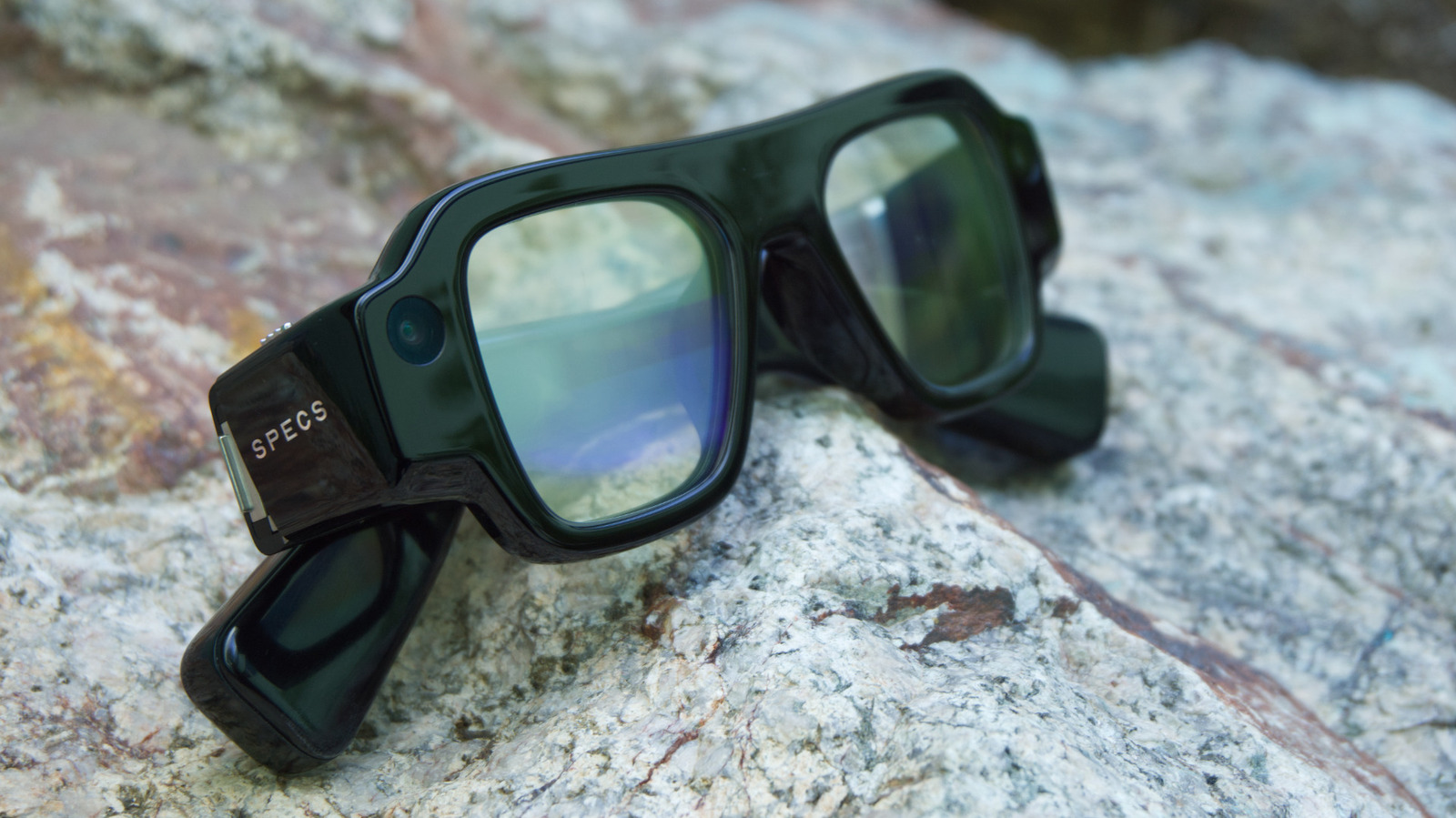
The $2,195 glasses are Snap’s biggest AR bet yet.
Snap has been experimenting with glasses for a decade and AR-enabled frames for the last five years. I’ve tried every pair, and it’s always been clear that the company was working towards something bigger. Specs, the company’s first consumer-ready AR glasses are exactly that.
The $2,195 glasses are able to replicate much of the functionality of a mixed reality headset without a separate puck, controller or tethered connection. But that also comes with some trade-offs, like the size. But after trying out Specs for myself, I think there’s a lot to like. The operating system feels more polished than previous versions, and Snap has more apps that feel like they would actually be useful. But I still have a lot of questions about the product and who it’s ultimately for.
Look and fit
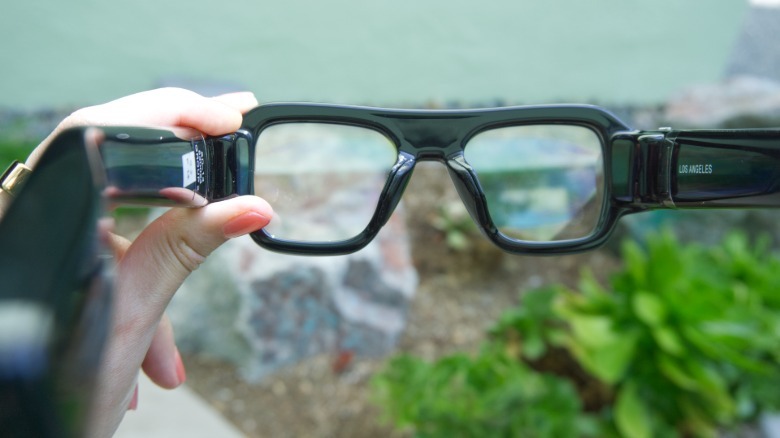
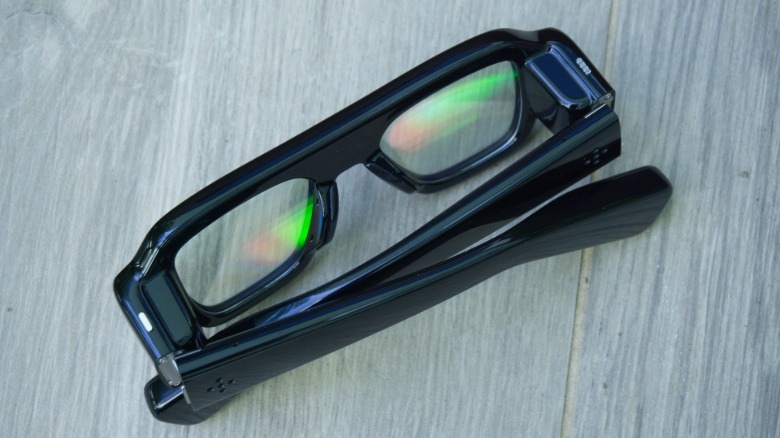
Specs come in two sizes: 47 mm and 52 mm. I tried both and the smaller frames (pictured above) were a much better fit for my face. And look, as someone who regularly reviews smart glasses, I’m very aware that people have strong opinions about how these look! I’m not here to say that Specs can pass for “normal” glasses, and I don’t think they are supposed to. They’re chunkier than the bulkiest smart glasses I’ve worn, but they are also far more capable than something like the Meta Ray-Ban Display glasses.
Given Specs’ capabilities, I actually think they look okay. I likely wouldn’t wear them as my everyday glasses, but I don’t think they look any goofier than other AR products I’ve tried, like Xreal’s Aura headset. I will say I have something of an advantage, though, since I have long hair that can cover the thick arms that would otherwise stick out past my ears.
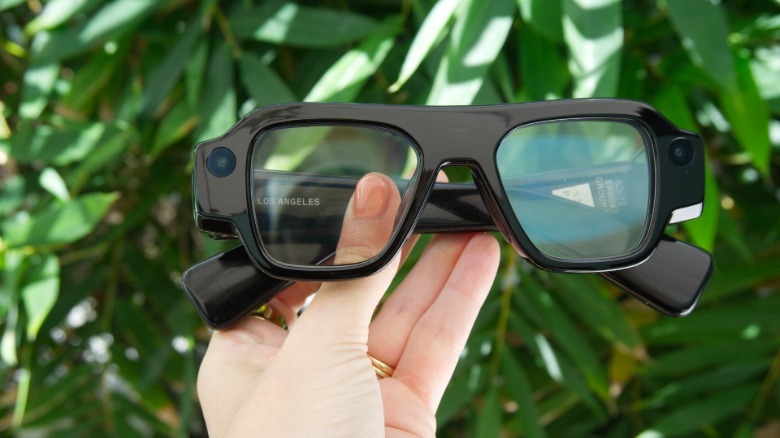
Specs also don’t feel nearly as heavy as they are. At 132 grams, they’re almost twice as heavy as Meta’s display-enabled frames, but the weight felt more evenly distributed around my head. The fit was surprisingly snug and the glasses never slipped down my nose, even if I shook my head. I only had them on for about 20 minutes, so I can’t speak to how they would feel after longer periods, but I never felt uncomfortable during my demo. And, as someone who frequently struggles with glasses not fitting tightly enough, it was nice to never have to adjust their position.
Hand tracking and AR
Specs are equipped with two cameras, which enable the hand-tracking controls. The interface is similar to the last generation: you point with your index finger to move a cursor around the display and pinch your thumb and index finger together to select. You can also access the main menu and some other controls by opening your palm and tapping on the relevant shortcuts.
The hand tracking was intuitive and responsive. The only issue I experienced was when some hair fell in front of one of the cameras, which caused the cursor to jump around the display somewhat erratically, but it resolved as soon as I pushed my hair back.
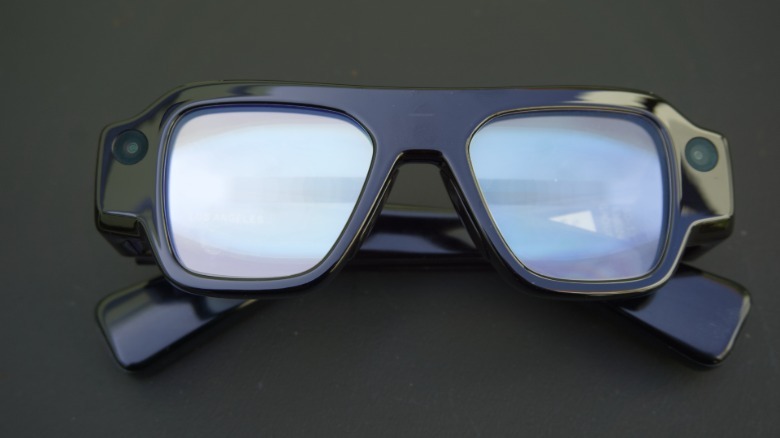
The actual display was bright and easy to see, though there was some variation based on the lighting conditions of my space. Content looked a bit sharper when I was in a darker environment. Specs also have an adjustable dimming function that can help with brighter environments, but I wasn’t able to use it extensively.
One significant improvement from the last generation of glasses is that the AR content can now “follow” you around as you physically move around your space. When I tried the last generation of Spectacles a few years ago, I noted that it was at times frustrating to have to look around to find the AR content I knew was there but couldn’t quite see. But Snap OS now has the ability to “anchor” a window so it can move around your view as you physically move in your surroundings.
It also helps that Specs have a slightly wider field of view than their predecessor. At 51 degrees, it felt big enough to be useful, even though there were still times when content was cut off. I could often address this by rearranging the size and position of the windows, but that also takes away from the immersiveness.
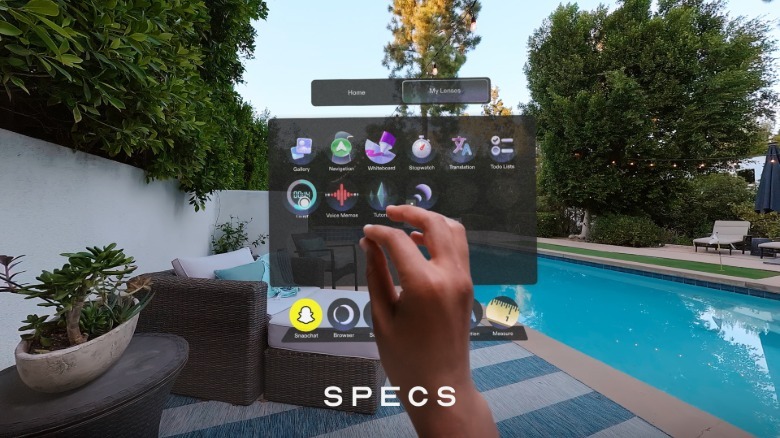
Evan Spiegel has described Specs as a “wearable computer” that’s suitable for doing actual work in augmented reality. I didn’t get a chance to try out too many productivity-focused apps, but I was able to open Google Docs in a browser window and type with a Bluetooth keyboard, as well as the built-in AR keyboard. I think the AR keyboard would only be suitable for a few words at a time, but typing with a physical keyboard felt pretty natural.
A lot of the AR experiences I’ve seen on past versions of Spectacles have felt somewhat gimmicky, so I was happy to see that Snap has invested in some utility-focused apps. I tried out a Mapbox-powered navigation app for walking directions, and a translation app that was able to project an English captions of someone speaking Italian. Snap also has an AR measuring tool and a “whiteboard” app for sketching out ideas, though I didn’t get to try these.
One of the more interesting aspects of Specs is how they can enable shared experiences between two people. I got a taste of this by playing a quick game of dominoes with a Snap representative who was also wearing a pair of Specs. It reminded me a little of some of the tabletop VR games I’ve tried with Meta’s Quest headsets. While dominoes is much simpler than an interactive RPG, the form factor of Specs feels like a more natural way to play a game with someone sitting next to you than a bulky headset. Overall, it seems like there’s a lot of potential for casual, social games.
Another addition Snap has made is “travel mode,” for viewing streaming content when you’re in a moving vehicle (as a passenger). When enabled, you can watch streaming content via Specs’ browser and the window will track to the movements of the vehicle rather than the movements of your head. It’s a subtle difference, but it’s meant to make viewing feel more natural in these situations. I only tried it while slowly driving around the parking lot of Snap’s HQ, but I could see it being useful for streaming content while on a plane or a train. (I tend to get a little motion sick when sitting in a backseat so I don’t think in-car viewing is for me, even though I didn’t feel unsettled during my demo.)
Battery life and other questions
Watching YouTube videos and HBO shows in an AR window is a cool experience, but also one I suspect will drain Specs’ battery rather quickly. The company has said Specs will have up to fours of battery life with “mixed use” but I still don’t have a sense of how quickly the apps I tried might drain the battery. I did notice that the arms of the glasses, which house Qualcomm processors, were warm to the touch after about 10 minutes of use, though they didn’t feel uncomfortably hot.
I also suspect that connectivity could be a limitation in some situations. Certain Specs experiences, like streaming video or navigation, require some kind of connection, which could limit their utility when you don’t have Wi-Fi available or don’t feel like hotspotting from your phone.
Snap is selling a dedicated charging case with a cellular connection that will address potential battery and connectivity concerns. The $200 case holds up to four additional charges, and will enable a standalone cellular connection when on the go (Snap is partnering with Verizon and other carriers on the plans, but no word on pricing yet). But the accessory and extra data plan will add significant cost to an already pricey device.
All that makes me wonder who Specs are for. There’s clearly growing excitement for augmented reality, and I think enthusiasts will see the appeal of Snap’s approach. The company is also launching a dedicated enterprise program for businesses that want to take advantage of the platform. But Snap seems to want to appeal to the consumer market as well; the company has been promoting the glasses with a splashy celeb-fueled ad campaign. But given the size and price of the glasses, I have some doubts that the current version of Specs will be appealing to anyone but AR enthusiasts.
Specs are available now for pre-order and are expected to ship “later this fall” in the US, UK and France.
