


You have to reboot your PC eventually, but how often should you do this?
It’s common wisdom among PC users to restart your computer on a regular basis. Some even go so far as insisting that you must do so every day, lest some terrible fate befall you. But is that still the case in 2026, or is this advice held over from an earlier era of computing?
The general consensus is that you do need to restart your PC. How often you do so depends on which operating system you’re running, and to some extent, whether you’re using a laptop or desktop. Windows machines need to be restarted more often others, and though we won’t be focusing on them here, Linux systems typically need fewer restarts in general.
Broadly, restarting a Windows PC at least once a week is beneficial. Because of their limited internal space and accordingly restricted cooling setups, a laptop should be shut down (or at least put to sleep) when you’re done using it. Putting a sleeping laptop in a bag is risky since it could get extremely hot if it wakes up in that trapped environment.
There are different reasons to restart your PC, and understanding the basics of what happens when you do will help you determine when your system needs a power cycle.
Restarting your PC allows it to start a fresh session
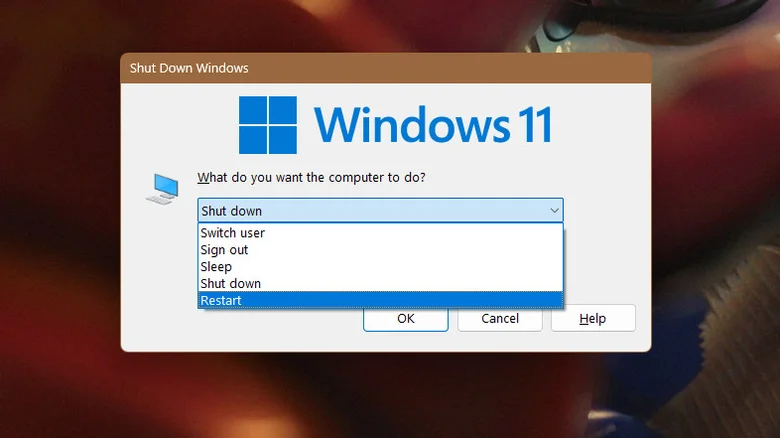
The primary benefit you’ll gain from restarting a PC is a fresh slate for your memory state. As your computer runs, apps, processes and even drivers build up cruft under the hood. Background processes degrade, app caches accumulate and drivers develop errors. Together, this can all lead to strange issues over time.
A full reboot completely dumps your memory, allowing you to resume your work from a blank state. Restarting a PC can also provide security benefits, since some malware can only live temporarily in system memory and is flushed out when the system restarts. Reboots alone are not a sufficient defense against attacks, but they are an important part of one.
On machines with low amounts of RAM, a reboot can even free up some performance headroom. And, while a high-end system with gobs of RAM may run smoothly even after weeks of uptime, it’s still beneficial to start from a new session every so often. This lets you keep track of everything you have running and avoid unnecessary usage from memory leaks.
Fast Startup on Windows can prevent full reboots
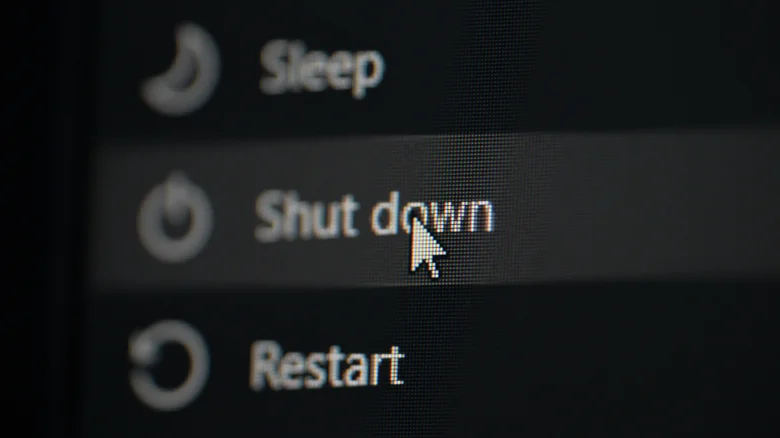
One Windows quirk to be aware of is that the Fast Startup feature, which is usually on by default, will prevent the system from fully rebooting when you perform a shutdown. If you use the Shut down option in the Windows power menu (accessible from the Start Menu or by pressing Alt + F4), this feature saves the kernel state to the Windows hibernation file, then reloads it when you turn the PC back on.
This is convenient for day-to-day use, as it gets you back into Windows faster. But because the PC is booting from a cached state, Fast Startup can prevent a reboot from resolving the slowdowns and memory leaks you’d normally expect it to fix. Since this resumes Windows more quickly, it also narrows the small window of time you have to enter the BIOS/UEFI. And if you dual-boot Windows and Linux, Fast Startup can cause further issues with disk partitions.
To bypass Fast Startup, hold down Shift while clicking the Shut down item, or use the Restart option instead. You can disable Fast Startup entirely by opening the Control Panel (search for it in the Start Menu), then choosing Power Options. Click Choose what the power buttons do, then <a href="https://myappsplus.com/how-to-change-and-customize-your-apple-carplay-display/” title=”How to change and customize your Apple CarPlay display”>Change settings that are currently unavailable. Uncheck the box for Fast Startup, then click Save changes.
Always reboot a PC after updates
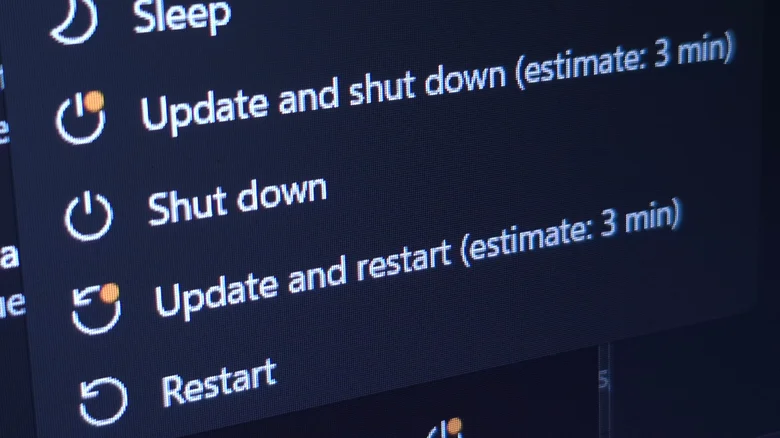
The one time you should always reboot, even if you’ve done so recently, is after updating certain programs, features or hardware, as well as when your OS has an update pending. In the case of apps and hardware, a reboot is often necessary to finalize the update and clear out old data from previous app and driver versions.
As for your OS, Windows often require reboots to install patches, even when not updating to a new major version. Keeping your system up-to-date is one of the most important security measures you can take, as new updates almost always include fixes for known security vulnerabilities. Thus, the longer you put off rebooting to install updates, the more vulnerable your system is to attack. Lately, however, Windows updates have been introducing strange bugs, causing games to crash and even creating system lockouts, so running a quick search beforehand is prudent.
One major exception is Windows on ARM. As opposed to the x86 systems traditionally used by Windows PCs, ARM processors are suited to long uptimes. That’s why they’re found in nearly every smartphone and tablet, as well as in newer Mac machines with Apple silicon. This is the reason your phone needs less frequent reboots than your x86 PC.
Windows on ARM still benefits from occasional reboots, especially after updates. If you’re having a strange issue, powering the computer off and on again remains a great first troubleshooting step. But don’t feel the need to reboot an ARM system religiously.
