


The difference comes down to what happens when the power goes off, but that’s only part of how modern memory works.
Computer specs often use the word “memory” for several different technologies, which can make volatile and non-volatile memory sound more complicated than they are. The basic distinction is whether stored data survives when power disappears.
Volatile memory needs continuous power to retain its contents, while non-volatile memory keeps data after power is removed. That’s why conventional system RAM is cleared when you shut down a computer, but files saved to an SSD are still there the next time it starts.
Volatility only describes what happens to the data when power goes away. It does not, by itself, tell you how fast a type of memory is, how much it can hold or what job it performs.
Volatile memory includes DRAM and SRAM
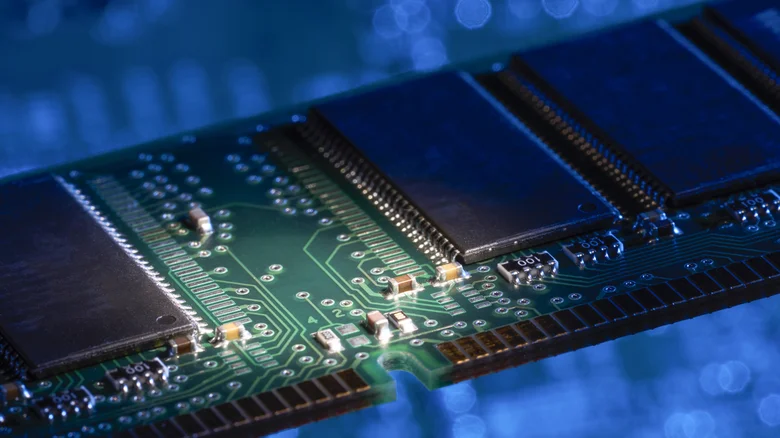
When a <a href="https://myappsplus.com/the-pros-and-cons-of-using-an-ipad-as-a-laptop/” title=”The pros and cons of using an iPad as a laptop”>laptop or desktop spec lists 16GB or 32GB of RAM, it’s referring to dynamic random-access memory, or DRAM. This is the computer’s main working memory, which holds data while programs are running. DDR5 is one current form of DRAM in computers, while phones and other mobile devices commonly use low-power DRAM such as LPDDR5X.
Each DRAM cell stores a bit using a capacitor and a transistor. The electrical charge in the capacitor leaks over time, so DRAM has to refresh its contents repeatedly while the system is running. Once power is removed and those refreshes stop, the stored data disappears.
DRAM can come in forms other than the removable sticks commonly found in desktop PCs. AMD’s Ryzen AI Max chips, for example, can work with as much as 128GB of unified memory. The underlying job is still temporary working memory, even when the physical layout looks different from a traditional DIMM (the removable stick-shaped circuit board lined with memory chips that plugs into a motherboard slot).
Static random-access memory, or SRAM, is volatile too. “Static” refers to the fact that SRAM can retain its state without the periodic refresh cycles DRAM needs, provided power is still available. SRAM uses latching circuitry with several transistors per bit, which can provide faster access than DRAM’s capacitor-and-transistor cell.
That makes SRAM well-suited to processor caches, where relatively small amounts of frequently needed data can sit close to the CPU. The Ryzen 9 9950X3D (our review) is an unusually cache-heavy example, with 144MB of combined L2 and L3 cache. That’s still tiny compared with the gigabytes of DRAM used as main memory, which shows how differently the two volatile technologies are used.
Non-volatile memory keeps data after shutdown
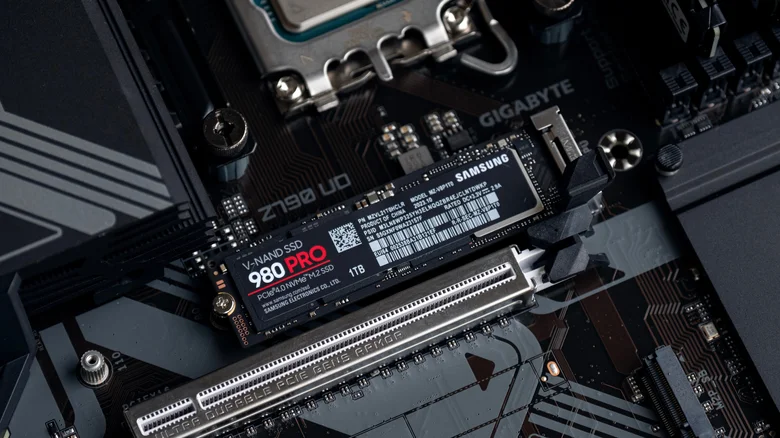
Non-volatile memory handles information that needs to remain available when the device loses power. The most familiar example in current consumer hardware is NAND flash, which is used for persistent storage in SSDs, tablets, USB drives and memory cards.
An SSD has two main parts: flash memory, which stores your data even when the power is off, and a controller, which manages how that data is written and read. The controller also helps correct errors and distributes write operations across different memory cells, rather than repeatedly writing to the same cells. This helps prevent some cells from wearing out much faster than others. This basic setup applies to both SATA and NVMe SSDs.
NOR flash is another type of non-volatile memory, but it’s usually used for code rather than large files. Devices can use it to store the firmware that starts the hardware and loads the operating system, along with other program code that needs to remain available after shutdown. NOR flash is especially useful in embedded devices because the processor can often run that code directly from the flash chip, without first copying it to RAM.
So, just as DRAM and SRAM are both volatile while serving different purposes, NAND and NOR show that “non-volatile” describes a property rather than a single type of component.
Modern devices move data between both kinds of memory

Opening and using a photo-editing app provides an example of how the memory hierarchy works. The app and saved photo begin on non-volatile storage. As you use them, the system loads the code and data it needs into DRAM. The processor’s caches then keep copies of frequently accessed information closer to the CPU, reducing how often it has to reach back into main memory.
None of those temporary copies need to survive a normal shutdown. What matters is that the changes you save eventually reach non-volatile storage.
Hibernation makes the distinction especially easy to see. Windows can write the contents of volatile memory to a hibernation file on non-volatile storage before powering DRAM down. When the computer resumes, Windows reads that file and restores the memory contents. That’s distinct from sleep mode, where your session is kept in RAM and lost if the power goes out.
This is why a laptop specification such as “16GB memory | 512GB SSD” describes two separate resources. The first figure tells you how much working space the system has for active tasks. The second tells you how much persistent storage is available for the operating system, apps and files that need to remain after the power is off.
