

Every product is carefully selected by our editors and experts. If you buy from a link, we may earn a commission. Learn more. For more information on how we test products, click here.
- The iOS 27 update expands capabilities across all CarPlay app categories.
- New video feature enables dashboard media browsing while parked.
- Voice Control templates now feature overlay presentations across all app categories.
- Navigation apps gain custom UI panels and deep vehicle Route Sharing.
- Device Hub updates the CarPlay Simulator for varying vehicle configurations.
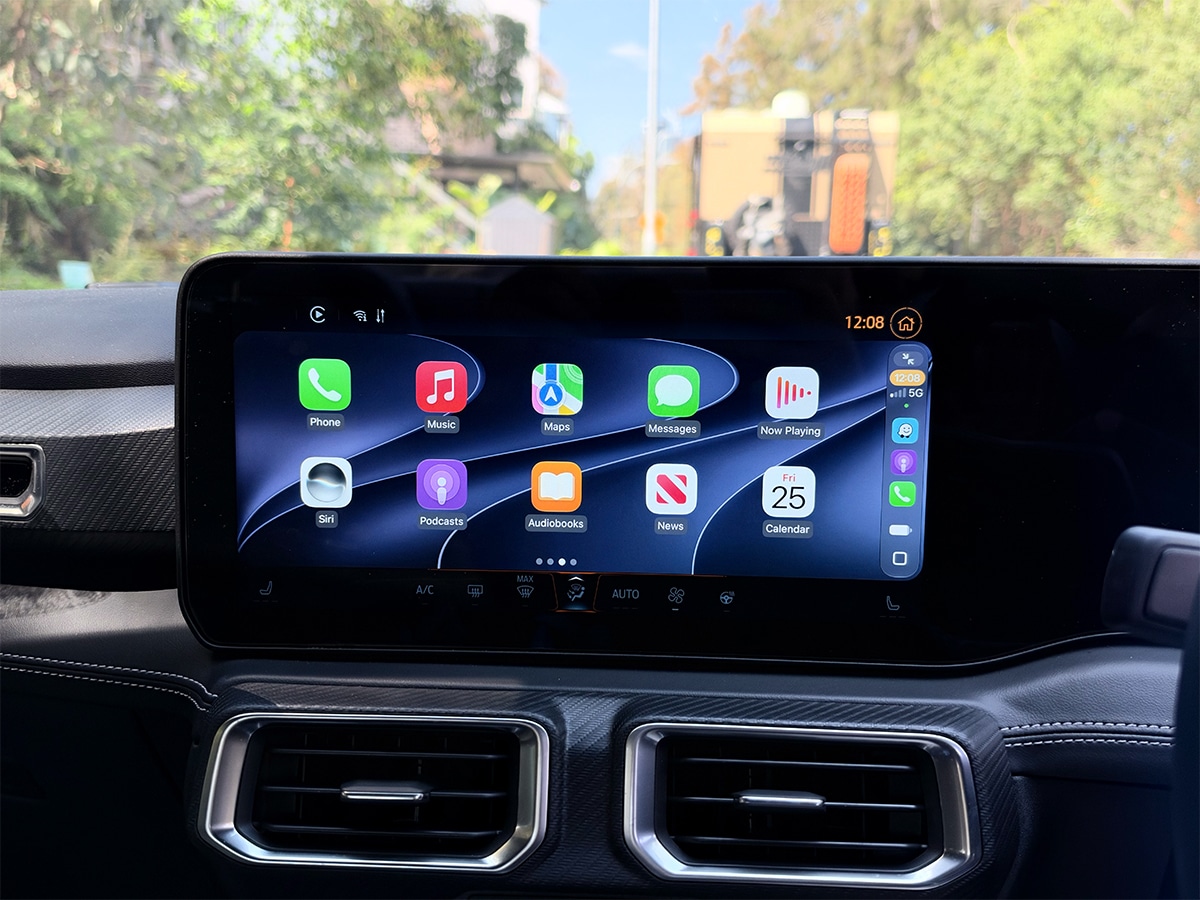
Not much in life is free, but we’ll happily take a free software upgrade to Apple CarPlay. That’s exactly what you’ll get from now, as the new iOS 27 update expands CarPlay’s functionality far beyond the basic audio and messaging features that you’ve known for years.
The system now supports live video browsing, custom dashboard widgets, and deep EV Route Sharing. Developers and users finally have the tools to build multi-layered, personalised applications directly into the dashboard display. While we’ve recently explored the broader Apple product lineup alongside the iPhone 18 Pro review, these CarPlay updates connect your mobile hardware directly to your vehicle’s native systems.
Probably the biggest hardware integration is the new video in-car feature. Drivers waiting at an airport or charging station can now watch content from their favourite apps directly on the native screen. Because safety remains the priority, the system automatically falls back to an audio-only stream the moment the car shifts into gear. However, this requires automakers to certify AirPlay video integration, and currently, no car manufacturers support the feature out of the gate.
But you want to get the most out of the software update right now, so the immediate upgrades lie in customisation and intelligence. You can now pin third-party widgets to your dashboard, scrub through audio tracks with a new MiniPlayer, and rely on Siri AI for conversational control (which requires an iPhone 15 Pro, iPhone 16, or newer).
1. Siri AI Conversational Control
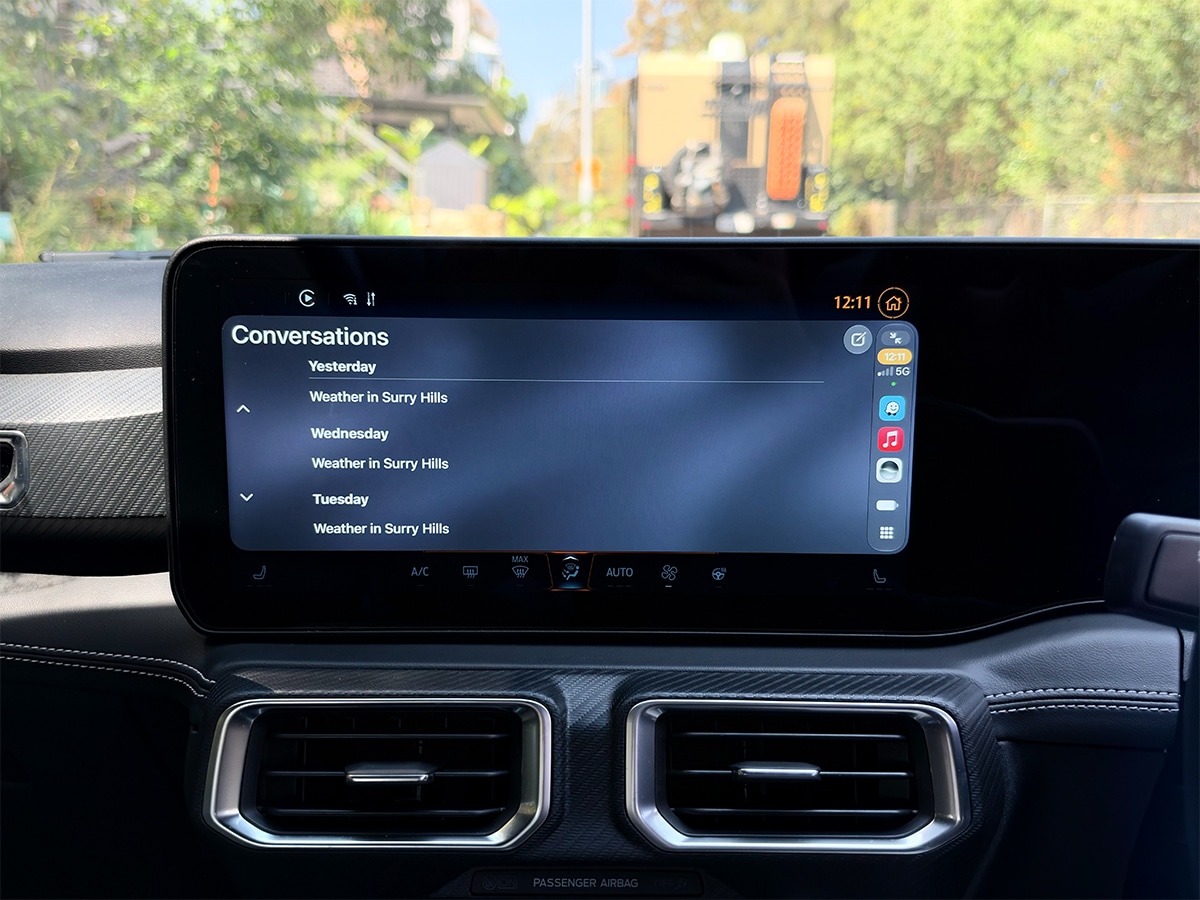
You can’t touch your phone, but voice commands in the car often feel like you’re shouting isolated requests without any context. Siri tripped over complex words, it didn’t understand your voice particularly well, and it worked from very little context. However, the upgraded Siri AI now handles back-and-forth conversation directly in the car, understanding plain language without requiring strict phrasing or specific address formatting.
Like all Siri AI chats, these conversations sync automatically to the Siri app on your iPhone, allowing you to pick up the thread later.
Starting in iOS 27, there’s also a new Voice Control template available for all CarPlay app categories. The interface uses an animated icon to indicate the state of the conversation and can be presented as an overlay on top of other templates, such as the Map, so you never lose sight of your navigation. Developers can also add action buttons to initiate phone calls or launch navigation directly from the voice prompt
NOTE: You’ll need an iPhone 15 Pro, an iPhone 16, or a newer device to use these conversational processing features.
2. Video Playback On Screen
Until now, CarPlay has strictly prohibited video playback on your car’s infotainment screen. It was never really a problem when cars came with smaller screens, but now that every car has a Mac Pro Display on its dashboard, and we’ve officially reached peak touchscreen, there’s a need and want to watch videos on it.
If you were stuck waiting in your car, you had to disconnect your phone or mount it to watch anything. Powered by AirPlay, you can now browse directly on the CarPlay display or cast videos from your phone to the car. The framework incorporates native menus for subtitles, audio language selection, and a button to activate the Do Not Disturb focus mode directly from the video interface.
However, this feature is only for cars that support Apple’s new video capabilities, meaning automakers must first certify this integration on their end. The software framework is ready, but it depends on car manufacturers to enable it. If your app’s content is suitable for both video and audio listening, developers can include both audio and video entitlements to ensure the app always appears on the CarPlay home screen, regardless of whether the specific vehicle supports video playback.
No automakers have implemented this feature in iOS 27 CarPlay as of the time of this story’s publication. As soon as we’re made aware that a brand has added it in, we will update this section of the story. If we had to bet on a brand, it would be Mercedes-Benz, due to its collaboration with Apple on Spatial Audio.
Apple used to lock the CarPlay dashboard to a handful of stock widgets, limiting how you could customise your main screen. But in iOS 27, any compatible widget from your iPhone’s Home Screen can now be added directly to the CarPlay dashboard.
You can drag these widgets to rearrange them, toggle Smart Rotate, and receive contextual widget suggestions based on your driving habits.
The framework also introduces major visual enhancements for list items, which can now display images with portrait or landscape aspect ratios. Card thumbnails can incorporate overlays for badges or live sports information detailing team scores and event status. To highlight specific content, a new details header presents one prominent item at the top of a list, combining a thumbnail, title, and playback action buttons.
Last but not least, iOS 27 introduces a MiniPlayer for the Now Playing template, which automatically appears for all audio apps to provide quick play, pause, or skip controls without taking over the screen.
Phone-based navigation was completely isolated from the car’s built-in hardware, bypassing battery management and native driver assistance systems.
But in the new iOS 27 updates, the iPhone can now share its exact route data with the car’s built-in systems. If you’re driving an electric vehicle, the car estimates energy consumption along that specific route and sends a proposed charging stop back to your CarPlay map for approval. The navigation app can return updated travel estimates and prompt the driver to accept the waypoint. Once accepted, the updated trip is shared back with the vehicle in a two-way telemetry exchange.
Navigation apps also gain more structural control through custom panels, allowing developers to build independent UI elements separate from standard route options, keeping the map visible while presenting more controls. Like video browsing, your car manufacturer must explicitly support Route Sharing integration.
Developers looking to test these new panels and route integrations can utilise the updated CarPlay Simulator, now available within Device Hub.
5. What to Look Out For as Developers Trial New Features
While Apple has rolled out the framework, you won’t see all of these changes on day one. Developers are currently testing the new APIs before pushing them live in app updates, meaning you should keep an eye out for incremental UI and performance upgrades over the coming months.
Behind the scenes, the iOS 27 framework automatically handles UI scaling across touchscreens, rotary knobs, and touch pads without requiring developers to build separate layouts.
Using the new CPPlaybackConfiguration API, developers can start pushing their metadata to the dashboard, meaning you will soon see elapsed time, total duration, and specific playback actions directly on media progress bars.
You’ll also notice voice-based apps becoming more conversational. Developers are now instructed to use the AVAudioSession framework to provide audio feedback cues, such as specific waiting and processing sounds, while an app prepares a response to your voice prompt.
Finally, to ensure these features work flawlessly before reaching your car’s infotainment screen, developers are currently validating Route Sharing diagnostics, Conditional Video UI, and dynamic thumbnails using the newly updated CarPlay Simulator located in Apple’s Device Hub. It’s certainly an exciting time to be an iOS 27 user.
Learn More at AppleCan I watch videos on Apple CarPlay with iOS 27?
Yes, but only while parked. The iOS 27 update introduces native video browsing and AirPlay casting directly to the dashboard display. However, your vehicle manufacturer must explicitly certify and enable this feature before it works, and the system will automatically fall back to an audio-only stream the moment you shift into gear for safety.
Which iPhones support the new conversational Siri AI in CarPlay?
While the broader iOS 27 update is available on older devices, the advanced context-aware Siri AI specifically requires an Apple Intelligence-capable device, meaning you need an iPhone 15 Pro, an iPhone 16 model, or newer to use the conversational voice features.
How do custom widgets work on the new CarPlay dashboard?
You are no longer limited to Apple’s stock widgets. The iOS 27 update allows CarPlay to support widgets and Live Activities from any compatible third-party app. You can pin these directly to your main dashboard to display timely, relevant information even if the app wasn’t specifically designed for CarPlay.
What is Deep Route Sharing and how does it help EV drivers?
Route Sharing allows your iPhone’s navigation app to exchange two-way telemetry data with your vehicle’s native systems. If you drive an electric vehicle, the car can calculate energy consumption along your specific route and propose ideal charging stops back to your CarPlay display for approval.
Will all iOS 27 CarPlay features be available as soon as I update my iPhone?
No. While UI updates like the new audio MiniPlayer, dynamic list thumbnails, and voice control overlays are handled by the iPhone and appear immediately, hardware-integrated features like AirPlay video and Route Sharing require your specific car manufacturer to enable and certify the software on their end.
