Close Menu
MyAppsPlus

    Subscribe to Updates

    Get the latest creative news from FooBar about art, design and business.

    What's Hot

    YouTube’s Redesigned Mobile UI Puts Custom Feeds Front and Center

    October 25, 2026

    Your first look at the Galaxy S27 Ultra and Pro batteries is here, sort of

    October 25, 2026

    M5 MacBook Air Returns to Prime Day Low With $200 Amazon Discount

    October 25, 2026
    Facebook X (Twitter) Instagram
    Facebook X (Twitter) Instagram
    MyAppsPlusMyAppsPlus
    Sunday, October 25
    • Home
    • Breaking Tech
    • Apps & Software
    • AI & Automation
    • Android
    • iPhone & iOS
    • More
      • Reviews
      • How-To Guides
      • Deals & Discounts
      • Shop
    MyAppsPlus
    Home»Breaking Tech»Your smart TV’s Wi-Fi is probably faster than its Ethernet, but speed isn’t everything
    Breaking Tech

    Your smart TV’s Wi-Fi is probably faster than its Ethernet, but speed isn’t everything

    myappsplusBy myappsplusOctober 25, 2026004 Mins Read
    Share Facebook Twitter Pinterest Copy Link LinkedIn Tumblr Email Telegram WhatsApp
    Follow Us
    Google News Flipboard
    Your smart TV’s Wi-Fi is probably faster than its Ethernet, but speed isn’t everything
    Share
    Facebook Twitter LinkedIn Pinterest Email Copy Link

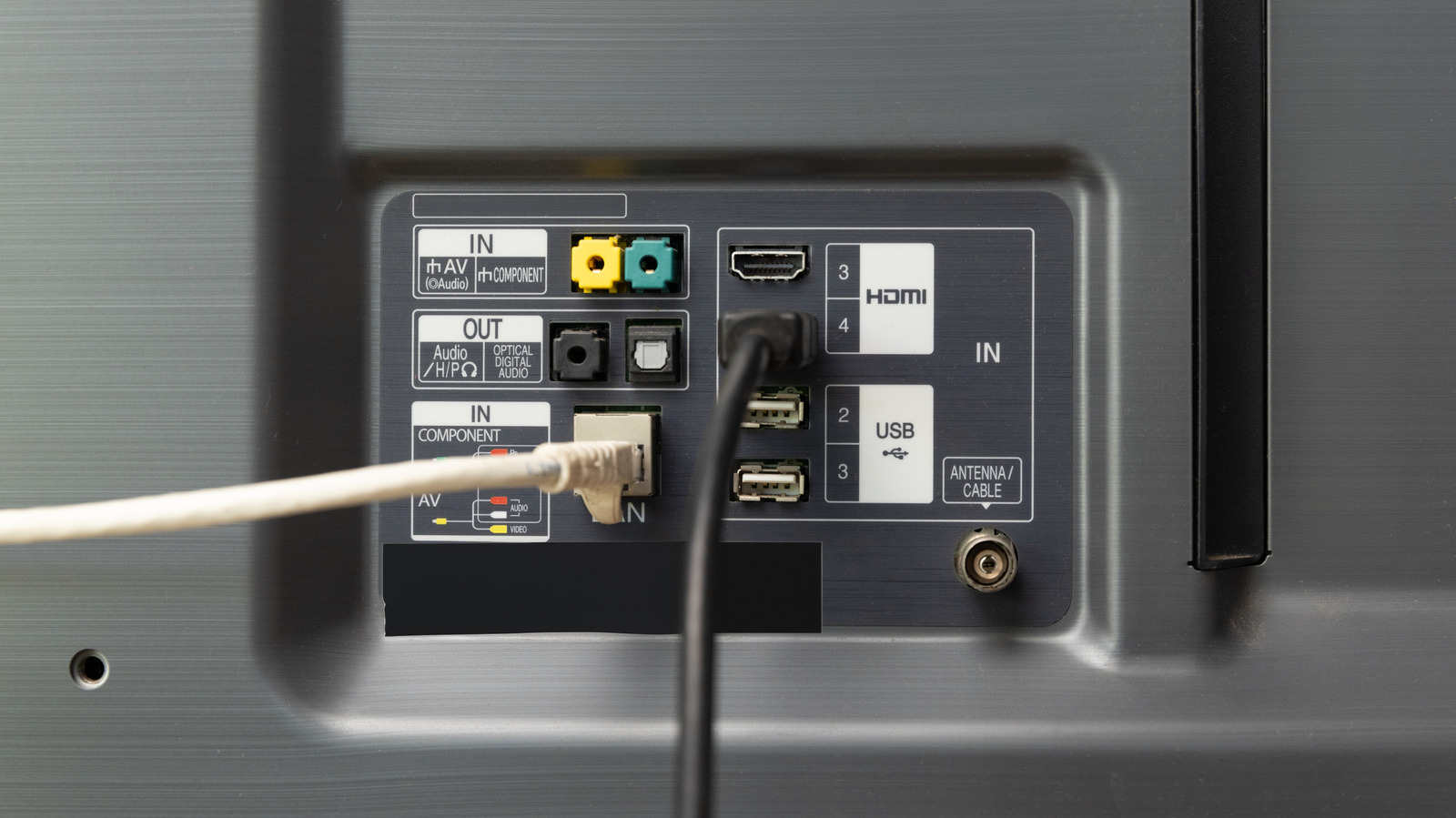
    Ethernet is slow on TVs, but it doesn’t have to compete with everything else for Wi-Fi bandwidth.

    Bandwidth matters a lot when streaming movies and TV shows. Services like Netflix and Disney+ typically recommend at least 5 Mbps for 1080p streaming. For 4K HDR content, that steps up to 25Mbps or better, since 4K resolution is four times that of 1080p. Plus, subscriptions that include 4K HDR typically throw in Dolby Atmos, even if it’s just the compressed version.

    One decision you need to make is whether to use Wi-Fi or Ethernet to get your TV online. You might be surprised to learn that while Wi-Fi often achieves the fastest speeds, Ethernet can be preferable regardless — assuming your home theater has a layout that accommodates it.

    Why Ethernet sometimes beats Wi-Fi for streaming

    A hand holding a Samsung remote to control a smart TV.

    Wi-Fi leads on paper because many TVs are equipped with at least Wi-Fi 6, which can exceed gigabit speeds when paired with a compatible router in ideal conditions. Real-world speeds tend to be lower, naturally — even a gigabit internet plan still has to be split among all connecting devices in your home. But even half a gigabit is more than enough speed for most households. Even older or cheaper TVs with Wi-Fi 5 support speeds that are more than sufficient for streaming. 

    Conversely, a lot of TVs and streaming devices aren’t even capable of gigabit Ethernet. Their jacks are limited to 100Mbps, despite the fact that the gigabit option has existed for decades. It’s clearly a cost-cutting measure, in the same way that many TVs still include HDMI 2.0 after HDMI 2.1 has been around for the better part of a decade.

    The major advantage to Ethernet, though, is stability. Within the average home, an Ethernet cable is effectively immune to range or interference issues, as long as it’s decently shielded (which it should be). A Cat 6 cable can deliver 1Gbps speeds up to 100 meters (328 feet), whereas a Wi-Fi signal is going to peter out well before that distance unless it’s boosted by a mesh or extender system. Band congestion is a non-issue, since every Ethernet device gets its own lane.

    Stability matters, because if a stream is interrupted or loses enough signal quality, it can force an app to re-buffer the feed or else downgrade to a lower quality level. Meanwhile, you’re not getting much extra out of a 500 Mbps or 1 Gbps Wi-Fi connection, except for faster app and software updates, which are uncommon and small on TVs. A 4K stream doesn’t come anywhere near tapping its potential.

    The gigantic downside of Ethernet

    In a lot of cases, wiring up a home theater with Ethernet is impractical. The equipment is cheap — you can buy a 10-foot Cat 6 cable for less than $10 — but if your router isn’t nearby, you can end up with Ethernet cables snaked around your living room, or even across hallways. Trying to conceal all that can turn into a project that’s more trouble than it’s worth. Flat Ethernet cables sound great, but often don’t work as well.

    As a result, we suggest using Ethernet only if it’s convenient or you’re experiencing serious reliability issues. If you’re already getting an excellent Wi-Fi connection, the occasional hiccup is likely offset by those speedy downloads and eliminating one more wire. There’s also no sense spending more money and effort than you have to.

    Fixing unreliable Wi-Fi can be simple, in some cases. Making sure your router is off the floor, in the open and away from any obstacles goes a long way towards extending reach. If you can’t connect your TV to Ethernet, try connecting other devices, like your laptop. That will free up wireless bands.

    Entertainment probably smart WiFi Your
    Follow on Google News Follow on Flipboard
    Share. Facebook Twitter Pinterest LinkedIn Tumblr Email Copy Link
    myappsplus
    • Website

    Related Posts

    Your first look at the Galaxy S27 Ultra and Pro batteries is here, sort of

    October 25, 2026

    Samsung probably isn’t rebranding One UI as Galaxy OS

    October 25, 2026

    There’s a simple way to watch Man United vs Bournemouth for *FREE*

    October 25, 2026
    Add A Comment
    Leave A Reply Cancel Reply

    Top Posts

    Cathay Pacific tests Google AI that dramatically cuts airplane contrails — tiny altitude shifts slash environmental impact by 40% in early trials

    September 8, 2026137 Views

    Drone swarm tech valued by both defense and civilian sectors, industry platform says

    September 8, 202615 Views

    Keep running out of mobile data? This new unlimited plan gets you up to 80Mbps 5G speeds for just AU$50/m

    October 8, 202614 Views
    Latest Reviews

    Samsung is randomly deactivating some accounts for ‘security reasons’

    myappsplusSeptember 1, 2026

    ‘Sonos 27’ brings a refreshed UI to the app and lets AI agents control your system

    myappsplusSeptember 1, 2026

    Anthropic reveals its view of how AI agents should interact with the physical world

    myappsplusSeptember 1, 2026
    Stay In Touch
    • Facebook
    • YouTube
    • TikTok
    • WhatsApp
    • Twitter
    • Instagram

    Subscribe to Updates

    Get the latest tech news from FooBar about tech, design and biz.

    Most Popular

    Samsung is randomly deactivating some accounts for ‘security reasons’

    September 1, 20260 Views

    ‘Sonos 27’ brings a refreshed UI to the app and lets AI agents control your system

    September 1, 20260 Views

    Anthropic reveals its view of how AI agents should interact with the physical world

    September 1, 20260 Views
    Our Picks

    YouTube’s Redesigned Mobile UI Puts Custom Feeds Front and Center

    October 25, 2026

    Your first look at the Galaxy S27 Ultra and Pro batteries is here, sort of

    October 25, 2026

    M5 MacBook Air Returns to Prime Day Low With $200 Amazon Discount

    October 25, 2026

    Subscribe to Updates

    Subscribe to our newsletter and get the latest tech news, app updates, AI trends, smartphone reviews, and exclusive deals delivered straight to your inbox.

    Facebook X (Twitter) Instagram Pinterest
    • About Us
    • Get In Touch
    • Disclaimer
    • Privacy Policy
    • Terms & Conditions
    © 2026 MyAppsPlus. All Rights Reserved.

    Type above and press Enter to search. Press Esc to cancel.