Close Menu
MyAppsPlus

    Subscribe to Updates

    Get the latest creative news from FooBar about art, design and business.

    What's Hot

    AI, Automation To Reshape Employee Background Checks: Report

    November 28, 2026

    Best Black Friday gaming laptop deals 2026 still live: Up to 39% off HP, Alienware, Lenovo, and more

    November 28, 2026

    Why did Android change the name of its Smart Lock feature?

    November 28, 2026
    Facebook X (Twitter) Instagram
    Facebook X (Twitter) Instagram
    MyAppsPlusMyAppsPlus
    Saturday, November 28
    • Home
    • Breaking Tech
    • Apps & Software
    • AI & Automation
    • Android
    • iPhone & iOS
    • More
      • Reviews
      • How-To Guides
      • Deals & Discounts
      • Shop
    MyAppsPlus
    Home»Android»Why did Android change the name of its Smart Lock feature?
    Android

    Why did Android change the name of its Smart Lock feature?

    myappsplusBy myappsplusNovember 28, 2026003 Mins Read
    Share Facebook Twitter Pinterest Copy Link LinkedIn Tumblr Email Telegram WhatsApp
    Follow Us
    Google News Flipboard
    Why did Android change the name of its Smart Lock feature?
    Share
    Facebook Twitter LinkedIn Pinterest Email Copy Link

    Back in 2023, one of Android’s most niche, but also most helpful, features saw a seemingly random name change.

    It’s a busy time to be an Android user, with the major One UI 9 update rolling out across swathes of devices. However, that’s no reason to overlook some of Android’s more niche features. Among them is the Extend Unlock setting, formerly known as Smart Lock. While some settings protect your Android phone from theft by automatically locking it, Extend Unlock does the opposite: it keeps your phone unlocked under selected conditions.

    The Smart Lock feature launched way back in late 2015, allowing users to keep their Android phone unlocked while it’s being held, along with other options for keeping it unlocked through Trusted places and Trusted devices. Back in 2023, though, this setting was relabeled as Extend Unlock in an attempt to better illuminate its true purpose. When you take a look at how Extend Unlock works, the reason for the name change becomes apparent.

    How Extend Unlock works
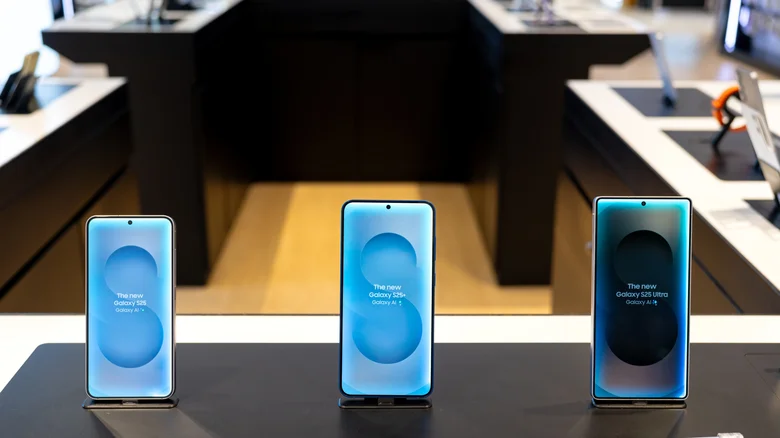
    Row of Galaxy S25 phones upright in a retail store.

    Fundamentally, the purpose of Extend Unlock is to keep your device unlocked under certain circumstances after you’ve unlocked it once, meaning you don’t have to constantly re-enter your PIN. This feature comes in three options: On-body detection (keeping your phone unlocked while it’s on your person), Trusted places (your phone will stay unlocked in the locations you add to this section) and Trusted devices (which will keep your phone unlocked when connected to a trusted device via Bluetooth). Just be careful with which devices and places you select as trusted if you want to make sure your Android phone is secure, since your phone can remain unlocked in these locations even when someone else has it.

    To get Extend Unlock up and running, simply head to Settings > Security and privacy > More security and privacy > Extend Unlock and customize your experience from there. Just keep in mind this path may be different depending on your device. From here, you can select devices that have already been paired with your phoneain unlocked

    Why Smart Lock became Extend Unlock
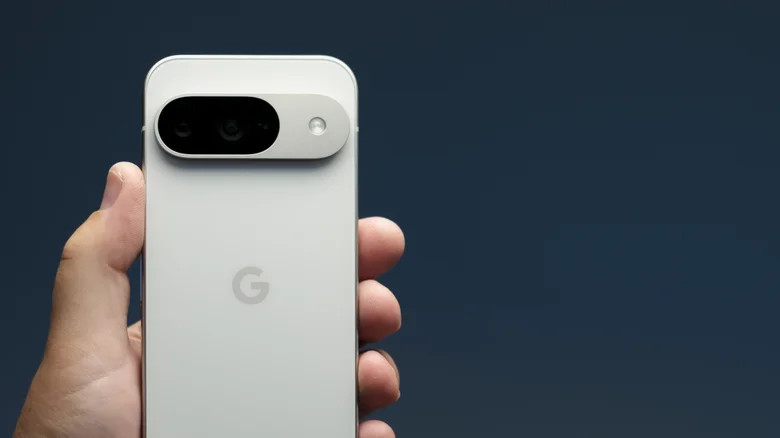
    Google Pixel 9 phone held up against a plain background, screen facing away from the camera.

    With all of this in mind, it’s easy to see why Smart Lock became Extend Unlock. While “Smart Lock” references the intelligence of the device in knowing when to stay unlocked, “Extend Unlock” more succinctly describes how the feature extends the time your phone can stay unlocked under selected conditions. Either name fits, but Extend Unlock not only works but separates the toggle from other “smart” features (which is especially helpful in the current AI age).

    The Extend Unlock name change was also reported alongside the development of Watch Unlock. Over on the Pixel side of Android, you can head to your Watch app and go to Watch preferences > Security > Watch Unlock and connect a compatible paired Pixel Watch in a similar way to Extend Unlock, allowing you to unlock your phone when your watch is unlocked, on your wrist and nearby. The similar names distinguish their roles: Watch Unlock unlocks your phone, while Extend Unlock keeps it unlocked.

    Android change lock name smart
    Follow on Google News Follow on Flipboard
    Share. Facebook Twitter Pinterest LinkedIn Tumblr Email Copy Link
    myappsplus
    • Website

    Related Posts

    Samsung Galaxy F07 Review & Flipkart Price (Nov 2026): 6 Years of Android Updates at ₹11,999—Why Missing 5G & 64GB Hold It Back

    November 28, 2026

    This $29 UGREEN 10,000mAh magnetic power bank is the biggest no-brainer deal today

    November 28, 2026

    Samsung Galaxy S26 Ultra 512GB drops by $450 on Amazon

    November 28, 2026
    Add A Comment
    Leave A Reply Cancel Reply

    Top Posts

    The pros and cons of using your phone as a mobile hotspot

    November 16, 202651 Views

    UiPath Launches AI Coding Agent, Integrates Claude Code and Codex to Target Development Automation

    November 16, 202646 Views

    Announcing Artificial Analysis Intelligence Index v5

    October 28, 202639 Views
    Latest Reviews

    I’ve seen 2027’s new robot vacuums — here are 3 major trends set to level-up their cleaning, from drop-down suction boosters to… steam?

    myappsplusSeptember 13, 2026

    Rest your new AirPods 5 with wireless charging case on this sleek charger for $18 (Reg. $25)

    myappsplusSeptember 13, 2026

    69% K8s Spend Cut [2026]

    myappsplusSeptember 13, 2026
    Stay In Touch
    • Facebook
    • YouTube
    • TikTok
    • WhatsApp
    • Twitter
    • Instagram

    Subscribe to Updates

    Get the latest tech news from FooBar about tech, design and biz.

    Most Popular

    How to watch Great North Run 2026: Live stream online from anywhere for FREE

    September 13, 20260 Views

    The first images of Meta’s Project Phoenix mixed reality headset have leaked — and there’s a reason it’s so thin and light

    September 13, 20260 Views

    Why your Roku keeps randomly turning off (and how to fix it)

    September 13, 20260 Views
    Our Picks

    AI, Automation To Reshape Employee Background Checks: Report

    November 28, 2026

    Best Black Friday gaming laptop deals 2026 still live: Up to 39% off HP, Alienware, Lenovo, and more

    November 28, 2026

    Why did Android change the name of its Smart Lock feature?

    November 28, 2026

    Subscribe to Updates

    Subscribe to our newsletter and get the latest tech news, app updates, AI trends, smartphone reviews, and exclusive deals delivered straight to your inbox.

    Facebook X (Twitter) Instagram Pinterest
    • About Us
    • Get In Touch
    • Disclaimer
    • Privacy Policy
    • Terms & Conditions
    © 2026 MyAppsPlus. All Rights Reserved.

    Type above and press Enter to search. Press Esc to cancel.