Close Menu
MyAppsPlus

    Subscribe to Updates

    Get the latest creative news from FooBar about art, design and business.

    What's Hot

    Muse can now place calls to U.S. businesses — if you pay

    November 12, 2026

    WHOOP Humans turns your sleep, recovery, and workouts into an AI-free social feed

    November 12, 2026

    Galaxy SmartTag 3 at $20 makes a compelling case to skip the Google Pixel Tag

    November 12, 2026
    Facebook X (Twitter) Instagram
    Facebook X (Twitter) Instagram
    MyAppsPlusMyAppsPlus
    Thursday, November 12
    • Home
    • Breaking Tech
    • Apps & Software
    • AI & Automation
    • Android
    • iPhone & iOS
    • More
      • Reviews
      • How-To Guides
      • Deals & Discounts
      • Shop
    MyAppsPlus
    Home»iPhone & iOS»Apple Explains How HomeView Keeps Camera Data Private
    iPhone & iOS

    Apple Explains How HomeView Keeps Camera Data Private

    myappsplusBy myappsplusNovember 12, 2026003 Mins Read
    Share Facebook Twitter Pinterest Copy Link LinkedIn Tumblr Email Telegram WhatsApp
    Follow Us
    Google News Flipboard
    Apple Explains How HomeView Keeps Camera Data Private
    Share
    Facebook Twitter LinkedIn Pinterest Email Copy Link

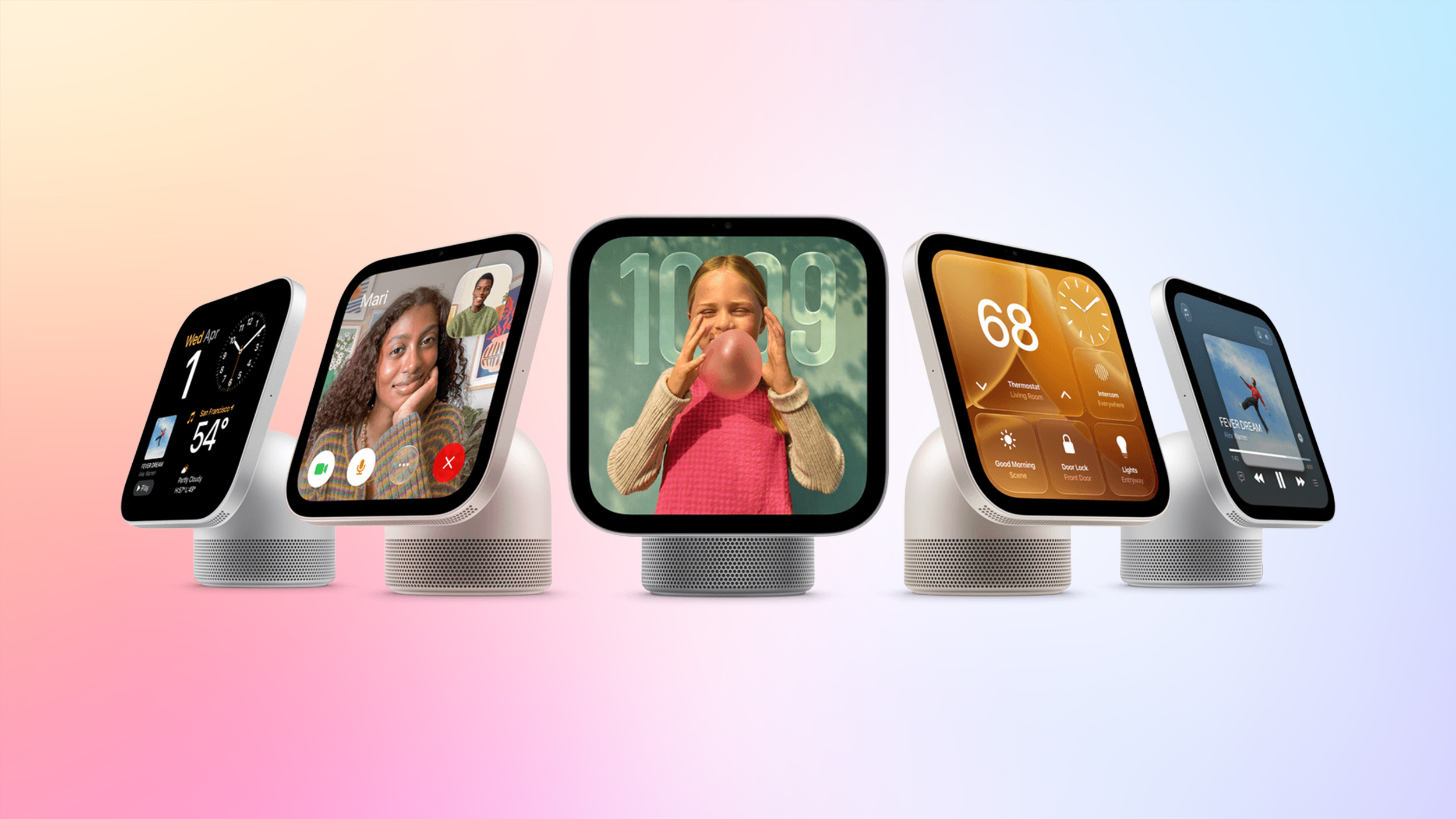
    Apple today shared an in-depth look at how it’s using Secure Exclaves to protect camera and microphone data on the HomeView, iPhone 18 Pro, and other products.

    Apple describes Secure Exclaves as compartmentalized runtimes that process camera and microphone data while isolated from the rest of the operating system. Data processed in Secure Exclaves is not available to the rest of the OS, apps, or Apple, but processing can take advantage of the full application processor. Secure Exclaves power sensitive features involving video and audio feeds:

    • HomeView – The HomeView uses facial and voice recognition to identify up to six people in a home. The exclave also protects the LED camera indicator on the device.
    • Siri Recap and Live Rewind – Record ambient sound for conversation recaps or to caption the last 15 seconds of someone speaking.
    • iPhone 18 Pro/iPhone Duo – Protects the ‌iPhone 18 Pro‌, Pro Max, and Duo on-screen camera and microphone indicators. Also works with “Hey Siri” to protect voice data.
    • MacBook Neo – Protects the MacBook Neo camera indicator.

    Apple uses the HomeView as an example of how Secure Exclaves work. The device performs passive minimal visual processing continually to detect whether a person is in its field of view. The HomeView sends a continuous stream of camera frames to a camera exclave, which works alongside a person recognition exclave with face and voice recognition models and an identity database. When a person comes into view, the camera exclave detects the person and lets the main OS know that a person may be present, but no image data leaves the Secure Exclave. An audio exclave does the same thing with audio.

    The person recognition exclave matches face and voice prints against the identity database of enrolled users, giving a confidence score. The OS gets the person identifier, position, and confidence level, but not any of the actual audio or video. These simple signals are used to activate personal features like Calendar and Messages that depend on identity, with raw sensor data discarded.

    Secure Exclaves came about because Apple needed a secure option for ambient video and microphone monitoring, with the groundwork laid starting in iOS 18. Apple devices use indicators for situations where the camera and microphone are actively engaged, but Apple says they weren’t ideal for ambient sensing because they would be on all the time. Always-on lights wouldn’t give users a way to distinguish between background sensing and active audio and video recording.

    There are two modes for a Secure Exclave: ambient mode and active mode. In ambient mode with no indicator, a sensor can respond to triggers, but it only shares small amounts of metadata with the rest of the system. In active mode, full sensor data is given to the operating system, and an indicator informs the user that the system has audio and video access.

    Apple has long used indicators, but they are now backed by Secure Exclaves. Secure Exclaves make sure an indicator is active before data is allowed to be transferred from the exclave to the rest of the OS.

    Apple built an isolated computing environment that could handle ambient sensing, and the company says isolating memory for Secure Exclaves was a “serious engineering challenge.” Full technical details on the process can be found on Apple’s security website.Related Roundup: Apple HomeView
    Buyer’s Guide: HomeView (Buy Now)
    Related Forum: HomePod, HomeView, CarPlay – Home & Auto Tech
    This article, “Apple Explains How HomeView Keeps Camera Data Private” first appeared on MacRumors.com

    Discuss this article in our forums

    Apple Camera Explains HomeView keeps
    Follow on Google News Follow on Flipboard
    Share. Facebook Twitter Pinterest LinkedIn Tumblr Email Copy Link
    myappsplus
    • Website

    Related Posts

    Apple HomeView gets its first security update

    November 12, 2026

    Opera One for iOS adds Data Saver feature, cutting browsing data usage by up to 80%

    November 12, 2026

    How to disable the touchscreen on new MacBook Pro

    November 12, 2026
    Add A Comment
    Leave A Reply Cancel Reply

    Top Posts

    Cathay Pacific tests Google AI that dramatically cuts airplane contrails — tiny altitude shifts slash environmental impact by 40% in early trials

    September 8, 2026138 Views

    Save on your groceries, gas, and holiday shopping with this $15 BJ’s membership (Reg. $60) 

    November 4, 202627 Views

    Apple is making Creator Studio an even better deal with new AI features and creative tools

    October 28, 202623 Views
    Latest Reviews

    Ryzen AI Max+ PRO 495 mini PCs with 192GB RAM emerge — Acemagic, GMKtek, Framework debut ultra-expensive ‘supercomputers’ that can handle 300B-parameter

    myappsplusSeptember 7, 2026

    You don’t need to spend more than $500 on a great queen mattress and we’ve got the lab data to prove it

    myappsplusSeptember 7, 2026

    AI, automation and delivery apps: What food-tech layoffs mean for Canada

    myappsplusSeptember 7, 2026
    Stay In Touch
    • Facebook
    • YouTube
    • TikTok
    • WhatsApp
    • Twitter
    • Instagram

    Subscribe to Updates

    Get the latest tech news from FooBar about tech, design and biz.

    Most Popular

    Ryzen AI Max+ PRO 495 mini PCs with 192GB RAM emerge — Acemagic, GMKtek, Framework debut ultra-expensive ‘supercomputers’ that can handle 300B-parameter

    September 7, 20260 Views

    You don’t need to spend more than $500 on a great queen mattress and we’ve got the lab data to prove it

    September 7, 20260 Views

    WhatsApp will soon let users chat with third-party AI agents

    September 7, 20260 Views
    Our Picks

    Muse can now place calls to U.S. businesses — if you pay

    November 12, 2026

    WHOOP Humans turns your sleep, recovery, and workouts into an AI-free social feed

    November 12, 2026

    Galaxy SmartTag 3 at $20 makes a compelling case to skip the Google Pixel Tag

    November 12, 2026

    Subscribe to Updates

    Subscribe to our newsletter and get the latest tech news, app updates, AI trends, smartphone reviews, and exclusive deals delivered straight to your inbox.

    Facebook X (Twitter) Instagram Pinterest
    • About Us
    • Get In Touch
    • Disclaimer
    • Privacy Policy
    • Terms & Conditions
    © 2026 MyAppsPlus. All Rights Reserved.

    Type above and press Enter to search. Press Esc to cancel.