

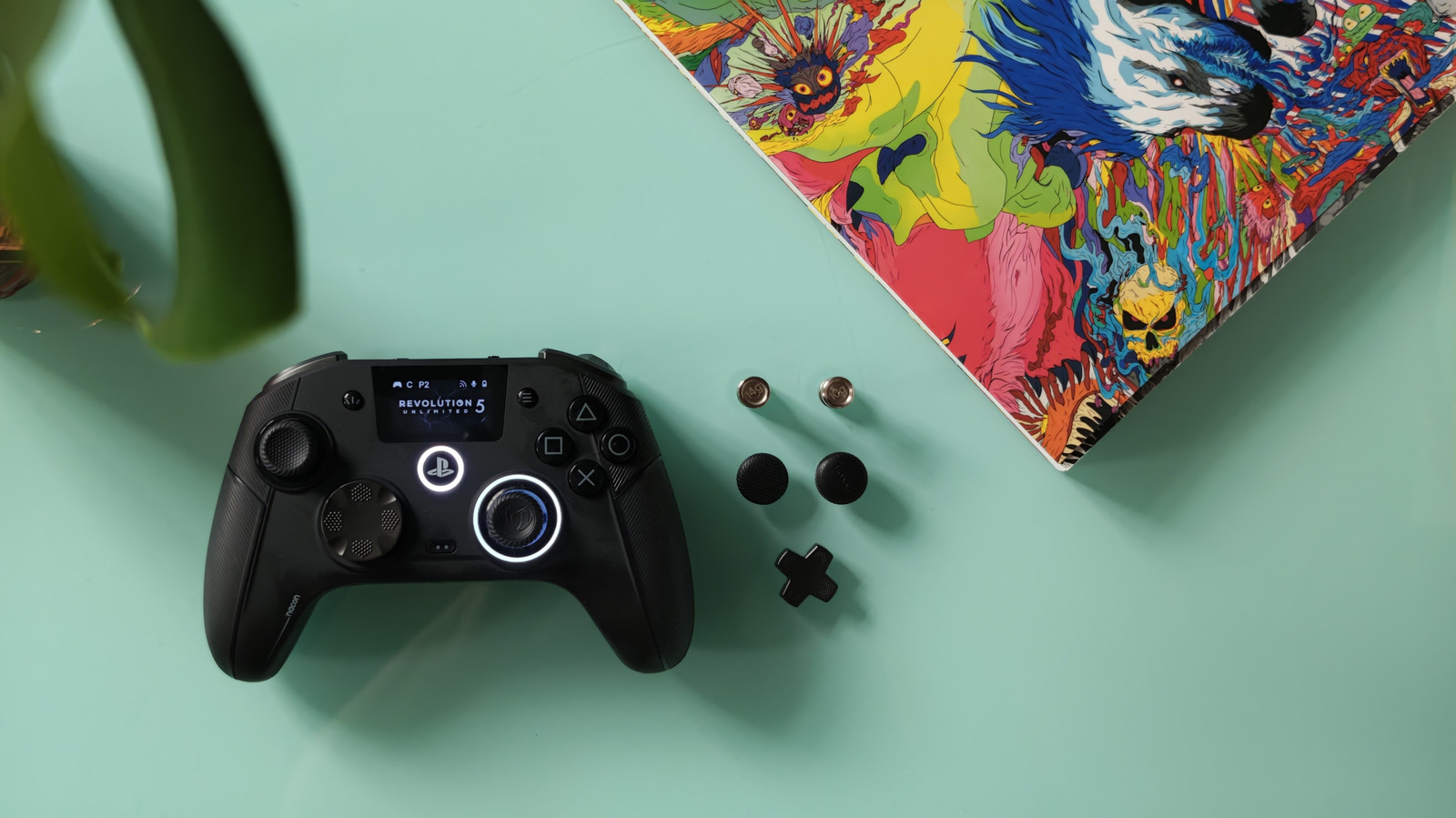
The new controller aims to rival Sony’s own DualSense Edge.
Nacon’s new officially licensed PlayStation 5 controller also works with your PC, and it offers a mind-boggling number of swappable buttons and sticks. The company is unashamedly targeting competitive gamers who may want an array of customizable shortcut buttons, control profiles and even an interactive control screen for all those options.
Priced at $230, Nacon’s Revolution 5 Unlimited its most premium gamepad yet. Instead of Hall effect sensors on its joysticks (already an upgrade from typical potentiometer sticks), it opted for TMR (tunneling magnetoresistance), which uses less power while still minimizing physical wear and tear and the threat of stick drift.
The R5U has an asymmetric stick design instead of the traditional DualSense layout, swapping the joystick and D-pad placement on the left side of the R5U. I find an asymmetric layout more comfortable, although after decades of conditioning, it oddly felt like I wasn’t playing a PlayStation game. This is the first controller I’ve reviewed that also features trigger blockers, reducing trigger travel if needed, with a chunky toggle below each pair of trigger arrays. You get the best of both trigger travel lengths; you can gently increase your speed in racing games, keep trigger travel short for faster firing in high-speed rounds of Overwatch (the game I tested on the R5U most) or use the feature for quicker parries in fighting games. Below the trigger toggles, there are no fewer than four — yes, four — custom shortcut buttons. Then there are two more shortcut “S ” buttons between the L and R trigger pairs.
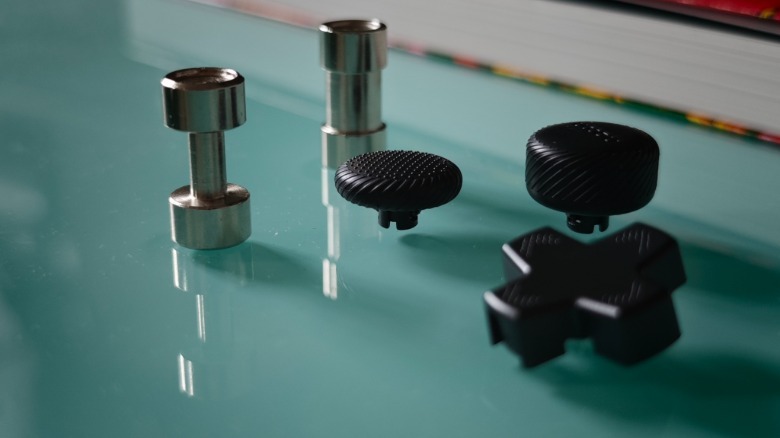
While it may only come in black, everything but the color is customizable. The D-pad can be swapped between a classic 4-way pad and an 8-way pad for easier Hadouken motions in fighting games. The joystick heads are also interchangeable, offering three profiles (concave, high concave and convex) for comfort and control. Nacon goes even further, with adjustable weights (ranging from 10 to 16 grams) that can be embedded into each of the controller’s grips. I tested different weights until the gamepad felt just right. It may seem odd to make a controller heavier, but it felt better with a mid-weight ballast.
Alongside its own carry-case. the R5U also comes with a dedicated charging dock, with a pogo pin connection and a USB pass-through port that connects to your PS5 and the wireless dongle. Unfortunately, the R5U controller can’t remote-start your PS5, a function I’ve always used with DualSense controllers—and the PS4’s DualShock before that.
The wireless connection comes from a USB dongle you can plug directly into your console or PC, or into the companion dock. Both the dongle and the included cable are USB-A, so they can’t plug directly into the front of a PS5. So if you want to use a wired connection, you’ll need another USB-C cable. Battery life is better than the base DualSense, and I got around 11-12 hours of gameplay before needing to charge.
While I only tested the new controller on PS5, the R5U has a PC mode too. This feature is aimed at e-sports, with 1000Hz polling rates on a wired connection and up to 500Hz wirelessly. With the companion mobile app, you can also apply complex button setups and key bindings to the controller’s myriad buttons. It’ll show you the pad’s battery level, whether the controller is connected to a PlayStation or PC and your current button profile.
As well as customizing the behavior of the joysticks (done through the app), you can activate the R5U’s “Shooter Pro” mode. This removes the dead zone on the joystick — an area around the stick’s center or outer edge where movement is ignored — for even more precision when shooting. You can adjust this dead zone or invert the joysticks in the companion app.
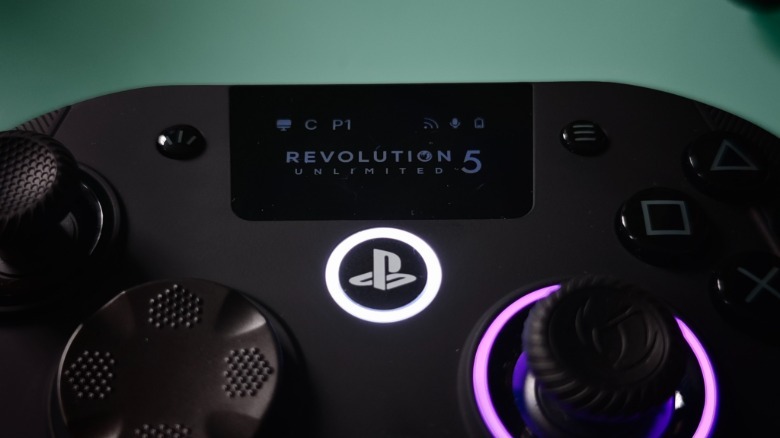
All these options are available on the R5U’s built-in screen. Alongside showing the controller’s connectivity status, it lets you customize settings locally without using the app. I immediately remapped the shortcut buttons on the rear of the pad to avoid accidentally triggering them, then mapped L3 and R3 inputs for quicker triggering.
While several premium gaming pads offer plenty of customization, Nacon goes further with that companion app (available on iOS and Android), where you can get into the real nitty-gritty: tweaking response curves, audio equalizers (sure!) and even customizing the RGB light ring on the controller.
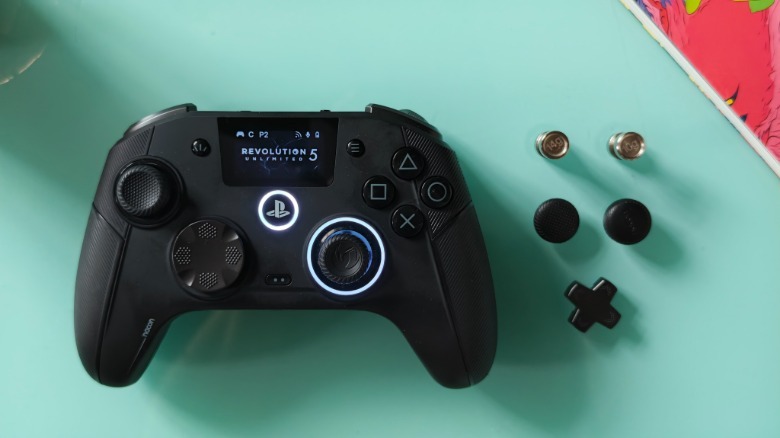
It’s not quite perfect: The interactive screen, which isn’t touch-sensitive and is navigable with the controller’s D-pad, replaces the DualSense’s touchpad. This means the R5U isn’t compatible with a handful of mostly first-party PS5 games, like Ghost of Yotei or Spider-Man 2. Both titles use touchpad motions beyond tapping as core controls, which made it frustrating to review the controller as I worked through Yotei’s recently released DLC. The DualSense’s adaptive triggers are also missing, though I’ll take the versatility of adjustable triggers instead.
The biggest competition is Sony’s own DualSense Edge ($200), with replaceable sticks, on-console button profiles and stick-sensitivity customization. The Edge also has the touchpad and adaptive triggers the R5U lacks, plus trigger-depth toggles.
It’s rare for a PS5 controller to offer this amount of fine-grained customization, and PC compatibility makes it even more versatile for multi-platform gamers. Finessing the controller’s myriad settings isn’t for the faint-hearted, but neither is the $230 price. Still, all of that versatility makes it one of the best PS5 controllers.
