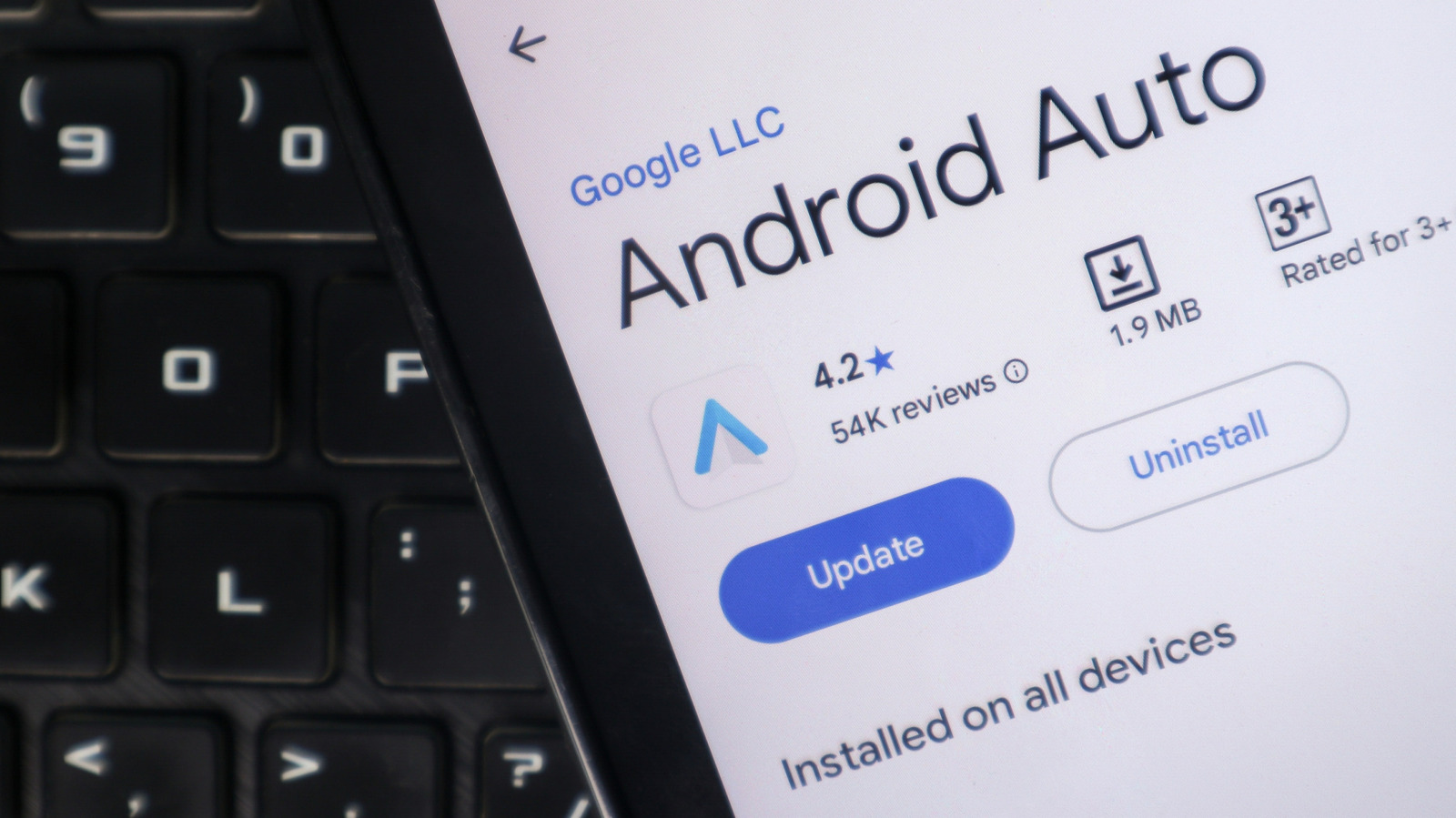
Close Menu
MyAppsPlus

    Subscribe to Updates

    Get the latest creative news from FooBar about art, design and business.

    What's Hot

    AI doesn’t have to turn evil to put you at risk 

    November 2, 2026

    How long is a new Apple TV actually supposed to last?

    November 2, 2026

    This robot vacuum just won our Home Device of the Year Award — and it’s already 44% off in this early Black Friday deal

    November 2, 2026
    Facebook X (Twitter) Instagram
    Facebook X (Twitter) Instagram
    MyAppsPlusMyAppsPlus
    Monday, November 2
    • Home
    • Breaking Tech
    • Apps & Software
    • AI & Automation
    • Android
    • iPhone & iOS
    • More
      • Reviews
      • How-To Guides
      • Deals & Discounts
      • Shop
    MyAppsPlus
    Home»Breaking Tech»Android Auto could upset your work-life balance with its next update
    Breaking Tech

    Android Auto could upset your work-life balance with its next update

    myappsplusBy myappsplusNovember 2, 2026003 Mins Read
    Share Facebook Twitter Pinterest Copy Link LinkedIn Tumblr Email Telegram WhatsApp
    Follow Us
    Google News Flipboard
    Android Auto could upset your work-life balance with its next update
    Share
    Facebook Twitter LinkedIn Pinterest Email Copy Link

    A hidden Work Mode tile hints at support for employer-managed apps, but no word on when it might arrive.

    Your commute could soon come with a little more office baggage. An Android Authority teardown of Android Auto version 18.0.664204 revealed a Work Mode tile, suggesting Google may be testing new Work Profile controls. The site’s team managed to bring up the tile, which lit up a briefcase icon over the app drawer, but tapping the tile didn’t do anything.

    Supporting Work Profiles could make it easier to join work calls between appointments. Then again, it could also give the office another way to follow you into the car, which isn’t exactly everyone’s idea of a peaceful drive.

    Why work apps are missing from Android Auto
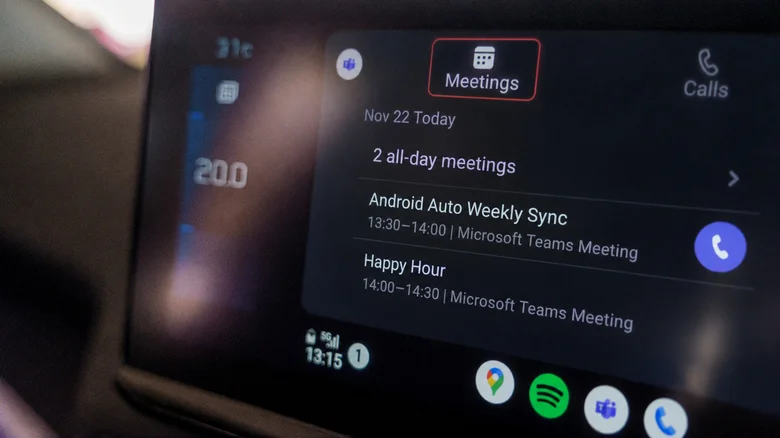
    Car infotainment screen displaying the Microsoft Teams Meetings tab with Android Auto Weekly Sync and Happy Hour listed.

    Using an Android Work Profile isn’t the same as signing in to a second Gmail account. A Work Profile keeps employer-managed apps in a separate space and marks them with briefcase badges, while personal apps and data remain outside the company’s management on employee-owned phones. To check if you have a Work Profile set up, look for separate Personal and Work tabs or apps with small briefcase icons in your app drawer. If neither appears, you probably don’t have one, but you can navigate to Settings > Passwords and accounts to double-check.

    Work Profile restrictions are especially apparent for video conferencing apps. Microsoft says Teams supports audio calls and meetings through Android Auto, but the integration doesn’t work if the app is installed inside a managed Work Profile. Google Meet has a slightly different restriction. An active Work Profile call can appear on the dashboard, but upcoming meetings and call history from that profile won’t show up. That’s inconvenient for someone driving between appointments who wants to join their next meeting from the car’s display.

    A missing app isn’t always a Work Profile problem, though. You might have hidden it from the Android Auto launcher. And if Android Auto is not working at all, a connection problem could be at fault. Neither issue has anything to do with Work Profiles.

    A work toggle could be a blessing or a headache
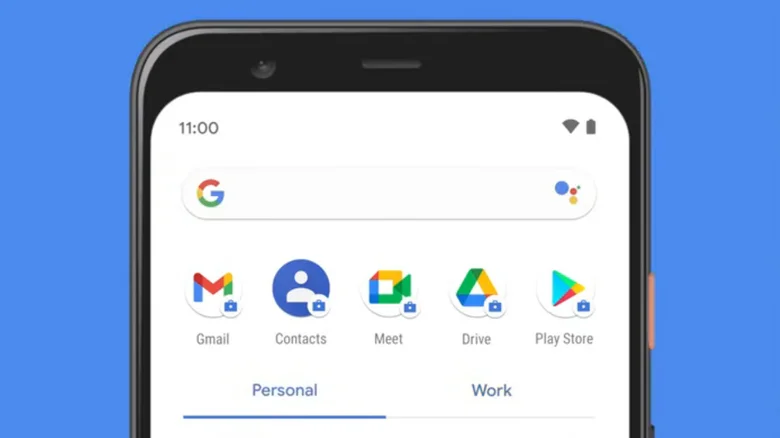
    Android screen showing Personal and Work tabs with app icons.

    On the drive home, a dashboard Work Mode switch could eventually silence work alerts while leaving personal calls and navigation untouched. For now, if your employer has set up a Work Profile on your phone, you can pause work apps using the Work tab in the app drawer or, on supported devices, a work tile in Quick Settings. Pausing stops work apps and their notifications without affecting personal apps.

    Some Android phones with a Work Profile let you schedule work hours through Digital Wellbeing, but Samsung’s version has lacked this option. Here’s the interesting part: Google says that scheduling can’t keep work apps paused for consecutive days, such as an entire weekend. The manual switch still has its uses.

    Google hasn’t said whether Android Auto’s experimental tile will offer those controls. It hasn’t been shown to pause notifications or launch work apps. Meanwhile, current Android Auto customization options won’t get around the Work Profile restrictions.

    Even if the feature arrives, drivers won’t necessarily get access to every company app. Android Auto restricts app capabilities while driving, and employers control which apps are available inside Work Profiles. On company-owned Android devices, IT admins can also limit how long a Work Profile stays paused. Exceeding that limit may suspend access to personal apps and data.

    Android Auto could EVs and Transportation Google
    Follow on Google News Follow on Flipboard
    Share. Facebook Twitter Pinterest LinkedIn Tumblr Email Copy Link
    myappsplus
    • Website

    Related Posts

    How long is a new Apple TV actually supposed to last?

    November 2, 2026

    6 Google Maps features that work better on Android Auto vs. CarPlay

    November 2, 2026

    AI glasses can replace your prescription glasses, but should they?

    November 2, 2026
    Add A Comment
    Leave A Reply Cancel Reply

    Top Posts

    Cathay Pacific tests Google AI that dramatically cuts airplane contrails — tiny altitude shifts slash environmental impact by 40% in early trials

    September 8, 2026137 Views

    Apple is making Creator Studio an even better deal with new AI features and creative tools

    October 28, 202616 Views

    What was the PSX? The souped-up PS2 rarely sold outside of Japan

    September 14, 202616 Views
    Latest Reviews

    Oura files to go public

    myappsplusSeptember 3, 2026

    Bring good fortune to your home with LEGO’s Lucky Cat figure down at $20

    myappsplusSeptember 3, 2026

    How to watch ‘The Terror: Devil in Silver’ online — stream the Dan Stevens horror series from anywhere

    myappsplusSeptember 3, 2026
    Stay In Touch
    • Facebook
    • YouTube
    • TikTok
    • WhatsApp
    • Twitter
    • Instagram

    Subscribe to Updates

    Get the latest tech news from FooBar about tech, design and biz.

    Most Popular

    Oura files to go public

    September 3, 20260 Views

    How to watch ‘The Terror: Devil in Silver’ online — stream the Dan Stevens horror series from anywhere

    September 3, 20260 Views

    Audacity’s new look is finally here, along with its largest feature update in years

    September 3, 20260 Views
    Our Picks

    AI doesn’t have to turn evil to put you at risk 

    November 2, 2026

    How long is a new Apple TV actually supposed to last?

    November 2, 2026

    This robot vacuum just won our Home Device of the Year Award — and it’s already 44% off in this early Black Friday deal

    November 2, 2026

    Subscribe to Updates

    Subscribe to our newsletter and get the latest tech news, app updates, AI trends, smartphone reviews, and exclusive deals delivered straight to your inbox.

    Facebook X (Twitter) Instagram Pinterest
    • About Us
    • Get In Touch
    • Disclaimer
    • Privacy Policy
    • Terms & Conditions
    © 2026 MyAppsPlus. All Rights Reserved.

    Type above and press Enter to search. Press Esc to cancel.