Close Menu
MyAppsPlus

    Subscribe to Updates

    Get the latest creative news from FooBar about art, design and business.

    What's Hot

    Apple Reveals New iPad Mini’s Battery Capacity

    October 31, 2026

    Chelan considers rules for AI use, public records and data privacy

    October 31, 2026

    New Baseus window-mounted 4K 24/7 security camera gets $20 launch discount

    October 31, 2026
    Facebook X (Twitter) Instagram
    Facebook X (Twitter) Instagram
    MyAppsPlusMyAppsPlus
    Saturday, October 31
    • Home
    • Breaking Tech
    • Apps & Software
    • AI & Automation
    • Android
    • iPhone & iOS
    • More
      • Reviews
      • How-To Guides
      • Deals & Discounts
      • Shop
    MyAppsPlus
    Home»Reviews»You asked how Kindle Colorsoft colors look in Dark Mode? The answer might surprise you
    Reviews

    You asked how Kindle Colorsoft colors look in Dark Mode? The answer might surprise you

    myappsplusBy myappsplusOctober 31, 2026003 Mins Read
    Share Facebook Twitter Pinterest Copy Link LinkedIn Tumblr Email Telegram WhatsApp
    Follow Us
    Google News Flipboard
    You asked how Kindle Colorsoft colors look in Dark Mode? The answer might surprise you
    Share
    Facebook Twitter LinkedIn Pinterest Email Copy Link

    On my recent unboxing of the brand-new Kindle Colorsoft Signature Edition (the one with the brushed aluminum back), I noticed someone asking about the quality of colors in dark mode, and I realized I didn’t have a good answer.

    Dark Mode, which became popular on modern screens over the past 15 years or so — a throwback to the original CRT displays — has never been my thing. As a result, I don’t use it on phones, browsers, or Kindle e-readers. Still, the more I thought about this question (below). The more I wondered about it.

    “This might be a dumb question,” started one TikTok commenter, “but do the colors still show when in Dark Mode? I’ve only seen photos in light mode.”

    I instantly tried to imagine what a comic or graphic novel might look like in Dark Mode and realized I’d never seen it that way either.

    Let’s try the Colorsoft Dark mode

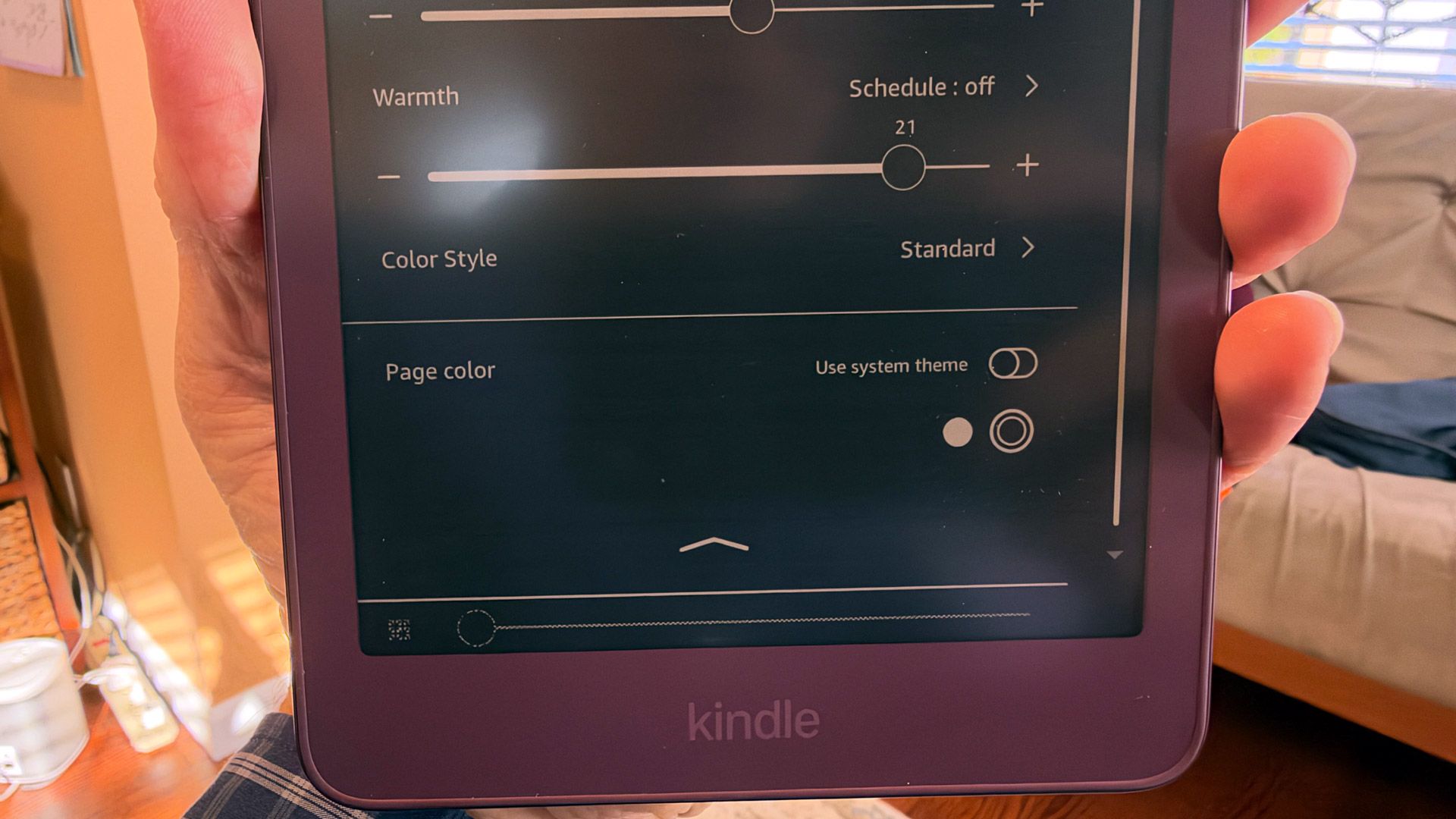
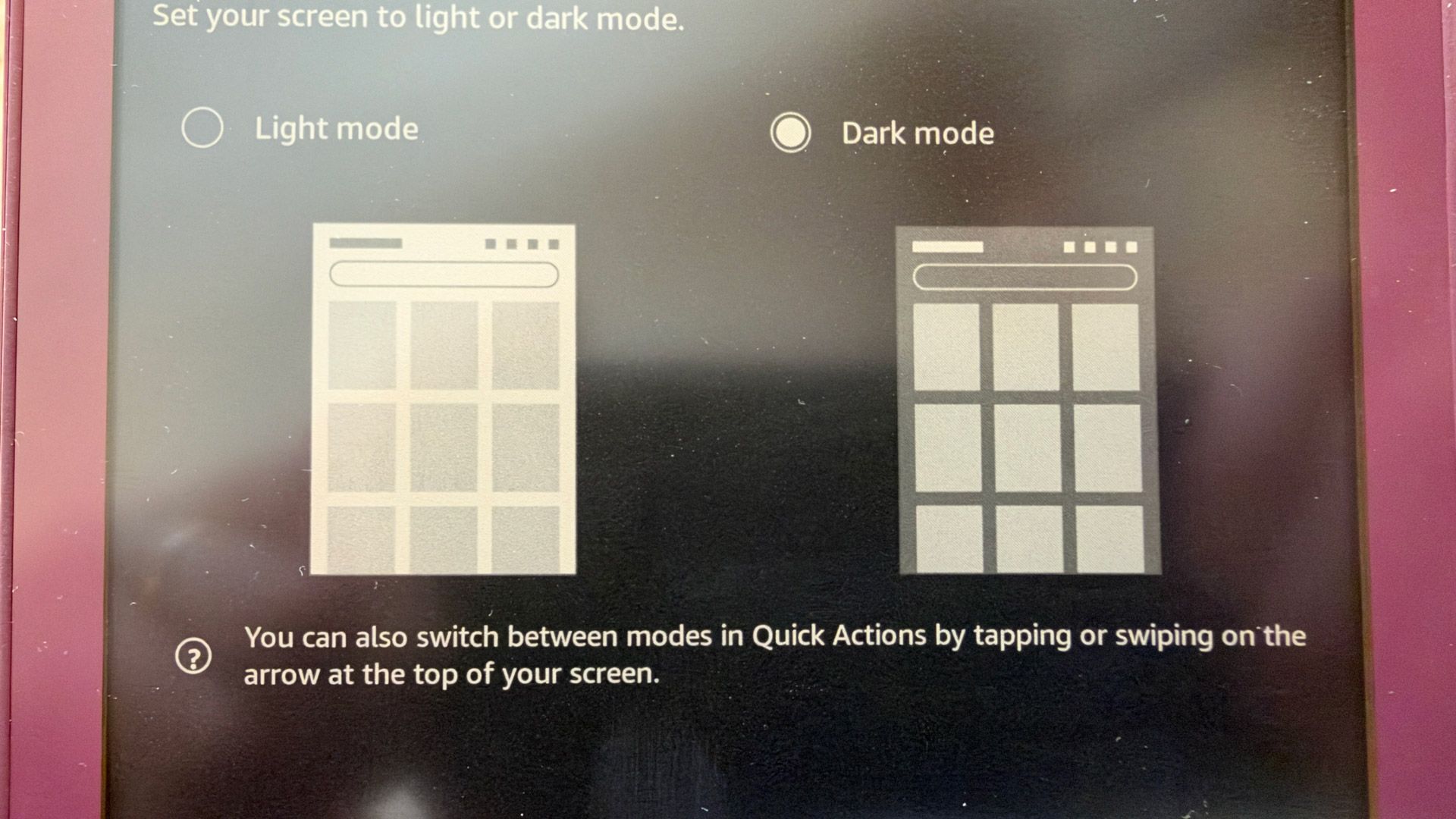
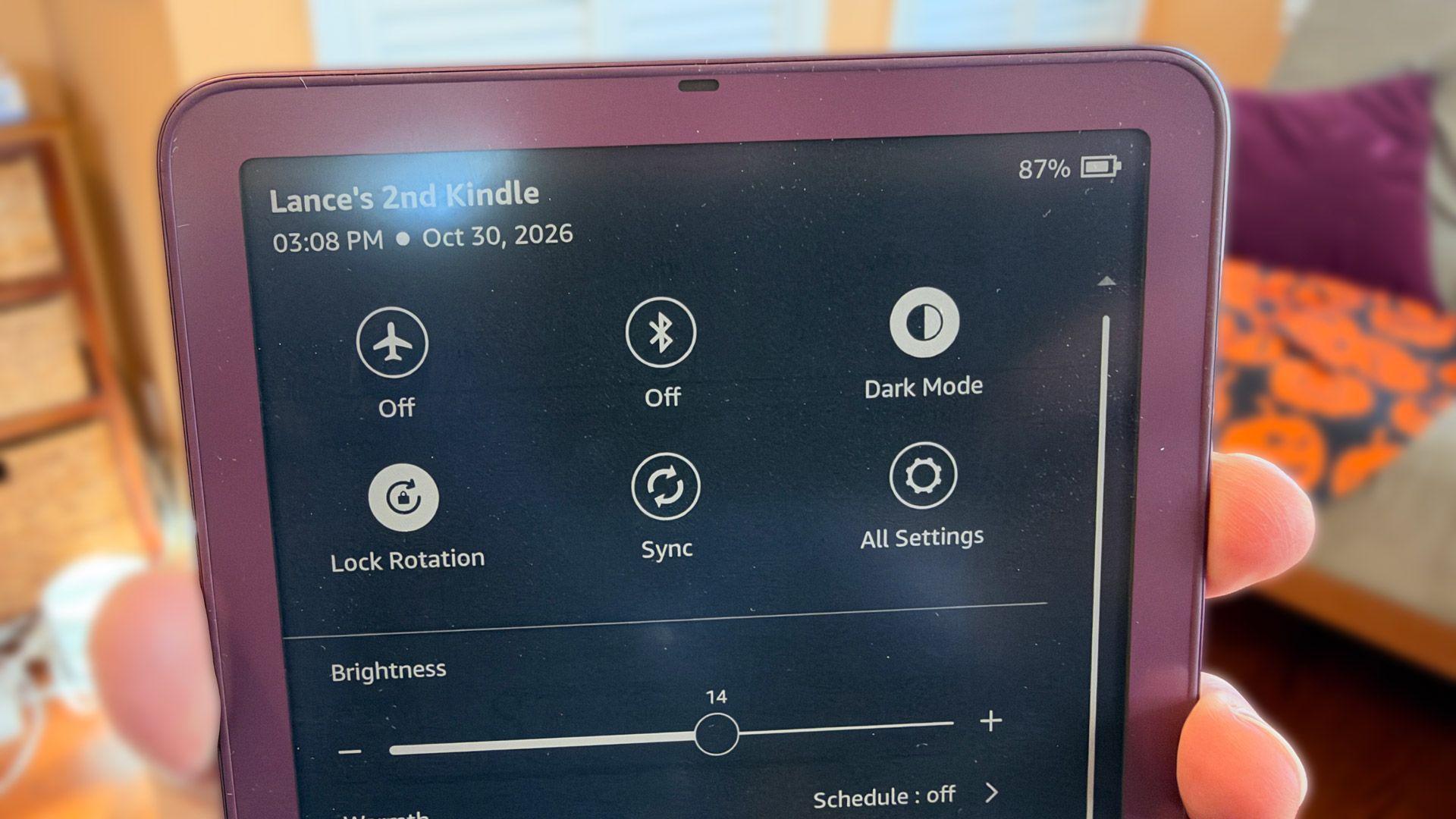
    The Kindle Colorsoft shares a menu system with the rest of the monochrome Kindles, with the Dark Mode option sitting right up top. You access the quick menu with a swipe down from the top of the display. You can also dig into settings to turn on the control from there.

    I turned on Dark Mode on the Kindle Colorsoft Signature Edition and noticed that my library immediately reversed, turning all the white borders black, but the book, magazine, and graphic novel covers remained untouched. If I opened a book, I saw white text on black pages.

    The other thing I noticed is that the screen looked a lot dimmer. Basically, Dark Mode automatically lowers the screen brightness by half.

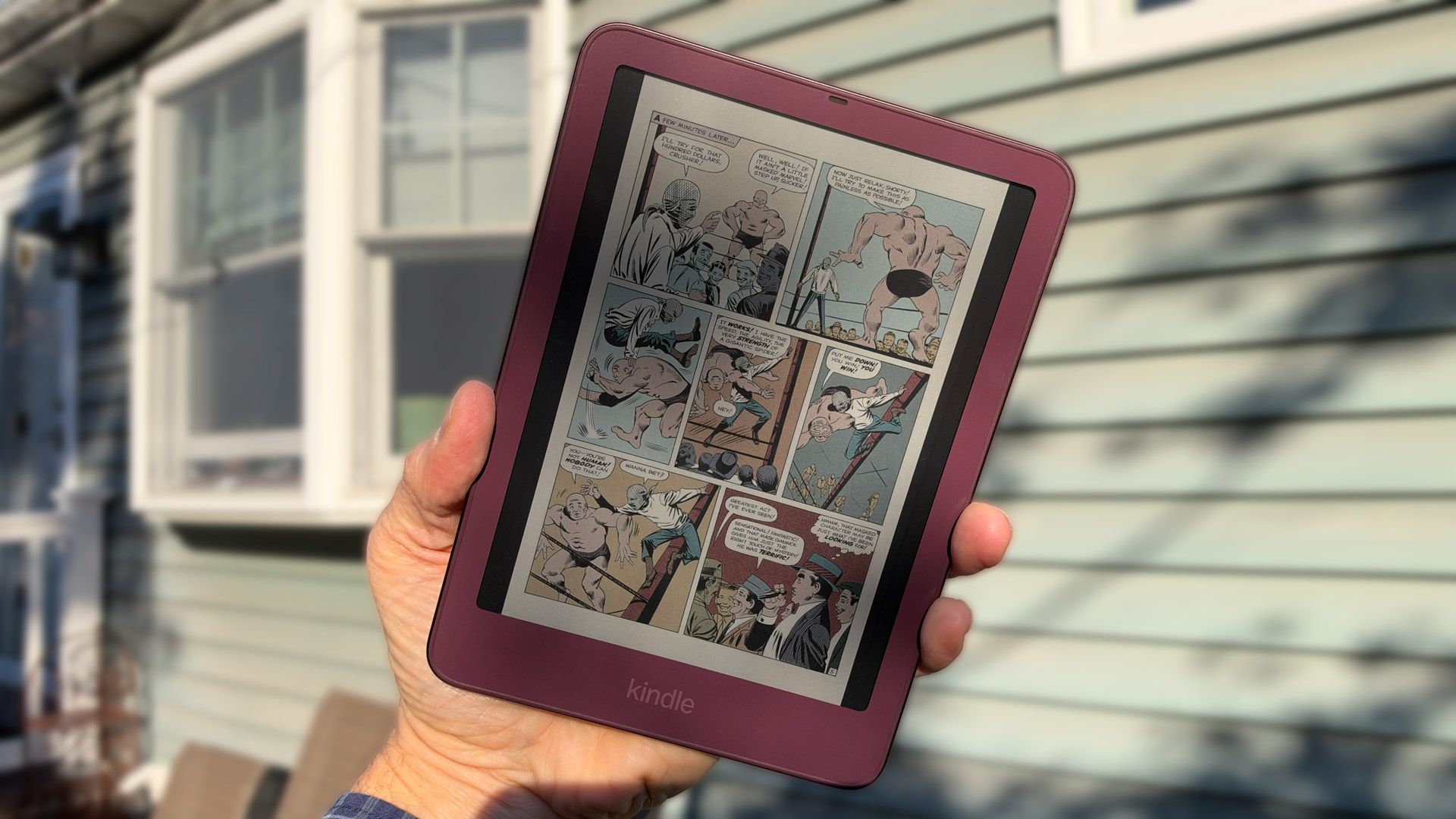
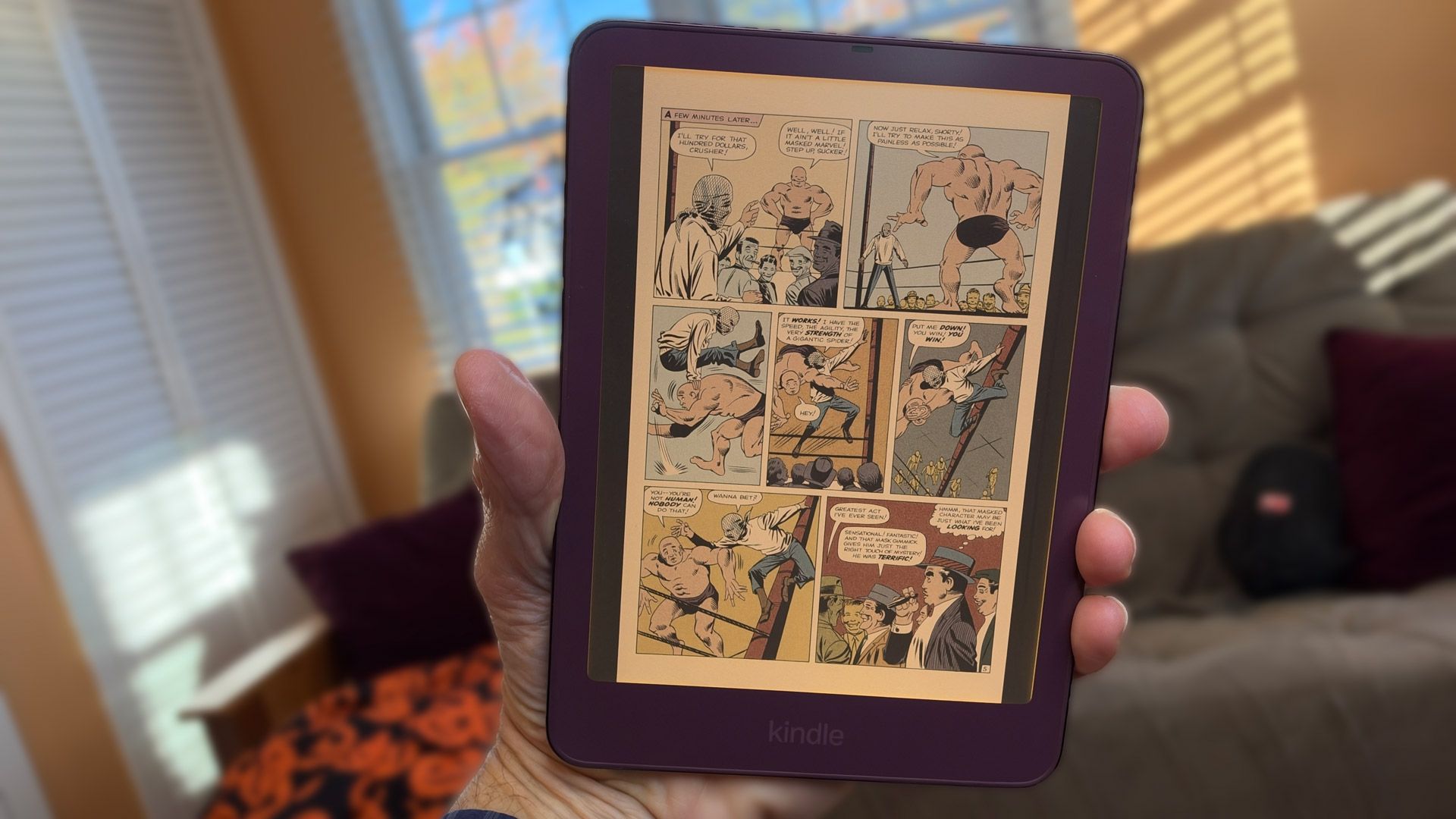
    I opened a graphic novel. As with the rest of the Colosoft interface, the borders around each graphic novel page were black. However, each page was still white, with the untouched color panels inside. Honestly, this makes sense, since I can’t imagine any artist would want dark mode reversing their work. It would probably look terrible.
    Amazon Kindle Colorsoft Dark Mode
    Lance Ulanoff / Future
    Amazon Kindle Colorsoft Dark Mode controls
    Lance Ulanoff / Future
    Amazon Kindle Colorsoft Dark Mode controls
    Lance Ulanoff / Future
    Amazon Kindle Colorsoft Dark Mode controls
    Lance Ulanoff / Future

    I could see all the colors, but the pages looked too dim. Fortunately, I could still push the front-lit LEDs brighter (I turned them up to max) to return some of that vibrancy, though I’m not sure if that defeats the purpose of Dark Mode.

    The other option is to take advantage of the Kindle Colorsoft’s reflective display (unlike an LCD, there are no traditional backlights). If you have a good external light or even sunlight, the page looks great with or without dark mode, which can reduce eye-straining screen glare and save some battery life (not much of an issue with Kindles).

    Here’s what I learned: Yes, you can still see colors in Dark Mode, but as Amazon confirmed to me, “When setting Colorsoft devices to dark mode, the screen may appear dimmer overall due to the color E-Ink layer.”

    If the screen looks too dim, adjust the brightness or find a good light

    asked Colorsoft eReaders Kindle Tablets
    Follow on Google News Follow on Flipboard
    Share. Facebook Twitter Pinterest LinkedIn Tumblr Email Copy Link
    myappsplus
    • Website

    Related Posts

    3 underrated movies you can watch for free this weekend (Oct 31- Nov 1)

    October 31, 2026

    Best early Black Friday Kindle deals 2026: Save on 2026 Kindle and Kindle Click

    October 31, 2026

    Big tech is quietly preparing for Democratic scrutiny as Trump tries to crack down on free speech

    October 31, 2026
    Add A Comment
    Leave A Reply Cancel Reply

    Top Posts

    Cathay Pacific tests Google AI that dramatically cuts airplane contrails — tiny altitude shifts slash environmental impact by 40% in early trials

    September 8, 2026137 Views

    What was the PSX? The souped-up PS2 rarely sold outside of Japan

    September 14, 202616 Views

    Keep running out of mobile data? This new unlimited plan gets you up to 80Mbps 5G speeds for just AU$50/m

    October 8, 202615 Views
    Latest Reviews

    Google’s latest AI weather model gives you no excuse to forget your umbrella

    myappsplusSeptember 3, 2026

    Beyerdynamic is back with affordable Aventho Y wireless headphones — and the 90-hour stamina alone can be my ‘why’

    myappsplusSeptember 3, 2026

    Amazon drops the Razer Huntsman V3 Pro TKL back to its all-time low at $124.99

    myappsplusSeptember 3, 2026
    Stay In Touch
    • Facebook
    • YouTube
    • TikTok
    • WhatsApp
    • Twitter
    • Instagram

    Subscribe to Updates

    Get the latest tech news from FooBar about tech, design and biz.

    Most Popular

    Beyerdynamic is back with affordable Aventho Y wireless headphones — and the 90-hour stamina alone can be my ‘why’

    September 3, 20260 Views

    Amazon drops the Razer Huntsman V3 Pro TKL back to its all-time low at $124.99

    September 3, 20260 Views

    Everything announced during the PlayStation State of Play double header

    September 3, 20260 Views
    Our Picks

    Apple Reveals New iPad Mini’s Battery Capacity

    October 31, 2026

    Chelan considers rules for AI use, public records and data privacy

    October 31, 2026

    New Baseus window-mounted 4K 24/7 security camera gets $20 launch discount

    October 31, 2026

    Subscribe to Updates

    Subscribe to our newsletter and get the latest tech news, app updates, AI trends, smartphone reviews, and exclusive deals delivered straight to your inbox.

    Facebook X (Twitter) Instagram Pinterest
    • About Us
    • Get In Touch
    • Disclaimer
    • Privacy Policy
    • Terms & Conditions
    © 2026 MyAppsPlus. All Rights Reserved.

    Type above and press Enter to search. Press Esc to cancel.