

Affiliate links on Android Authority may earn us a commission. Learn more.
Google could upgrade Pixel 11 Pro’s HiLight with Highlight
The HiLight LED could soon integrate with Android’s upcoming Notification Rules and become AI-driven.
By
•
•
•
Shimul Sood / Android Authority
Add Android Authority on Google:
Preferred SourceGoogle Discover
TL;DR
- Android 17 QPR3 Beta 3 code reveals Google is working to connect the Pixel 11 Pro’s rear HiLight LED array to its upcoming Notification Rules system.
- Users may soon be able to assign the “Highlight” action within Notification Rules to specific apps and contacts, or even let on-device AI automatically highlight urgent messages and deliveries.
- The Highlight action can potentially even flash the Pixel 11 Pro’s HiLight LED when the phone is placed face down.
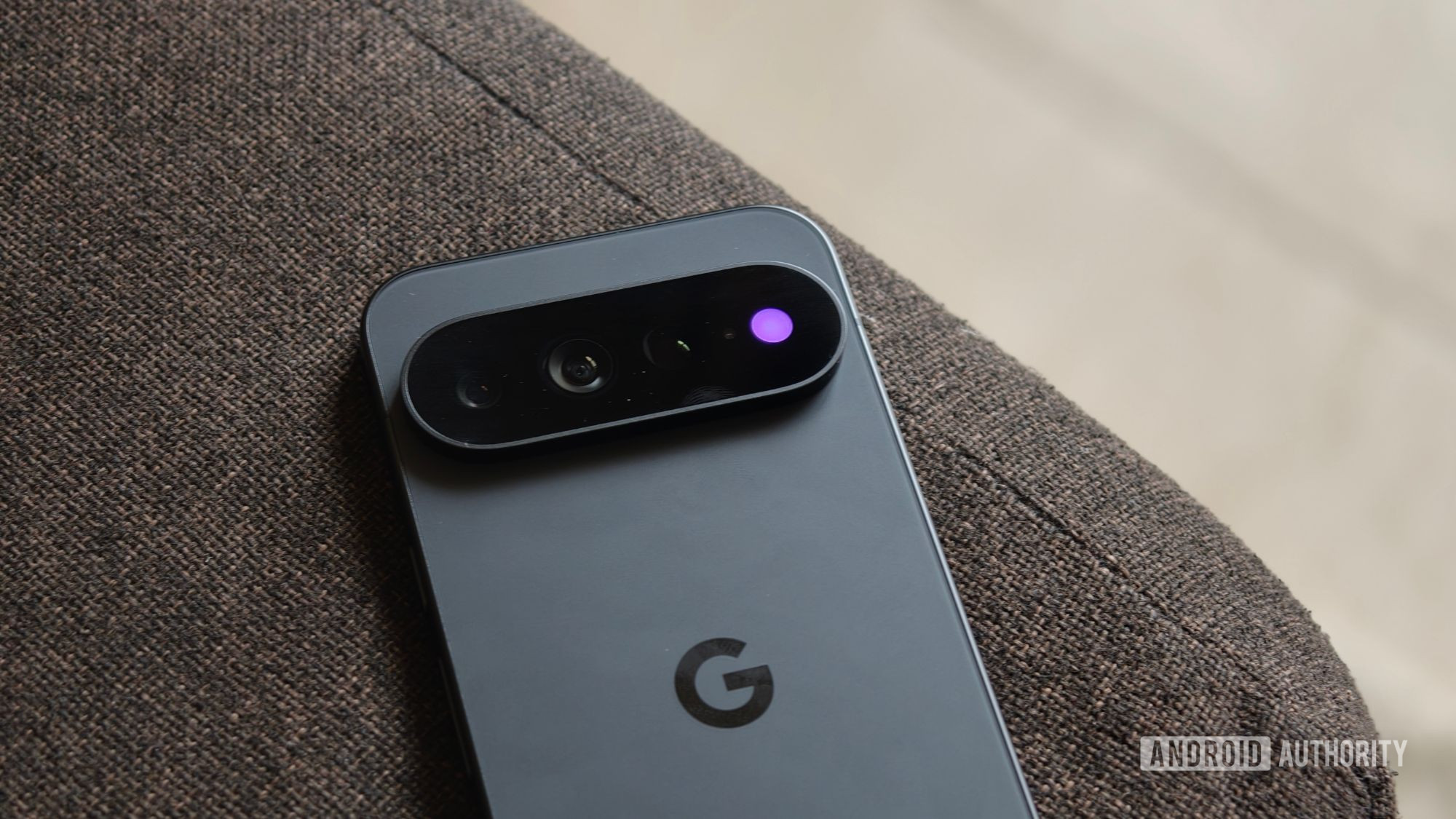
One of Pixel 11 Pro’s highlight features was HiLight, an LED array around the camera flash that alerts you to some notifications. This feature had great potential, but Google hampered it by limiting it to just some notifications from the Phone app and WhatsApp. If you’re yearning for more HiLight functionality and don’t want to use third-party apps like HiLight Studio, then this news is for you. We’ve now spotted Google working on integrating HiLight into Android’s upcoming Notification Rules system through its Highlight action.
You’re reading an Authority Insights story. Authority Insights brings you all the latest exclusive reports, app teardowns, leaks, and in-depth tech coverage from the Android Authority team that you won’t find anywhere else.
Back in April, we spotted Google working on Notification Rules in Android 17 Beta 3. This upcoming feature could bring granular control over notifications from certain apps and people. Users would be able to assign one of five specific actions to notifications from certain apps and people: Silence, Block, Silence and Bundle, Highlight, and Highlight and Alert.
At the time, we weren’t quite sure what “Highlight” was referring to. With the latest Android 17 QPR3 Beta 3 release, we spotted new strings that bring clarity:
<string name="notification_rules_action_highlight">Highlight</string>
<string name="notification_rules_action_highlight_description">Highlighted notifications show at the top of the notification shade.</string>
As the above string suggests, the “Highlight” action would essentially bring the notification to the top of the notification shade where it becomes easier to notice.
But this doesn’t end here. As it turns out, Highlight would also play in with Pixel’s HiLight feature:
<string name="notification_system_highlight_light_title">HiLight</string>
<string name="notification_system_highlight_light_summary">Flash light when phone is face down</string>
The string name makes a mention of both “highlight” and “light” and explicitly calls out “HiLight” and its flashing light action in the string. Joining the dots, the Highlight action within Notification Rules would not only show the highlighted notification at the top of the notification shade, but on the Pixel 11 Pro series, it would also flash the HiLight light.
However, one could argue that HiLight could already achieve similar functionality to an extent, and this expansion isn’t all that wide. Countering this argument, we’ve also spotted strings that suggest the Highlight action would use on-device AI to “elevate urgent messages, deliveries, and time-critical updates to the top of your notification shade.”
<string name="notification_system_highlight_rule_summary">Elevate urgent notifications to the top of your notification shade</string>
<string name="notification_system_highlight_rule_summary_long">"Elevate urgent messages, deliveries, and time-critical updates to the top of your notification shade. Highlight uses AI on your device, which may sometimes make mistakes. Your notifications are never sent to Google."</string>
Piecing together all the strings, it does seem like Notification Rules’ Highlight action could not only be assigned by the user to notifications from certain apps and people, but optionally also use an on-device AI rule to figure out which messages, deliveries, and updates are time-critical and highlight those as well. On the Pixel 11 Pro series, users would optionally be able to also match the Highlight action with HiLight, so highlighted notifications would not only go to the top of the notification shade, but also flash the HiLight LEDs when the phone is facing down. This would potentially open up HiLight functionality to a lot more notifications.
Notification Rules are not yet live in Android 17, and might be destined for QPR3 or a later release. We’ll keep you updated when we learn more about the feature.
⚠️ An APK teardown helps predict features that may arrive on a service in the future based on work-in-progress code. However, it is possible that such predicted features may not make it to a public release.
Authority InsightsNews
Android 17Authority InsightsGoogleGoogle Pixel 11
