

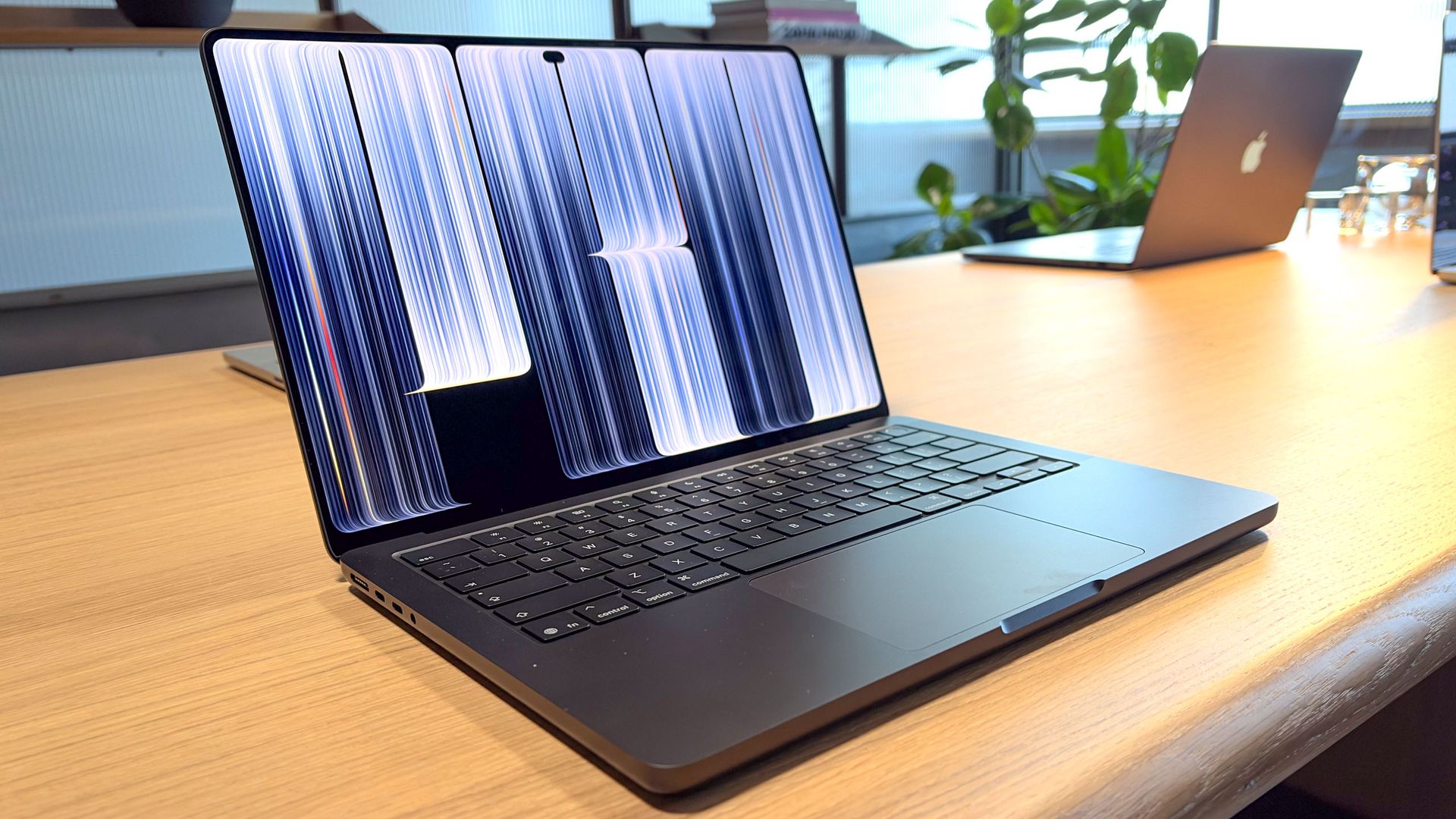
The new MacBook Pro with PROLED XDR Display has been a long time coming. And while it’s generating a lot of buzz, there’s also a lot of skepticism around Apple’s first touchscreen laptop. And understandably so.
Apple has famously dissed the very idea of touch laptops on multiple occasions over the years. But now the company believes the time is right. I’ve spent several hours playing with the new MacBook Pro and learning about the technology inside this $2,899 laptop, so I wanted to share 10 things I’ve learned to help go beyond the hype.
1. This tandem OLED display has next-level contrast at 10 million to 1
The best Windows laptops with tandem OLED displays tend to have a contrast ratio of 1 million to 1. The new MacBook Pro ups the ante with a 10 million to 1 ratio. But what does that mean to you?
The result is a panel that offers images with perfect black levels but without losing details in the shadows. Other OLED laptops look cloudy by comparison, especially off angle.
2. The touch silicon is built directly into the display — there’s no digitizer layer
Most touchscreen laptops have a separate and distinct digitizer layer that’s required to support touch input. But Apple found a way to integrate the touch silicon directly into its tandem OLED display.
The result is that the touch experience feels super fluid without any lag based on my hands-on time. And just as important, Apple says that this implementation makes the MacBook Pro’s OLED panel more efficient. So we expect the new MacBook Pro to last longer on a charge without the typical touch screen power penalty we’ve seen.
3. Apple used a TFT oxide layer, which is a first
Apple says that it’s the first to use a TFT oxide layer in its tandem OLED display, which has a few benefits.
It’s designed to offer greater pixel density versus other displays and to be more efficient, because the transistors virtually don’t leak any current when holding an image. Plus, the screen can drop to low refresh rates without flickering.
4. The new MacBook Pro has a different hinge
Apple redesigned the hinge for the MacBook Pro PROLED XDR because they knew that people were going to reach out and touch the display. They purposely designed the hinge to be more resilient to taps, so that it doesn’t wobble as much as other MacBooks.
Apple also added better video stabilization for the front camera so you can feel comfortable tapping even while you’re on a Zoom call.
5. There are a lot of apps being optimized for touch
While it’s clear Apple is playing catch up to Windows laptops when it comes to touch interaction, I was impressed with the wave of touch-friendly apps I’ve seen so far in various demos.
For example, in Logic Pro you can add piano chords to the track you’re working on with a touch keyboard or add bass hits with just a touch. And in apps like ZBruch, you can read out and manipulate 3D renders with your fingers.
6. The glowing Apple logo doesn’t use the display as a backlight
The last MacBook with a glowing logo on the back was the MacBook Air a decade ago, but Apple is bringing it back with the MacBook Pro PROLED XDR. But because the tandem OLED is a self-emitting display, there’s no traditional backlight.
So Apple had to squeeze a dedicated backlight into the new MacBook Pro to make the logo shine. In a nice touch, the logo itself dims and brightens as you raise and lower the screen brightness.
7. 2,000 nits beats every other OLED laptop
The new MacBook Pro is rated for 2,000 nits of peak brightness, which is 25% brighter than the brightest Windows OLED laptops, which typically max out at 1,600 nits.
Just as impressive, that 2,000 nits applies to both HDR content and SDR video, when typically the peak brightness number is reserved for HDR.
8. There’s no Apple Pencil support (on purpose)
As cool as it is to finally have a touchscreen MacBook Pro, I think it would have been nice for it to support the Apple Pencil too. This would have been great for finer edits, sketching and manipulating content.
However, Apple intentionally did not include Apple Pencil support for the MacBook Pro, and that’s because it doesn’t want to muddy the waters between MacBooks and iPads.
9. The 3-pound weight is nearly MacBook Air light
One of the things that impresses me most about the new 14-inch MacBook Pro is how light it feels. It weighs just 3 pounds, which is not far off from the 13.6-inch MacBook Air (2.7 pounds).
Apple says it redesigned this laptop from the ground up to pull out a significant amount of weight without making compromises in terms of performance, which we’ll put to the test.
10. There’s a Dynamic Island but no Face ID
The new MacBook Pro replaces the notch with a Dynamic Island at the top of the display, which supports Live Activities. For example, if you start playing music and then start doing other things, you can tap the Dynamic Island and bring up the playback controls.
However, this area doesn’t house Face ID tech, which would have been nice. You need to use the Touch ID in the power button to unlock your laptop. It works fine but doesn’t feel as futuristic as the rest of the laptop.
- Apple is entering its ‘Why Not?’ era — and your wallet is the ultimate beta tester
- The ultimate MacBook hierarchy: M6 vs M5 vs M4 vs M3 vs M2 vs M1 tested and ranked
- MacBook Pro OLED preorders are live: use this trick to save up to $1,400
