Close Menu
MyAppsPlus

    Subscribe to Updates

    Get the latest creative news from FooBar about art, design and business.

    What's Hot

    Billionaire predicts ‘unhinged’ future for iPhone Duo

    October 27, 2026

    Lao Gan Ma faces backlash over AI automation claims, company denies mass layoffs

    October 27, 2026

    Apple’s mid-range M6 Mac mini models now up to $150 off

    October 27, 2026
    Facebook X (Twitter) Instagram
    Facebook X (Twitter) Instagram
    MyAppsPlusMyAppsPlus
    Tuesday, October 27
    • Home
    • Breaking Tech
    • Apps & Software
    • AI & Automation
    • Android
    • iPhone & iOS
    • More
      • Reviews
      • How-To Guides
      • Deals & Discounts
      • Shop
    MyAppsPlus
    Home»Breaking Tech»How to use your Samsung Galaxy phone to wirelessly charge other devices
    Breaking Tech

    How to use your Samsung Galaxy phone to wirelessly charge other devices

    myappsplusBy myappsplusOctober 27, 2026003 Mins Read
    Share Facebook Twitter Pinterest Copy Link LinkedIn Tumblr Email Telegram WhatsApp
    Follow Us
    Google News Flipboard
    How to use your Samsung Galaxy phone to wirelessly charge other devices
    Share
    Facebook Twitter LinkedIn Pinterest Email Copy Link

    If you’re in desperate need of power, lots of newer Samsung phones can wirelessly charge other devices.

    Running out of phone battery when you’re on the go can be a big problem. Even if you have power banks and portable chargers for every device under the sun, you still might forget them or think you won’t need them — only to find yourself bleeding power. Luckily, if you or a pal have a Samsung phone on hand, there’s one Hail Mary option you can still try.

    Samsung Wireless PowerShare allows you to siphon power from one phone into another (as well as a number of other compatible devices, such as earbuds and smartwatches). The phones that can both give power and receive it via Wireless Powershare are the S20-26 series of Galaxy phones (as well as the S10), the Note 20 and 10 series, the Z Fold series, the Z TriFold, and the Z Flip series. A number of phones can also receive power but not share it themselves, including the S7 and S7 Edge, S8 and S8+, S9 and S9+, the Note8, and the Note10.

    How to get Samsung’s Wireless PowerShare up and running
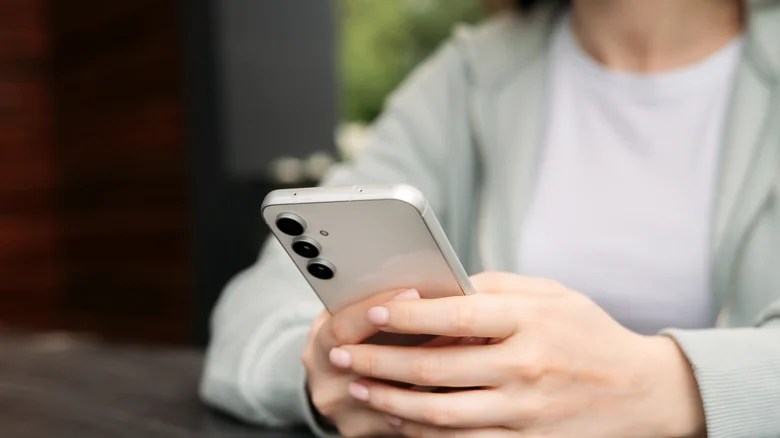
    Samsung phone held in two hands, portrait.

    To get started with Wireless PowerShare, begin with the phone you want to take power from. Swipe down to the notification panel, tap on ‘Wireless PowerShare’, and place the device you want to charge back-to-back with the phone sharing power. This will wirelessly charge the phone or other device you have linked, and will do so until the sharing phone dips below 30 percent charge (the sharing phone will also need over 30 percent charge to start PowerShare in the first place).

    If PowerShare isn’t quite working properly, make sure the devices are able to connect. You may want to take off your phone case and any other connected accessories, and you’ll want to make sure the back of your phone is clean. Furthermore, you’ll need to ensure that the device you’re charging is placed on the center of the sharing phone.

    The pros and cons of Wireless PowerShare
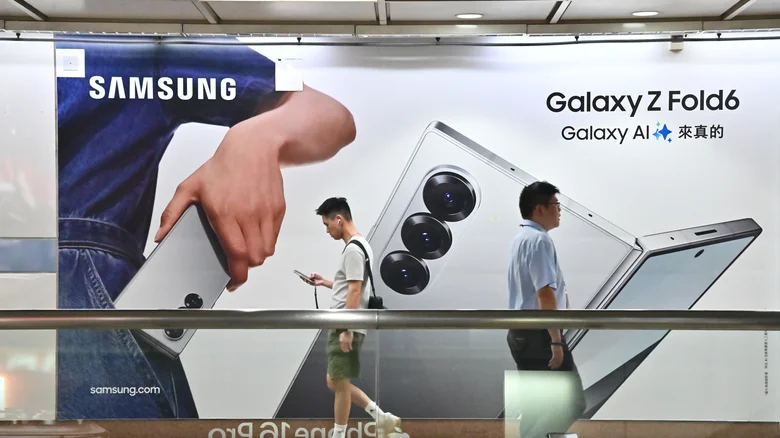
    Two people walking past an advertisement for the Galaxy Z Fold6.

    The big question here is whether PowerShare can charge non-Samsung tech — and, luckily, the answer is yes. PowerShare can charge any WPC Qi-certified phone, which includes iPhones and many other brands. It’s also compatible with a wide range of Samsung wearables, including the Galaxy Ring, most Galaxy Buds and most Galaxy Watches (with the exception of models like the Watch7).

    PowerShare is certainly nifty, but it’s not a perfect system. Wireless charging wastes much more electricity than wired charging, and that’s evident from how inefficient Wireless PowerShare can be. PowerShare charges at a snail’s pace, and is completely outclassed by a simple portable charger. This is partially because of how much power is lost through heat — which is another downside of this wireless method; this feature generates far more heat than regular wired charging, and can be bad for both batteries involved (as high heat exposure degrades lithium-ion batteries). Nonetheless, it’s a solid last-ditch asset when you have no other alternative.

    Galaxy phone Samsung wirelessly Your
    Follow on Google News Follow on Flipboard
    Share. Facebook Twitter Pinterest LinkedIn Tumblr Email Copy Link
    myappsplus
    • Website

    Related Posts

    X is nudging users to promote their posts with a pointing hand, and people are confused

    October 27, 2026

    Anthropic files for potentially record-breaking stock market valuation in key test for AI industry

    October 27, 2026

    Samsung releases second Galaxy S26 update in October

    October 27, 2026
    Add A Comment
    Leave A Reply Cancel Reply

    Top Posts

    Cathay Pacific tests Google AI that dramatically cuts airplane contrails — tiny altitude shifts slash environmental impact by 40% in early trials

    September 8, 2026137 Views

    Keep running out of mobile data? This new unlimited plan gets you up to 80Mbps 5G speeds for just AU$50/m

    October 8, 202615 Views

    Drone swarm tech valued by both defense and civilian sectors, industry platform says

    September 8, 202615 Views
    Latest Reviews

    25 Clever Camping Gear Picks That Actually Deliver

    myappsplusSeptember 2, 2026

    OpenMatter adds an AI model gateway and privacy-preserving machine learning

    myappsplusSeptember 2, 2026

    Adobe acquires Indian market intelligence startup Rilo

    myappsplusSeptember 2, 2026
    Stay In Touch
    • Facebook
    • YouTube
    • TikTok
    • WhatsApp
    • Twitter
    • Instagram

    Subscribe to Updates

    Get the latest tech news from FooBar about tech, design and biz.

    Most Popular

    25 Clever Camping Gear Picks That Actually Deliver

    September 2, 20260 Views

    OpenMatter adds an AI model gateway and privacy-preserving machine learning

    September 2, 20260 Views

    500 Bugs, $22, and a Dream: Bringing PocketVault to Android

    September 2, 20260 Views
    Our Picks

    Billionaire predicts ‘unhinged’ future for iPhone Duo

    October 27, 2026

    Lao Gan Ma faces backlash over AI automation claims, company denies mass layoffs

    October 27, 2026

    Apple’s mid-range M6 Mac mini models now up to $150 off

    October 27, 2026

    Subscribe to Updates

    Subscribe to our newsletter and get the latest tech news, app updates, AI trends, smartphone reviews, and exclusive deals delivered straight to your inbox.

    Facebook X (Twitter) Instagram Pinterest
    • About Us
    • Get In Touch
    • Disclaimer
    • Privacy Policy
    • Terms & Conditions
    © 2026 MyAppsPlus. All Rights Reserved.

    Type above and press Enter to search. Press Esc to cancel.